How to download Surveillance Station .qpkg old versions

Hi,
I’m using Surveillance Station since 2015 and I’m almost happy with it compared to QVR Pro or Elite.
I see that in the last year Surveillance Station became EoL and I’m afraid that on the next QTS updates it will simply stop working.
I’m looking to prepare and download the latest version .qpkg package of Surveillance Station (5.3.0.4.1 from 2024/11/1). I’m looking to make a backup of the .qpkg.

Does anyone know where to download the .qpkg from or if maybe if I can locate it on my system since I already have it installed?

Hello,

my latest version is 5.2.0.4.6. the link is

https://download.qnap.com/QPKG/SurveillanceStation_5.2.0.4.6_20230823_x86_64.zip

Hi @Becker2020 as I know the link you provide is already the official final version of QTS 5.1.x

my latest version is 5.2.0.4.6. the link is
https://download.qnap.com/QPKG/SurveillanceStation_5.2.0.4.6_20230823_x86_64.zip

There was a 5.3.0.4.1 for QTS 5.2.0 beta and the Surveillance Station was EOL after that so we can not guarantee its compatibility with the current QTS 5.2.6
https://download.qnap.com/QPKG/SurveillanceStation_5.3.0.4.1_20231115_x86_64.zip

By the way, I recommend saving a copy on your own NAS or other storage if want to keep the installation file, because the download.qnap.com link will also become invalid.
Thank you guys for the links! Hopefully I will not have to use them.

Next question: how did you browse the qnap.com website to find these links?
I tried to browse, but I didn’t found a way.

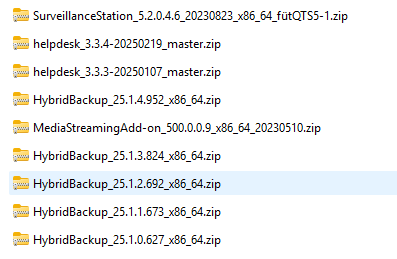
I have a lokal Backup. so i know the app name

The link is always “https://download.qnap.com/QPKG/” + app-name

i use Surveillance Station only on my first NAS. the TS-251D is runing with QTS 4.5.xx.
On my other nas with QTS 5.2.x i use QVR PRO.

Nice approach!
Congratulations! :clap: