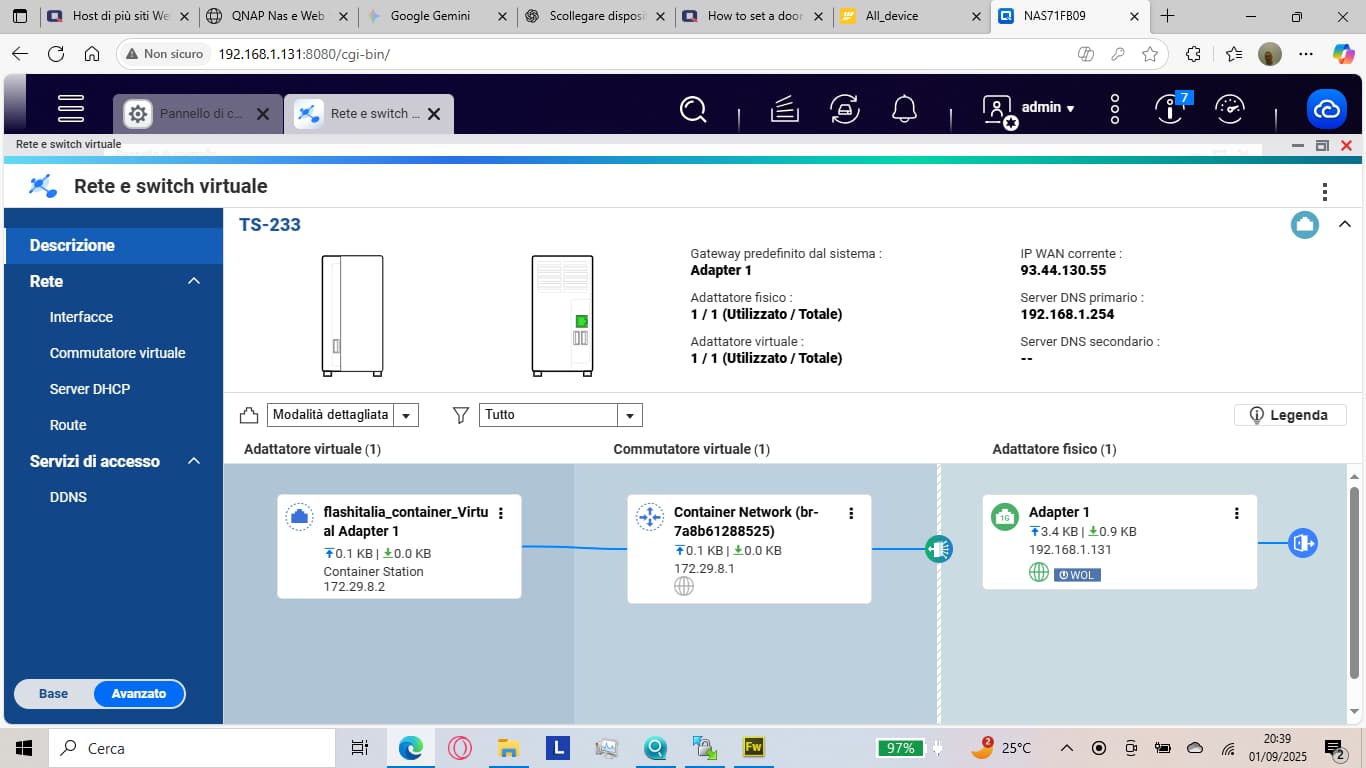
I have done a website in asp.net core 9.0 it work in local but not work when I try to public it for internet. I have a ip public. I use the Container station with docker and I have build the app the container and the image of the website asp.net core. I have add too a image of ngnix.conf for try to transfer the door but in internet not work. I no have firewall active.
this is the nginx.conf
server {
listen 443 ssl;
server_name ip_public;
ssl_certificate /etc/nginx/certs/fullchain.pem;
ssl_certificate_key /etc/nginx/certs/privkey.pem;

ssl_protocols         TLSv1.2 TLSv1.3;
ssl_ciphers           HIGH:!aNULL:!MD5;

location / {
    proxy_pass ip:80;
    proxy_http_version 1.1;
    proxy_set_header Upgrade $http_upgrade;
    proxy_set_header Connection keep-alive;
    proxy_set_header Host $host;
    proxy_cache_bypass $http_upgrade;
    proxy_set_header X-Real-IP $remote_addr;
    proxy_set_header X-Forwarded-For $proxy_add_x_forwarded_for;
    proxy_set_header X-Forwarded-Proto $scheme;
}
}
Any one can help me?