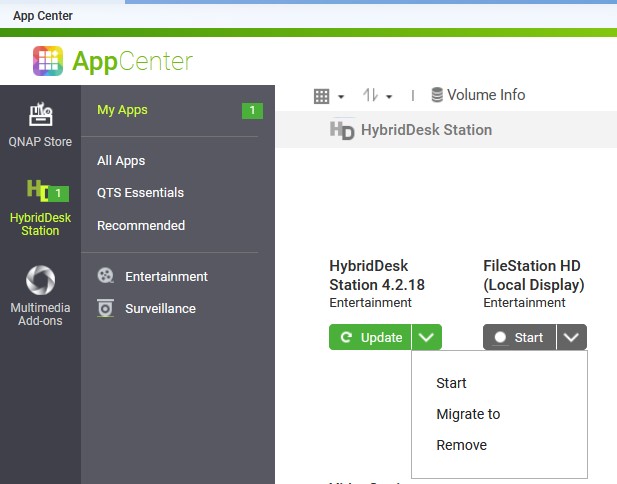
I keep getting a notice that there’s an update available in Hybrid Desk Station except it is no longer installed.
I have a TS-873A. It has no video card. I had a video card in it at one point, but the apps in Hybrid Desk Station are so bad, pathetic and really “old” that I was like, “I’m never going to use this.” I thought the GPU in the card would be helpful for speeding up some tasks but not really. So I decided I would remove the video card and put my 10Gbit fiber NIC back in place (I had it in there originally) as now both my NAS can communicate at 10 Gbit.
So Hybrid Desk Station is uninstalled. It is not possible to select anything to update in app center. How can I get rid of this? I’m thinking I need to open a support ticket, but am asking here first in case anyone knows.
OK. So I have run these, but HD_Station is still showing up on the qpkg.conf file. I’m not very good at Linux based editors. What’s the best way to remove that from the file?
Notice is still there.
OK. I did some searches for vi commands and was able to edit the file. Let’s see if that fixes things…
Further Edit: That looks like it fixed it! Fingers crossed!