I dont think so. But I’m pretty familar with QPKG system and I can help you.
However, to anyone developing any app or want to develop anything for QNAP, I will tell (dont know where), but compiling anything for QTS6+ is pretty easy:
1) QTS 6 and QuTS hero are Ubuntu 24.04 / glibc based.
Check it yourself on the box: ldd --version prints 2.39. That is exactly Ubuntu 24.04. So you do not need
an SDK, a cross toolchain or a container for x86_64 models. Install a plain Ubuntu 24.04 VM, build there,
copy the binary over, done. (This does NOT hold for QTS 5.x, which is much older glibc. Check first.)
2) Pick a destination directory outside /opt.
# /opt belongs to Entware. Turning Entware on/off will happily discard your symlinks.
# Give your app one fixed directory and put everything inside it:
MY_APP_DEST_DIR=/usr/bin/my_app
3) The only rule that really matters: static dependencies, dynamic glibc.
Build every library you need as a static .a and link it into your binary. Leave only glibc dynamic.
- Do NOT link fully static (
-static). It breaks NSS, so getaddrinfo() and user lookups die at runtime.
- Do NOT drop your own
.so files into /usr/lib on the NAS. You will collide with QNAP’s own libraries
and eventually break something that is not yours.
4) A complete, real example: ncurses (library) + htop (app).
SYSROOT=$HOME/build/sysroot          # private prefix for libraries, never installed on the NAS
MY_APP_DEST_DIR=/usr/bin/my_app      # where the app will live on the NAS

# --- the library: ncurses, static only -------------------------------------
# --without-shared --with-normal : build .a only, no .so at all
# --enable-widec                 : libncursesw, UTF-8
# --with-fallbacks + --disable-db-install : compile the terminal descriptions INTO
#                                  the library, so you ship no terminfo database
#                                  and it still works on a bare NAS
cd ncurses-6.6
./configure --prefix=$SYSROOT \
  --without-shared --with-normal --enable-widec \
  --enable-pc-files --with-pkg-config-libdir=$SYSROOT/lib/pkgconfig \
  --with-fallbacks=xterm,xterm-256color,screen,linux,vt100,dumb \
  --disable-db-install \
  --without-debug --without-ada --without-cxx-binding --without-tests --without-manpages \
  CFLAGS="-O2 -pipe -fPIC"
make -j3 && make install             # lands in $SYSROOT, not in the system

# --- the app: htop, linked against that static ncurses ---------------------
# PKG_CONFIG="pkg-config --static" : pull Libs.private, i.e. the full static tail
# PKG_CONFIG_LIBDIR=...            : look ONLY in the sysroot, never at host libs
# --prefix                         : the path the app will have ON THE NAS
# -static-libgcc                   : add -static-libstdc++ too for C++ apps
cd ../htop-3.3.0
PKG_CONFIG="pkg-config --static" \
PKG_CONFIG_LIBDIR="$SYSROOT/lib/pkgconfig" \
./configure --prefix=$MY_APP_DEST_DIR --enable-unicode \
  CFLAGS="-O2 -pipe" \
  CPPFLAGS="-I$SYSROOT/include -I$SYSROOT/include/ncursesw" \
  LDFLAGS="-L$SYSROOT/lib -static-libgcc"
make -j3
make install DESTDIR=$PWD/../out     # stage it; DESTDIR + prefix = the tree you ship
--prefix is the path the binary will have on the NAS, DESTDIR is where it gets staged on the build
machine. Keep them separate or your app will look for its config in the wrong place.
5) Verify before you copy anything to the NAS. Three commands, every binary.
B=out/usr/bin/my_app/bin/htop

readelf -h $B | grep Machine
#   Advanced Micro Devices X86-64        <- right architecture

readelf -d $B | grep NEEDED
#   libm.so.6, libc.so.6                 <- glibc only. ncurses is gone: it is inside the binary.

objdump -T $B | grep -oE 'GLIBC_[0-9.]+' | sort -uV | tail -1
#   GLIBC_2.38                           <- must be <= 2.39, else it will not start on the NAS
If NEEDED lists anything that is not libc/libm/libpthread/libdl/librt/libresolv/ld-linux/libgcc_s,
you forgot to link that dependency statically. Go back and fix the library, not the app.
6) patchelf: for the one library you cannot make static.
In the example above htop still picked up libcap.so.2 from the build host. Two honest options.
Option A, drop the feature: ./configure --disable-capabilities. Nothing left to ship.
Option B, ship the library inside your own directory and point the binary at it. This is what patchelf
is for, and $ORIGIN is the part people miss: it means “the directory this binary is in”, resolved at
runtime, so it keeps working no matter where the package ends up.
mkdir -p out/usr/bin/my_app/lib
cp -L /lib/x86_64-linux-gnu/libcap.so.2 out/usr/bin/my_app/lib/
patchelf --set-rpath '$ORIGIN/../lib' out/usr/bin/my_app/bin/htop
#         ^ single quotes. Let the shell NOT expand $ORIGIN.

readelf -d out/usr/bin/my_app/bin/htop | grep -E 'RUNPATH|NEEDED'
#   RUNPATH  [$ORIGIN/../lib]
ldd out/usr/bin/my_app/bin/htop | grep libcap
#   libcap.so.2 => .../my_app/bin/../lib/libcap.so.2      <- your copy, not the system one
Two more patchelf tricks worth knowing:
patchelf --remove-rpath  $B                       # strip the absolute build-machine RPATH that
                                                  # libtool loves to bake in (/home/you/build/...)
patchelf --replace-needed libfoo.so.1 libfoo.so.2 $B   # re-point a binary you cannot rebuild
Remember the RUNPATH only resolves libraries you actually ship. It is not a way to borrow QNAP’s
libraries, and you should not want to: they change between firmware versions.
7) ARM models.
Same recipe, one extra line. Ubuntu 24.04 ships the cross compilers, so install
gcc-aarch64-linux-gnu or gcc-arm-linux-gnueabihf, then add --host=aarch64-linux-gnu
(or arm-linux-gnueabihf) to every ./configure and export
CC/CXX/AR/RANLIB/STRIP with the matching prefix. Everything else, including the three verification
commands, is identical. One warning for armv7: the older Marvell units have no NEON, so keep any
hand-written NEON assembly runtime-detected or switched off.
Everything above was built and run end to end on Ubuntu 24.04 before posting: ncurses 6.6 static,
htop 3.3.0, GLIBC_2.38 max, libcap relocated via $ORIGIN/../lib, binary starts and prints its version.
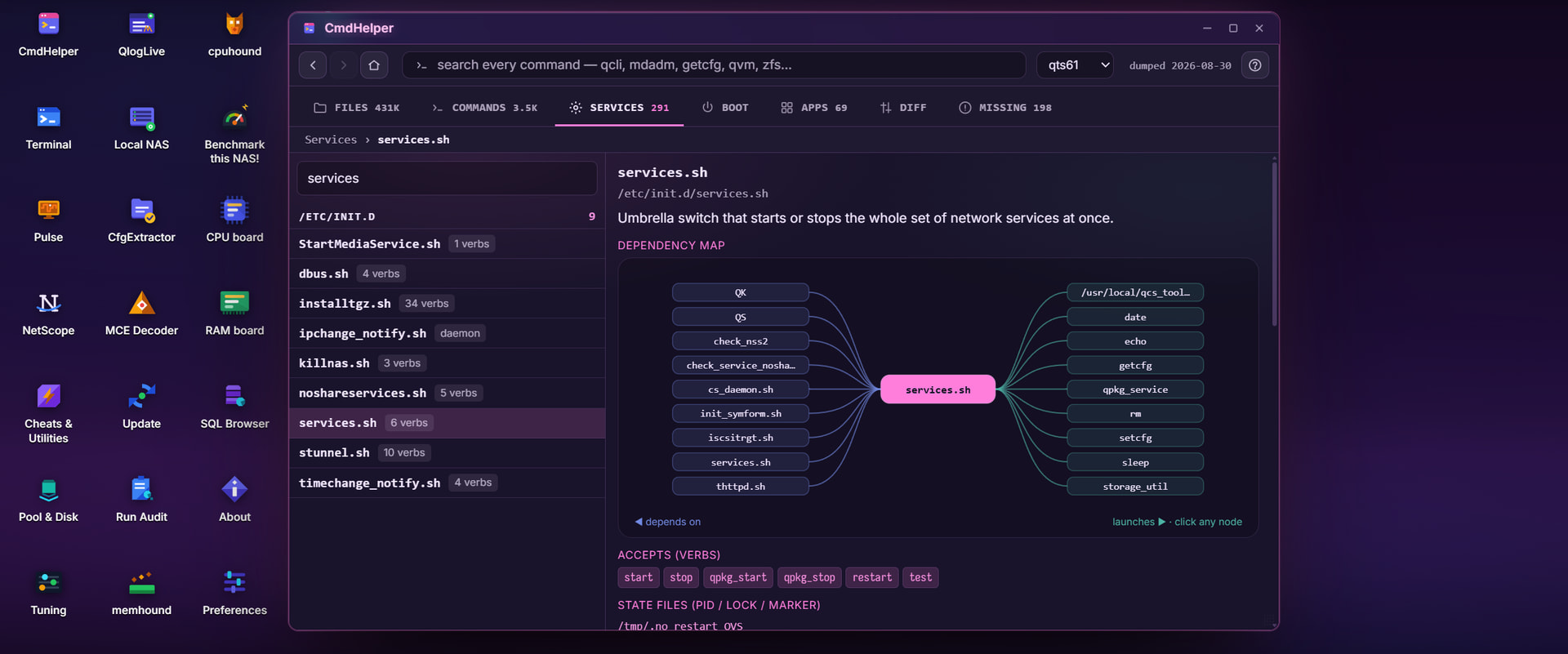
If you need to understand whole QNAP QPKG just install StorageDiag Workbench & Utiltities and from CmdHelper please look closer on a workflow how start/stop scripts works:
Ask me what you need and i’ll try to explain this to you.