How to take incremental backup in External USB HDD
Using HBS, you set up a backup set and use version control. Use the external USB HDD as the destination.
I do it all the time.
Sir can you give procedure screen shot
When I on versioning then every time take full backup and more space is used
I want backup only changed file or new file in new version

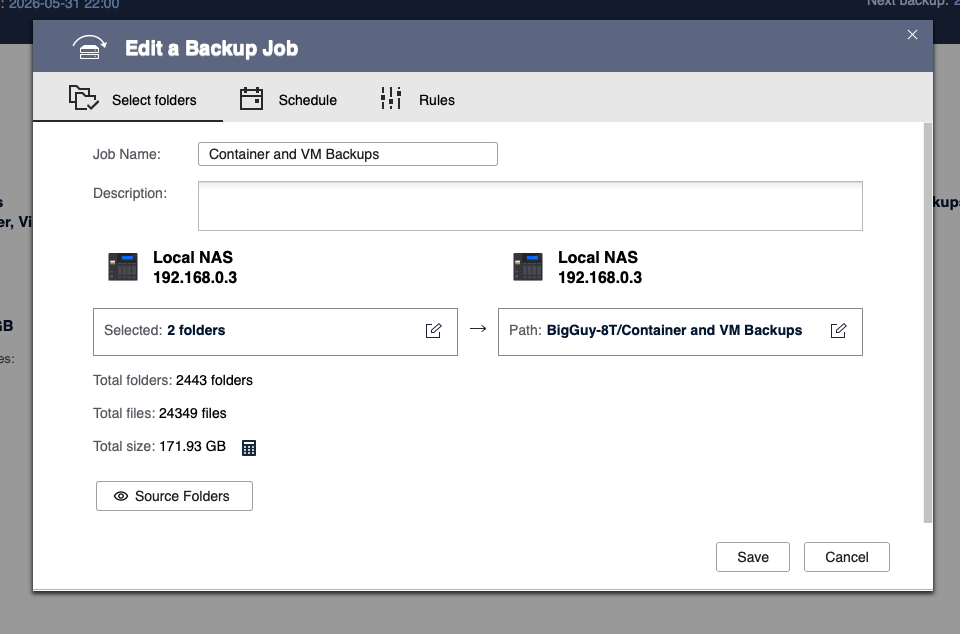
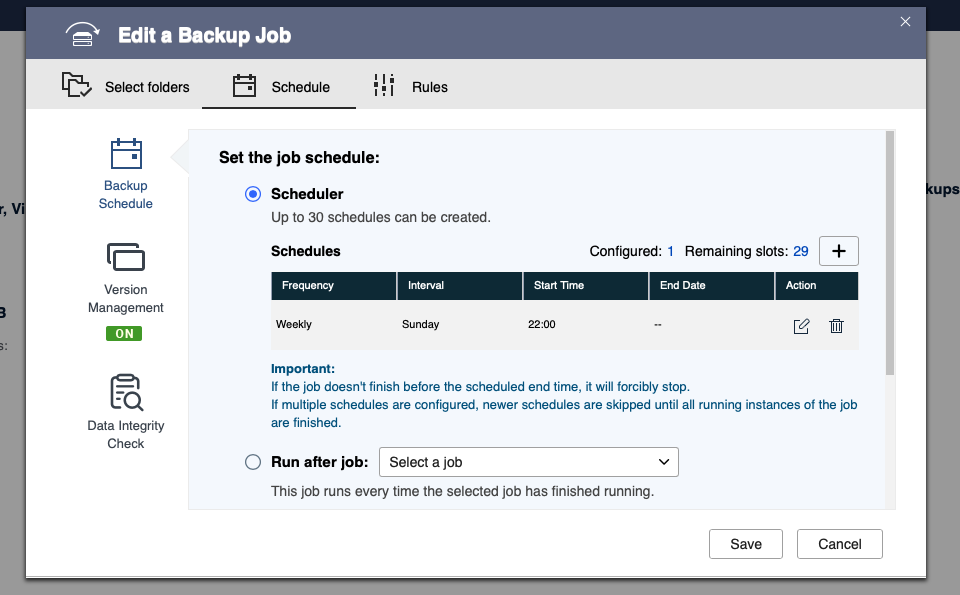
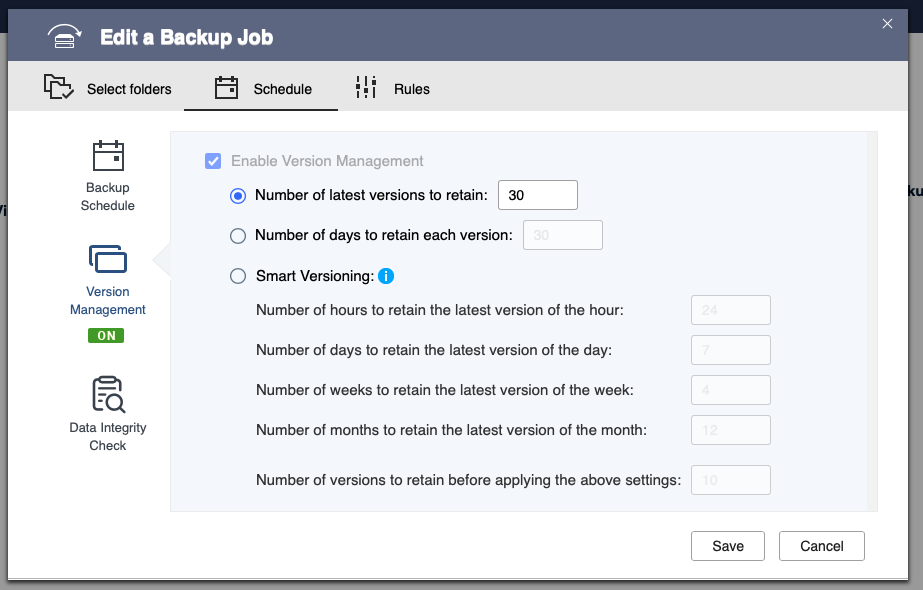
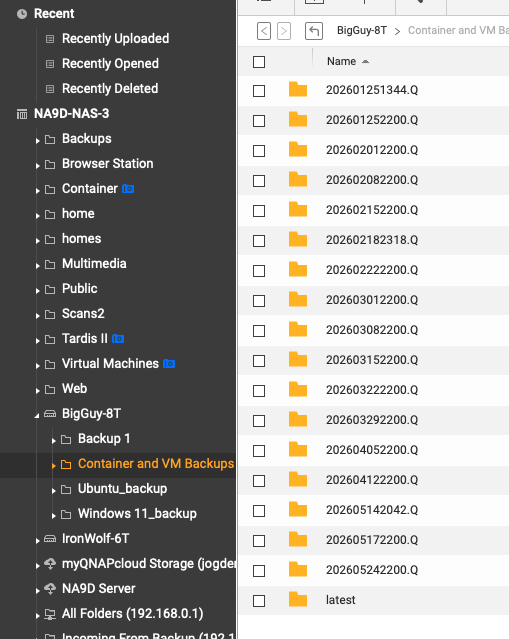
I create backup job as this and folder show also as this but every folder take full backup not only changed file or new file
Hm. It will appear in File Station like it’s a full backup. But it isn’t. It will show all files in each folder but it is only backing up the changed files.
But every folder take space according the file in folder
It is all a mapping/linking. It’s not actually taking up duplicate space.
One more thing when I take backup in usb then after completing backup smb access is slow
Not sure what you mean? Speed of SMB and the backup should have nothing to do with one another. Now, if your NAS is busy running the backup, then, it might slow other things down. What is your NAS model?
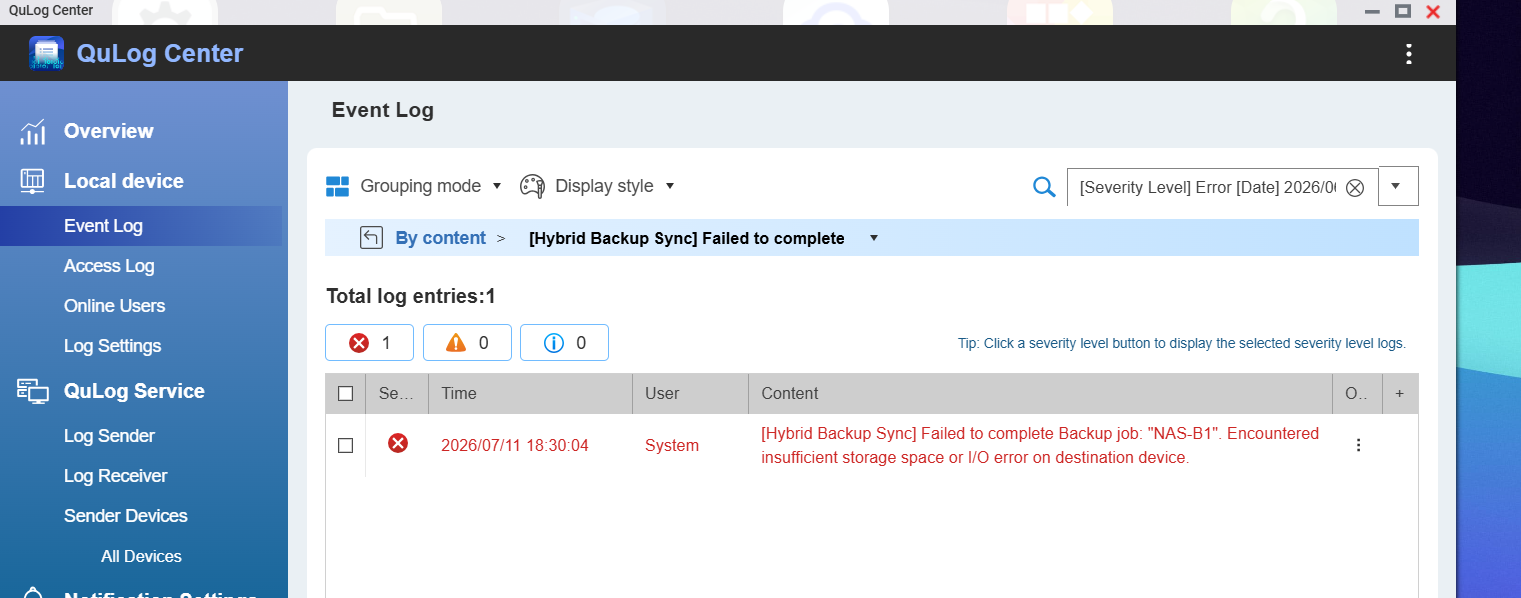
can anyone suggest
What is your NAS model please? You haven’t responded to this question so-far.
How big is your USB drive?