I would like to install an influxdb:3-core docker container on QuTS Hero h6.1.0.3640, however it is unsuccesful with the message: “Python environment initialization failed: Package manager not available: pip package manager is not available. Please install Python with pip
Please ensure Python and pip package manager is installed”
Could someone help me how to resolve it?
How does your compose look like?
influxdb:
container_name: influxdb
image: influxdb:3-core
ports:
- 8181:8181
command:
- influxdb3
- serve
- –node-id=node0
- –object-store=file
- –data-dir=/var/lib/influxdb3/data
- –plugin-dir=/var/lib/influxdb3/plugins
environment:
INFLUXDB3_NODE_IDENTIFIER_PREFIX: 00
INFLUXDB3_OBJECT_STORE: memory
volumes:
- /share/xxxx_DATA/Container/Influxdb-data:/var/lib/influxdb3/data
- /share/xxxx_DATA/Container/Influxdb-plugins:/var/lib/influxdb3/plugins
network_mode: bridge
You used the list instead of the code feature so all formatting got lost
sorry for using the wrong format

 influxdb:
    container_name: influxdb
    image: influxdb:3-core
    ports:
      - 8181:8181
    command:
      - influxdb3
      - serve
      - --node-id=node0
      - --object-store=file
      - --data-dir=/var/lib/influxdb3/data
      - --plugin-dir=/var/lib/influxdb3/plugins
    environment:
      INFLUXDB3_NODE_IDENTIFIER_PREFIX: 00
      INFLUXDB3_OBJECT_STORE: memory
    volumes:
      - /share/xxxx_DATA/Container/Influxdb-data:/var/lib/influxdb3/data
      - /share/xxxx_DATA/Container/Influxdb-plugins:/var/lib/influxdb3/plugins
    network_mode: bridge
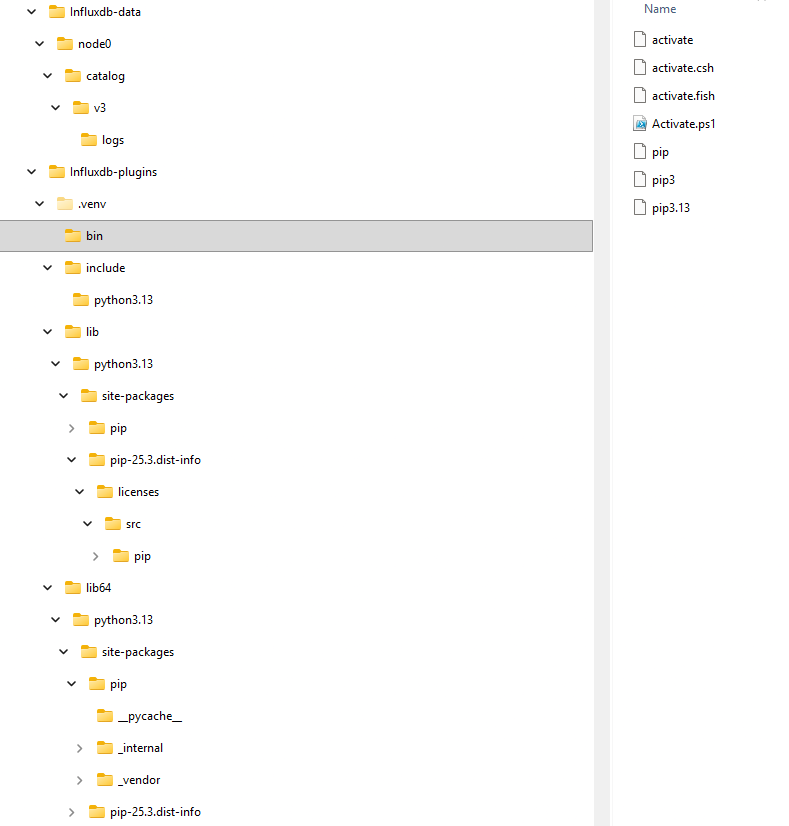
Are the directories created in the correct locations, after the command is run?
Yes, directories are created