I am using OPlayer to play videos on my iPad, but I am unable to access my NAS via Samba. If anyone knows how to set this up, I would greatly appreciate your guidance. Is it a mistake to try to configure the connection using Samba in the first place? I would be grateful if you could teach me the correct way to access the NAS.
Thank you very much.
My environment is QNAP TS431P and iPad M4 iPad Pro.
I can connect via FTP from within OPlayer, but I am unable to connect via Samba when not using a Wi-Fi connection.
1 Like
@kenken1
I’m a hardcore Android user, so I’m not very familiar with how things work around iOS, but when you say “cannot access,” which of the following situations does it seem to correspond to?
- When specifying something like \IP\Public, you get a response like “server not found.”
- When accessing something like \IP\Public, you are asked for a username and password, but authentication fails.
- When accessing something like \IP\Public, you are told access is impossible without even being asked for a username or password.
Since you can connect via FTP, I think the IP is reachable.
If it’s a relatively new iPad, it might not support older versions of the SMB protocol.
It might be a good idea to check if SMB3 or similar is enabled on the NAS side.
(The scenario I’m imagining is that the iPad is set to connect only via SMB2 or SMB3, but the NAS only has SMB1 enabled.)
I would appreciate it if you could check this.
Dear Harinezumi,
I apologize for the trouble and thank you for your confirmation.
When I set the access conditions (such as IP address) for the NAS in the video playback software OPlayer and try to access the configured server with WiFi turned off, it remains stuck on “receiving” and does not actually access the server. I suspect it may be continuously searching for the specified IP address. Since the username and password have already been set, I believe authentication should work, but I think there may be some mistake in the IP address configuration.
On the NAS side, it was set to SMB2 or higher, so I changed it to SMB1 or higher, but there was no change. As you mentioned, the iPad is the latest M4 iPad Pro, but is there a place on the iPad side to set the SMB protocol version?
I would greatly appreciate your assistance.
1 Like
@kenken1
When I set access conditions (such as IP address) for the NAS in the video playback software OPlayer and try to access the configured server with WiFi turned off, it stays on “Receiving” and does not actually access, remaining stuck.
Is my understanding correct that, in the case of FTP, you can still access even with WiFi turned off?
Is it possible to check the logs of either OPlayer or the NAS? It might be faster to check the logs and see at which process it is getting stuck, so please try checking them once.
Thank you for following up and contacting me.
Regarding FTP, is my understanding correct that you can access it even when WiFi is turned off, just like before? Yes, your understanding is correct.
Is it possible to check the logs for Oplayer or the NAS? It seems that the Oplayer logs cannot be checked. Where should I look to check the NAS logs?
Also, there is another app called nPlayer that can play videos in a similar way, and I tried it, but the situation is the same.
I suspect that either the SMB settings for the NAS entered in the software are incorrect, or the NAS is set to prevent external access, but I am not sure how to resolve this and am having trouble.
@kenken1
So, it seems that communication is possible based on the IP address. I see.
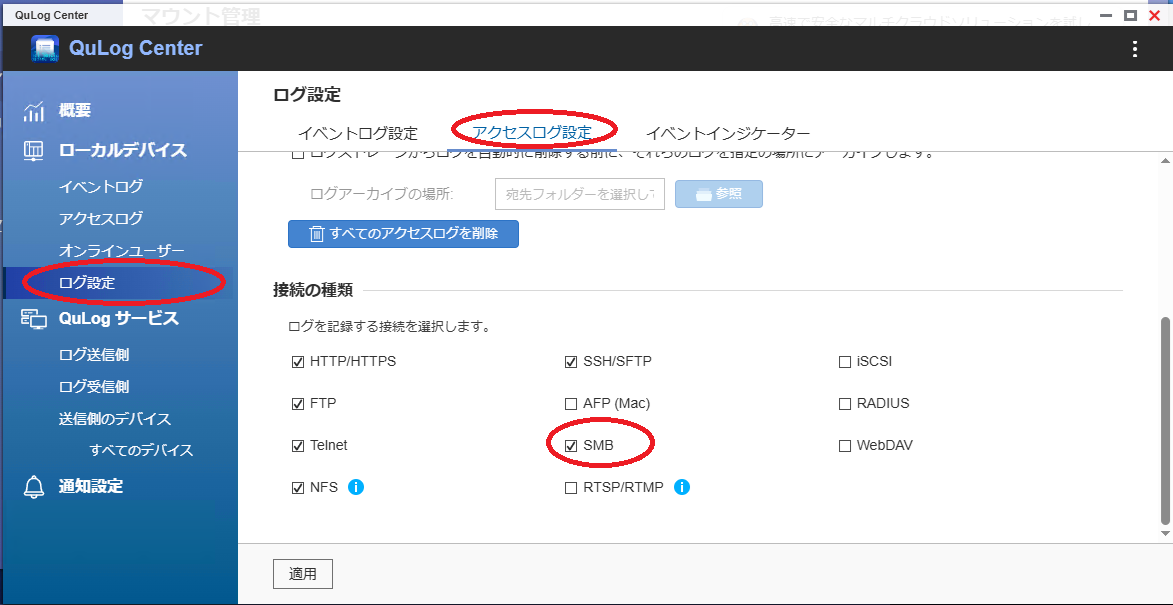
There is an app called QuLog Center, so I think it would be good to enable the SMB access log there and try accessing several times.
SMB logs should appear, and if you see something like “login failed,” you can determine that it’s a login-related issue.
If “login failed” or similar does not appear, you can judge that you are not able to access the NAS in the first place.
Usernames are also displayed, so you can see if you are trying to access with a different username than expected.
I suspect that the NAS is set up to prevent external access, but I am not sure how to address this and am having trouble.
If QuWirewall is running, I think it would be good to try stopping it for now. Usually, access restrictions are set per IP, so if you can access via FTP, it should be fine, but just in case.
For FTP, is it correct to understand that you can access even with WiFi turned off? Yes, your understanding is correct.
Just to be sure, could you check the IP addresses of the NAS and the iPad?
I think it would be good to confirm whether they are on the same network address.
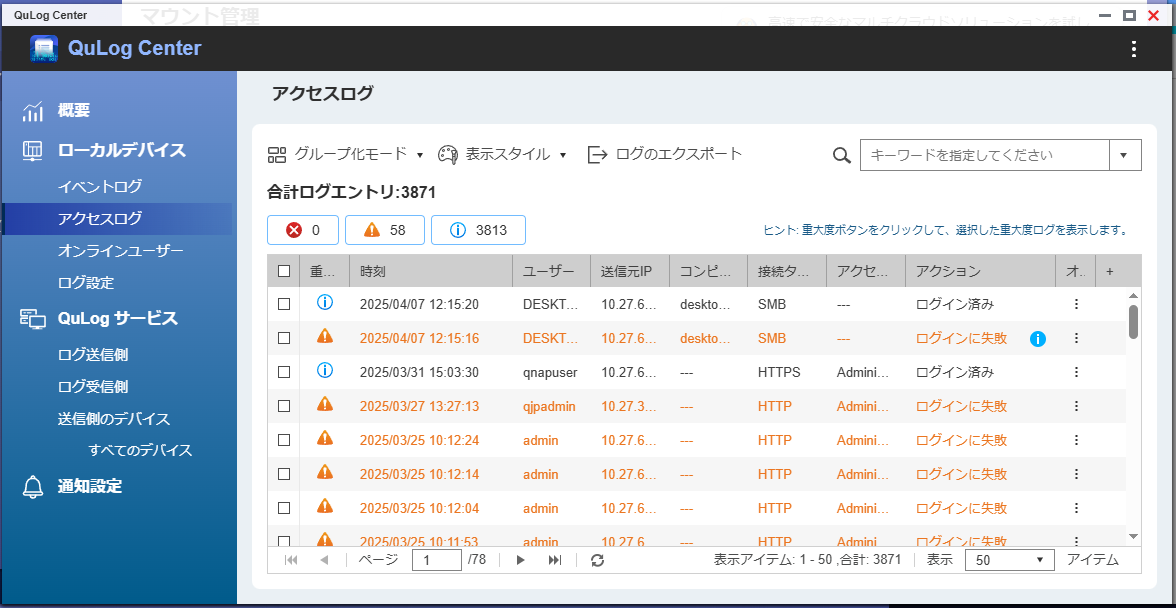
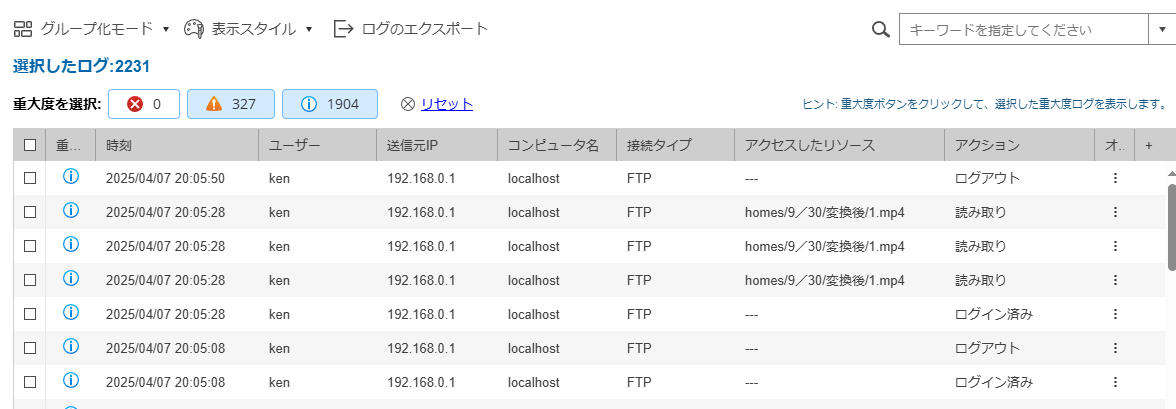
Thank you for contacting me. I checked right away, and when accessing via FTP, the access was properly displayed in the logs. I tried the same procedure after turning off WiFi, but even though the OPlayer app showed “Receiving” when trying to access via SMB, nothing appeared in the logs.
As for the IP addresses of the NAS and iPad, they were both set to the same default gateway.
It looked like this in FTP.
@kenken1
If the default gateway is appearing, does that mean the NAS and iPad are set up on separate networks?
If that’s the case, you may need to configure port forwarding on your router.
Since this also involves security, I recommend checking your router’s manual and configuring it appropriately.
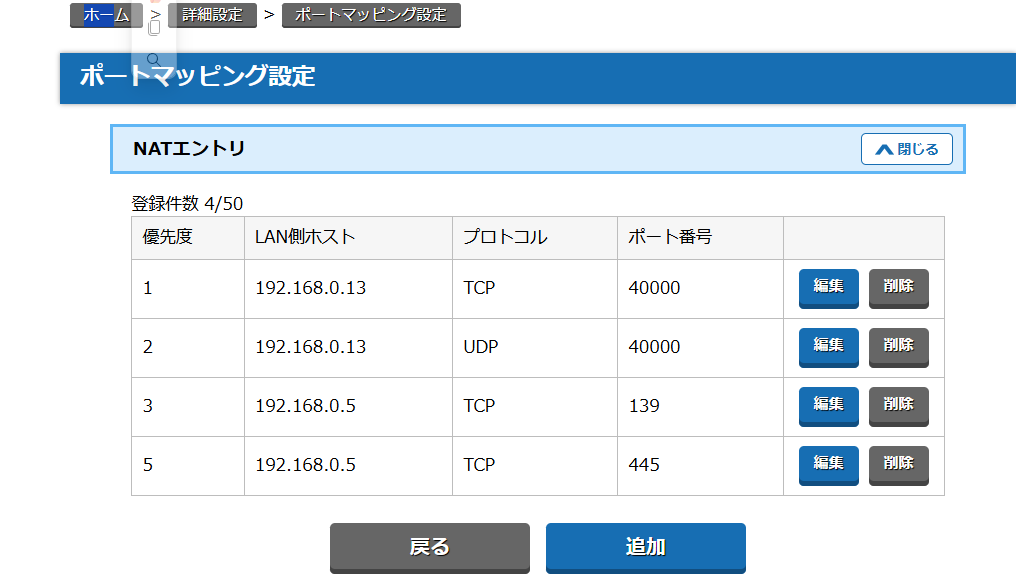
In my own router environment, I was able to connect simply by forwarding port 445. I hope this information is helpful.
Thank you for contacting me. Port forwarding refers to opening ports, correct? My router is an NEC Aterm, but is it okay to use the settings shown below?
I know the IP address of the NAS, but where can I find out which port I need to open? I would appreciate your guidance.
1 Like
@kenken1
I’m afraid I don’t know much about NEC routers. Sorry I can’t be of more help.
It seems to be related to network settings, so please check the Aterm manual and give it a try.
If you can access via SMB over WiFi, I don’t think it should be too difficult.
Thank you for contacting me.
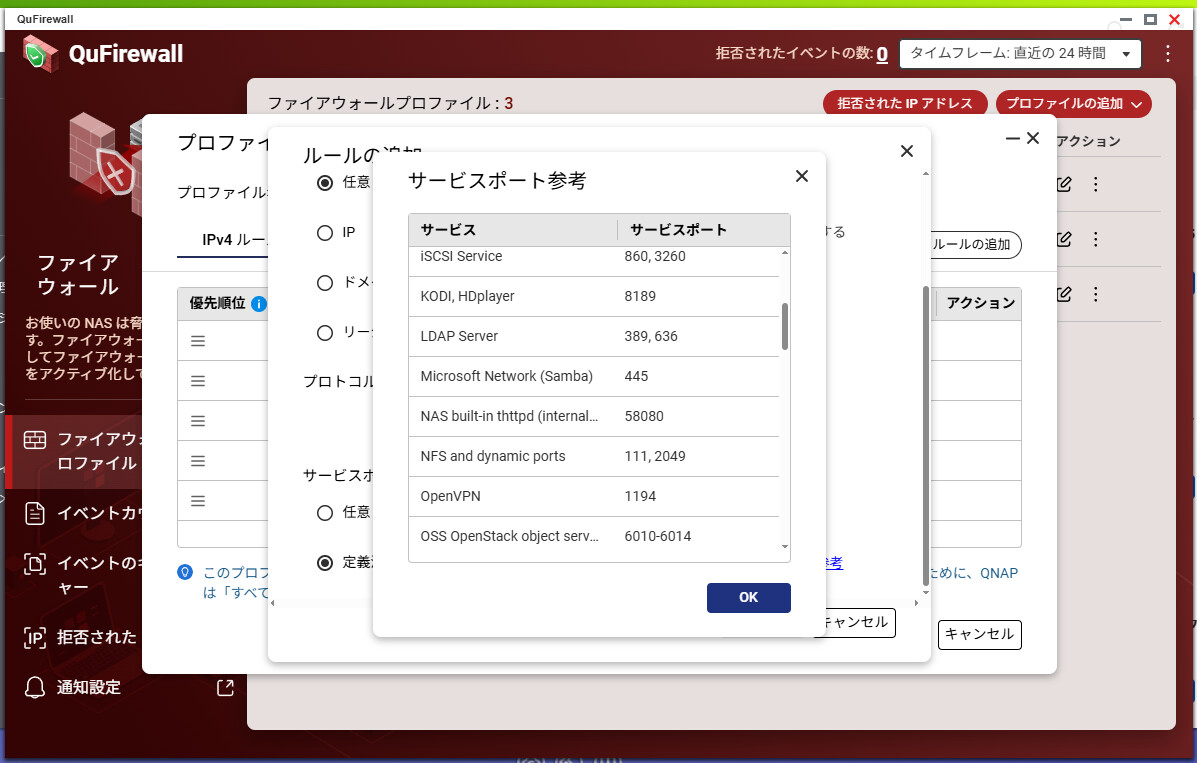
I understand how to configure the router, but I am not sure where to check the port settings on the NAS.
Thank you as always for your support.
1 Like
@kenken1
If you’re referring to the port used by SMB, it’s 445.
It was mentioned as a reference for service ports within QuFirewall.