For some time now, I haven’t been able to access my NAS via the web browser. However, my backup program can still back up to the NAS. You can also access it through Windows Explorer, but not always. The NAS is also displayed in the router. The only thing that doesn’t work is accessing the NAS directly through the browser to “get into” the NAS. I get a message that the page is not responding. Qfinder Pro with the latest version also doesn’t find the NAS. I was able to access the NAS recently and assigned a static IP address there, but now I can’t access it again. I hope someone can help me. I have the TS228, but I can’t say which firmware is installed; however, when I recently had access, I updated the firmware and an app with the security certificates.
Ever tried a quick 3-second reset?
If your backup program is still working, that means your NAS is basically still running. May I ask if, when accessing via the web browser, you also added “:8080” after the IP address?
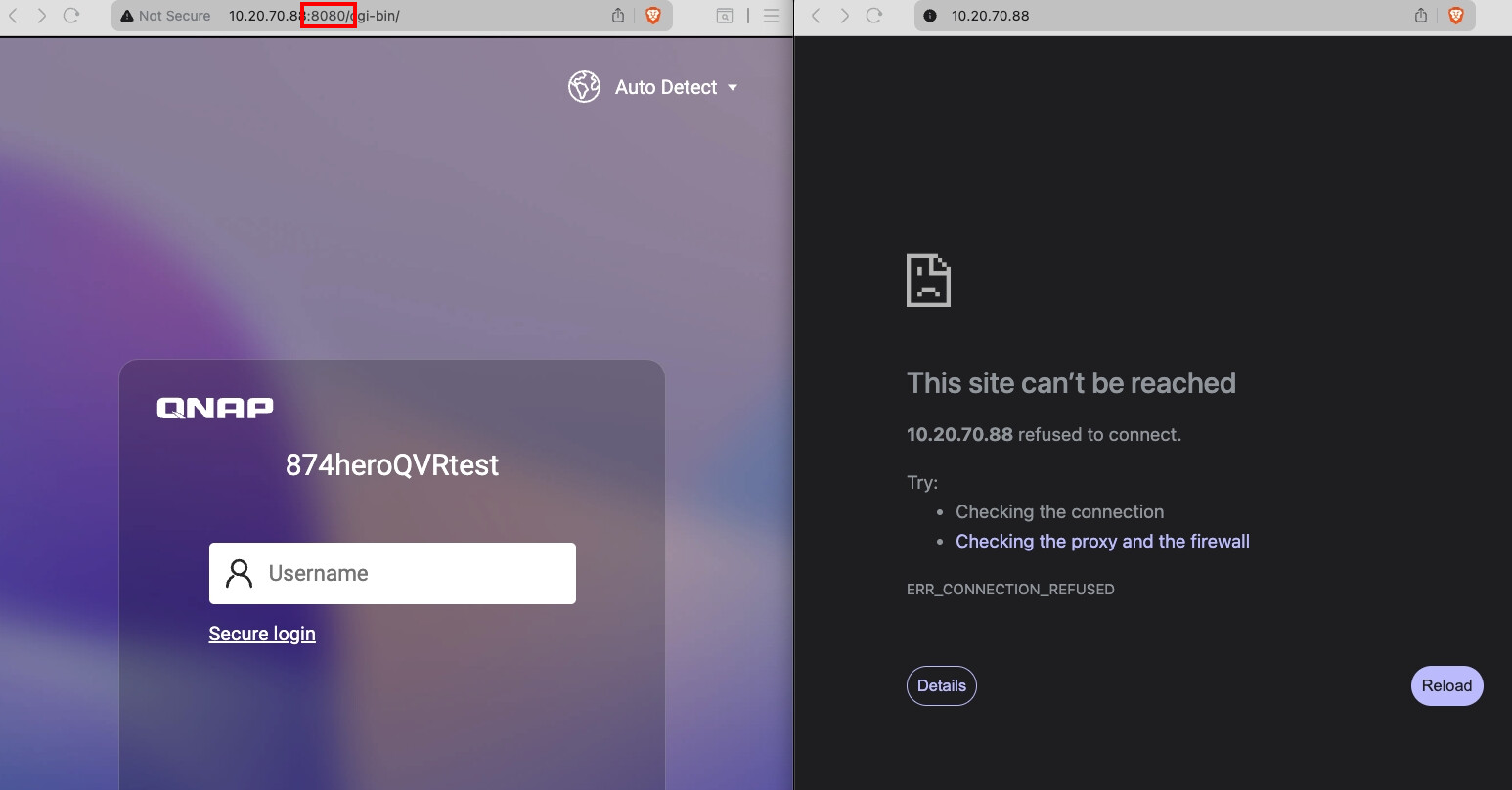
When you open your NAS via Qfinder, this port is added automatically. When entering it manually, I sometimes forget to append “:8080” myself.
–
Translated by ChatGPT
@dolbyman: No, I don’t know it at all. How do you run it?
@haru0 the 8080 is present at the end. And as I said, Qfinder also doesn’t find my NAS.
Thanks, I won’t be able to test it until tomorrow and will get back to you then.
I did the reset and it worked. But when I go to System/Security and select “allow only connections from the list” and enter the start and end IP addresses from my router, I lose access to the web interface again. The computer itself can access it via Explorer and also through the backup program. QFinder also no longer finds the NAS.
Then please don’t mess with this setting anymore. If there is no external access, you can just leave it alone.
Isn’t there a risk that someone from outside could gain access?
How are they supposed to get in? Without port forwarding, they’re stuck behind the router’s NAT.
All right. Thanks for the help.