Latest Update to QVR Smart Client in Hybrid Desk using 25% of Xeon-1250 CPU

It is working great but it immediately jumps CPU use from 5% to 30% and CPU fans are spinning at over 1900 (usually 1100). It did solve a years-long problem of images dropping frames.

TVS-h1688X 128gb ram QTS 5.2.7 3297 viewing 8 4k cameras.

This started immediately after the update this morning.

I think the answer is not to use Hybrid Desk? :smiley:

Just tried it on an i3-12000 took it from 5% to 95% and UI was almost unresponsive. It is also installed on an i5-8400t which I don’t dare try to use it as I am certain it would be totally unresponsive.

I have been less than impressed with Hybrid Desk Station. I’ve tried it on both my TS-451 (HORRIBLE experience) to my TS-873A (slightly better than HORRIBLE experience). I pulled the GPU out of the 873A and went back to using my 10Gb fiber card instead as I figured I’d get more use out of that than using DeskStation. Just not worth it. I don’t know why it is as slow and bad as it is, but it is.

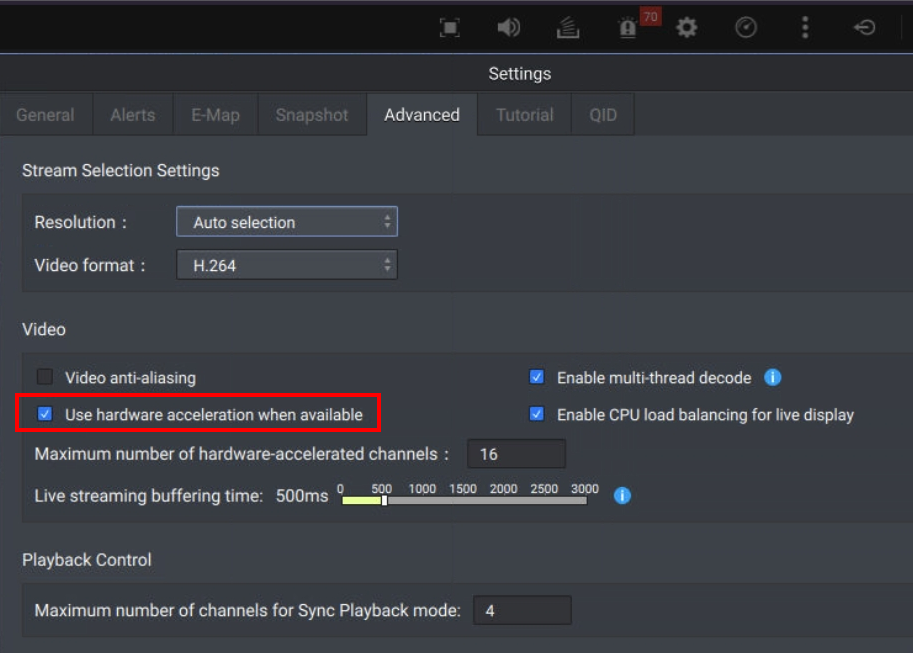
@Franklin We have confirm that the QVR HDMI Smart Client will not use hardware acceleration to cause high CPU usage on certain models.

  • TVS-h674 (i3-12100)
  • QTS 5.2.7
  • HD Station 4.2.19
  • QVR Smart Client 2.8.1

And the CPU usage should be back to normal after back to QVR Smart Client 2.7.1, you can try this if need to use QVR Smart Client.
https://download.qnap.com/QPKG/QVRSmartClient_2.7.1.1173_20250318_x86.zip

Please remember enable the “Use hardware acceleration when available” option in the Settings.


We will clarify the root cause and release a new version to resolve this issue as soon as possible. It is very sorry for the inconvenience caused.

Will this same file work for TVS-h1288x andTVS-672N ?. Because I need it for both too.

Hi @Franklin both h1288x and 672N are Intel x86 CPU so they should can use the same QPKG, if there are any other issues please let me know.

Posted wrong thread