Firmware 4.3.4.2814 Build20240618
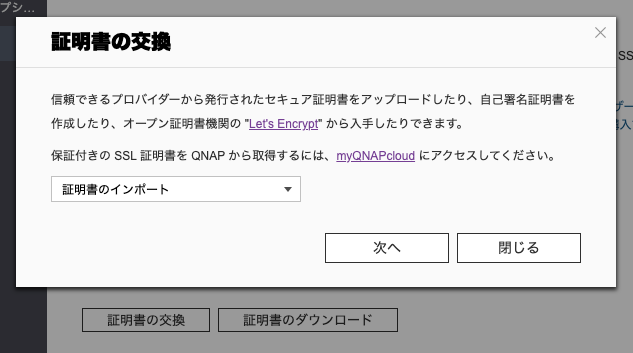
I am using TS-469PRO, and it seems that the certificate was updated on April 17, 2025. Since the message “Expiration soon” appeared, I tried to update it manually, but now I am unable to update it.
When I updated it before April 17, 2025, there were no issues, but now it cannot be updated.
I have about four externally published servers with QNAP, but two of them (TS-469PRO) cannot be updated.
The other two servers that can be updated are TS-473A, which are newer than the 469PRO.
By the way, the firmware of the other two 473A units is QuTS hero h5.2.5.3161.
Is it possible that Let’s Encrypt is no longer updating properly due to the firmware?
If this is happening because of the firmware, I am considering purchasing an SSL certificate sold by QNAP.
In this case, is it possible to use QNAP’s certificate even with this firmware version?
Sorry for the long message.
Thank you for your assistance.
I hadn’t noticed until now, but it seems that port 80 is not open. However, it appears that the TS-473A can be updated with Let’s Encrypt. The TS-469Pro, on the other hand, cannot be updated because the port is not open.
For reference, in this environment, the private IP address 192.168.1.100 (assuming this is the QNAP’s private IP) is NATed with the global IP address 202.41.xxx.xxx. In other words, my understanding was that there was no need to open the port.
The web server seems to be accessible via port 8081, but is this not sufficient? I suspect that the TS-469Pro is running into trouble because of this. However, the TS-473A seems to be able to update the SSL certificate even if port 80 is not open.
Based on the above, if opening port 80 is absolutely necessary, I won’t be able to try the method introduced by HanzSung. I sincerely apologize for this.
Returning to my previous question, is it possible to use QNAP’s paid SSL certificate in this environment?
NAS usually uses port 80, but when running that script, the normal HTTP service (port 80) of the NAS is temporarily stopped, and a simple HTTP server dedicated to authentication is temporarily launched. So, even if port 80 is normally in use, there is no need to worry. However, when updating, you need to temporarily forward port 80 of 202.41… to 192.168.1.100 in your router settings.
As another method, it is also possible to manually import the SSL certificate.
Thank you for your support.
I was finally able to complete the update.
First, I followed the method taught by HanzSung, where I purchased and installed the certificate from a different provider. This method uses a custom domain (completely different from myqnapcloud.com), so I bought the certificate from FUJI SSL and imported it. The only available authentication method was DNS authentication, so I tried that. With this method, there was no need to open any ports.
Another case was that the domain I had acquired from myqnapcloud.com happened to expire, so I tried renewing it as well. This certificate can be purchased from the QNAP management screen and is valid for 3 years and 2 months. It costs around $44, so it’s quite affordable. However, as expected, it was impossible unless ports 80 and 443 were open. Since I was using NAT connection, I thought there was no need to open ports, but that wasn’t the case.
I use the YAMAHA RTX-1210, and when I changed the NAT settings to NAT/IP Masquerade and tried again, it worked well. However, when configuring NAT/IP Masquerade, the fixed IP address that was published on the WAN side via NAT was unintentionally converted to a different IP address, which caused some trouble, but since I noticed this quickly, I was able to handle it without issues.
In summary, I was able to install an SSL certificate even with the old version of the firmware, so I wanted to report this.
Thank you very much, HanzSung, for all your help!
I hope this information will be useful to someone.