I wanted to share a file from MyQNAPcloud storage with a friend. Since he doesn’t have a QNAP account, I set the permissions to allow anyone to access it. However, when my friend opened the link, it showed that the page didn’t exist. Later, I realized that you have to click “Finish” at the bottom for it to work. If you just copy the link and close the window with the X without clicking Finish, it’s as if you didn’t enable sharing.
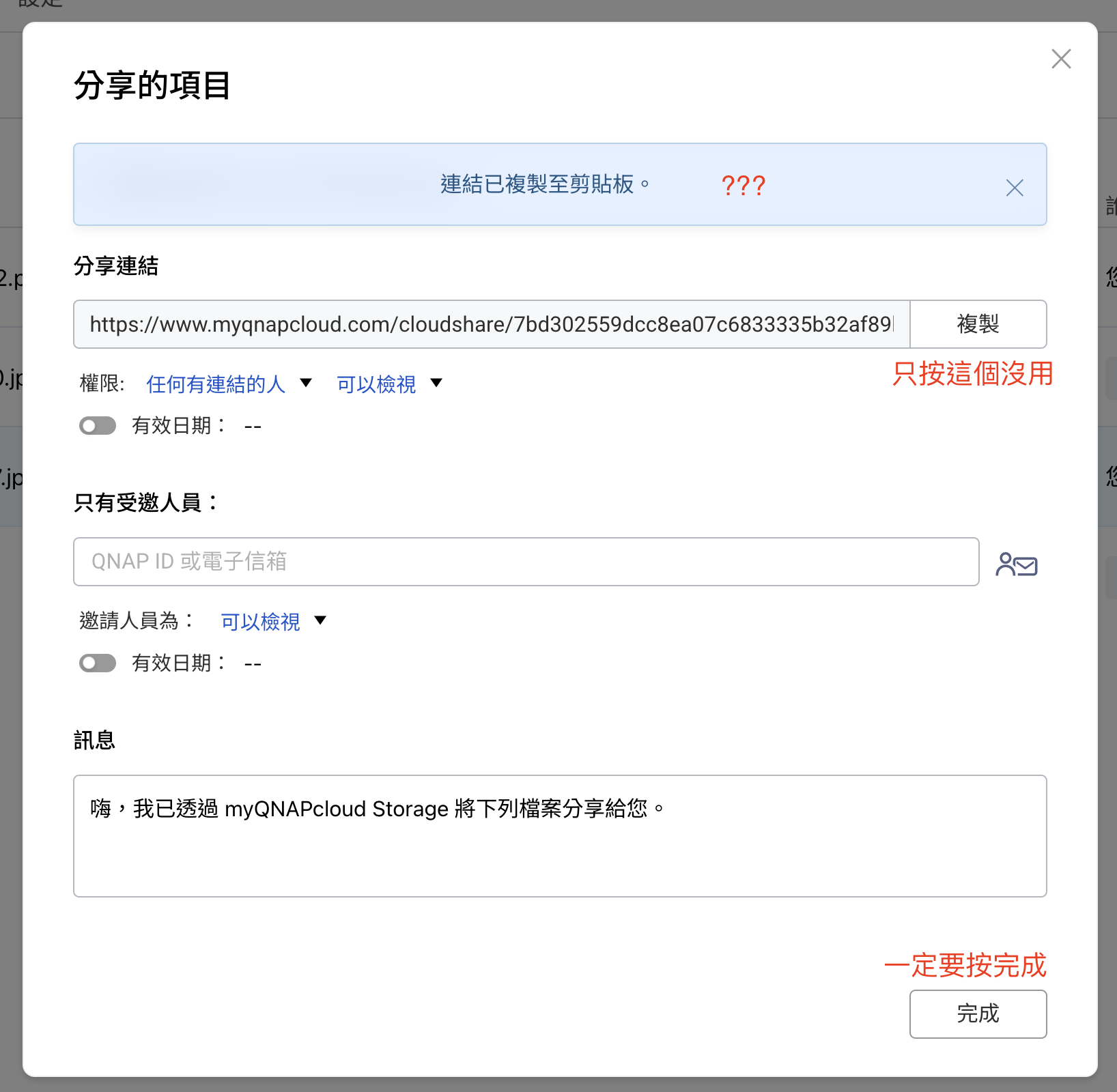
I think this design is a bit misleading. It says “Copy successful,” so I assumed it was ready, but actually it wasn’t. When I used to share files from the NAS, just clicking copy was enough. I don’t know why the logic is different here.
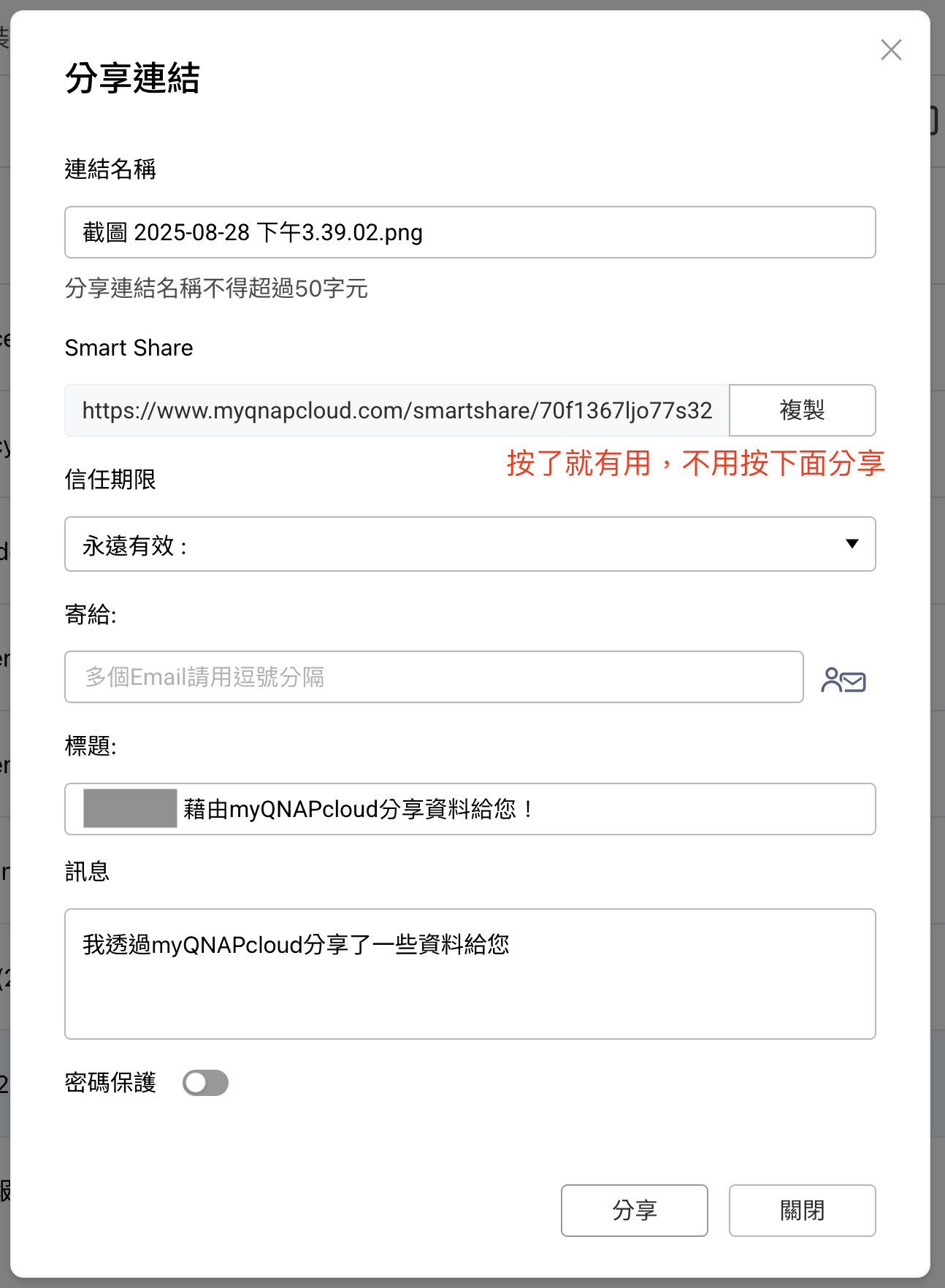
If you have to click Finish for it to work, then maybe don’t let me copy the link before that? Or just make it so that copying the link works immediately without needing to click Finish (like sharing NAS files).