TLDR: The hard drive is asking for money again after the New Year.
But this case is quite special, because the system didn’t report any issues, so it took more time to confirm.
Starting from last week, I noticed the NAS was responding very slowly—logging in, using Samba, updating apps, everything would freeze, and the worst case for booting or shutting down could take over an hour to complete.
Today I had time to check carefully and found a problem that’s not so common, so I’m sharing my experience.
Symptoms: The whole system is extremely slow, but if you’re willing to wait a very long time, tasks can be completed. The system log doesn’t report any warnings or errors.
Inspection:
Based on experience, it’s usually disk-related. Using Storage Manager to observe the disks, I noticed that although there were no SMART errors reported, IHR gave an extra prompt: “Recommended actions available.”
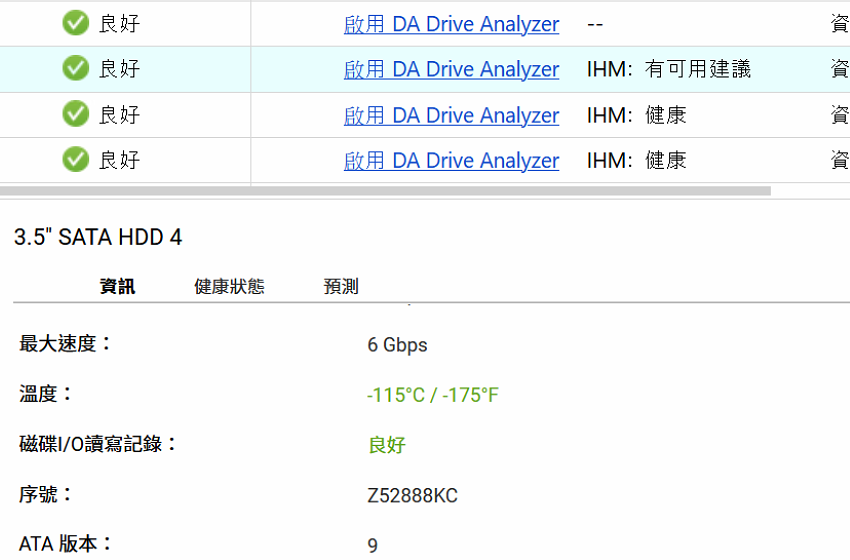
Also, you can notice the “temperature” parameter, which is an impossible -115 degrees 
Although the server is on the intranet, I was a bit worried at first that ransomware had gotten in and encrypted the hard drive, eating up all the performance. After consulting chatGPT (long live AI!) for suggestions, I used SSH to connect to the NAS for inspection:
iostat -dx 1
I noticed that when other hard drives weren’t busy, a specific drive with the same model, sde, had a particularly high load.
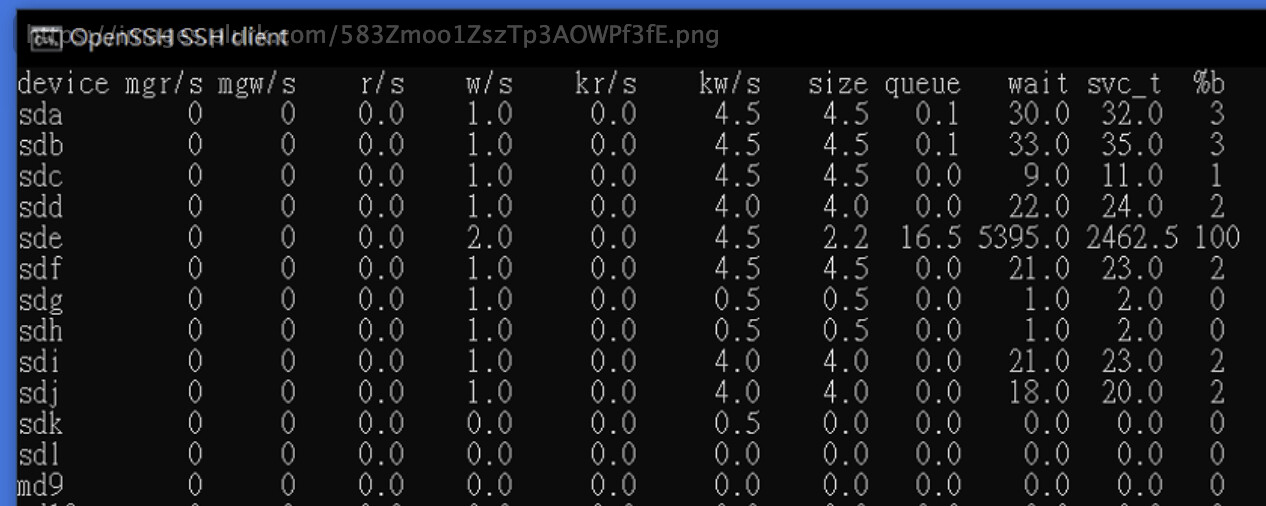
And checking the serial number, it was exactly the same drive that IHM had reported an issue with.
I concluded it was a problem with the hard drive itself. Since my setup is RAID6, I could safely remove the problematic drive first. After forcibly ejecting the drive, all disk reads returned to average, and performance was restored to its original level.
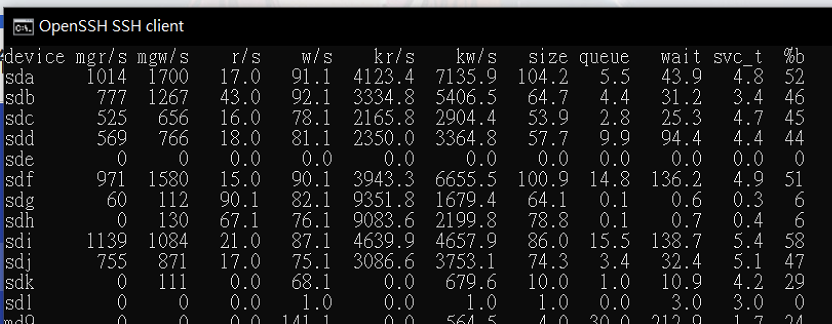
The next step is… to replace it with another hard drive 
Although the original hard drive lasted 2000 days, so there’s really nothing to complain about.