NAS is sporadically very slow despite low load

Hello everyone,

we are experiencing an issue at our company where access to the NAS is sporadically very slow for everyone. When logging into the web interface, it is also slower than usual, although there is hardly any system load. You can find screenshots of this attached. In the meantime, I have set up a daily automatic reboot, but this has not really helped. Backups, etc. are created at night when no one is working. Malware Remover is currently deactivated. Running QBoost also doesn’t help. All computers in the company are running Windows 11, but the problem also existed with Windows 10. Once the system calms down, everything runs at full speed again.

What could be causing this? What can I do to prevent these performance pauses in the system?

Here are the system details:
NAS-TS-431X2
Firmware version: QTS 5.2.9.3410
CPU: Annapurna Labs Alpine AL314 Quad-core ARM Cortex-A15 CPU @ 1.70 GHz
RAM: 2 GB
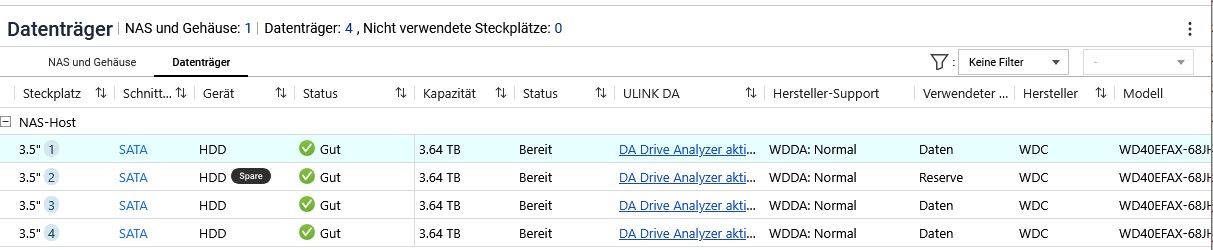
HDDs: 4x WD Red 4 TB (all OK according to S.M.A.R.T.)
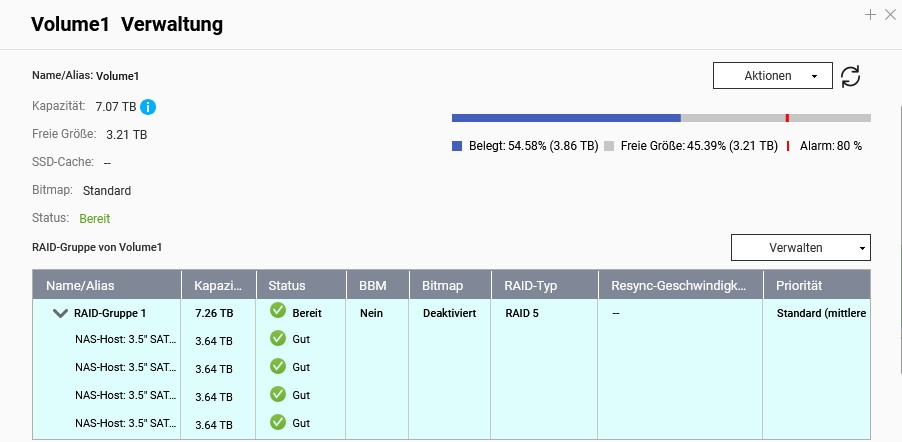
1 volume set up in RAID 5

Thank you very much for your help!
Best regards, Manuel

Hello,

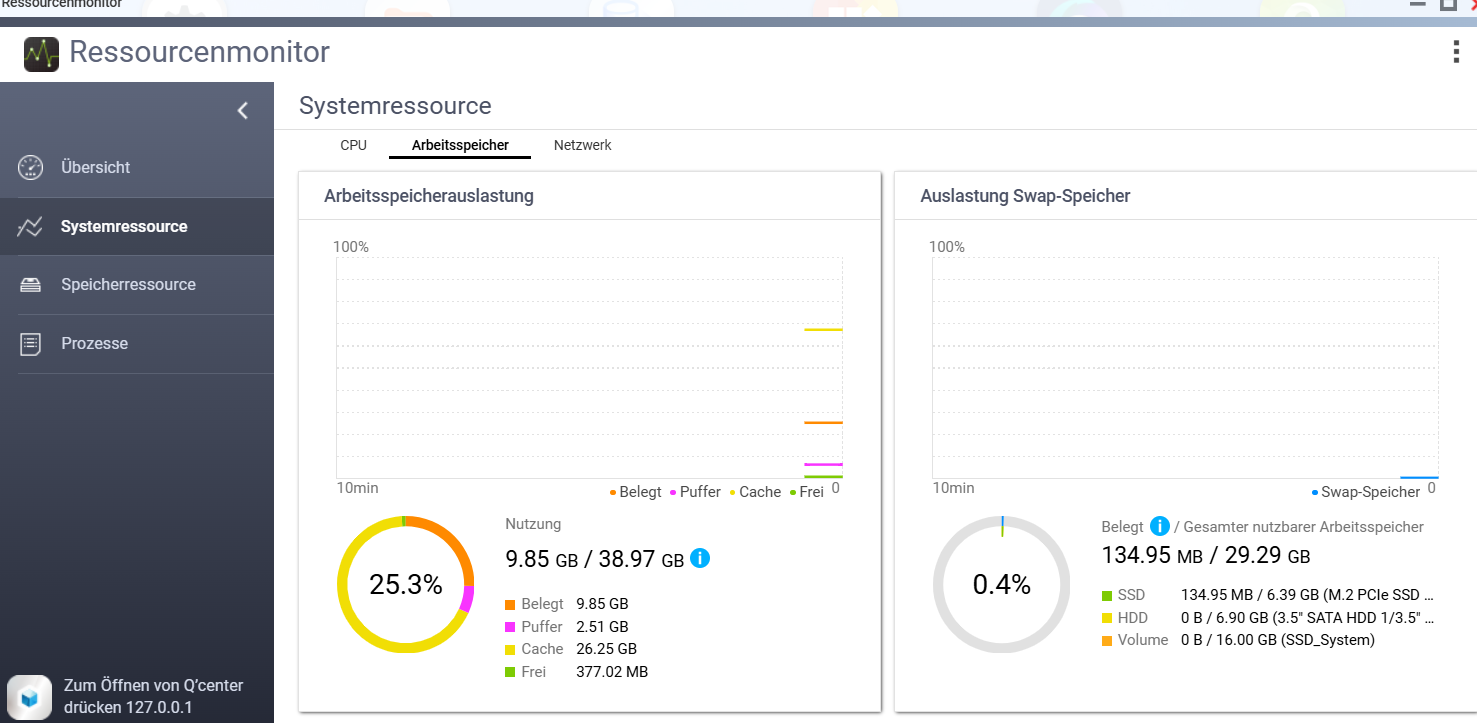
Take a look at the RAM usage. With only 2 GB of RAM, the NAS might be constantly using swap.

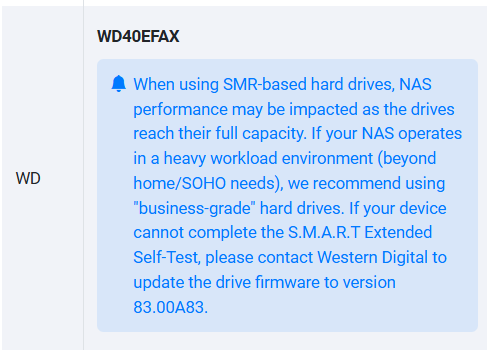
Unfortunately, the drives are SMR and unsuitable for NAS with RAID (they become extremely slow due to SMR).

===German Translation added by Dolbyman===

Vielen Dank für Ihr Feedback. Basierend auf unserer Kompatibilitätsliste und den technischen Spezifikationen könnten die Leistungsschwankungen tatsächlich mit den Einschränkungen der SMR-Technologie (Shingled Magnetic Recording) zusammenhängen. Wir empfehlen Ihnen außerdem, Ihre Systemressourcen zu überprüfen, um festzustellen, ob eine signifikante Auslastung des Swap-Speichers (SWAP) vorliegt. Beide Faktoren können die Lese-/Schreibleistung erheblich beeinträchtigen. Vielen Dank!

=======

Thank you for your feedback. Based on our compatibility list and technical specifications, the performance inconsistencies could indeed be related to the limitations of SMR (Shingled Magnetic Recording) technology. Additionally, we recommend checking your system resources to see if there is significant SWAP usage. Both factors can substantially impact overall read/write efficiency. Thank you!
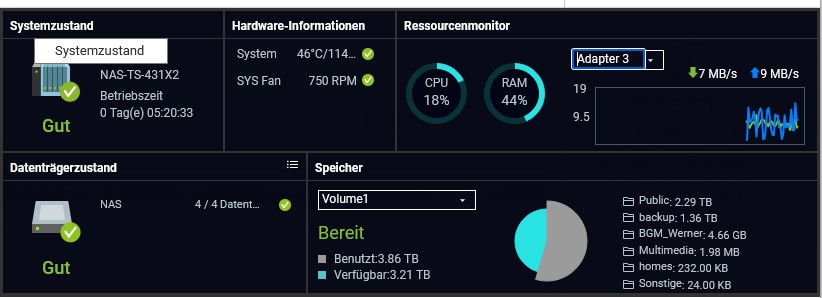
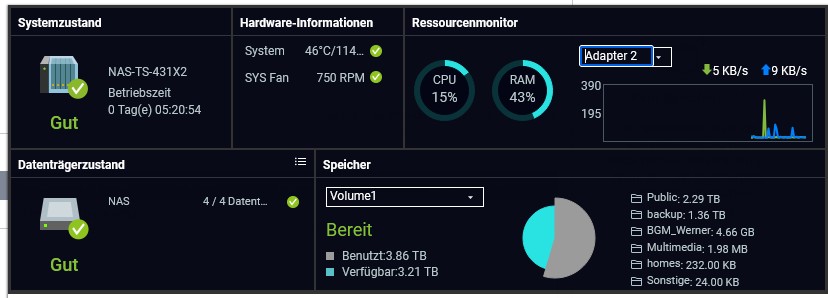
Thank you very much for the feedback so far!
I have now compiled some information from the Resource Monitor.
Attached you will find screenshots of the utilization during the period when the performance is poor.

The use of SWAP does not seem to be the problem.

CPU usage also looks unremarkable to me.

In post 1 you wrote that NAS access is for everyone.

How many is “everyone”?

What kind of data is being accessed jointly?

We work on a maximum of 4 computers that have access to the NAS at the same time. We are a small print shop, so PDFs, InDesign, Illustrator, and Photoshop files are opened, edited, and saved again. The file size ranges from 0.5 up to a maximum of 150 MB. Anything above that is a rare exception.

The only thing I can imagine at this point—after reading your information—is that it might be due to the backups of the computers. These are performed incrementally once a week per machine and stored on the NAS. Logically, this has to happen during working hours, since the computers are otherwise turned off. Could these write operations in combination with SMR technology be the cause?

In any case, I will now observe whether a backup from one of the computers is being made during the performance issues.

Yes

After observing the system for another week, I can confirm the following:

The system performance suffers greatly when a backup is written to the NAS. So it seems to be due to the HDDs with SMR technology. Thank you very much for your help!

Now the question about the solution: Since I would prefer not to replace all HDDs, as they are error-free, would it make sense to replace the spare HDD in the RAID with an SSD and use it as an SSD cache?

It’s not a good idea. An SSD cache usually only causes problems and can even slow down the NAS.

You also shouldn’t run a single SSD as an SSD cache. In the worst case, if the SSD fails, all data on the NAS could be lost.

Create the SSD Cache | QTS 5.2.x