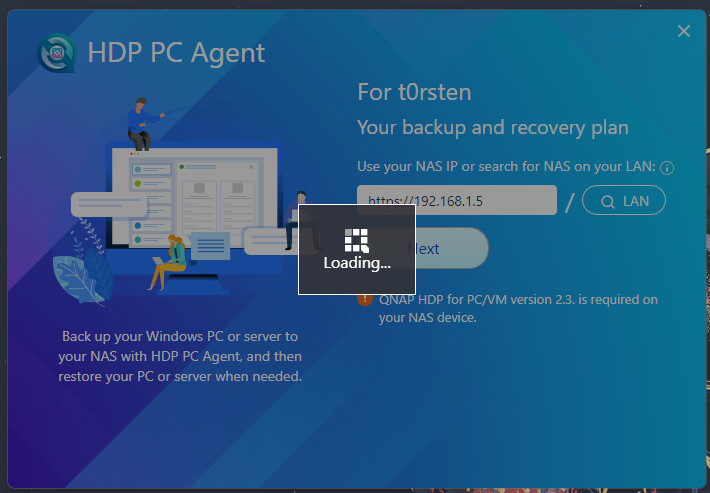
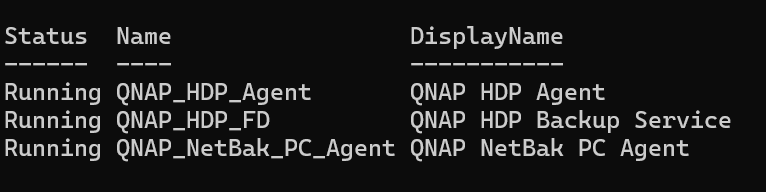
@marcoi & @dolbyman thank you very much for your feedback!
I’ve already tried various uninstallations and reinstallations and also restarted, but unfortunately that didn’t help. As I already wrote, everything ran smoothly in the Windows 11 test VM, but not on my Windows 11 workstation. I opened a ticket with QNAP. At first, they just pointed out that there must be a C:\\Windows\\System32\\WindowsPowerShell\\v1.0\\powershell.exe and I should check if AppLocker, WDAC, or EDR or similar is preventing the launch. But none of that was the case.
PowerShell Scriptblock Logging also didn’t provide any clues. I did some further research, but pktmon didn’t give me any hints either. In procmon, I saw that NetBackup tries to open WindowsPowerShell components under C:\\Program Files\\QNAP\\NetBakPCAgent\\Temp, but it doesn’t work. I can’t really make sense of it. WindowsPowerShell is properly installed.
I then pulled another report with C:\\Program Files\\QNAP\\NetBakPCAgent\\report.bat and found the following error in the report in UI\\t0rsten\\logs\\main.log
[2026-02-03 18:49:05.953] [info] Exception in electron indx Error: spawn C:\\WINDOWS\\system32\\powershell ENOENT
    at ChildProcess._handle.onexit (node:internal/child_process:283:19)
    at onErrorNT (node:internal/child_process:476:16)
    at process.processTicksAndRejections (node:internal/process/task_queues:82:21)
But WindowsPowerShell is located at C:\\Windows\\System32\\WindowsPowerShell\\v1.0\\powershell.exe
Environment variables were all correct, even compared to the test VM. My workaround was now a symbolic link
mklink "C:\\Windows\\System32\\powershell.exe" "C:\\Windows\\System32\\WindowsPowerShell\\v1.0\\powershell.exe"
and voilà, the UI works! On the first run, the services QNAP_HDP_FD and QNAP_HDP_Agent were also installed. If you install the HDP Agent, only the Windows service QNAP_NetBak_PC_Agent is installed.
I’ve reported the workaround to support because I don’t know exactly where the error comes from.