Yhe Nas could not be connected with Qfinder for a new installation, without hard disk. TS-X53Pro, system 5.2.10.3568,
Likely a networking issue. What’s your local network setup?
Also, why is this in feature requests?
–Machine translation added by Dolbyman–
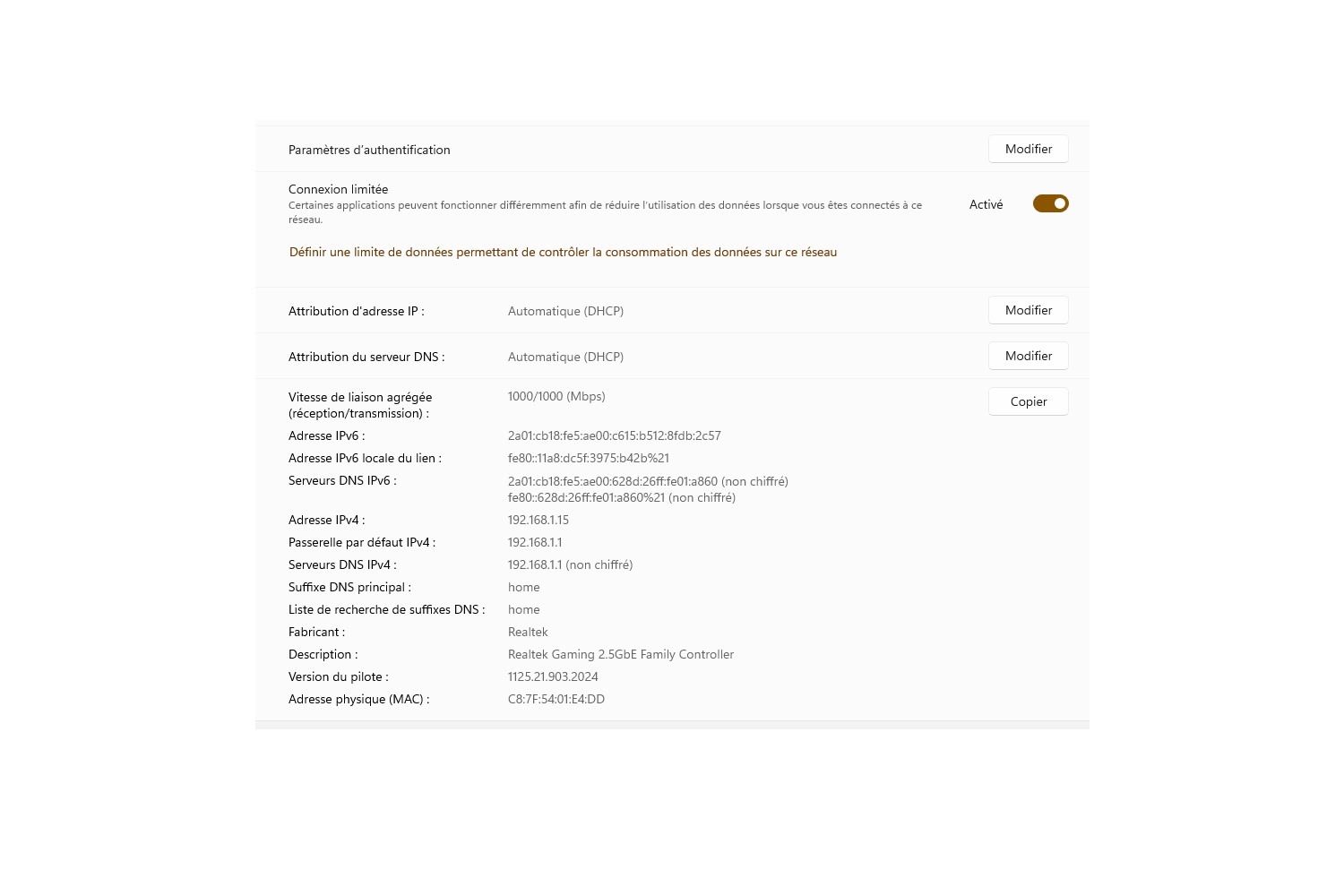
I have a private 1000 Mbps Ethernet network managed by DHCP, and a public 10 Gbps ASUS network.
Please make sure to only post in English
Could you please provide a screenshot of the issue along with more detailed information? We will look into it and see how we can assist you. Thanks!
OK. I assumed you had a gigabit LAN. What I would like to know is what are your network details: IP address of NAS, subnet mask, IP address and subnet mask of computer, etc.
Please provide as much detail as possible.
Hello, I recap the events. Following numerous password errors to connect (the password manager) confusing the user account with Qmagie, and other Qnap services ) the acces to my NAS was stuck I made the mistake of formatting the disks to reinstall the system. Fatal error! I reset the Nas by holding the reset back for 10 seconds. But no beep. I try to restart with 2s support on the start, the Qfinder displays well the Nas (TS-253 Pro) operating system QTS-5.2.10.3568. The connection to the adress http://192.168.1.30:8080/redirect.html?count=0.7708761426353 not done. Idon’tget the window but I propose an initialization of the Nas.
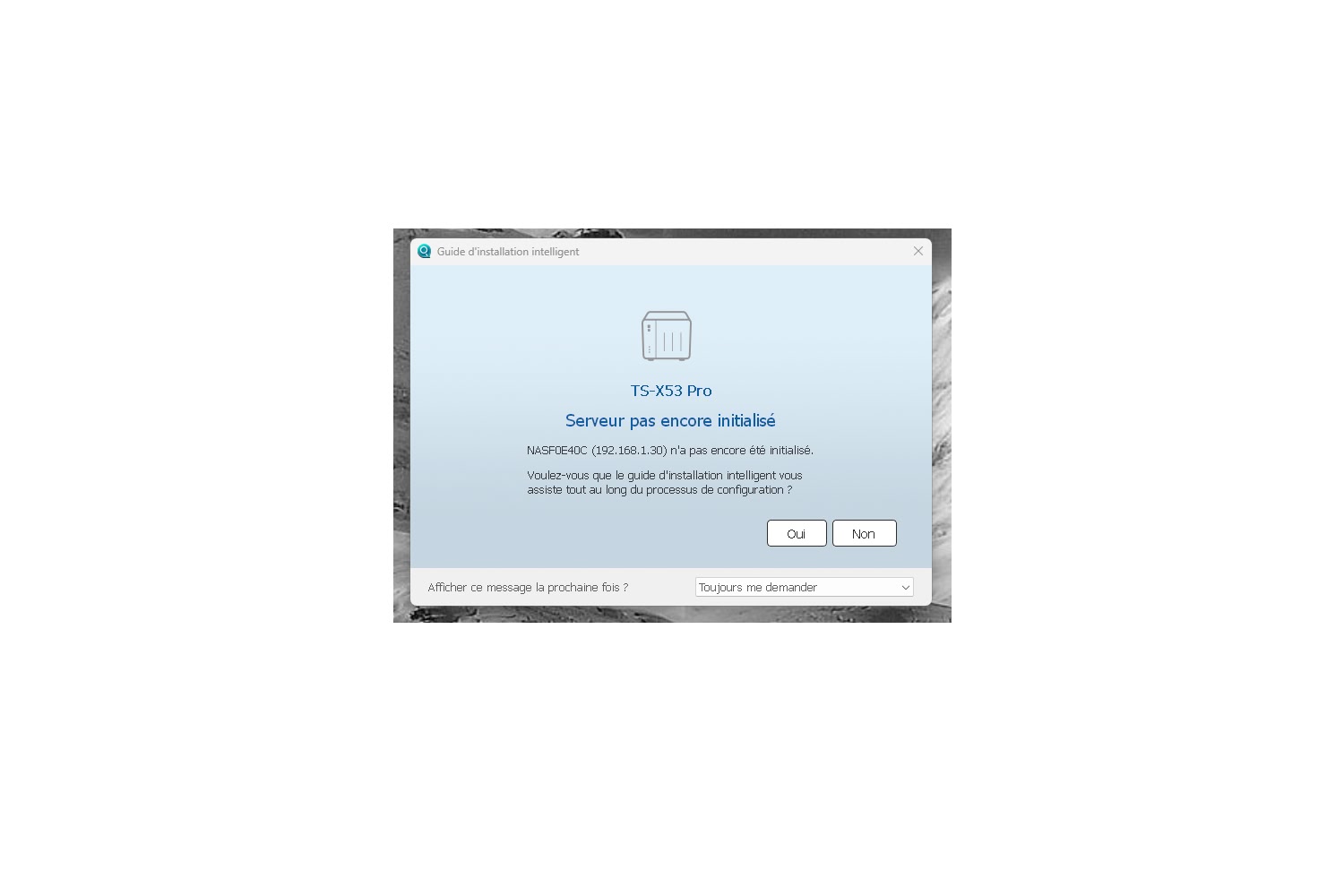
Since I can’t read French I can’t tell you what your image above says. If you did the 10 second reset, then you need to reinitialize the NAS. You reset it…
a 10 second reset does not format the disks though
https://www.qnap.com/en/how-to/faq/article/how-can-i-reset-my-nas
The removal of custom shares might seem like the data is gone, but custom shares can be recreated
Hello, I apologize for the slow pace of our correspondence; please bear in mind that I am over 80 years old and likely find it harder to keep up than I used to. Thank you for your patience. I performed a 10-second reset, and this time I heard the beep. I restarted the NAS, and it is now being detected more reliably by Qfinder. I disconnected the other Ethernet cable (10Gb) on this computer that was connecting to the other NAS. I removed the two hard drives and then restarted the NAS. I heard several beeps, then reconnected the hard drives. I tried to connect to the NAS via Qfinder, but the connection still isn’t working (http://192.168.1.30:8080/redirect.html?count=0.6834266308962256).
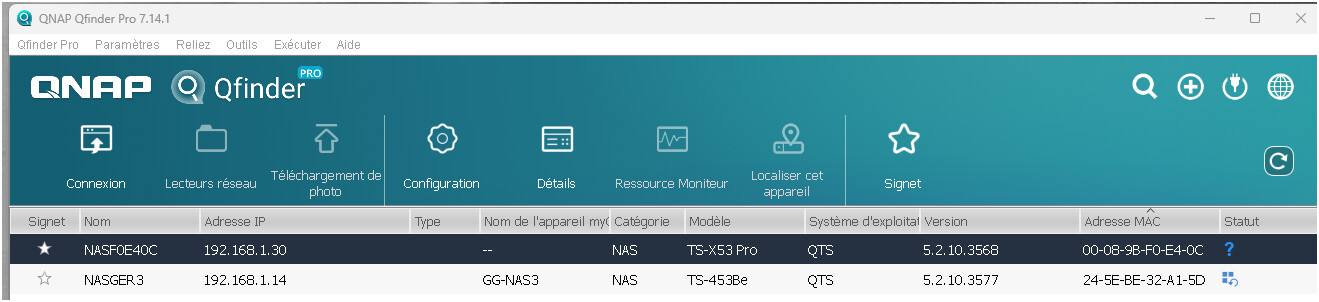
x53 model its unconditional system status
if it keep this name wo hdd installed
u need request for hw repair service
10second reset needs to be performed with the disks, as the OS and settings are on the drives, then access the NAS and follow the guide as linked to.