You system load of 5 with a single core processor is an indication of a bottleneck for sure.
I would follow @dosborne and stop all services like Qsync, MultiMedia apps, etc. This NAS is just not powerful enough for those. I’m not sure about MySQL. It may be needed as part of the database for applications and settings that QNAP uses.
All
I took the drives out, replaced the dead 2032 battery, and temporarily stuck a 240GB SSD into SATA Slot 0.
The system then rebuilt and insisted on a OS reinstall which I have completed.
I have now plugged in the 4TB USB 3.0 in a caddy to see how well it works prior to putting back the original 2 x 4TB Barracuda drives. The interface, while still a bit slow, is now acceptably slicker.
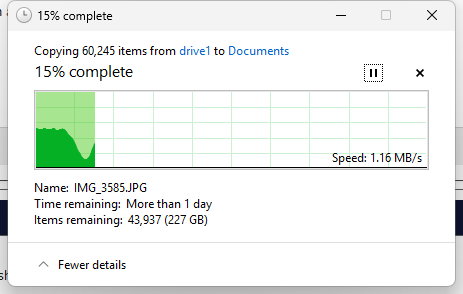
Is it possible to replace these HDDs without the system insisting on wiping them? (I had already had to leave them running overnight just to FTP 500GB of data onto them and it actually took about 36 hours!)
Can anyone answer the above question as I am ready to rebuild the unit but if plugging in the drives to a SATA port results in wiping the drives I will not be happy. I know it is OK for USB drives as that retained the data but if there is a way of leaving everything on even one drive on SATA I would like to try it.
If there is no way around this I could restore the 500GB on one of the 3.5” drives but I’d be struggling to find space for around 2.5TB on the 4GB SSD that I want to use with all my data on it.
I may have to just leave it connected by USB.
Yeah, to test it out try downloading a large file like a movie file or an Ubuntu install package or something like that. Something 10s of gigabytes. If you have a bunch of single/double digit megabyte or kilobyte files, your transfer rates will suck as most of the time is spent just accessing the files as opposed to transferring them to the NAS..
Also you can try AJA System Test. QNAP uses this software as a benchmark. It basically simulates transferring those big video files to/from the NAS. See what transfer rates you get with this. That will tell you the real number…
I now set up QSYNC and am pulling stuff off my old Mint 21 Samba file server box (which tbh is faster) so I now plan to use the QNAS as my main backup device since QSYNC seems to work much better than SMB. Any thoughts on that as a plan?
@dosborne For brevity I didn’t mention that I have two other single-drive NAS (Lenovo 3TB and a 3TB WD MyCloud and a 1TB USB-connected External Drive as well as stuff in the Cloud…).
I do need to sit down and document what is backed up and where after I finalise the config so your prompt is very timely. In IT Only the Paranoid Survive, I used to tell my Clients. Need to practice what I preached.. I saw one Client whose entire business premises and all their hardware were destroyed by fire and one (a Plumbing Company!) destroyed by flood from a burst pipe. Oh, and Fireproof Safes are only fire proof, not heatproof, as the first one discovered when they pulled out the molten lumps of plastic that had been their tape streamer backups.
So your TS-212P uses a Marvell 6282 as its CPU. It’s an old ARM v5TE core. Considering ARM is now on v9.2-A, it’s fairly old. I don’ know what your Mint 21 uses but it’s likely a faster CPU.
@NA9D Yes, indeed. The Samba box is an i5 in a Lenovo ThinkCentre thin client and works well as a file server with a 1TB SSD. The only issue is that it appears to not be possible to set it in Windows Library as a default Save location even with a Mapped Drive letter..
@NA9D I am sure you are correct. However I make a thing of re-using and recycling old hardware as much as possible as our industry produces so much and then discards it. Old machines get a new lease of life with Linux Mint, and old NAS just refuse to die