I am a reasonably experienced user of other NAS devices who has just acquired a used QNAP device with 2 x 4TB mirrored HDDs.
I am puzzled by the extremely SLOW responses of all the administrative tools—it takes minutes for it to do anything!
The drive arrived wiped from a recycler and promptly spent about 36 hours apparently synchronizing the mirrored drives, although there were no files left on them!
The drives report that they are Good (at least in terms of SMART status).
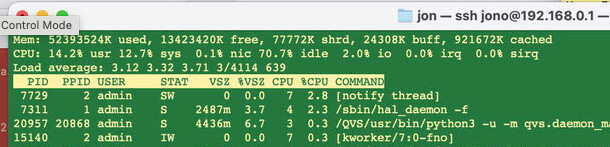
The CPU varies between 28% and 100% (OK, I plugged a USB external SSD drive into it, which maybe was not a good idea as it is now chuntering away on that).
So is this normal behavior or have I picked up one with a fault? Are there any tests I can run?
Grateful for any Guru advice!
Regards
Andrew
Environment: No Domain, Home network, various PCs running Win 10, Win 11 (yeaugh!) and Linux.
The disks could be slow or faulty(what models?)
The NAS itself is a 16 year old model with a 18-19 year old processor (so do not expect any speed deamon here)
Did you upgrade the firmware after you got the NAS ?
HI @dolbyman
The disks are Seagate ST4000DM004 4TB
Yes I ran a firmware update but it said already had current version
Must admit I did not realise it was that old a model - it looked as if it was bought 2019. But it seems to transfer files fast enough its just the tools that run like a DAWG!
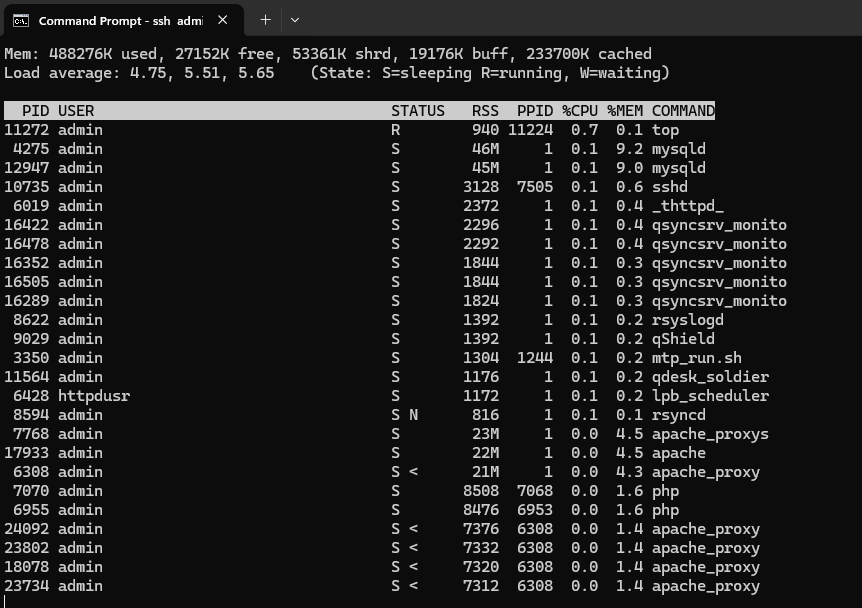
If it is in low single digits that is good. If it’s a high number > 10, then you have an excessive amount of threads in queue. You can have low processor usage but a high load average and the thing will still be a dog.
As @dosborne said, get rid of any apps or processes you don’t really need as those just take up resources.
System load average effect will depend on the number of cores the CPU has (and if it supports hyper-threading).
This old Marvell RISC CPU has only a single core, so a load average of just under 1.0 is good (preferably around 0.8 - 0.9). When the load average is higher than this, it becomes a waiting game.
OK. I have made a few discoveries after the NAS went down overnight due to a power glitch. (Not its fault - I had accidentally plugged it into a time-switched circuit Doh!).
First is that the clock reset itself back to 1/1/2000 soI am guessing there might be a dead CMOS battery in there somewhere.
I have a 4TB SATA SSD currently plugged in via USB caddy to check the files on it.
This is currently only giving throughput of about 7.5 MB/s presumably as it is through a very slow USB interface. (USB2.0?).
Is it possible to replace one of the disks with this one, and have the other, relatively slower Seagate HDD mirror the files? If I could get the fast write speed afforded by the SSD with the GB Ethernet I would be quite happy, but will the unit support this?
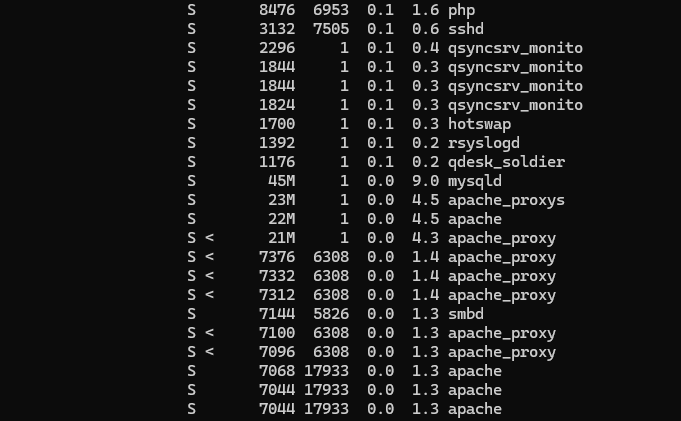
multimedia, indexing, qsync, qsearch… go through all the apps and system settings and disable, turn off, uninstall everything except samba if that is all you need. I don’t recall off hand what is in that FW release, but your idle utilitzation is high so you must have a number of things running.
HOWEVER, based on the posts, it doesn’t sound like this was truly a clean install. I’d go so far as to suggest that you shut it all down, remove all partitions from the drives, and start all over. There should be any “rebuilding” going on it is was a clean setup (unless one or more drive are fubar to begin with).
My TS-213P runs very well and is close to the same vintage. I’ve disabled everything except samba.
>>My TS-213P runs very well and is close to the same vintage. I’ve disabled everything except samba.
OK, I will follow your lead on that.
Incidentally I just opened the box to see if there is a RTC battery in there somewhere (have not found it yet!) and the HDDs have a date of Manufacture of July 2021. The device may of course have been upgraded with newer disks but I also notice it has 2 x USB 3.0 which suggests it is not that old?
I have one of these 212Ps, retired it last year. They are just incredibly slow responding in the Web browser running any app. It is just normal. They transfer files okay and store them, can even run qsync if you can get an old version for your PC but you can die of old age waiting for it to run an app.