Night of the Living Servers
FreshRSS, Heimdall and FileRise on your QNAP. Halloween edition, 11/2026.
Hello, QNAP people!
Halloween makes it remarkably easy to buy something that glows, howls or opens its eyes by itself. My suggestion for the evening is to get three useful applications running on your QNAP. They should still earn their keep once the pumpkin has gone in the bin.
We will start with a newspaper whose sources you choose yourself. Then we will build a start page so you can find your applications without guessing their addresses. Finally, we will set up a place for files, with previews and share links. WebHostPro will host it all, with FreshRSS, Heimdall and FileRise taking the leading roles.
This is what I liked about the old computer magazines. A good article left you knowing what to try and wanting to get on with it. This issue comes with both a column and a full set of instructions, commands included. We start on the local network.
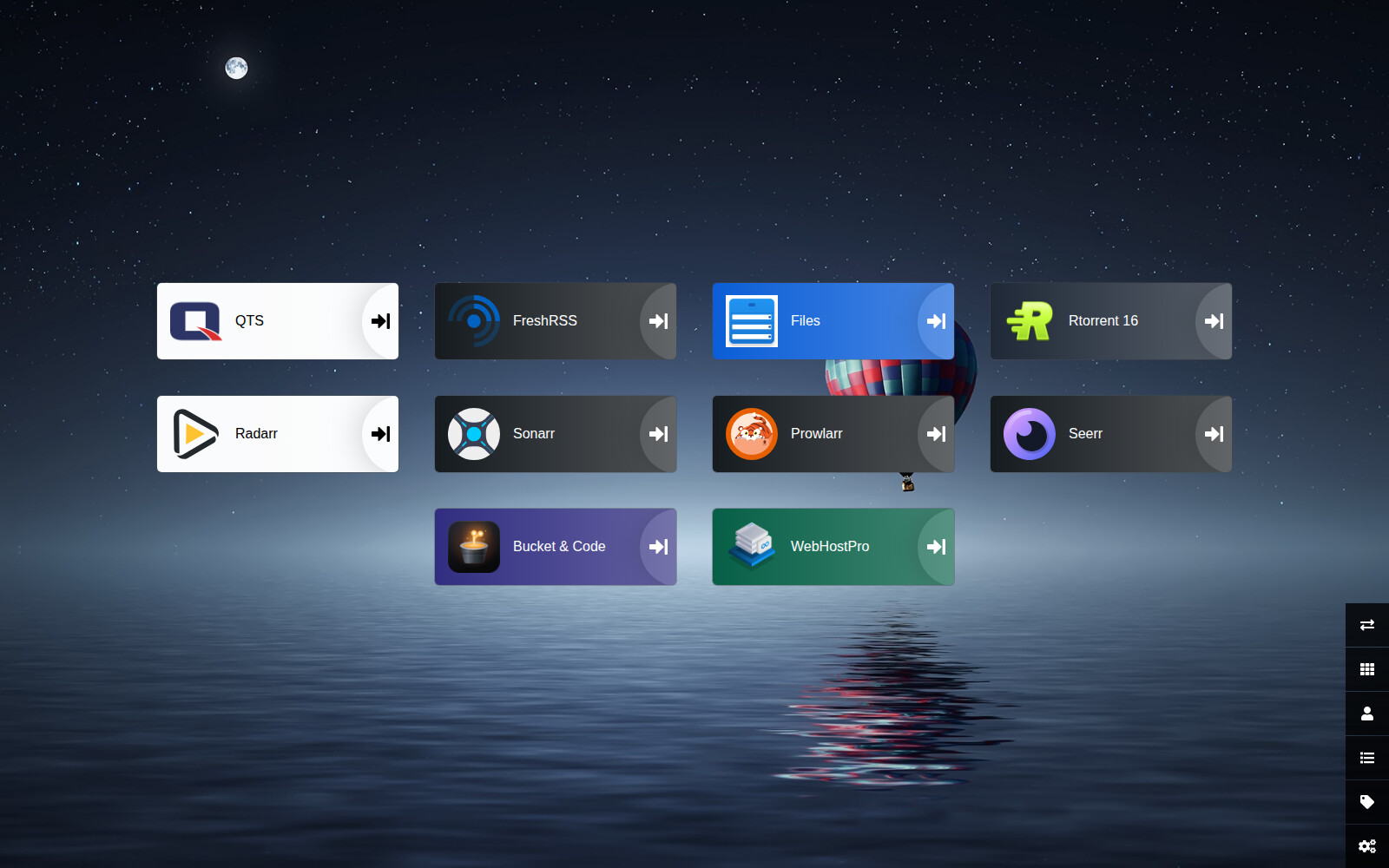
A start page of your own. Each tile opens the address you assign to it.
First, make some room
WebHostPro has its own web server and a panel for managing sites. Each site gets a separate folder, account and PHP process. You can choose nginx or httpd and a PHP version to suit the application you are installing.
In the guide, we will give it ports 80 and 443. If the QTS Web Server and administration panel are using them, we will first free them in the QTS settings. Then we can click “Move the front to 80 and 443”. WebHostPro shows what is holding the ports, checks the configuration and preserves the previous files in a snapshot.
The Web shared folder remains available through the default site, with PHP and .htaccess support. You do need to account for the QTS panel’s changed address and the applications using the previous web server. The instructions also explain the order in which to undo the changes.
EDITOR’S TIP
Before freeing port 443, write down the QTS panel’s new address. In the example, it will be
https://192.168.1.20:8443/. Substitute your NAS’s address. That small note saves you from hunting for a missing panel after clicking “Apply”.
FreshRSS: you are the editor
You open a website for one article. Before long, you are reading a fifth, and you never finished the first. FreshRSS lets you arrange a quieter place to read. Add feeds from the sites you choose, collect their new entries in one reader and decide what to open.
NASA Image of the Day, selfh.st and Hacker News make a useful starting point. Then shape the list around your interests: a writer whose blog you enjoy, perhaps, or news from a favourite project. You put the contents page together.
We will run FreshRSS on PHP 8.4 and httpd, using SQLite. The full instructions explain the directory layout, the role of .htaccess and the installer’s message about the p directory. There is also an entry for the QTS scheduler, so the reader can fetch new articles without manual updates.
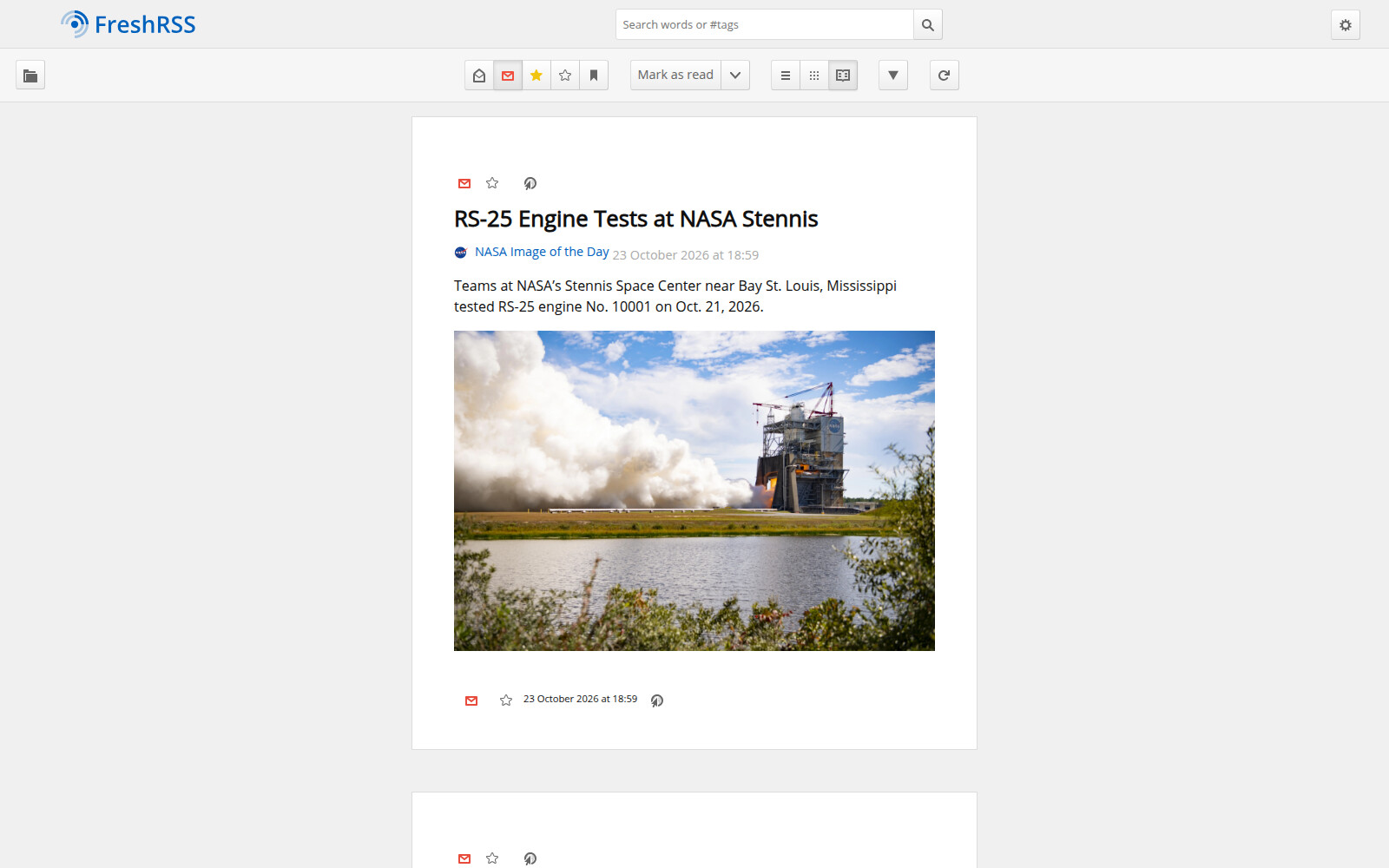
A personal reading list starts with a few well-chosen feeds.
Heimdall: somewhere better than “it’s in my bookmarks”
One application has its own port. Another has a long hostname, while a third is bookmarked under the helpful title “Login”. Everything works. Finding the right page is beginning to feel like looking for the router manual that you know must be around somewhere.
Heimdall gathers these addresses onto a page of tiles. Choose an application type, then enter a name and address. Recognised applications get an icon and colour; you can supply your own image for the others.
Start with QTS, FreshRSS and FileRise. If you also use Rtorrent 16 or Bucket & Code Server IDE, add their addresses. Tiles are shortcuts to existing services: adding one does not install another application on the NAS.
Heimdall will use PHP 8.4 and nginx. The guide covers the .env file and a change to the location used for temporary icon files. That adjustment lets the application use its site’s separate PHP temporary directory in WebHostPro.
FileRise: an answer to “can you send me that file?”
Sometimes you want to show someone a few photographs or make a document available to download. FileRise provides a separate place for that, with a file list, a gallery, picture and video previews, and links that expire. You can add a password to a link. Folders can be shared too.
We will run it on PHP 8.4 and httpd. The directories holding uploaded files, accounts and metadata will sit beside public, outside the directory served to visitors. The instructions include the commands and explain both configuration changes.
In this setup, FileRise works with files uploaded through it or copied into its uploads directory. You continue to use your other NAS shared folders as before. This creates a separate place for material you want to browse and pass along.
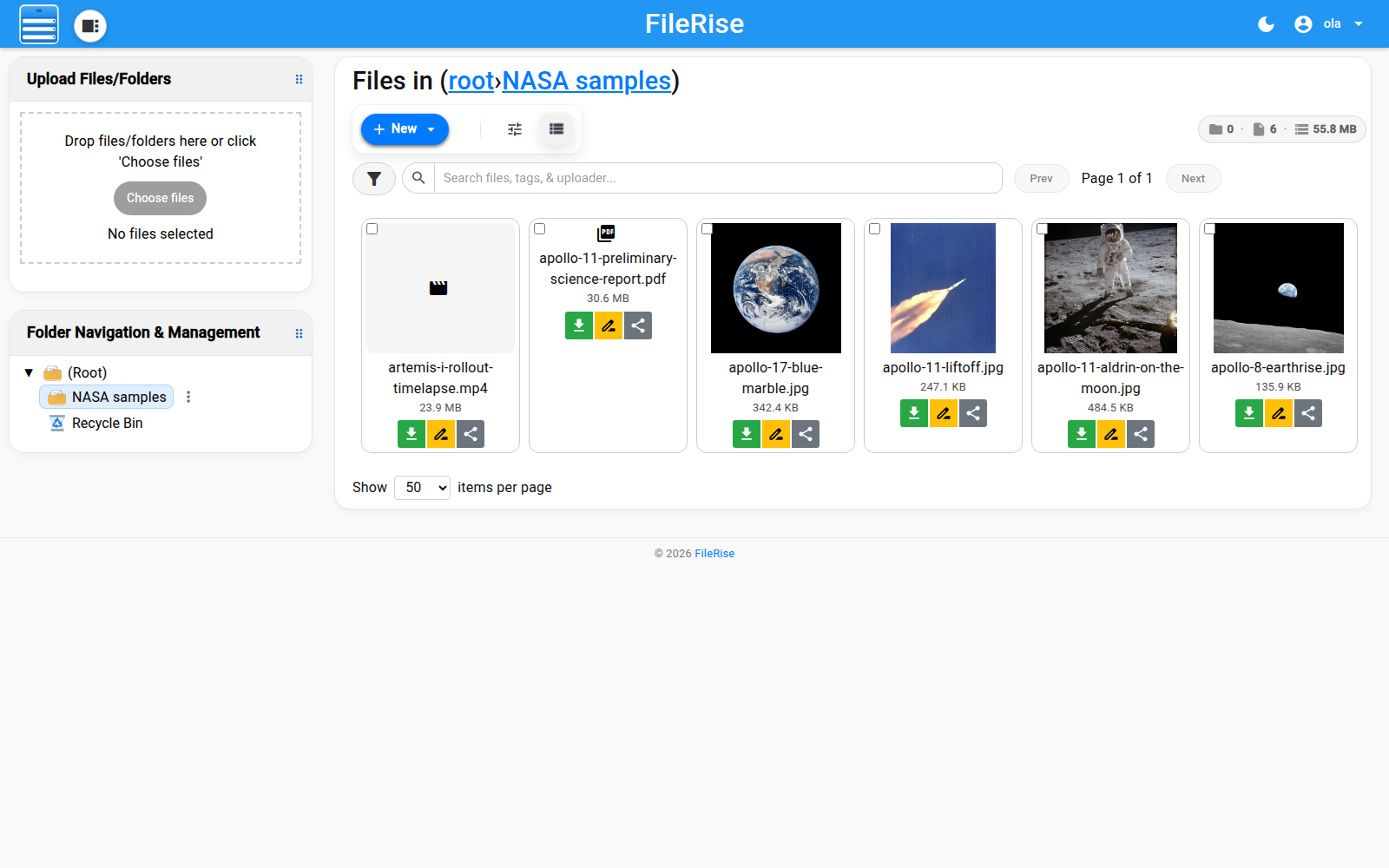
Gallery view comes into its own when a thumbnail tells you more than the filename.
IN PRACTICE
The applications in this issue run over HTTP on the LAN, without connection encryption. A FileRise link can be opened by someone who can reach that network, locally or through a VPN, for example. A nip.io name alone does not make your NAS accessible from the internet.
Open the workshop
You need an Intel or AMD x86_64 QNAP, QTS 6.0 or QuTS hero 6.0 or newer, and the free WebHostPro application from QNAP Utilities. Add this repository in App Center:
https://www.qnaputilities.com/repo.xml
The instructions take you through the port changes, the site wizard and installation of all three applications. They include the SSH commands, screenshots and help with errors 403 and 500. The versions used are WebHostPro 0.8.2, FreshRSS 1.30.4, Heimdall 2.8.3 and FileRise 3.38.0, making it easier to compare your screen with the guide.
Open the full guide: WebHostPro and three applications, step by step
When you are ready to go beyond the LAN, there is also a guide to your own domain, website, DNS and mail. That is a further stage, with its own access and certificate configuration.
A horror film marathon is one way to spend Halloween. You could also give part of the evening to a small project and open your own newspaper from your own start page the next morning. I still find that prospect as satisfying as the first page that answered when I pressed Enter.
Silas Mariusz
QNAP Forum Polska
Sources and further reading
- WebHostPro and the QNAP Utilities repository
- FreshRSS documentation
- Heimdall
- FileRise documentation
- nip.io
QNAP Utilities is an independent project. The applications described here are not products of QNAP Systems, Inc. QNAP is a trademark of QNAP Systems, Inc.