Just noticed that i have 2 drives that have a status of warning in my qnap TS-451. The option to replace a drive is not available. Is there a way to replace the drives?
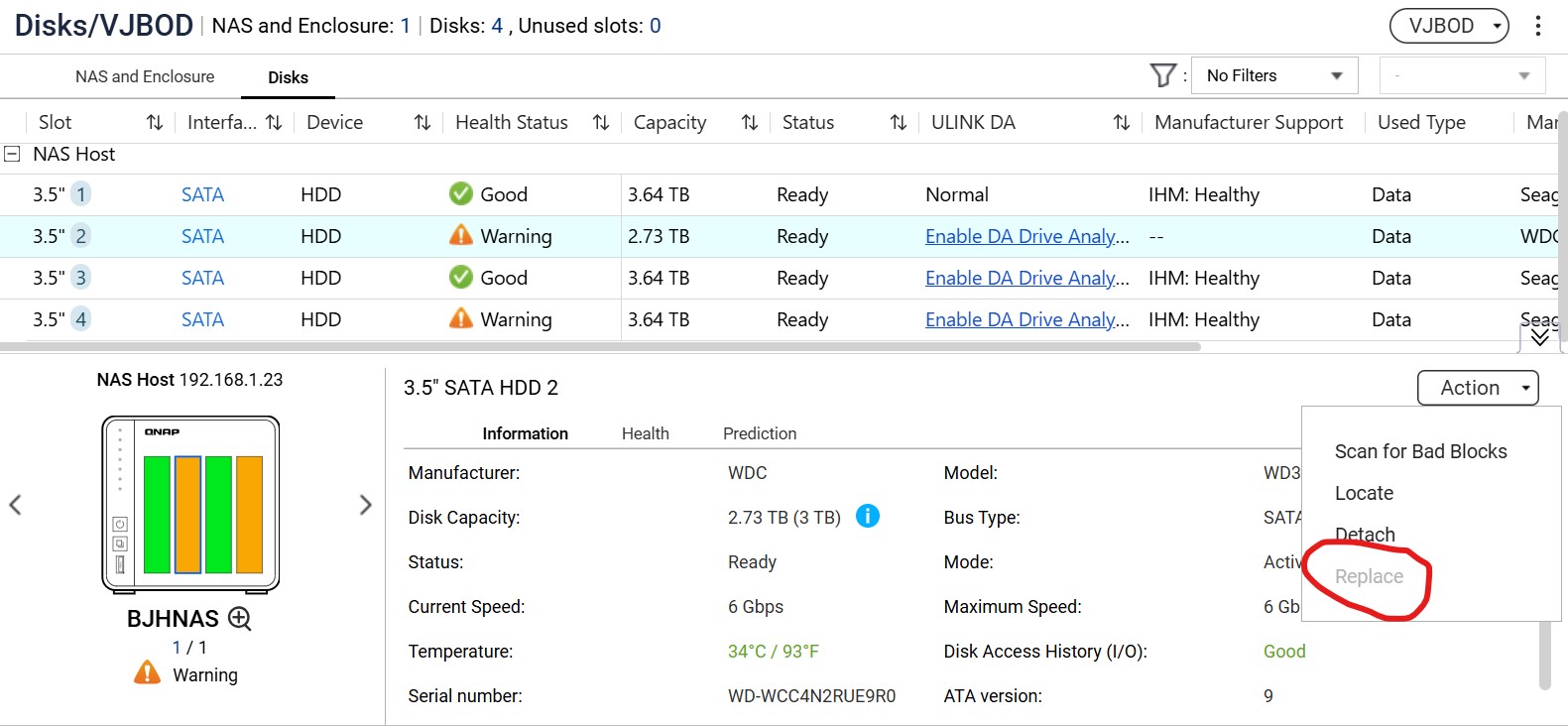
From its size in the screenshot I think that drive is standalone, not a member or RAID group?
In case the drive is not a member or RAID, it could not be “replaced” because the data on it will be lost after changing the drives.
If you just wants to change the hard drive after manual backup files, use “Detach” to remove it from the NAS safely, pull it out from the tray and plug a new hard drive to it.
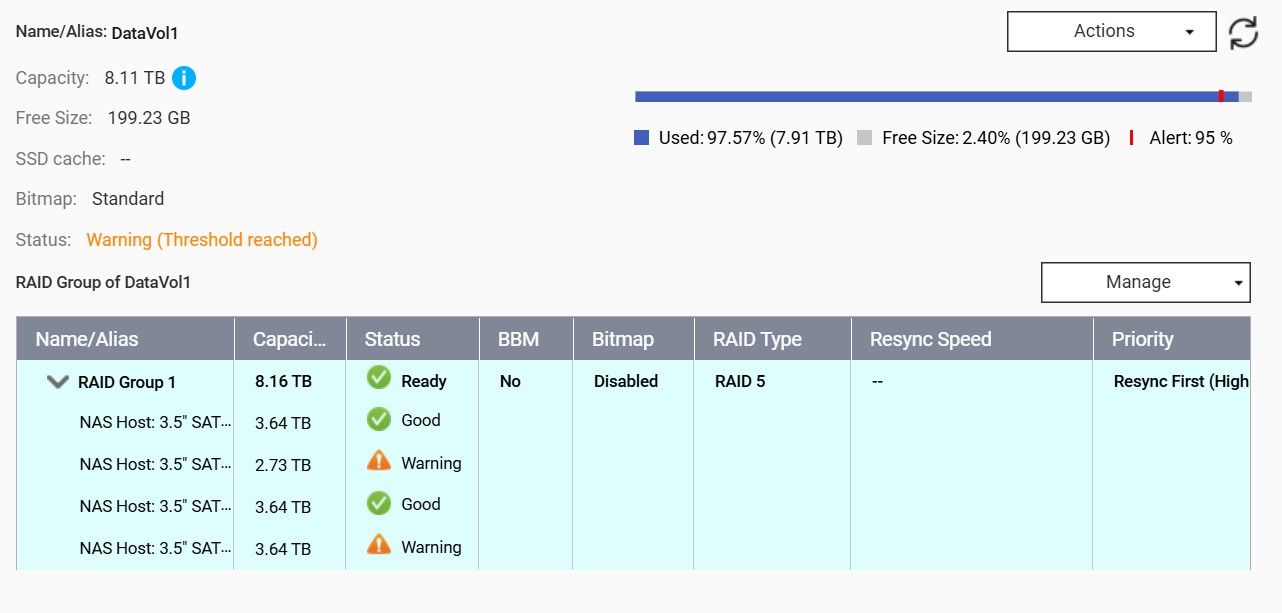
You have two drives with issues in a RAID5 … that’s it
Hope you have backups
@bhorrell it seems that two drives in your RAID 5 array are already showing a WARNING status in the screenshot. Since RAID 5 can only handle the failure of one drive, your RAID is currently in a very fragile state. That should be the reason why the system not allow to use the replace option.
Normally, you can to swap out a single faulty drive and let the RAID rebuild itself. But in this case, I strongly suggest back up all your important data immediately before do anything else.
Once your data is safe, you can try to replace one of the drives that shows a warning and allow the rebuild to complete, and then replace another one…or directly rebuild the system and RAID with two new drives.
We recommend you first back up your critical data separately (please note that syncing is not the same as backing up).
Here’s the suggested procedure:
- Remove the drive that showed the first warning, replace it with a new drive, and then rebuild the RAID.
- After that, replace the second drive that showed a warning and rebuild the RAID again. This should bring all four drives back to a normal status.
Important Warning: This method carries a risk. If the second drive fails during the RAID rebuild of the first drive, there is a chance of data loss. This is why the first step of creating a separate backup is crucial.