Hello QNAP friends,
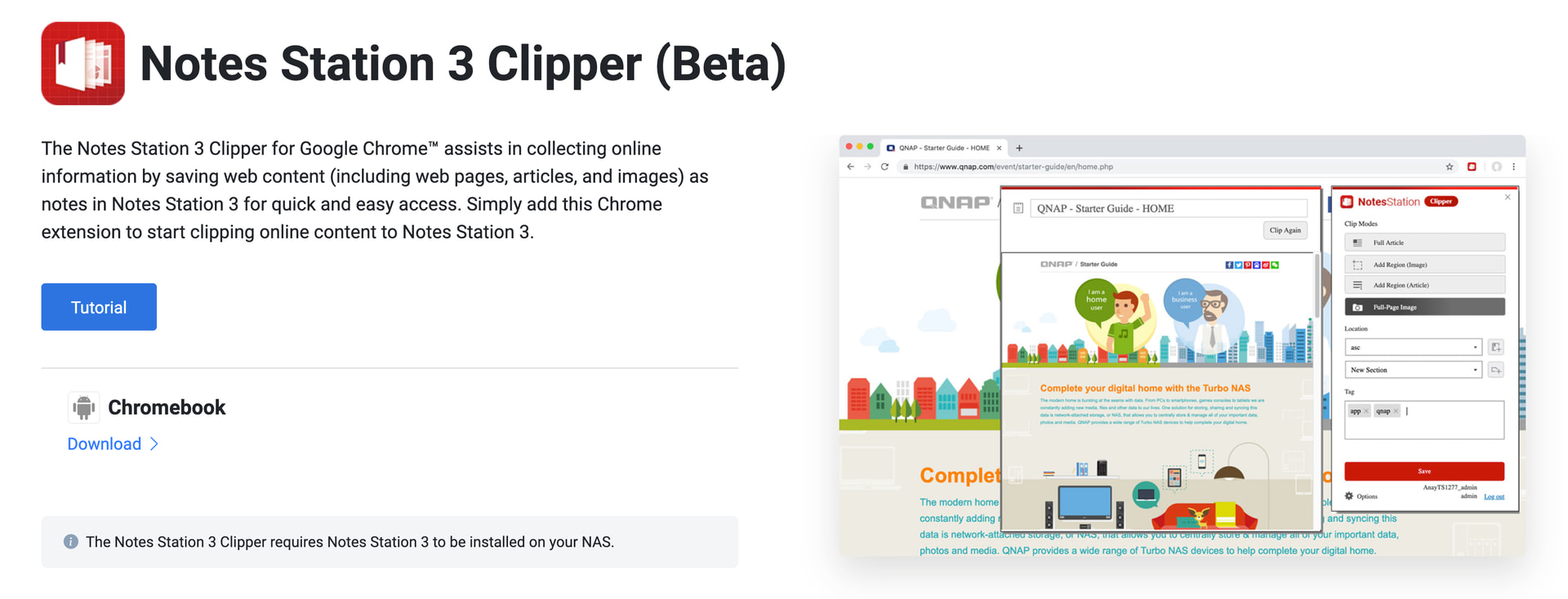
We are pleased to share that the Notes Station 3 Clipper (Beta) is now available again on the Chrome Web Store. Built as the companion browser extension for Notes Station 3, Clipper lets you save web pages, articles, and screenshots straight into your QNAP NAS — turning your private cloud into a research and reference hub that grows with you.
If you missed it before, this is a good moment to give it a try.
What Notes Station 3 Clipper Does
Clipper installs into Google Chrome™ as a lightweight extension. Once connected to your NAS, every page worth keeping is one click away from your notebooks — no bookmarks, no copy-paste, no losing track of where you saved that article.
- Clip full or partial articles — capture an entire page, a specific selection, or a screenshot of any region
- Append to existing notes — keep multiple clips from the same research thread together
- Organize as you clip — pick the destination notebook and section, add tags, all before the page is saved
- Find clips anywhere — open Notes Station 3 in any browser, or in Qnotes 3 on mobile, and your clipped content is right where you left it
Why It Matters: Your Reading, on Your NAS
Web clippers usually mean trusting your reading history and saved articles to a third-party cloud. Clipper keeps that data on hardware you own. The notes, the attachments, the search index — all stay on your NAS, under your account, governed by the permissions you already set in Notes Station 3.
For teams using Notes Station 3 collaboratively, this means clipped research can flow straight into shared notebooks, where colleagues can comment, edit, and build on it together.
Quick Start
| Step | What to do |
|---|---|
| 1 | Make sure Notes Station 3 is installed on your NAS (App Center) |
| 2 | Install Notes Station 3 Clipper (Beta) from the Chrome Web Store |
| 3 | Click the Clipper icon, enter your NAS hostname/IP, port, and credentials |
| 4 | Visit any page → click Clipper → choose notebook/section/tags → save |
Beta Notes
Clipper is currently in Beta. It works with Notes Station 3 and Google Chrome™ on desktop. We’re actively refining the experience, and your feedback in this thread directly shapes what we prioritize next — clipping behavior on tricky page layouts, supported content types, and UX polish are all on the table.
Get Notes Station 3 Clipper (Beta) Now
- Chrome Web Store — Install Notes Station 3 Clipper (Beta)
- Tutorial — How to use Notes Station 3 Clipper
- Notes Station 3 product page — Learn more
- QNAP Utilities — Download page
Thank you for your continued support of QNAP and Notes Station 3. We look forward to your feedback in the replies below.