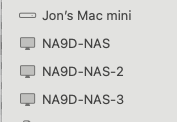
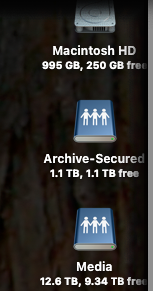
I’m new to QNAP and am dipping a toe in the water with a single drive TS-133.
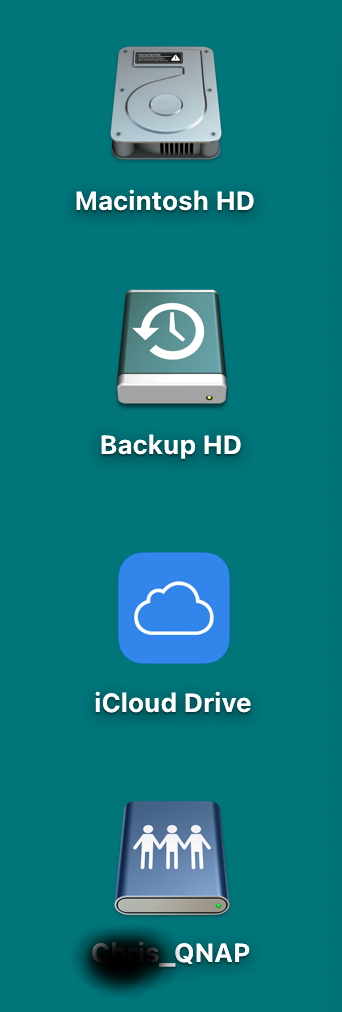
When I mount my QNAP share via SMB on the Mac Desktop the icon refuses to stay in place. For example, if I remove an unrelated icon from the dock, the QNAP disk remounts itself elsewhere on the desktop. Opening or closing a file can have the same effect, even if it is a local file. I can’t tell whether the share dismounts and then remounts as the effect is so quick.
No other network share exhibits this behaviour. Servers from Sy…gy remain fixed in place, it’s only the QNAP share that does this.
If I mount the share via Qfinder rather than the Mac SMB, it exhibits the same behaviour.
Is there any way to make the QNAP icon stay in place? OK it’s not a massive failure, but it is irritating if the share constantly roams around the desktop.
MacOS 15.7.3. Mac M2 Pro. QNAP TS133 QTS 5.2.7.3297
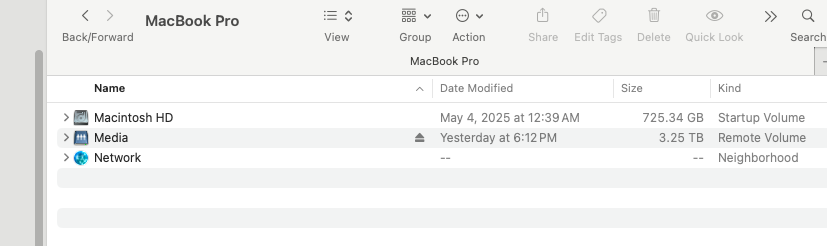
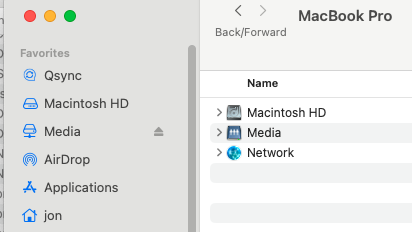
Thanks for the tip…. However the way I do it is to mount the share on the desktop. Connection is via Finder → connect to server → smb://…. The share then appears on the desktop. It also shows in the locations column in a finder window.
All of the other drives stay in place whatever actions I might take in opening/clsoing files. When I open/close some (not al), files or remove an icon from the dock, the QNAP icon will throw itself across the desktop to another location. As I said the others stay put no matter what I do.
I just find it odd the QNAP does this but none of the others do. The drive operates otherwise normally. The synology drive is not mounted in the attached screen shot but that stays put as well.
First of all, you don’t have to hide the name of your NAS. Nothing we can do with that.
Sounds like your Mac desktop might need to be rebuilt. I don’t think that has anything to do with QNAP. Yes - the drive does appear on the desktop. I just have so many windows open, I rarely see my desktop!
Rebuuild the desktop! Takes me back to the days of System 7, but I though it went out with the arrival of OSX. There may be some tricks you can do to achieve much the same result so I’ll scout around.
If it is an OSX problem, it doesn’t explain why the QNAP is the only one that exhibits this behaviour. I’ve had two Synology devices and without fail they both stayed put. Strange.
You know maybe I am dating myself! I haven’t done it in years but assumed it was still a thing. Something seems off. I don’t know why it would jump around like that. I am definitely not seeing this behavior on my desktop. Just looked and the two volumes I have mounted right now are sitting there perfectly still under my hard drive.
Same with me. It wasn’t in the image but I have a Synology server which mounts on the desktop and remains fixed whatever happens.
Just run all the maintenance routines rebuild launch services databases, clean caches etc, with no effect. Opened an app and the QNAP icon hurls itself across the desktop. I can remove an unused icon from the dock and QNAP will rush to be near the position of the dock icon. It’s utterly weird. As I said, no other mounted disk, NAS, direct attached or internal has ever exhibited the same behaviour.
Since it’s only the QNAP, I assumed that it must be connected to that but TBH I really don’t know. Keep looking I guess and until then put up with it
Thanks for taking the time to reply. Have a great Christmas
I’ve been messing around with finder settings and all the rest of the maintenance stuff, it is now refusing to perform to order but moves at random making it difficult to do a capture unless I leave it running if that’s possible whilst doing ‘real’ work . If I can get it to its previously repeatable state I will gladly post a recording.
At present I’m looking at a workaround. You reminding me of where else in Finder mounted servers appear suggests that one is possible using a symlink or finder alias. Don’t see why that shouldn’t be doable. It would be good though to get to the bottom of why this is happening since it doesn’t happen with any other device.
I am really curious to what you find out. I have not seen this on my two Macs. What version Mac OS?
This seems to be an OS X issue. A search found a number of articles:
Now, I like this next one:
Basically says to delete your .DS_store file. THAT is the equivalent of the old classic Mac desktop database. Deleting that will effectively “rebuild” the desktop. It’s what I was trying to say earlier.
Many thanks for the find. I think it probably is a MacOS issue but since it only affects the QNAP drive, I tried here. There’s certainly plenty to go at in the image you attached.
You’re better than me at searching the Apple communities. I did try there and didn’t come up with anything. It’s interesting that others have experienced something similar. I’m on Sequoia 15.7.3 and obvs it still hasn’t been fixed. I only upgrade after the .3 or .4 iteration so Tahoe can wait.
That’s a very good find regarding the terminal command to delete the Finder DS_store file. I thought restart the Finder deleted the DS_store file before restarting the Finder. I have done that a couple of times with no effect.
I have a utility which will delete “all” DS_store files, but I don’t want to do that as some appear similar to the resource fork in Classic MacOS and store file metadata. You can end up with a lot of grief. I’ve run the terminal command in the second of the forum posts and at first go it doesn’t appear to make any difference but It may be a while before it propagates through the system and remembers its place.
I now have a workaround which seems OK, so if from the search list works, I can fall back on that which should solve the problem.
Many thanks for all your help. Not sure where you’re located but enjoy the holiday season wherever you are.
We suspect it might be possible that the NAS goes into sleep mode or disconnects and reconnects during this process, causing the icons to move.
When the icons disappear, could you please try to connect to the NAS using Qfinder? Alternatively, you could try disabling the NAS sleep mode temporarily to see if the issue persists. Thank you!
Must admit that it always seemed as if the NAS was rebooting and hence repositioning the icon. Why it never remembers its previous position is surprising since all other attached disks, internal, direct attached or NAS do remember,
Sleep mode just didn’t cross my mind. I’ve adjusted that and so far it looks OK, although there was a degree of randomness in the problem’s occurence
It is an irritation rather than a problem and in any event thanks to the forum I have a workround which appears effective, so if all else fails I will use that.
I’ll give it a few days and see what happens. If the behaviour recurs I’ll post here, probably after Christmas.
I have tried connecting using Qfinder Pro 7.12.3 but that appears to handover to the Mac finder’s: Go → connect to server → smb://10.145.178.86.
It happened less frequently after I deleted the finder .DS_store file. So far altering the sleep parameters appears to have reduced it further.
In general it used to happen when I opened certain files. These were not stored on the NAS but were internal. On other occasions I could delete an unused (& AFAICT unrelated) icon from the dock and the QNAP icon would leap across the desktop to reposition itself.
I will monitor this but so far the measures taken appear appear to have reduced the problem significantly. Should it return to being more persistent, I will post on here.
Unfortunately I didn’t have the screen recorder going but the QNAP was mounted on the desktop. I opened Automator and the icon repositioned, moved it back and opened a Bookends (citation management) file and again the icon moved. I’ve done both of these before and nothing happens.
Connected my iPhone to the computer and opened iMazing to transfer some data. I can’t see any possible connection between these items but the QNAP icon moves itself again. It appears to be random, sometimes it does it and other its doesn’t.
I tried creating an alias on the desktop to the mounted share and then removed the original via the Finder. Works OK until I logout or reboot the Mac and then it fails, although the file path remains the same. Needless to say the same process with the Synology, survives multiple reboots.
Even tried giving it a shorter name in case its length didn’t chime with the screen grid system.
I’ve given up and will have to access the QNAP from the locations sidebar in a Finder window. Infuriating, since the TS133 QNAP is a reasonably fast, neat and compact machine with low energy use. Fitted with an SSD, it is ideal for this undemanding use case.
Nothing. Snap to grid is off so the desktop is free form. I even did a complete restore to factory and reset the TS133 with a shorter name in case the prior one was sufficiently long to interfere with the hidden grid spacing. With it being haphazard it’s difficult to to reproduce to order.
Don’t know if you can help, but I’ve lost the terminal command to delete the MacOS Finder DS_Store file and I’m a bit wary of terminal delete commands