So I have a question and maybe this will require the QNAP staff to answer..
I wanted to experiment with on-premise LLM and RAG searches in Qsirch. However, I do not have a GPU installed in my NAS. I do have the QNAP USB AI Accelerator device.
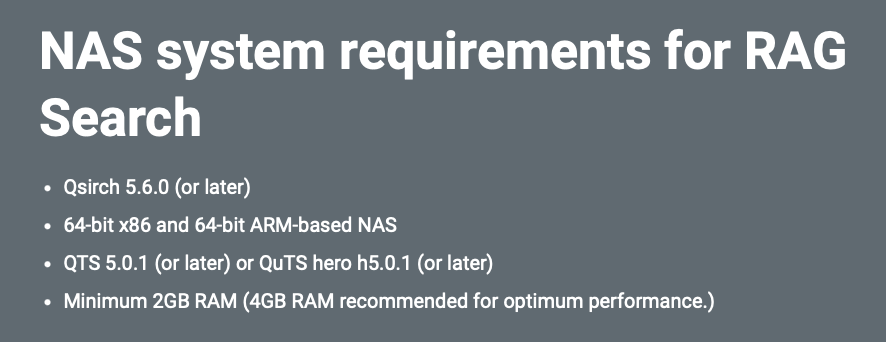
On QNAP’s website, nothing is said about a GPU being required:
The On-premise RAG search loads LLMs into video memory at the time of the first search. If there’s insufficient GPU memory, it reports an error (insufficient memory).
They don’t state minimum requirements, but they do list “Recommended” requirements here:
And they “recommend” an RTX 4000 (Ada Generation, which has 20GB of vRAM) and an RTX 6000 Pro (also Ada gen, which has 96GB of vRAM). For kicks I tried with a RTX 3050 6GB and was able to load some of the smaller models, but not a lot. Performance is similar to just running ollama on a comparable desktop.
Regarding the “AI Accelerator”, I’d venture a guess it doesn’t have the memory for this sort of task, but better to let QNAP explain/cover that use-case..
Just to add, you can always use the On-line LLMs in the RAG search feature, but your NAS will ship data to Gemini, ChatGPT, etc, vs. being fully on-prem. No GPU required since all the work is being done in those cloud provider’s DCs.
At the moment, if you want to run Qsirch with an on-prem LLM + RAG search, it does need an NVIDIA GPU. The main reason is that local LLMs need quite a bit of GPU memory to run properly, and that’s something the AI Accelerator can’t really handle yet.
We understand that you’re concerned about data privacy and prefer to keep your data local. That makes total sense.
However, if you’re open to trying RAG search with a cloud LLM for evaluation purposes, it can be a good way to get a clear picture of how RAG works in Qsirch and how to set up OpenAI-compatible APIs.
You can also start with a small or non-sensitive dataset just to understand the workflow first, and then decide later whether running everything on-prem with a GPU makes sense for your use case.