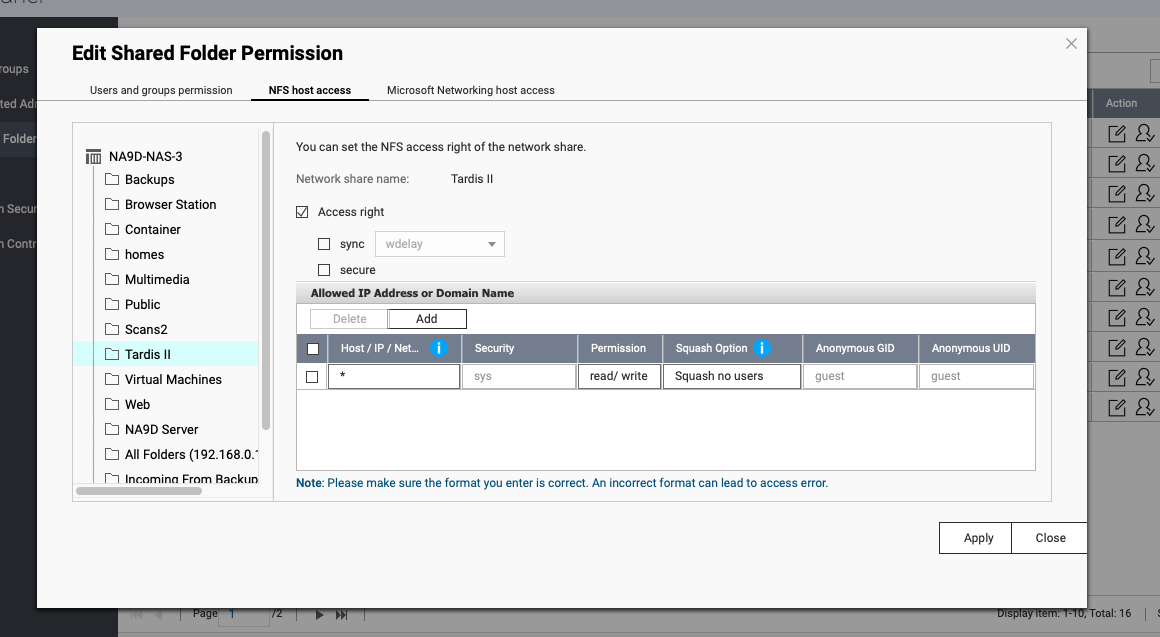
I am working on a Web-App which needs access to a QNAP-NAS file system to edit and create directories and files inside it.
In order to mount the NFS to the docker container, I used the following docker compose file:
services:
  app:
    ... # Irrelevant stuff
    volumes:
      - .:/app
      - "nfs-base:/Z" # Mount the nfs volume to the /base directory in the container

volumes:
  nfs-base:
    driver: local
    driver_opts:
      type: nfs
      o: "nfsvers=4,addr=IPADDRESS_OF_THE_QNAP-NAS,rw"
      device: ":/"
I get no error when creating the volume, and inspecting the container, the :/Z/base directory gets created, which means the shared folder base of the qnap-filesystem is propperly mounted, or at least recognised by the docker-compose file.
The problem comes when I inspect the container content to review if the files inside :/Z/base are properly mounted.
When I access the /base directory inside the container, I get the error: bash: cd: base/base: Operation not permitted.
I would like to add that when I check the permission of the folder inside the container, I get this prompt:
drwxrwxrwx 28 1000 root 4096 May 10 09:04 base
I guess it’s an issue that comes from permissions to access to the shared folder, but as I am new to the QNAP, i don’t know how to give that permissions.
Note that if I access the QNAP-NAS /base directory from the same host where I have the docker container via ssh, I have no problems with permissions ( I can access all the files in the base directory).
How can I give permissions to the docker container to read/write to a NFS mounted directory?