Have you ever wondered: “Can I switch my NAS OS from QTS to QuTS hero, or vice versa?” Let’s briefly review this.
Some QNAP NAS models support both OS options: QTS (a modern app-based NAS operating system with the ext4 file system) and QuTS hero (an advanced NAS operating system based on ZFS). So, you can choose the OS that fits your needs, as long as your device supports both OS options 
 Advantages of Both OS
QuTS hero (ZFS-based):
- Offers data integrity & self-healing: ZFS has end-to-end checksums to detect & repair data corruption.
- Supports inline deduplication and compression to save storage space.
- Supports features like SnapSync for disaster recovery and shared folders up to large sizes (up to 5 PB). Perfect for users who need high reliability and maximum data protection.
QTS (ext4/LVM-based):
- Features Qtier (auto-tiering SSD/HDD) for easy “hot storage” and “cold storage” management.
- Lighter system load — suitable for “entry-level” NAS (RAM < 8 GB).
- The QNAP and third-party app ecosystem is broader on QTS. Ideal for home or SMB users who don’t need advanced enterprise features.
 How to Switch OS (Important Note!)
 Important note: This process will erase all data on the NAS. Make sure to back up all your data first!
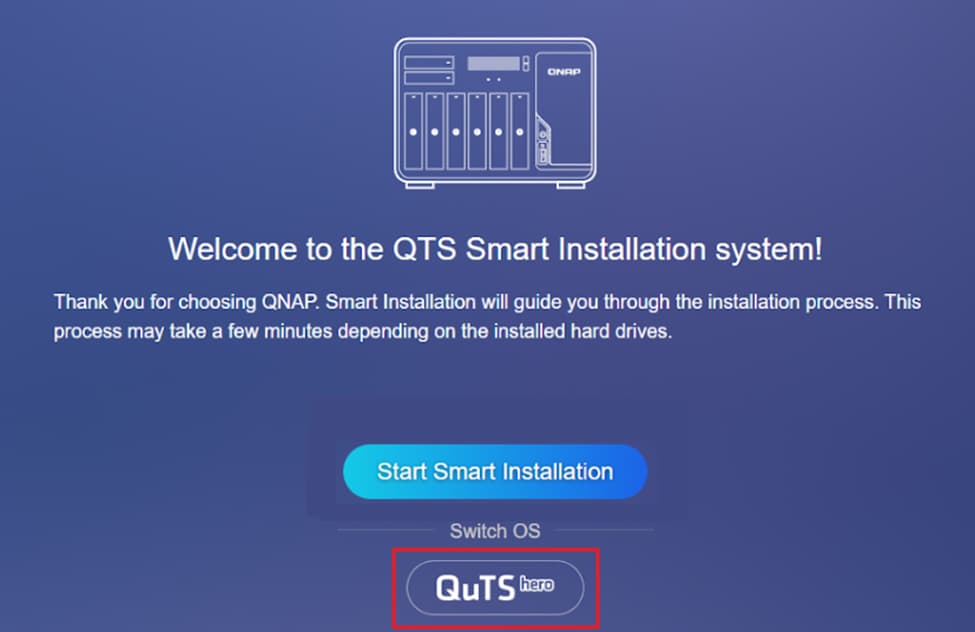
If you want to switch QTS → QuTS hero:
- Power off the NAS, remove all drives (including M.2 SSD).
- Ensure the NAS is connected to the internet, then power it back on.
- Log in, select “Switch OS” → choose QuTS hero. Follow the instructions.
- After installation is complete, power off again, reinsert the drives, then restart.
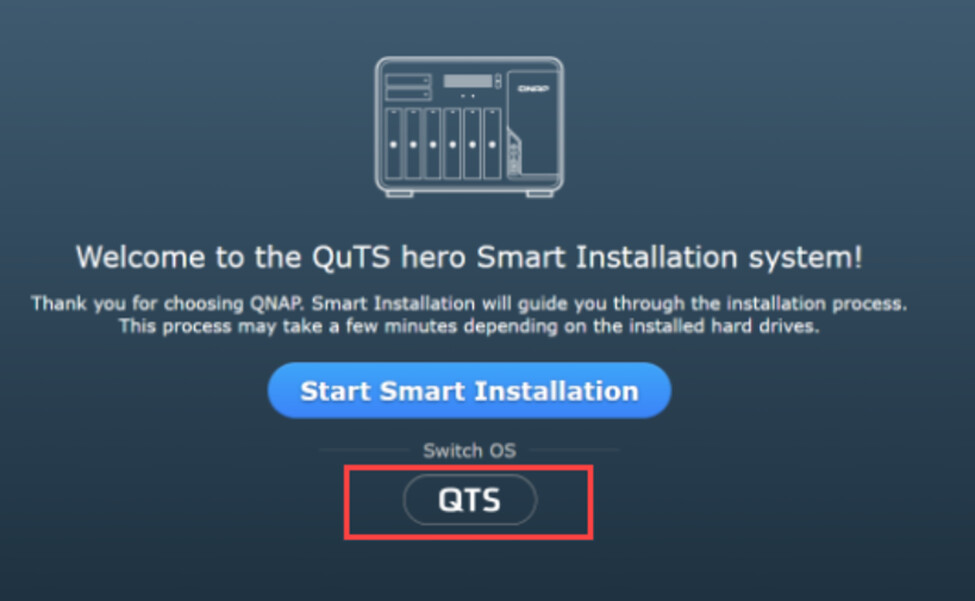
If you want to switch QuTS hero → QTS:
The steps are similar, but select QTS as the OS.
 Which One to Choose? When to Switch?
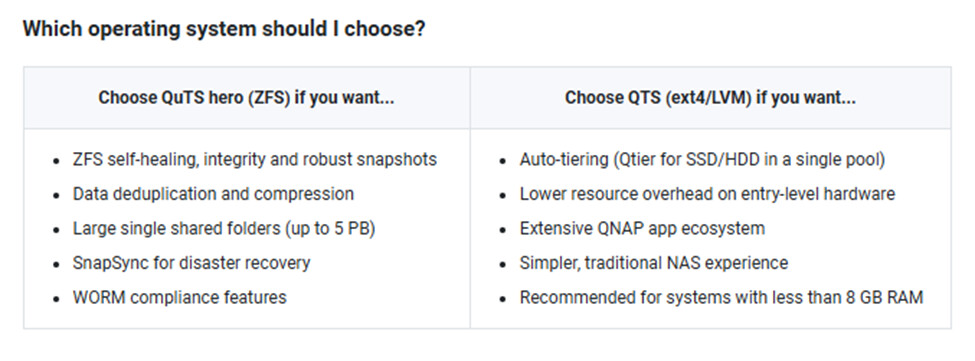
- Choose QuTS hero if you want: high-level data protection, ZFS features like deduplication & WORM, or a production/enterprise environment.
- Choose QTS if you: have limited hardware, only use NAS for daily tasks, want lots of easy-to-install apps, or are just getting started.
If you want to find out more details, click this link 
Learn more about QTS and QuTS Hero by clicking the links below:
QTS - Your most powerful and intuitive NAS OS
QuTS hero – the preferred choice for highly reliable ZFS storage solutions