I’ve setup several containers (ha, grist, lldap, authelia ..) , all addressed by a caddy container as reverse proxy. They’re all directly installed in CS as “containers”, not via a compose file.
Everything worked fine, except i had to reverse proxy to the 10.0.3.x addresses, as the hostnames did’nt work. No problem with that, till i rebooted the NAS for firmware update : all the containers changed their IP .. i have to reconfigure Caddy with the new IPs …
I thought docker had a sort of “dns resolver” documented with the containers hostname in the same network, so i could reference them in Caddy by hostnames. Have i missed something ?
Installing an internal dns server won’t work either, if containers ip continue changing a each reboot.
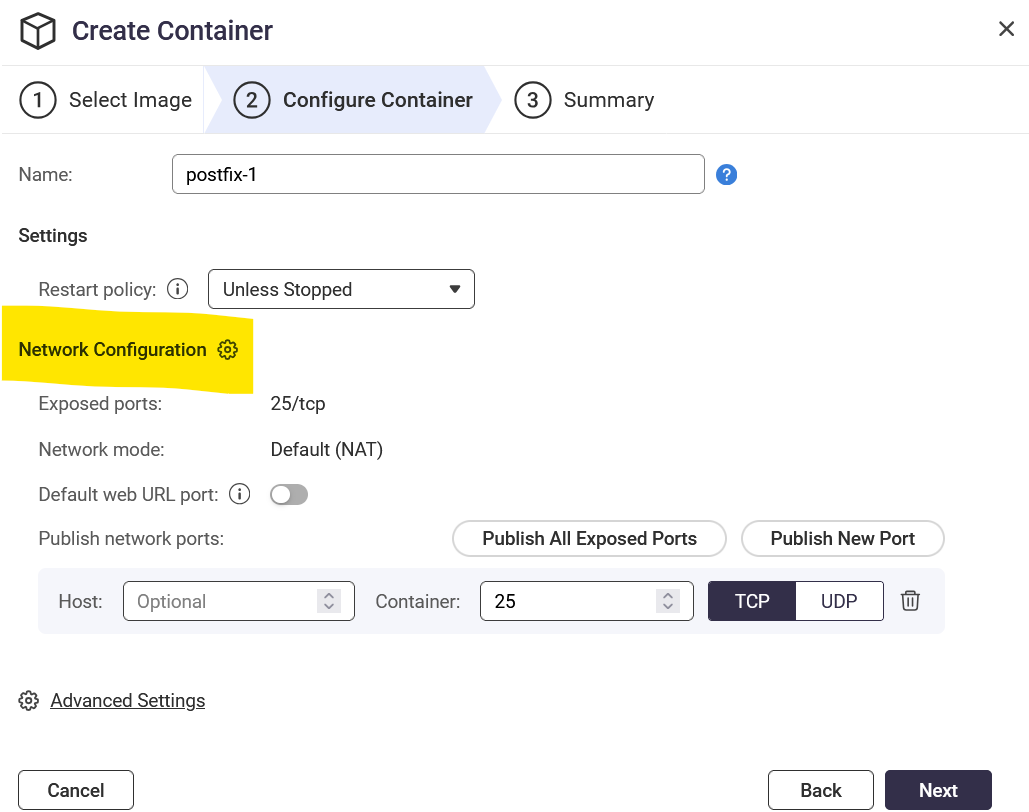
Another option would be set static IPs for the containers , but couldn’t find where to do that (or maybe via ssh in command line ..)
Well, by default the containers use DHCP. I was just looking and I don’t know if there’s a way to set a fixed IP address for the containers. There is not in the container setup. Maybe you have to do it in Compose.
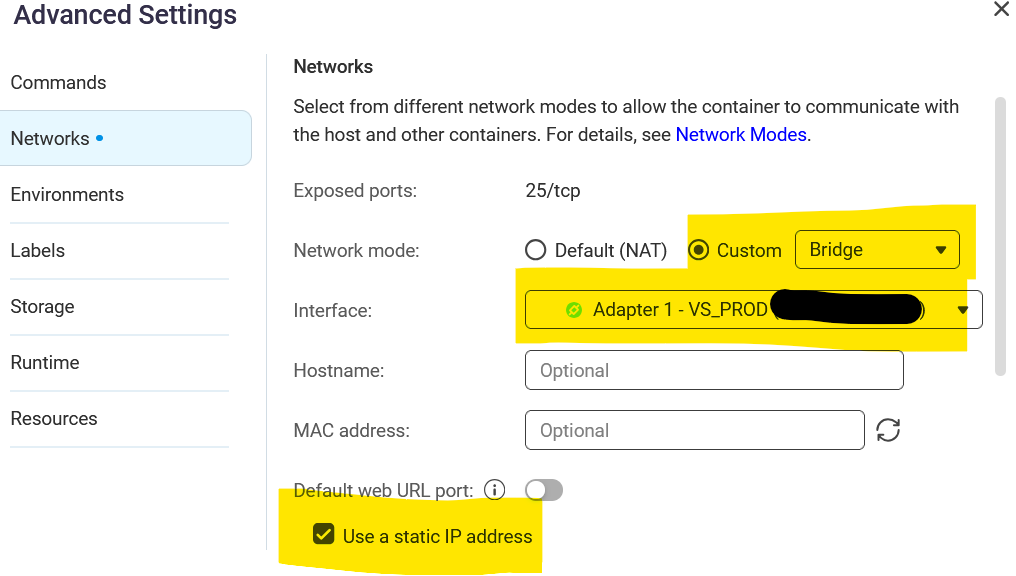
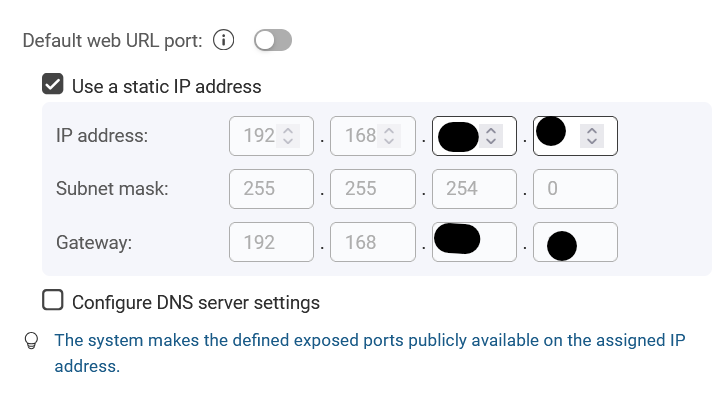
You can put the containers into Bridge mode where they then are attached to a particular network adapter. You can then assign them fixed IPs.
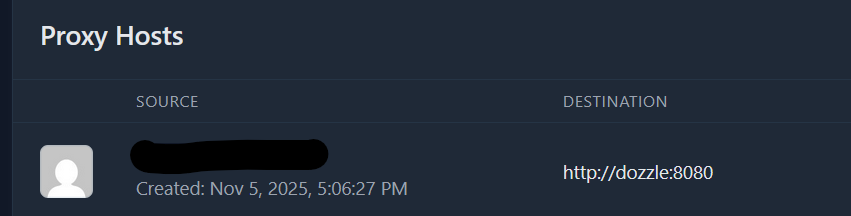
I know under application with using a compose you can reference by app name as long as the containers are all in the same networking. I do this for nginx-proxy-manager. below is a sample compose yaml for npm and another app dozzle. I think i had to create the network backendApps using docker command, i dont recall. The npm isnt complete btw, it just showing use of two networks. All my other apps are just in the backendApps and NPM provides reverse proxy and https.
services:
  npm:
    image: 'jc21/nginx-proxy-manager:latest'
    restart: unless-stopped
    stdin_open: true
    tty: true
    container_name: npm
    networks:
      qnet-static-eth0-custom:  # for external ip/mac definition
      backendApps: # all the shared containers should have this network.

networks:
  qnet-static-eth0-custom:
    external: true
  backendApps:
    external: true
Thanks a lot ; i’ll experiment with all this and will put feedback here.
The last post even opens the way for me to overcome another issue : the reverse proxy is in the default network for containers (lxcbr0) , but the containers in “applications” are in their own network. May be if i add the lxcbr0 network to my apps i could reverse proxy from Caddy to the app (at the moment, they don’t ping even by ip address).
I’ll keep you informed ; thanks for your time !
Xavier
I finally succeeded manually connecting the reverse proxy (Caddy) to the network created for the “application” (i.e. compose file) :
docker network connect my_app_default caddy-1
This solved the connectivity issue, and also the internal DNS issue : in my caddy file, i can reverse proxy to the “service name” instead of the container IP.
Thank you both for your time ; i hope this will be useful for anyone googling for this use case.