PWM - Fan speed control BUG or ?

Hi,

I’m trying to adjust PWM speed on my brand new TS-h2477AUX NAS and i find it a bit confusing so excuse if I’m not understanding it correctly. So please bear with me while I explain.

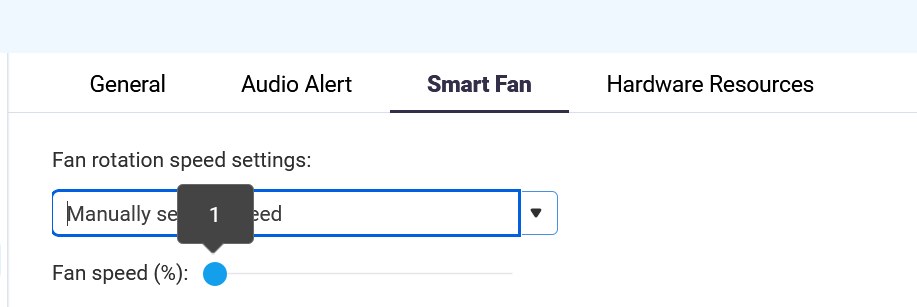
In the Settings / Hardware / Smart Fan I have option to set speed To automatic modes or Manual mode.
I’ve set it to manual, and it shows slider 1-100% (can’t be 0% so that’s good so nobody can’t turn off fans completely accidentally :))

This NAS have Four 80x80x38mm SUNON Fans ( DC FAN-80x80x38 | Sunon Inc. ) that can go up to 14000 rpm (yes 14k :)). And it’s VERY loud (even at default 20% speed it’s like electric lawn mower loud or some big drone in the office/room :)) but what bothers me is that slider is not really reacting as the number/percentage suggests.

IF max speed of Fan is 14000 rpm then 1% slider in manual mode would be 140rpm - right? But QNAP software reports 3250-3400 rpm (not same on all fans but close)? And it’s definitely way faster than 140rpm visually and by noise it’s still very loud so i suspect readout of 3250 is correct speed and that would be closer to 24% and nowhere near 1%.
When set to 20% it’s 4500-4700 rpm whcih would be cca 33%.

So my question woudl be: Is there a way that QNAP DEVs could update better firmware/software for better fan curve control to be more precise?

Yes, I know it’s marked as Enterprise grade server device (although for me enterprise would be much higher tier in RAM/CPU power but ok :)) and rarely anyone cares about noise/dB in that category since they have separate RACK rooms, but it still should be more precise or slider is barely useful?

I don’t have luxury to keep it (NAS) in separate room (and yet, I have need for a lot of TB, so I can’t use 8-Bay NAS any more, I’ve “outgrown it”) so it placed in my 42U office rack which is in the office itself so noise matters in this case :).

Frankly in this 4U case they should design it with 120mm or even 140mm fans and not “only” 80mm fans, but I guess they use same in 2U, 3U and 4U NAS devices so designers left it same for simplicity (or laziness :)?.

Here is screengrab to what i’m talking about.

Thanks
While I don’t disagree with your post and reasoning, is there a reason the automatic setting doesn’t fit your needs? I find it quite convenient, more air flow when necessary, quieter when not in use…

I think there was a topic in the old forum about it.

These small rackmount fans do not throttle down too much as the static air pressure from their tiny blades would be too low on smaller RPM’s so they generally are very loud/fast.

Rackmount units should not be anywhere in a work environment. I had to sit for a few years next to a bunch of HP rackmount switches and it drove me mad.

Hi guys.

Thanks for reply :).

@dosborne As for reasoning i though i explained it well (obviously not :)).

In automatic mode (I’ve tried that too, rpm i s almost same 3300-3400 rpm in “quiet mode” as it’s at manual mode 1% so no much/any difference, maybe -1dB in Manual mode at 1% so yes I’ve now left it at “automatic mode” 'coz of that but my idea was to have manual mode at 10% speed (roughly at 1500 rpm) which obviously doensn’t work in this slider/software curve. Which is my main gripe :slight_smile:

@dolbyman
Sadly as I tried to explain I don’t have separate room for RACK, it has to be in office and that I can’t change :).

For my need where office room temp is 24°C (Aircooled since i have multiple GPU rendering machines I run A/C all the time from April to November (only at winter times i can open window and let cool air in and turn off A/C) that simultaneously render to NAS folder/share big EXR files where 1 frame of animation is 300-400MB file so with multipel layers i can end up rendering 1 project of 1 minute of animation that occupies 1TB os space, hence my need for bigger NAS since my 105TB Synology will be full in nex 10-12 months) and my rack temp is 28-32°C (with router, multiple network switches, 3 UPS devices and now 3 NAS devices (2 Synology and now 1 QNAP).

I think that if curve would be properly designed users could set Fan manual mode to 2000 rpm and slash down to 35-40dB and my HDDs and CPU would still be way below high temps (currently HDDs are 33-34°C and CPU is 40-45°C (system tem currently says 28-30°C) doing PC backup and saving rendering frames, so nowhere near problematic temps that I’d need 5000+ rpm.

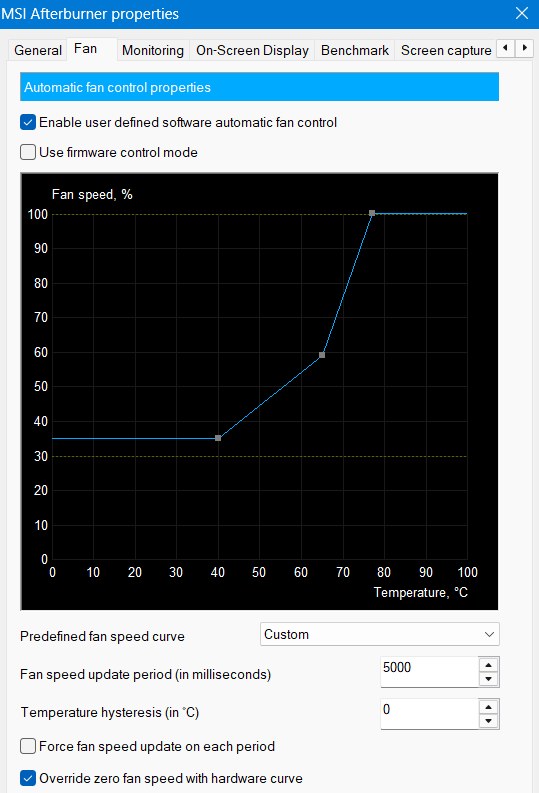
So if Automatic Curve would be better and possibly have fan control graph like in MSI afterburner (for GPU fan control) that would be very nice feature :).

Like this :)?

My Synology RS1221+ NAS has Noctua fans (I replaced original ones) and temp of that NAS CPU (Ryzen V1500B) is just 50°C after days of usage (HDDs 37-39°C) and fans are so quiet that they are not audible 1m from rack. I measured dB of 28-29 (default fans were 37-39dB but still way more quiet than this QNAP fans (i measured cca 50dB 1m away from QNAP). Yes i know it’s not same level/tier of NAS devices but even if i’d go with 12 or 16 bay QNAP and less powerful CPU it seems to have same FANs as 24-bay :).

And Synology don’t even have fan curve, only 3 modes cool/medium/high, so I expected more out of QNAP Fan controls since it has way more settings/tweaks possible.
But sadly, it’s not really precise as settings suggest, more like gimmick that doesn’t really do what it says on GUI :/.

BTW, guys I greatly appreciate your involvement so don’t take any of my reply as attack on your opinion or so. I just wanted to see am’I’m doing something wrong/mission some settings or just QuTS hero Fan control is not really that good/have room for improvements :).

Probably not something they have invested a lot of time on. As long as it cools sufficiently, they probably figured that was the critical factor. For most users, particularly an enterprise, even 25% “jumps” are probably sufficient even with a 25% baseline starting point (25, 50, 75 or 100).

On a similar note, I spent weeks working on building and coding a temperature monitor for a Raspberry Pi. It would analyse the trend of temperature over the last few minutes, correlate different sensor temperatures and the actual rotation speed of the fan(s) and adjust in true micro increments but also work predicatively to ramp up in anticipation of temperature spikes or to get ahead of the curve so to speak. This is sort of why this peaked my interest. In the end, it was more of a hardware and coding exercise as ultimately, although it worked, it probably had little “real” benefit other than minimal noise level adjustment, which was not really a factor in my case.

Have you tried other fans? Maybe the Sunon fans can’t run at less than 3,000 RPM.

Hehe, that’s the kind of feeling I got with this “problem” as well. Someone was not thinking it through fully, but since it’s software thing/tweak I think there is possible room for fix/improvements?

I’m kind sucker for “attention to details” so it bothers me more than some, i guess :). I designed/3d modelled many products/designs and I often spend more time than client even asks/pays for 'coz i want to give them stuff I’m also happy with and not just “good enough” :).

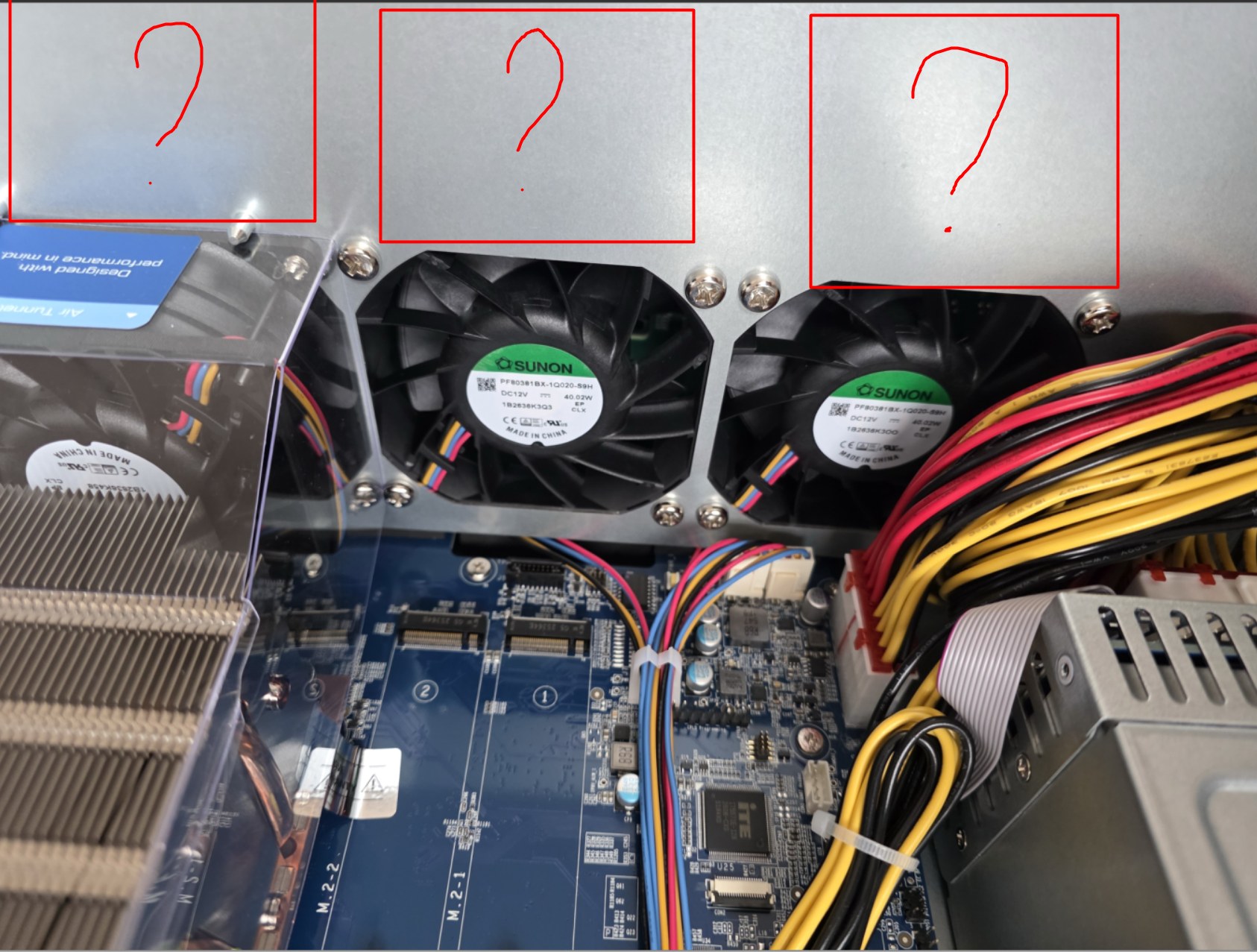
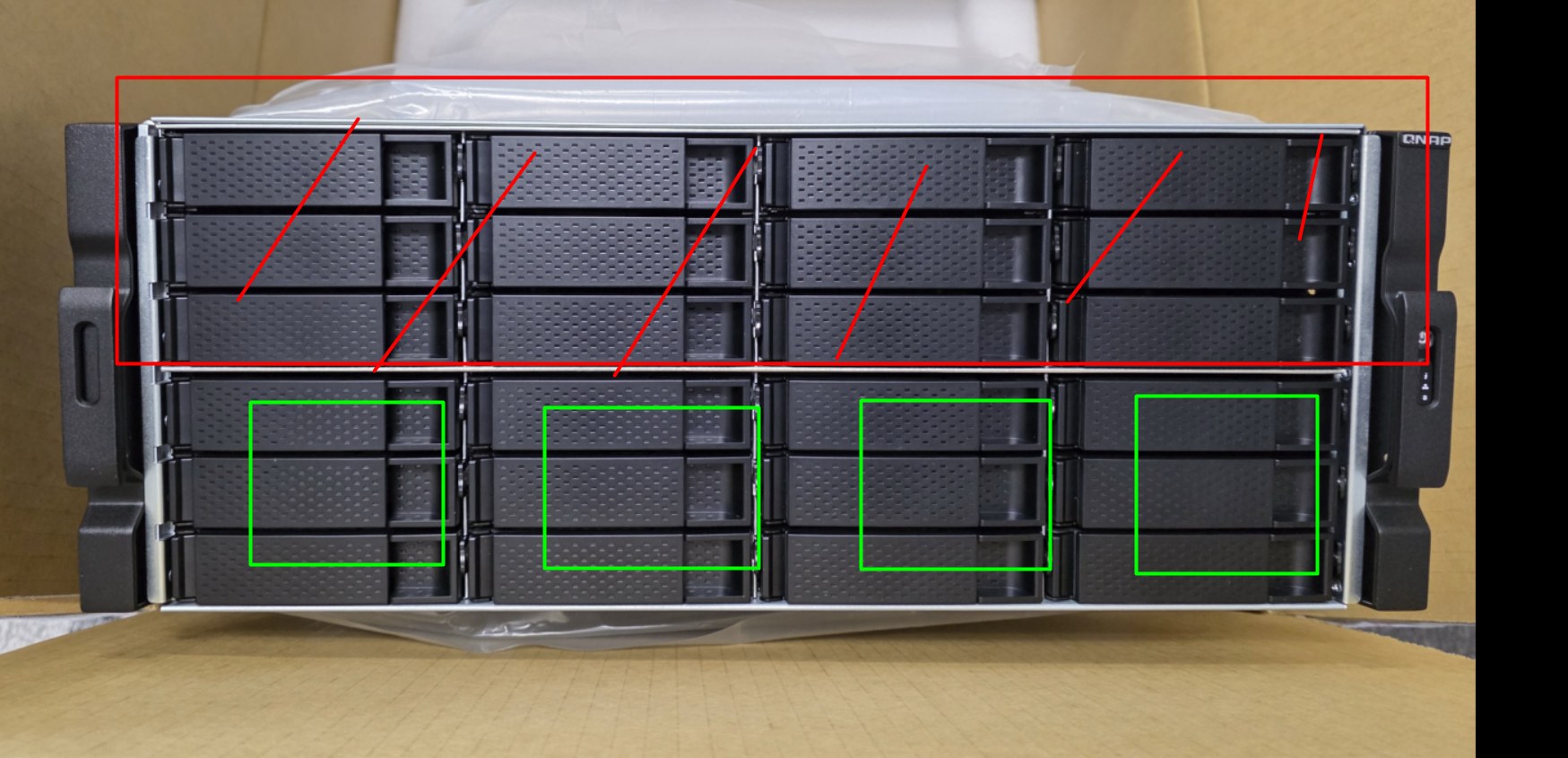
For instance, this case has 24 bays and yet top row of 12 HDDs don’t even have fans directly blowing air on them because all 4 fans are in lower section/half (hence me thinking 12 bay is exactly same unit/design (+more bays ofcourse 2U–>4U), they just stacked on more room for double the bays but left case interior design same so Fans are too small and top row of HDDs will be hotter due no direct airflow over them :confused:

See this empty space on internals (fans are only cooling on GREEN).

Hi,

That’s not bad idea just not sure can I disassemble installed fans without any warranty void (I don’t see any stickers in the case for that so should be possible/easy) but i could (for a test) try to just unplug/plug in different fans (still would need to be industrial ones due pinout since that is so called “2510 4-pin PWM” and not regular PC ATX fan PWM) and leave them out of case just to see does speed control report/do proper RPM numbers.

I’ll investigate that idea more,thanks.

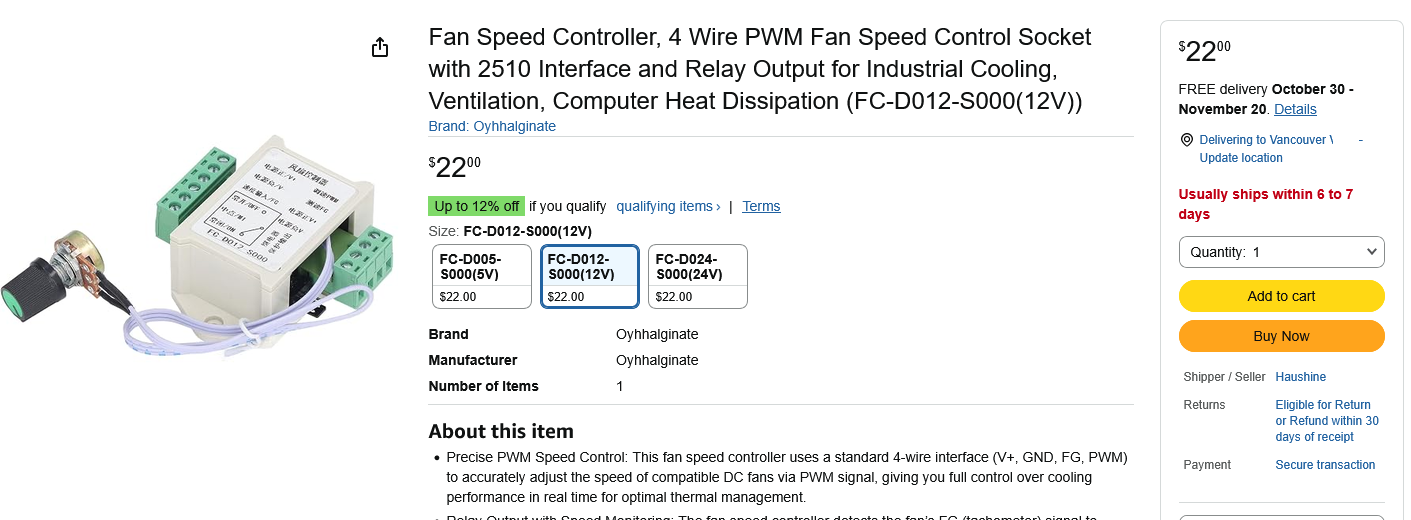
You can get a tester like this and leave the fans in place