Hello, I recently installed Qmagie version 2.8.0 and a few days later when I went to search for photos using facial tags, I found that when I enter the name in the search bar, the dropdown that immediately opens in that bar, showing you the person tags along with their avatar, is not working correctly. The avatars have disappeared and been replaced by a generic avatar, and what is worse, if you select one of those avatars to filter, it tells you that it hasn’t found any photos of that person. However, if you put the name in the search bar and hit Enter directly without selecting the tags, it does show you the photos of these people. The problem is that you cannot select two people simultaneously. What I am clear about is that the photos are tagged correctly; it seems more like a discrepancy between the search bar dropdown and the facial metadata file. I don’t know if anyone else has experienced this with the new update. Regards.
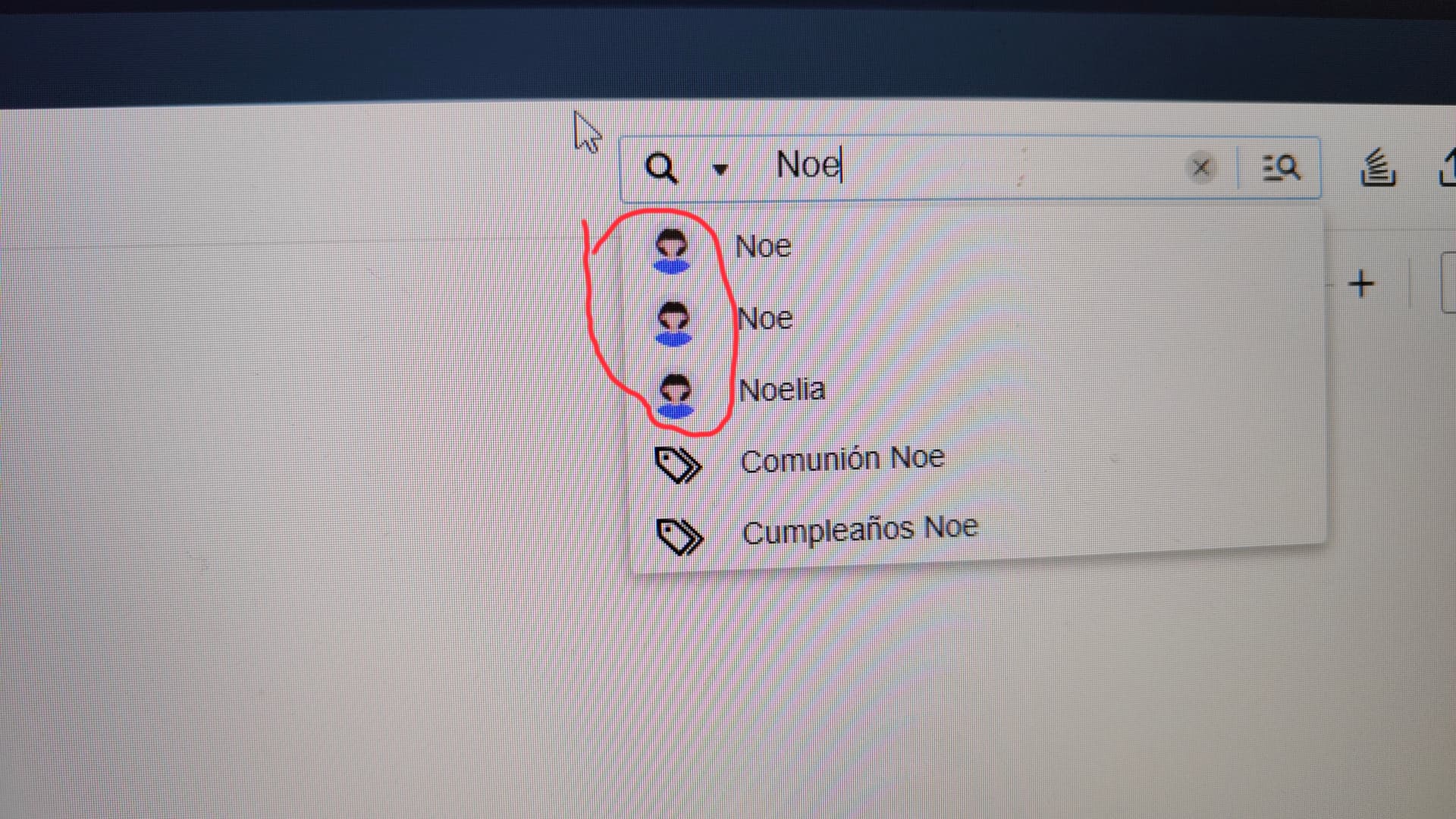

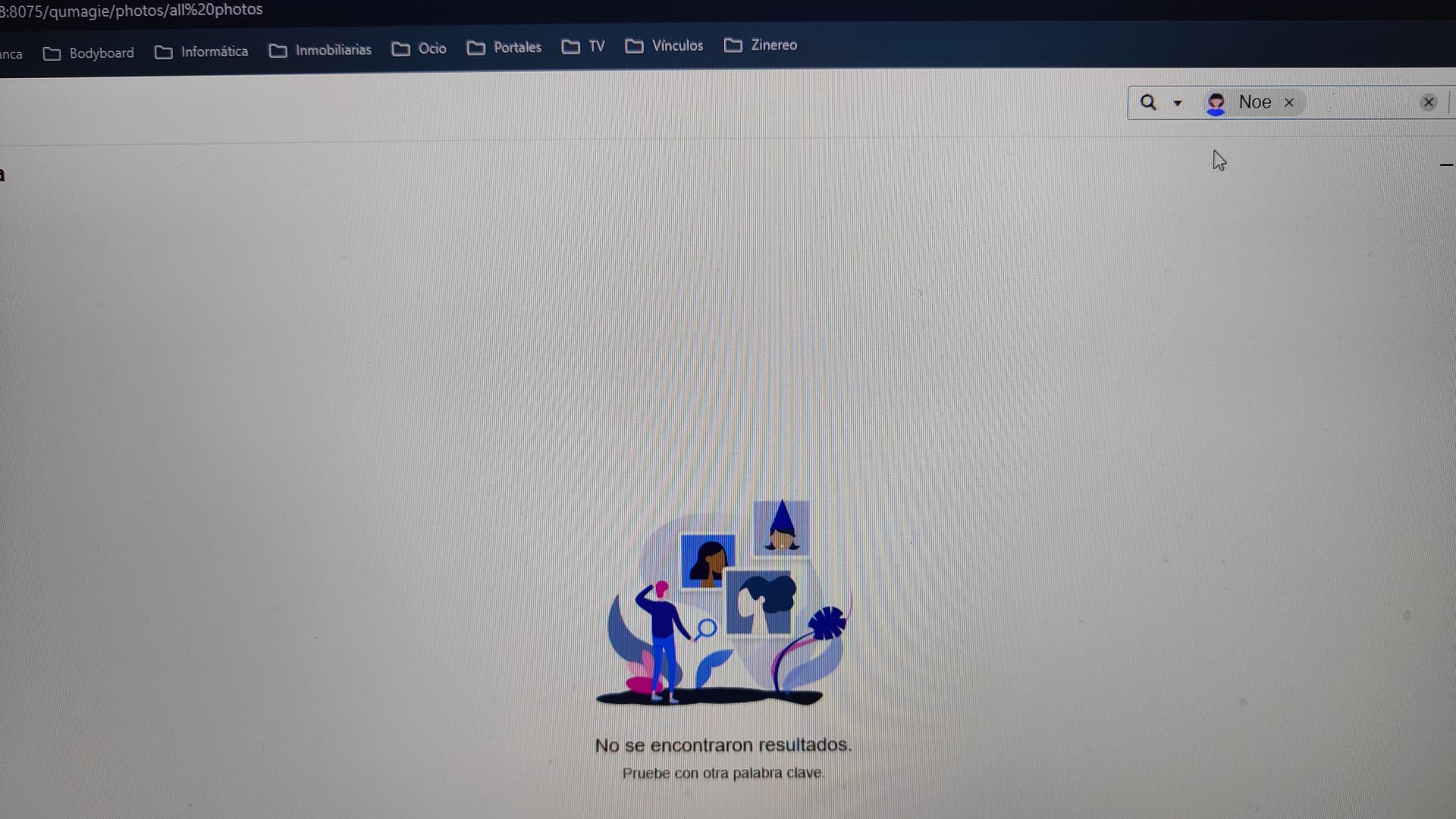
Hi @Sinco ,after checking with the QuMagie team, we can confirm that searches involving certain tags may fail under specific conditions, although the exact cause is still under investigation.
We have verified that the Conditional Search feature can perform multi-tag searches without any problems, so please consider using it as a temporary workaround.
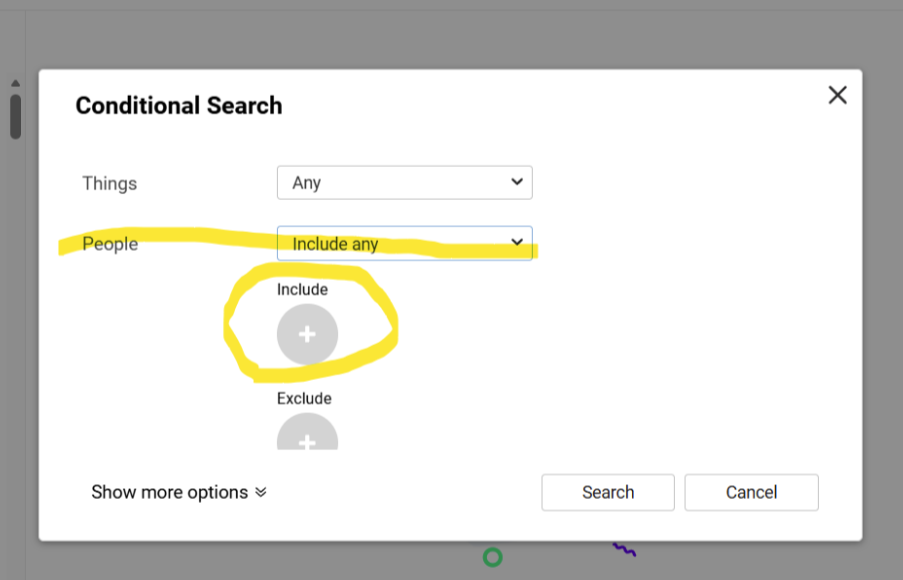
Thank you very much for bringing this to our attention. We will release an updated version of QuMagie as soon as possible to address this issue.
The strange thing is that I tried reinstalling Qumagie and the problem persists. I even went further and reindexed all the photo content from the Multimedia Console, and when I performed the first facial recognition, the photo tags still failed in the searches and avatar generation. Therefore, before assigning names again for facial recognition, I’ll wait for the new update. Thanks and regards.
Problem solved with update 2.8.1. Thank you very much.
QuMagie 2.8.1 has been released!
Users experiencing similar issues are advised to update to the new version. Thanks!