What Is Required During Failover in an HA Configuration
When building an HA (High Availability) configuration using two NAS devices, what is required during a failover? Naturally, the expectation is that “if one device fails, the other takes over processing so work can continue.”
But if we ask, “Is it acceptable for data corruption or loss to occur, such as incomplete data being written, as long as work can continue?” the basic answer is likely “No.” Some users may respond, “If a failover occurs, any files that were being written can just be written again, so it’s fine,” but—
However, if there is a “possibility of integrity issues” or “cases where files are not synchronized to the secondary device,” then when a failover occurs, you would need to check the data set and file checksums on the secondary device to ensure consistency.
Recently, QNAP NAS has started supporting HA, and with that, we received the question, “Does QNAP NAS guarantee data integrity during failover in an HA configuration?” We investigated this. The user in question was using a Japanese-brand NAS and reported that “a large number of files were not saved on the secondary device during failover.”
Let’s proceed with the verification.
Test Environment
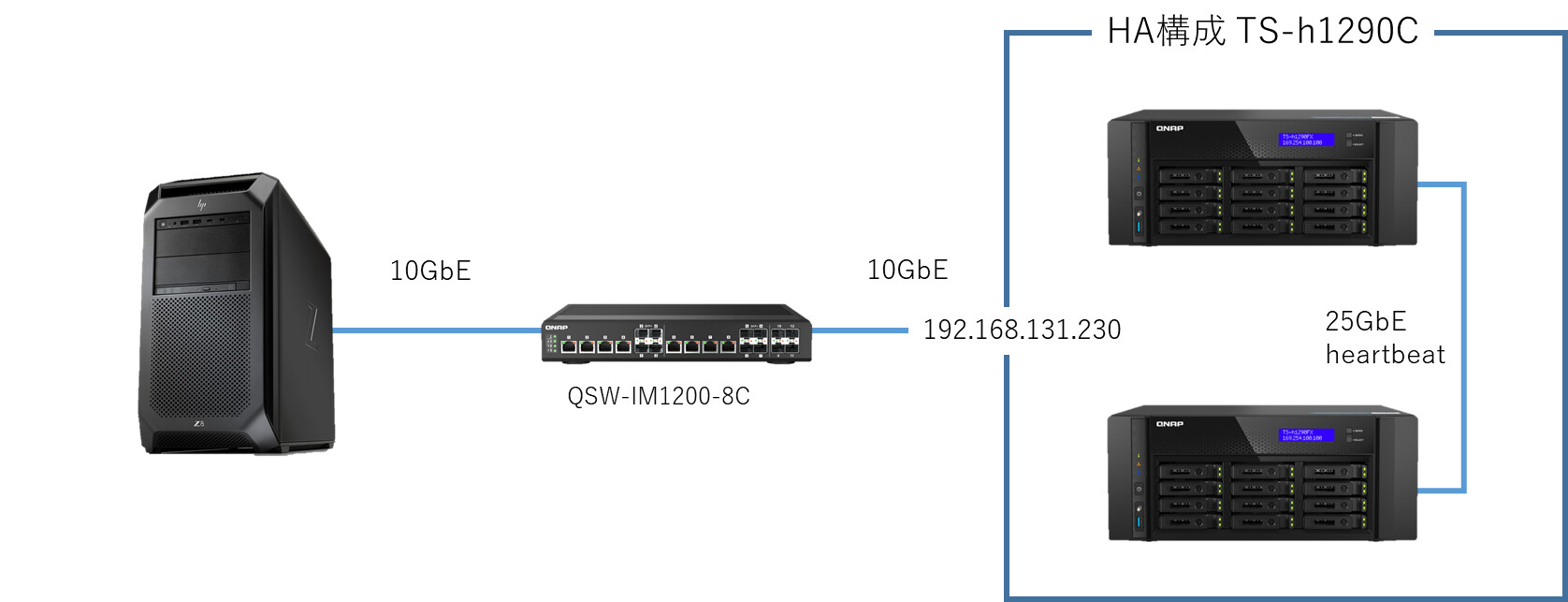
Here is the test environment used for this verification. The configuration is roughly as follows:
Verifying Integrity During Failover
A file is copied from an operation PC to the cluster IP 192.168.131.230. During the copy, the power cable of the main device is unplugged to trigger a failover. After the copy completes, the md5sum value is checked on the cluster IP to see if it matches.
For this test, we used a Windows 11 installer file.

Experiment! Copying Large Files
As described, while writing a file to the cluster, the power cable of the main device was unplugged. The copy was temporarily interrupted until failover completed, after which the copy resumed and finished…
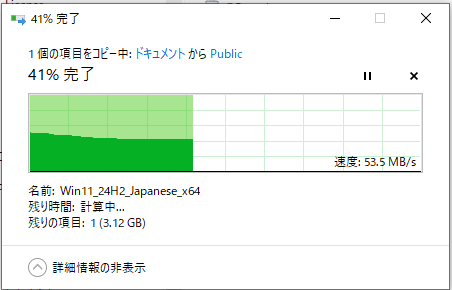
Here are the results after repeating this test three times:
1st time - 297b8c040ef6bb78edfb8d216b04b307 - No issues
2nd time - 297b8c040ef6bb78edfb8d216b04b307 - No issues
3rd time - 297b8c040ef6bb78edfb8d216b04b307 - No issues
Pattern Where Copy Is Temporarily Interrupted
During testing, we also encountered the following pattern: when failing over from the main device to the secondary, an “unexpected network error occurred.”
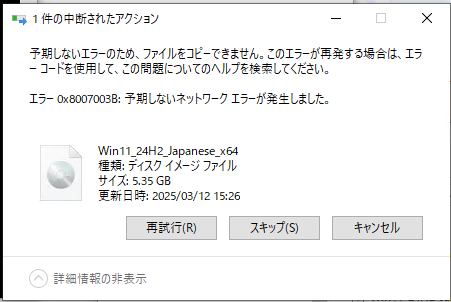
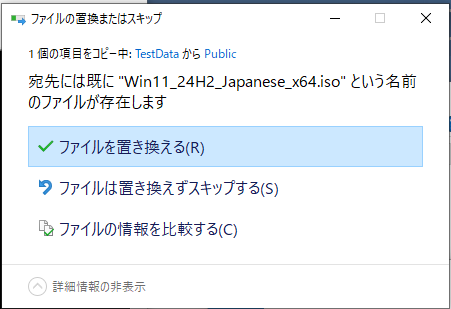
In this case, the partially written file on the main device was already reflected in the secondary device’s folder, and a prompt appeared asking “The file already exists on the secondary device. Do you want to overwrite it?”

Checking the file on the cluster IP at this time revealed that it was a partially copied file and the checksum was different.
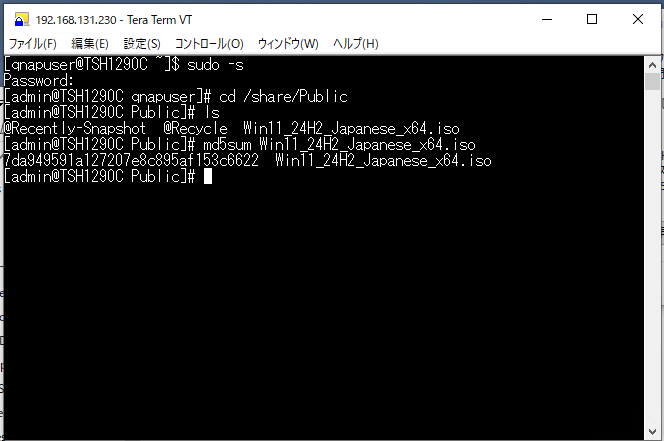
In such cases, selecting “Retry” → “Replace the file” allowed the copy to complete without inconsistencies.
Experiment 2: Copying Large Numbers of Files
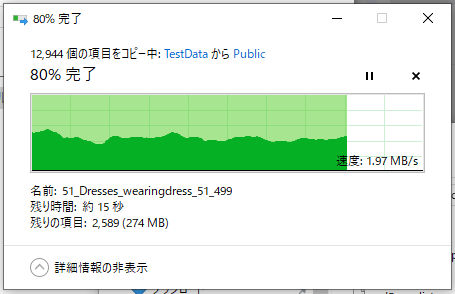
We also tested copying a large number of files and triggered a failover during the process to confirm that files were copied to the secondary device without loss.
For the large number of files, we used sample data from WIDER_train (12,880 files, 63 folders, total size 1.37GB).
As with the large file test, the power to the main device was cut during copying.
For the copied folder, we generated an md5sum list with the following command and compared checksums and file lists.
find ./ |sort |xargs md5sum > md5sum.list
By checking the list with diff as shown below, you can easily see if there are any differences.

This was repeated three times, and no differences occurred.
Conclusion
By configuring HA on QNAP NAS and “unplugging the main device’s AC cable during copying of large files and large numbers of files,” we checked whether file integrity or missing files occurred during failover.
The conclusion is that even in these cases, there was no loss of file integrity or missing files.
Summary
We received the question, “Given issues and specifications with other manufacturers’ NAS devices, how does QNAP NAS behave?” so we checked the behavior during failover in an HA configuration.
We verified two scenarios: “failover during copying of large files” and “failover during copying of large numbers of files.”
In both cases, no issues such as loss of file integrity or missing files occurred.
“Failover” itself is usually triggered by NAS failure and does not happen frequently. Precisely because it is rare, it is important to understand the expected behavior in advance and respond calmly if it does occur.
If there is a possibility of “loss of file integrity or missing files,” operations during failover become much more complicated.
In this respect, with QNAP NAS configured for HA, even if failover occurs, you can use it with peace of mind knowing that integrity loss or missing files will not occur.