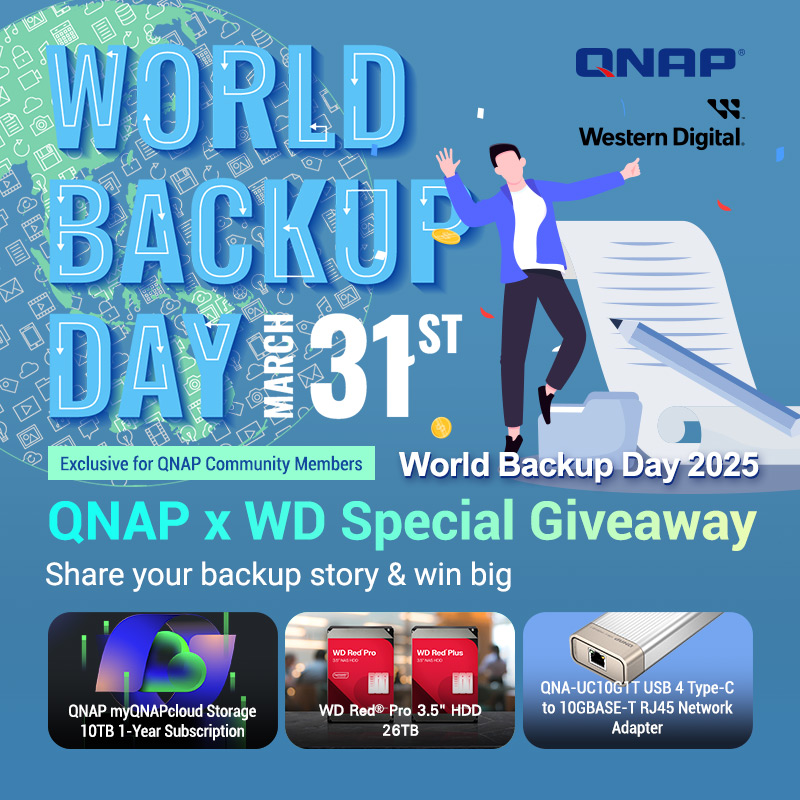
[Notice from QNAP] QNAP x WD Special Giveaway | World Backup Day 2025 (Applications Closed)

【Winner Announcement】 :partying_face:

Thank you very much for participating in the World Backup Day campaign.
We read all the stories submitted about how you use QNAP products to protect your data, and were deeply impressed. After careful selection from many wonderful entries, we are pleased to announce the following three winners:

:1st_place_medal: QNAP myQNAPcloud Storage 10TB (1-year subscription)
:bust_in_silhouette: Dan.ipcam.home -“…Even as a digital beginner, QNAP helped me organize my confusion, so you can do it too. And at the most unexpected moments, your NAS will save your backup!”

:2nd_place_medal: WD Red® Pro 3.5-inch 26TB HDD
:bust_in_silhouette: Renald -“…I operate with a style that goes a bit beyond the 3-2-1 backup strategy. I’m able to provide a highly reliable backup environment for those around me, using both direct and scheduled synchronization.”

:3rd_place_medal: QNAP QNA-UC10G1T – USB 4 Type-C to 10GBASE-T RJ45 Network Adapter
:bust_in_silhouette: Goldie -“…No one knows what might happen. That’s why I back up every week and take a snapshot each time. Data is life itself. It should be treated with care.”

The winning stories showcase diverse approaches to data protection, from beginner-friendly solutions to advanced backup systems. Based on real experiences, they offer easy-to-follow advice for anyone, emphasizing the importance of backup strategies to safeguard your digital life.

:tada: Congratulations to all the winners!
We will contact the winners via the email address linked to their QID and arrange for the delivery of prizes. Please check your inbox and reply within 7 days after receiving the email.

:raised_hands: Once again, thank you for sharing. We hope this campaign inspires even more people and helps us all take a step forward in data protection together.


Share your backup story and win amazing prizes!

:light_bulb: Only 33 % of people regularly back up their data! :scream:
Important work files, precious photos, critical business data—backups are essential to prepare for the unexpected.

This World Backup Day, QNAP and WD are inviting you to share your backup experiences! Share your tips or episodes about using QNAP products or solutions for backup, and win fantastic prizes!

:tada: How to Enter

  1. Log in to QNAP Community with your QID (QNAP account).

  2. Comment on this post and share your backup experience using QNAP products or solutions.
    :pushpin: For example…
    :white_check_mark: How you protect your family’s precious photos
    :white_check_mark: Stories of how backing up important work data helped you
    :white_check_mark: Times when you needed to access data unexpectedly and QNAP was there to help, etc.

  3. Post at least 100 characters! We want to hear your story in detail.

  4. This campaign is held simultaneously in Traditional Chinese, English, and Japanese, and is open to users worldwide.


:wrapped_gift: Amazing Prizes (3 winners)

QNAP will select the three most compelling stories and award special prizes!

Gold Prize: QNAP myQNAPcloud Storage 10TB (1-year subscription)
Silver Prize: WD Red® Pro 3.5” HDD 26TB (worth USD 569.99)
Bronze Prize: QNAP QNA-UC10G1T (USB 4 Type-C - 10GBASE-T RJ45 Network Adapter)


:date: Event Period

Entry Deadline: Until April 6, 2025, 23:59 UTC

  • Japan Standard Time (JST, UTC+9): Until April 7, 2025, 08:59
  • Taiwan Standard Time (TST, UTC+8): Until April 7, 2025, 07:59
  • Pacific Time (PT, UTC-8): Until April 6, 2025, 15:59

Winner Announcement: Scheduled for April 14, 2025, on this post (subject to change depending on circumstances)


:pushpin: To All Participants

Whether you’re a backup pro or just starting to organize your data, let’s share knowledge in the QNAP Community!
Your story could be the key to someone else’s data protection.


:scroll: Terms & Conditions

  • Winners will be selected based on originality, relevance, and quality of the post. No objections to the selection results will be accepted.
  • Posts must be original works. Entries with inappropriate content or plagiarism will be disqualified.
  • Prizes may not be shipped to certain countries/regions: Russia, Iran, North Korea, Syria, Belarus, Cuba, and parts of Ukraine.
  • Entry deadline is April 6, 2025, 23:59 UTC. Late or incomplete entries will be invalid.
  • Winners will be contacted via the QID registered email address.
  • If there is no reply to the winner notification within 7 days, the prize will be forfeited.
  • Only one prize per person. Using multiple accounts will result in disqualification.
  • QNAP and WD are not responsible for loss, damage, or delays after shipment.
  • Prizes cannot be exchanged for cash or transferred.
  • QNAP and WD will cover standard shipping costs, but customs duties and import taxes are the responsibility of the winner.
  • QNAP reserves the right to change or cancel event details, duration, or specifics without prior notice.
  • Winners authorize QNAP and WD to use their name, photo, and post content for marketing and promotional purposes.
  • By participating in this event, you are deemed to have agreed to these terms and conditions.
1 Like

Our household has introduced a QNAP 4-bay NAS configured with RAID10, and we mainly use it for three purposes in order of importance:
(1) Photo backup and viewing
(2) TV program recording/viewing and video backup/viewing
(3) Backup and viewing of PC C+ data

(1) Since photos are also part of my work, backing them up is essential. I save RAW files to the SSD D drive as my working drive, back them up daily to the internal HDD, then back those up daily to the NAS, and once a month, I also back them up to an external HDD.
The great thing about QNAP is that once you set up these tasks, they can be automated seamlessly and effortlessly.
Also, being able to access it externally is extremely useful—not only for working outside, but also for showing clients, looking back at past work, or just accessing it casually from my smartphone whenever I think of it. The convenience is simply unbeatable.

(2) For TV, after recording on the recorder, I transfer my favorite programs to the NAS for storage. I’ve built a home network system so I can watch my favorite shows anywhere in the house.
The same goes for video files. I can easily watch them outside, but they’re most useful in the car or while traveling. By connecting my smartphone to the car via HDMI, it feels just like being at home even when I’m out! When I have extra time during travel or at the hotel, I can easily watch videos from my tablet or PC, so the QNAP ecosystem is becoming an indispensable tool in my life.

(3) Lastly, backup of C and data. This is pretty standard. However, the recent introduction of QNAPCloud has been revolutionary, making it even easier to exchange files when I’m out. I set frequently used files to automatically sync between the NAS and the cloud, so I can always access the latest files from anywhere.

3 Likes

I use QNAP’s NAS for file sharing at work.
One day, a voice echoed through the office: “The file is missing!!”
When I checked the folder where the file was supposed to be, the file we were looking for was nowhere to be found.
Confidently, I said, “It’s okay. I have a backup for situations like this!” and checked the backup data.


It was over. I felt the blood drain from my face.
To my shock, the device had been disconnected and the backup hadn’t been performed.

But then I remembered.
I had set up one-way synchronization as a secondary backup to the cloud.
“Maybe there’s still hope?”
When I checked the cloud storage files, I found the file had been safely synced a few hours earlier.
Crisis averted.

The cause turned out to be an unintended file move.
Later, the missing file was found in a different folder on the NAS.

This experience taught me that it’s not enough to just “have backup settings in place”—it’s also important to regularly check that your backup tasks are running correctly.

2 Likes

@Kzya

Thank you for your post!
I always feel that regular backups are only meaningful if you can actually recover from them—“a backup is only as good as its recovery.”
Among NAS products, some only make copies under the name of “backup,” but when you need to restore, you have to do it manually. In contrast, QNAP’s HBS 3 supports restoration as well, which I think is excellent.

On Backup Day, I also want to check:

  • Is the backup being properly created?
  • Is it actually possible to recover properly?
    I’d like to confirm these points!
2 Likes

@HANA

Thank you for sharing!
It seems that everyone has various workflows when it comes to photos, and I’ll use them as reference.

Being able to access from outside (outside the office) is really nice.
If I had to say, I feel that having an “offline viewing feature for QuMagie (photo export function, device cache)” would be convenient.
There are places like underground shops where the signal is weak, so I think it would be even more useful if there were a way to quickly show photos, and I’ve requested this to the development team, haha.

If you have any suggestions like “this would make photo viewing even more convenient,” please let me know.

Which TV manufacturer are you using? Recently, it seems that many TVs do not support DTCP-IP. For example, the Sony TV I use at home cannot play NAS content.
(It seems that many cases only support moving and viewing programs between their own TVs and recorders.)
If it’s not too much trouble, I’d appreciate it if you could share your experience.

2 Likes

@Harinezumi

Thank you for your reply!

I see, the offline viewing feature sounds really convenient! If it goes that far, it would be even more useful if it could become an application like OneDrive or Google Drive and automatically sync with folders on the PC. Of course, with smartphones too. That way, you wouldn’t have to open the browser every time, and the setup would only be needed once, making it user-friendly even for those who aren’t tech-savvy.

What I’d like for photo viewing is the ability to search by tags attached to the photos. When I’m wondering, “Where did I put that photo…?” currently, I think you can only search by folder name, so it takes quite a bit of time to find things. Ideally, if AI could analyze images and make those results searchable too, that would be perfect.

As for TVs, I’m a plasma fan, so I’m using the now-defunct Hitachi Wooo. It’s a model from over 10 years ago, so you might not know it… Recently, it seems there are many TVs that don’t support DTCP-IP! Even 10 years ago mine supported it, so I just assumed it was standard now, but I’ll have to be careful when replacing it… All those recordings I’ve saved could be lost… Terrifying…

2 Likes

I use it for backing up various types of data, and I’ve been helped by QNAP’s expandability.

I started by installing a 2-bay QNAP and began with a single 10TB HDD.
After using it for about a year, I bought a 14TB HDD and switched to a mirror setup (at this stage, usable capacity is about 9TB).
Next, I bought an 18TB HDD and upgraded to a mirror with about 13TB capacity.
Now, I’m planning to buy a 22TB HDD and increase the capacity to about 17TB.

2 Likes

@osakanataro

Thank you very much!

Gradual capacity expansion is really nice, isn’t it? Some manufacturers promote “making full use of unused capacity” for situations where only one drive has extra space, but in reality, they’re just dividing the contents into fragmented RAIDs and combining them into a storage pool. In these cases, I think the overhead (management, disk I/O performance, etc.) can be quite significant.
If sectors on the HDD are similarly prone to data corruption or data loss, then having many RAIDs could increase the risk of metadata issues as well…

When increasing capacity with RAID1, I think there’s the issue that “the time required for RAID rebuild becomes longer.” Is that area okay for you?
Example: If you replace one disk,
20TB x 2 @RAID1 → You need to write 20TB of data to the disk
10TB x 4 @RAID6 → You need to write 10TB of data to the disk
Generally, I think the latter takes less time.

However, QNAP also allows horizontal scaling, so if you purchase a 4-bay product, you can transfer your HDDs and upgrade to a 4-bay system. If you expand your storage in the future, I’d love to hear about your experiences!

Thank you for your continued support!

1 Like

Trouble Can Strike Suddenly!

Mainly using the TVS-872XT.
Currently used as a file server and virtual OS server.

Backups Are Essential
Even though I operate in a RAID 6 environment, which can withstand up to two drive failures, I’ve experienced several cases where HDDs were not recognized. Since rebuilding (recovery) takes time, I treat HDDs as consumables and always keep spares on hand. In addition to external HDDs, I also back up to another NAS on the LAN and to Google Drive.

Be Careful of Bandwidth Limits When Backing Up to the Cloud
Because I was backing up several tens of GB every night, my previous ISP (compatible with Hikari Cross 10GB) would impose bandwidth restrictions if I exceeded 500GB per week, reducing speeds to ADSL levels. This sometimes interfered with daytime business, so I switched ISPs. After switching to an au-based ISP (Hikari Cross 10GB), I no longer experienced bandwidth restrictions. (Be sure to check your ISP’s bandwidth limits.)

Simplified Backups Through Virtualization
About four years ago, I switched from an old desktop PC running Windows Server to virtualization using Virtualization Station. Hardware and power issues due to aging, as well as backup challenges, had sometimes halted operations, but virtualization has greatly reduced stress. The virtual OS itself can be snapshotted and backed up, so there’s peace of mind even if something happens. (TIPS: VirtIO configuration is essential.)

RAID for M.2 SSDs Too
Initially, I built a virtualized (Windows Server) environment on a single M.2 SSD using Virtualization Station, but I experienced a situation where the SSD suddenly wasn’t recognized and Windows became unusable. Fortunately, I had backed up the virtualization image, so I restored it using a two-SSD setup (RAID 0) and avoided disaster.

I’ve had almost no trouble with QNAP products themselves and can use them with confidence, but it’s essential to treat media like HDDs and M.2 SSDs as consumables and never neglect backups. :wink:

2 Likes

@mkd2qnap

Thank you for the detailed information!

I agree with your opinion that HDDs/SSDs are consumables. For example, I still have HGST HDDs from around 2011 running, but I don’t think they are absolutely reliable. Especially with SSDs, since there are TBW/DWPD ratings and a specified amount of data that can be written while guaranteeing proper operation, I think this is even more the case.

Regarding bandwidth limitations for cloud backups, if you actively set bandwidth restrictions on HBS3, backups won’t be the cause of throttling, so I always handle it by voluntarily limiting the bandwidth myself, lol.

If you have any more information, please let me know!
Feel free to ask questions or post in the community anytime.

2 Likes

For many years, I used Google Photos as a paid member.
But with the current inflation, I decided to review my expenses! That led me to “QNAP NAS.”
The reasons: with a home cloud, storage capacity is flexible, and it seems usable for many years.
So, I made the switch, but honestly, Google is very convenient.
The UI and backup support are immediate, and the usability is great.
After using NAS for the first time and digging deeper, I realized that QNAP NAS is also “convenient.”
Certainly, Google has the better UI, but I believe QNAP will keep improving as they learn.
Not only for photos, but I also tried VPN access from outside. Now I can even manage files remotely.
The feeling of using backed-up files from outside as if I were at home is nothing short of “convenient.”
Backups are not just on NAS, but also automatically done to an external HDD, so even if the NAS itself fails, it’s fine.
Now, I feel secure.

2 Likes

I also use QNAP (TS-453Be) at home.
For HDD failure protection on the NAS, I have it set up with a 4-bay RAID 5 configuration.

The main purpose is to store data recorded on my Toshiba REGZA.
Previously, my REGZA unit broke down, and the external HDD where I had recorded data also failed, so I lost access to two years’ worth of recordings.

I had been saving recordings on an external HDD connected to REGZA, but since the recorded videos can’t be watched on a different recorder, I hadn’t considered what would happen if the recorder itself broke. (That annoying digital TV spec :sob:)
I later found out that there are external HDDs with a spec (SeeQVault) that allows them to be recognized by different recorders, but they’re quite expensive.

With QNAP, I installed a DTCP-IP compatible app (media server), and for videos recorded and saved on REGZA that I want to keep, I move them to QNAP for storage.

It’s also possible to access QNAP from REGZA and watch the moved recorded data.
Not only REGZA, but any network-compatible TV can access QNAP’s media server and watch the recordings.

You can even use a paid iOS app (DIXIM DIGITAL TV) to access QNAP’s media server and watch on your iPad.

That’s how I use QNAP privately. :laughing:

2 Likes

I have been using QNAP NAS for about 15 years.
After losing data on a NAS from another manufacturer before that, I have continued to use the highly reliable QNAP NAS.
My current NAS is the third generation QNAP.

On my NAS, I store my family’s photos and videos, which are the most important data to me.
Therefore, I make backups as much as possible.

My backup method is as follows:
Once a week, I use a one-way sync job with HBS3 to perform differential backups from the main QNAP NAS (Raid1) to the sub QNAP NAS (JBOD), where the data is stored.
Additionally, every six months, I back up to Google Photos.

Whenever I replace QNAP devices, I upgrade to HDDs with about double the capacity.
I convert the former main NAS to a sub NAS, switching from Raid1 to JBOD to secure roughly the same capacity.
With this setup, my important photos and videos are stored in three locations: the main NAS with Raid1 (so even if one HDD fails, it’s safe), the sub QNAP NAS (in case the device fails), and the cloud (so the data survives even if my house collapses).

Currently, I’m using WD Red 10TB x 2 in Raid1, so it’s getting tough to double the HDD capacity any further, haha.
I’m considering switching from a 2-bay to a 4-bay system to increase capacity, but just as I was thinking about this, one of the main HDDs showed a sector error.
I’m debating whether to replace the HDD or prepare a new device.
Since the data is also on the sub QNAP, I can take my time deciding, which is one of the strengths of this setup.

(Looking forward to the Silver Award, haha)

2 Likes

@taktak888jp

Thank you for managing your photos with QNAP NAS.

When uploading to cloud storage or cloud services, there are cases where the original data may be altered under the name of “optimization,” so I personally feel that keeping the data on-premises is probably the best option.

As for ways to access from outside your home, besides VPN access as you are using, there are other methods such as:

  • Remote access with qfile
  • Remote access using Qsync

The biggest advantage of remote access with qfile is that you don’t need to be conscious of using a VPN. You can safely access the NAS installed at home via a server called myqnapcloud.

When using Qsync, you can access files stored on the NAS in a way similar to Dropbox or OneDrive. In other words, “only the file list is downloaded to your local PC at first, and the actual file is downloaded when you need it.”

“On devices with limited storage capacity, such as laptops, you can always check the list of files stored on the NAS, download and edit the actual files if necessary, and after editing, they are automatically synced to the NAS.”
You can use it conveniently in this way.

Please try out various methods and share your experiences with the community!

1 Like

@mkd2qnap

Thank you for using QNAP NAS at home!

That’s right—when you connect a USB-HDD to your TV and record content on it, the data seems to be encrypted with the TV’s unique encryption key, so you can’t watch it on other TVs… I suppose it’s unavoidable for content protection.

Even though recent TVs claim to support DTCP-IP, it’s often only between their own recorders, so please be careful when purchasing a new TV.

REGZA is great, isn’t it?
As far as I remember, REGZA was the first to support recording to a “LAN-connected hard disk.” I think they used their own content protection method before DTCP-IP even appeared.

Please do share your usage tips with the community again!

1 Like

@rocomotion

Thank you for being a long-time user of QNAP!

Storing data both in the cloud and on-premises NAS is perfect, I think. I also try to save my data in the same way.

Your operation method is excellent as well. It’s easy to end up using RAID6 for everything, but you flexibly change the configuration depending on the purpose and importance of the data, which is something I should learn from.

Since you mentioned sector errors on your HDD, if you decide to replace it, please share your new configuration with the community.

Regarding sector errors, is it something like Unrecoverable Sector, where alternate sector processing is being performed? Issues like Current Pending Sector can occur more easily depending on the environment (for example, in places with vibration, off-track results can make reading more difficult), so it might be good to check the type of error as well.

1 Like

Thank you for your reply.
The sector error was due to an increase in the number of unrecoverable sectors.

I considered replacing it with a TS-464, but since it’s been two years, there’s a possibility that a successor model will be released soon. For now, I purchased a new HDD and started the rebuild.
If a successor to the TS-464 is released, I’m thinking of replacing it then.

2 Likes