QNAP TR-004 RAID setup

I am setting up the TR-004 for the first time..

It has Firmware 1.2.0,Trying to setup as RAID 10, using (4) WDEFPX 4 TB drives on a Windows 10 machine.

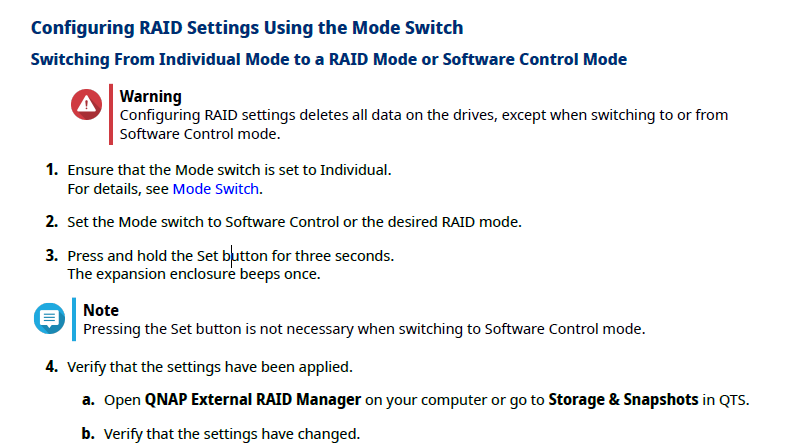
Trying to do this with the Dip switches, but it keeps telling me its in a RAID 1 config for the first 2 drives and the other two are spares.

What else do I need to do?

Have you tried the RAID manager software instead?

Its not going to be connected to a PC just for music and movie storage connected to a Zidoo Z9X Pro.

Right now for some reason my PC doesn’t seem to even see it. Even though its connected by a USB cable.

That’s OK, software config uses the software to configure the RAID, it’s not needed after.

Hello,

how you switched to Raid ?

So I have all the drives configured to NTFS. But I want to set up the TR-004 as a lone unit. Can I use software control to set it up, then reboot and use the Hardware Dip switches?.

I want it setup to RAID 10 with 4 drives.

No need to format the drives, they will be erased anyways

Just try to create a RAID10 via software control. If that also does not work, you should choose RAID5, you will notice little difference

I get all green lights on the drives, but the Status light is red and I get 3 long beeps. I also cannot get the QNAP External RAID manager to work. Do I need to do a factory reset?

Almost sounds like a firmware failure.

Ok , I shut off the TR-004 and removed all the drives.Then I powered it up and the status light stayed green. Then put one drive in at a time. All drives worked except one. I also tried placing the drive that failed in a different place and its still wouldn’t work. Strange thing is the status light on the drive is still green. Should I check the drive, or just contact WD and get a replacement?

We recommend you first use the WD Drive Check Utility to confirm the health status of your hard drive.

If it confirms an issue, replacing it with a good working drive is definitely a smart choice. Thanks!

Checked with WD Utility and it would not even see the drive. So far I have bought 6 drives and only half of them have worked. Two of them also had completely different packaging, not even sure they were new drives. This ones going back too.

I found out one of the drives was bad. So the best way to set up RAID 10 is to use the software mode switch position, and leave it there? Will this be OK when I disconnect from the PC and attach it to my Zidoo Z9X Pro?

Or once I transfer my data to the first drive, how will I know its backed up?

The software is just use to set the RAID level, not for operation.

I still don’t get why your waste 50% storage for a media playback source, RAID5 would give you more storage and unchanged performance.

Yes but with RAID 5 I can only lose one drive. Plus I’m not sure how reliable drives are anymore. I actually had to buy 7 drives of the same brand to get 4 that work. I’ve yet to tryout the last replacement drive yet.
Same with RAID10…with a failed drive, the mirror pair drive is by itself and single failure will kill the RAID.