I recently purchased a Qnap. After finishing all the initial setup, I am currently able to connect to the shared folder from my Windows PC, but the NAS is not recognized by the scanner.
I want to save the data scanned by the scanner directly to the NAS shared folder, but since it can’t be recognized, I’m stuck… Is this a settings issue?
The scanner is a Ricoh, and until recently I was using it connected to a different server.
By the way, this may not be related, but the shared folder where the scanned data is to be saved has access restrictions set with a user ID and password, and there is no guest setting or anything like that.
While researching, I found the following articles, but I’m not sure if they are correct;;
If anyone knows about this, please let me know.
1 Like
@thir.one
Do you know the model number of your scanner (multifunction device)? Depending on the scanner, some models only support older protocols from the Windows XP era. Older protocols may have security vulnerabilities, so Microsoft has been disabling them by default in the latest OS versions. QNAP NAS devices also only support versions like SMB2 or SMB3 by default.
Given this background, how about enabling SMB1 and trying it out? Here are the setup steps:
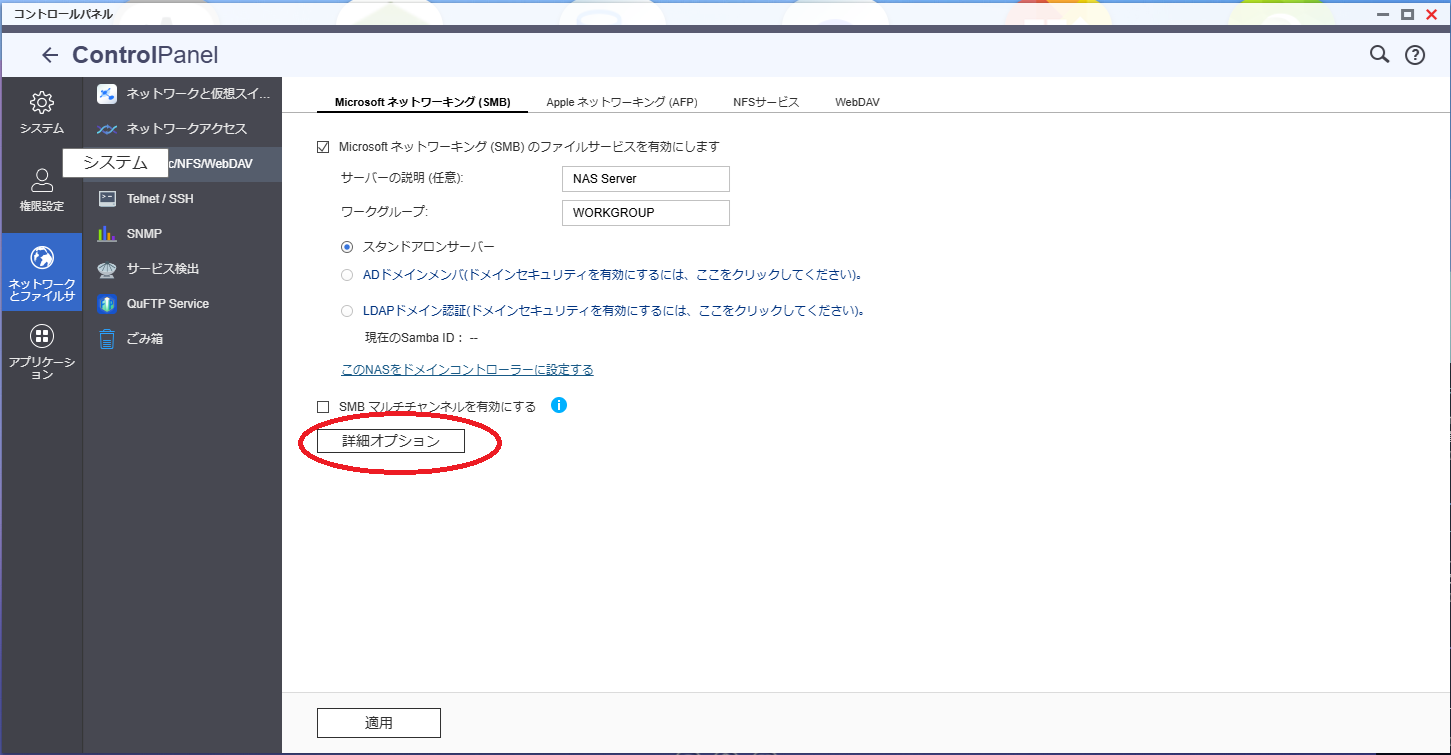
[Control Panel] - [Network & File Services] - [Win/Mac/NFS/WebDAV] - [Microsoft Networking (SMB)], then click on Advanced Options.
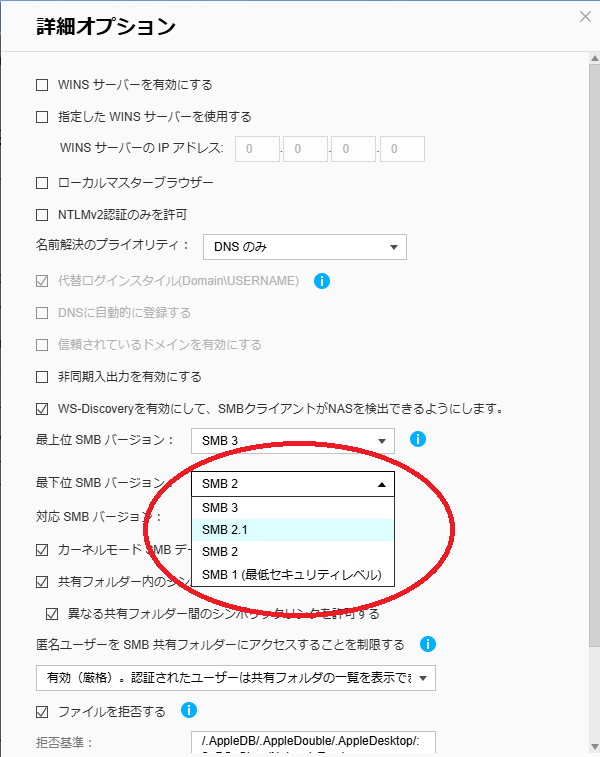
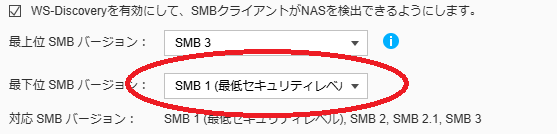
In the Advanced Options, select SMB1 for the Lowest SMB Version and apply.
To help isolate the cause, I think it would be good to try this first.
If this does not resolve the issue, you may want to contact the support team. By checking the NAS logs, they can identify the cause and provide more detailed advice. You can contact them here.
I hope this helps.
1 Like
Thank you very much for your guidance!
As you mentioned, it seems to have been a security issue.
After enabling SMB1, I was able to connect.
You were a great help.
Thank you so much!
2 Likes
@thir.one
I’m glad to hear the issue has been resolved!
As I mentioned before, SMB1 itself is a rather old protocol, so when you purchase a new scanner next time, I recommend considering one that supports SMB2 or later.