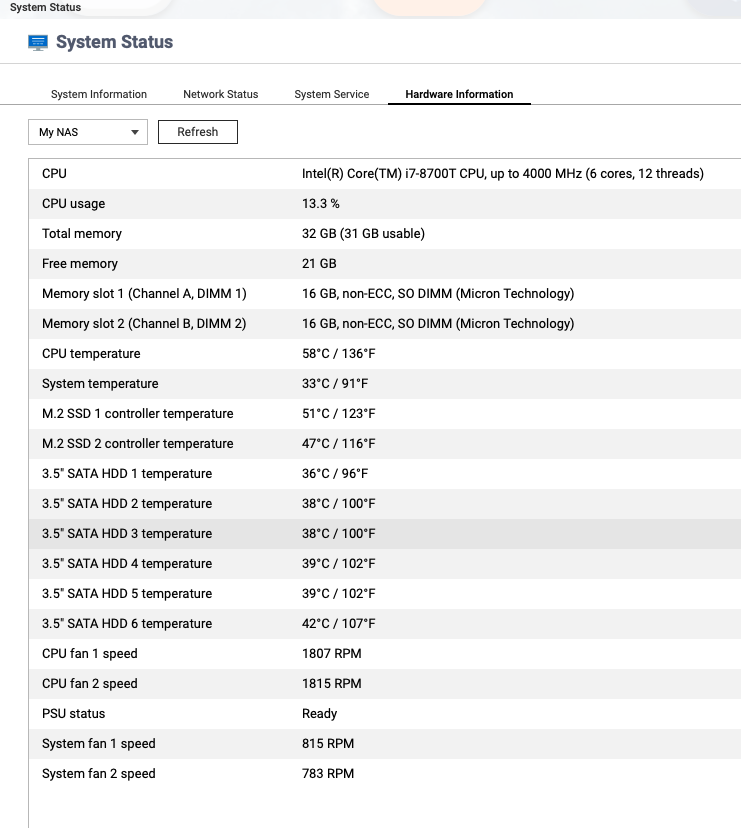
Qsirch causes the CPU and hard drive to overheat. I found that even after Qsirch had finished building its index, it kept occupying CPU resources and continuously fetching and sending out data. After disabling it, the issue of excessive resource usage stopped. Has anyone else experienced this?
So what makes you think it is causing the CPU and hard drive to overheat? I use QSirch all the time and my CPU and hard drives have never gotten excessively hot.
QSirch does use a lot of resources to build the index and occasionally, it will use resources in the course of normal operations. It is not secretly grabbing private data.
If you don’t need to use it then disable it. It is sometimes quite a resource hog. But if you need it, then don’t worry. Your NAS has plenty of margin to allow things to operate just fine.
We’ve confirmed with our engineering team that Qsirch should not continue to consume significant CPU or disk I/O resources after the initial index has been built.
We’d also like to clarify that all Qsirch indexing operations are performed entirely on your local NAS. No data is ever transmitted to external servers or third-party services.
Of course. First of all, you pay for your CPU cycles whether they are used or not. What good is an idle CPU. Using it will cause temperature to rise. That’s normal. But your claim that it is overheating is dubious at best. It is all doing what is normal.
The problem was that the CPU was running at high speed, with usage around 90%, the hard drive was constantly reading, and the network was transmitting a large amount of data, which crippled the network and caused other computers to lose internet access. After some investigation, it turned out that the recently installed QSirch was causing this. Once it was removed, all computers could access the internet normally again.
Anything below 80 degrees C is just fine. Above 80 degrees C, the CPU will begin to back off in performance to stay within parameters. The fans on the NAS will also increase in speed to keep the CPU cool.
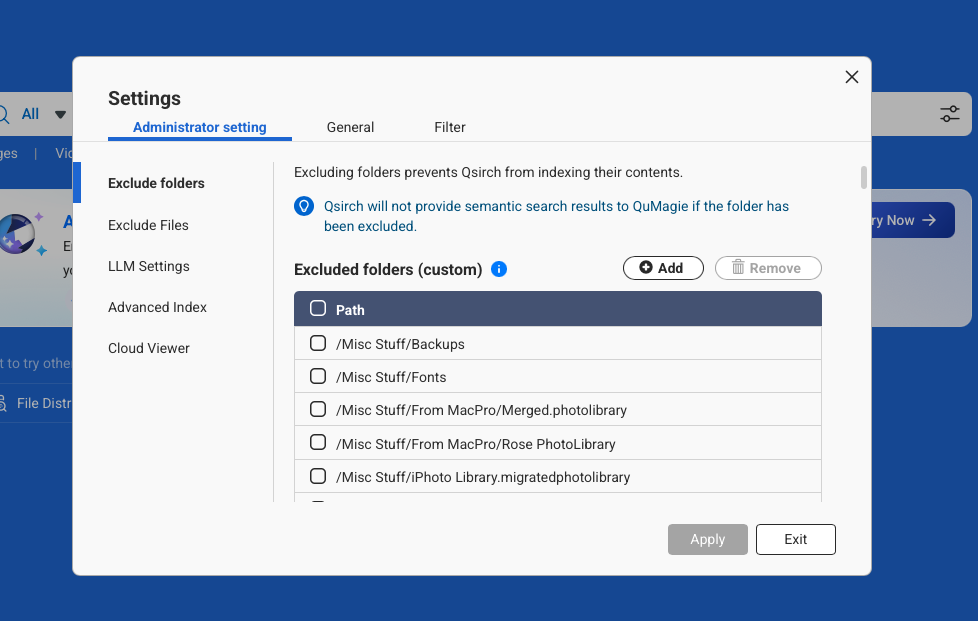
You are telling me something very interesting. You are telling me that the NAS is using a lot of network traffic while QSirch is running. That tells me you have some Network drives mounted and Qsirch is indexing those drives as well. You can select what you want Qsirch to index. I do not have it indexing every folder on my NAS. In the settings in the Qsirch app, you can exclude folders you do not wish to index:
I can imagine that trying to index network drives is going to cause all sorts of network traffic. That would be a problem. It shouldn’t cause users to lose internet access if you have a properly built network, but it will cause a lot of network traffic.