Hi, I’ve got this new switch and am like it a lot but I’ve run into a snag I can’t seem to figure out. With the switch set to DHCP everything works as it should. When I set up a static IP, I can access the switch through the web interface but I can’t get the switch to go out to the internet for firmware update check or setting the time via pool.ntp.org although it will sync to my network’s stratum 1 time server. This is all regarding the initial VLAN ID 1.
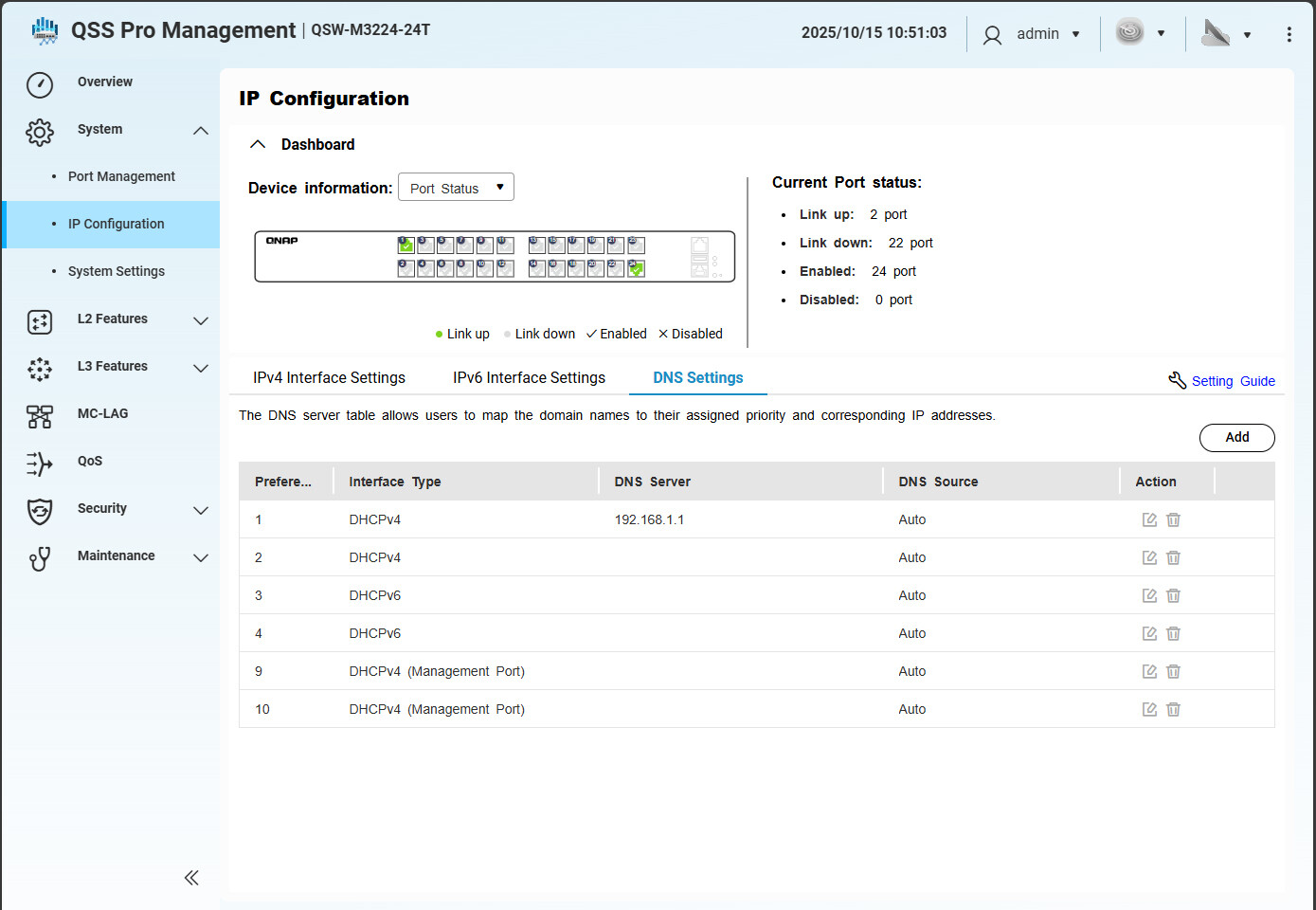
I suspect it might me that the DNS server for IPV4s are all set to “Auto” can can’t be changed. I tried to add another DNS server to the list using the correct DNS server address that is my router but still no luck. Do I need to create a new VLAN for the static IP address?
Any idea what I am doing wrong when configuring the static IP?
As they are likely internal address, why not post the related IP addresses, subnets, etc and it may be obvious from the data or we can point you further in the right direction?
For example, what was the static IP and subnet your tried vs the DHCP assigned address and subnet?
DNS -
Pref 1
Interface Type - DHCPv4
DNS Server - 192.168.1.1
DNS Source - Auto
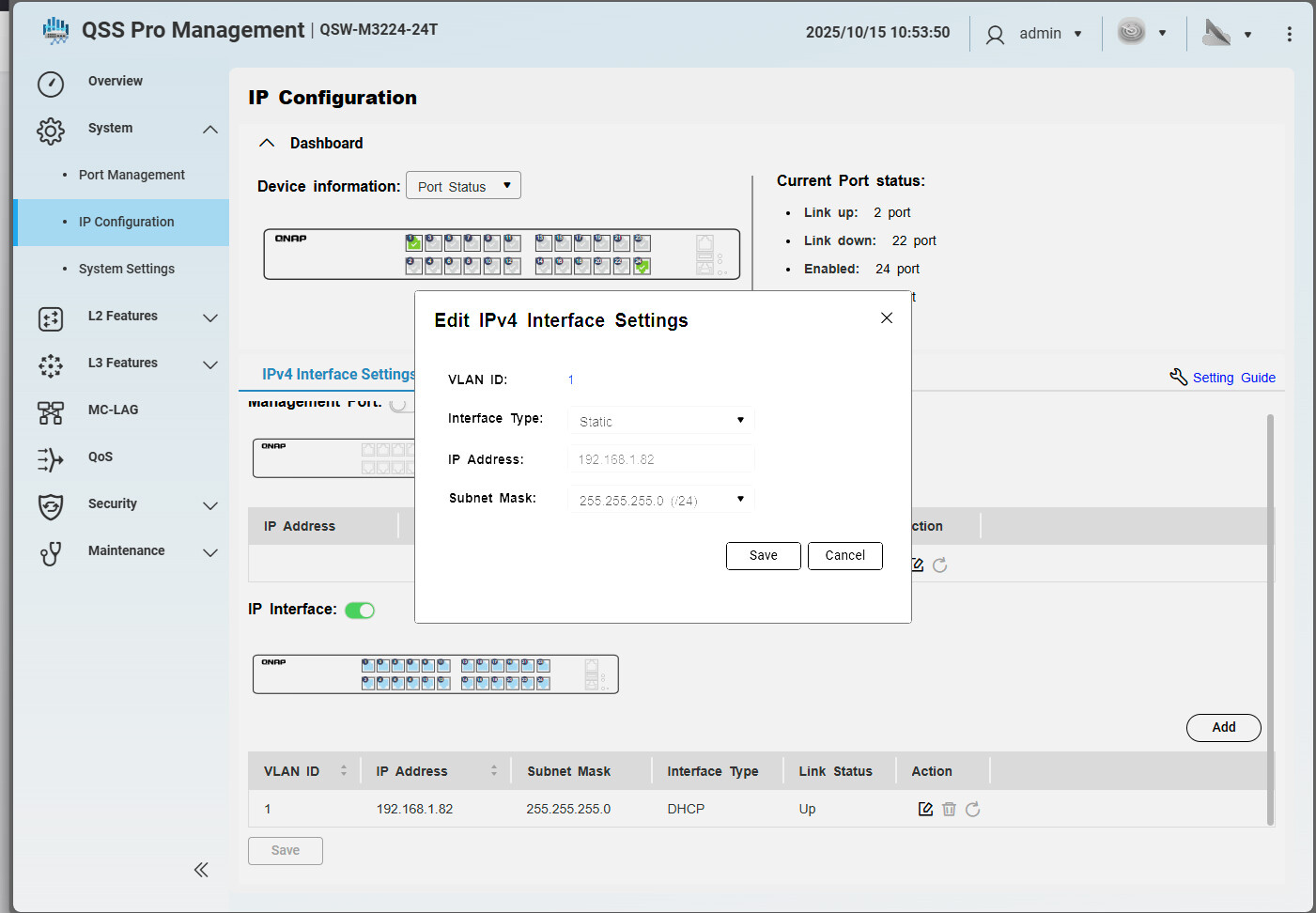
When I set to static via editing the VLAN ID 1 and restart the interface:
VLAN ID 1
IP - 192.168.1.3
Subnet Mask - 255.255.255.0
Interface Type - Static
DNS - Pref 1, 2, 3, 4 - DNS Server (blank)
DNS Source - Auto
I added a DNS Pref 5 and set the interface type to Static
DNS Server - 192.168.1.1
DNS Source - Manual
With DHCP selected I can check for firmware updates and set the time
With Static selected, I cannot not hit the internet.
I tried using the ASUS LAN settings to set the MAC of the switch to 192.168.1.3 around the DHCP server but that didn’t work. Instead, for some reason in moved the IP from …83 to …82.
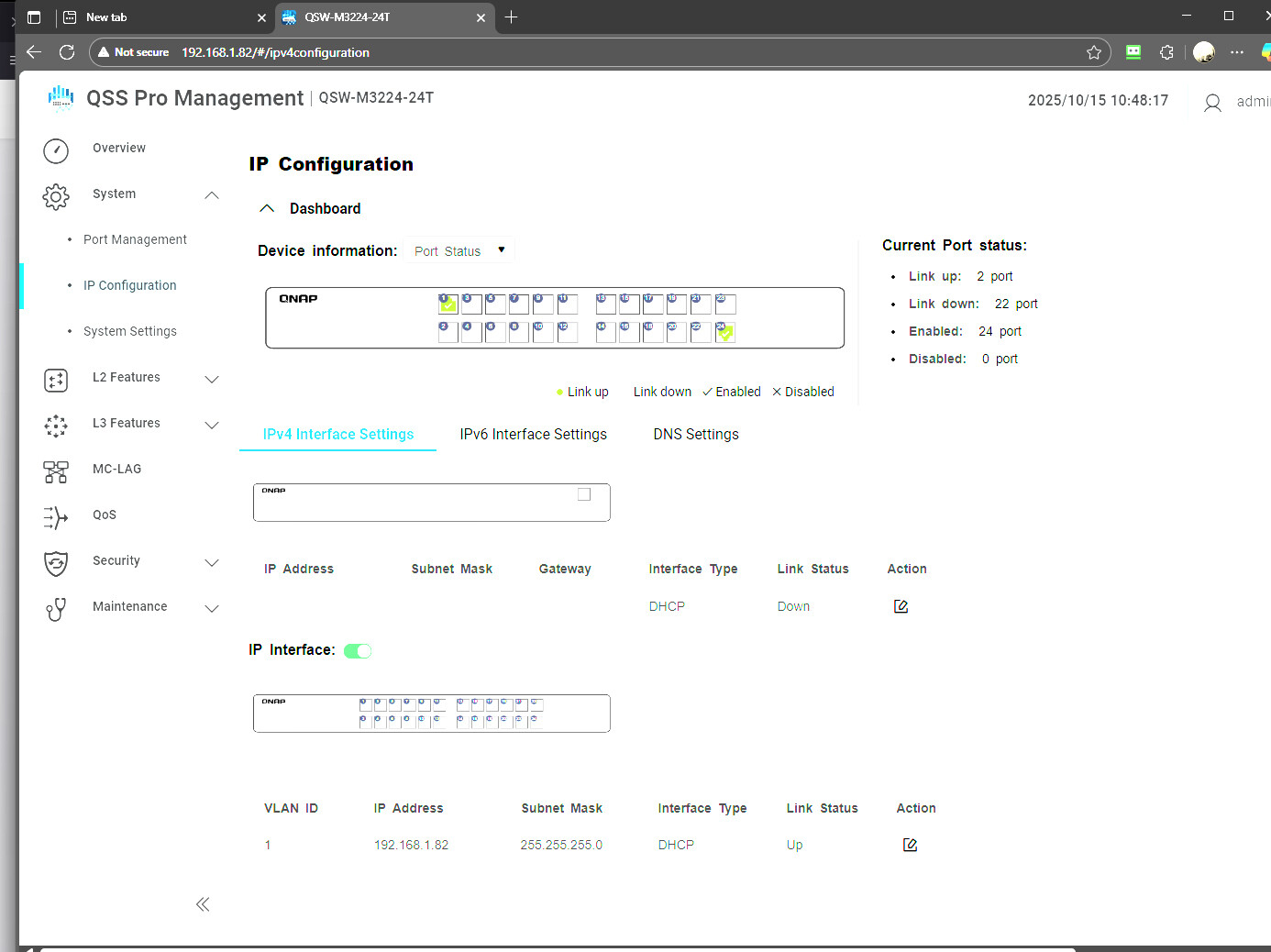
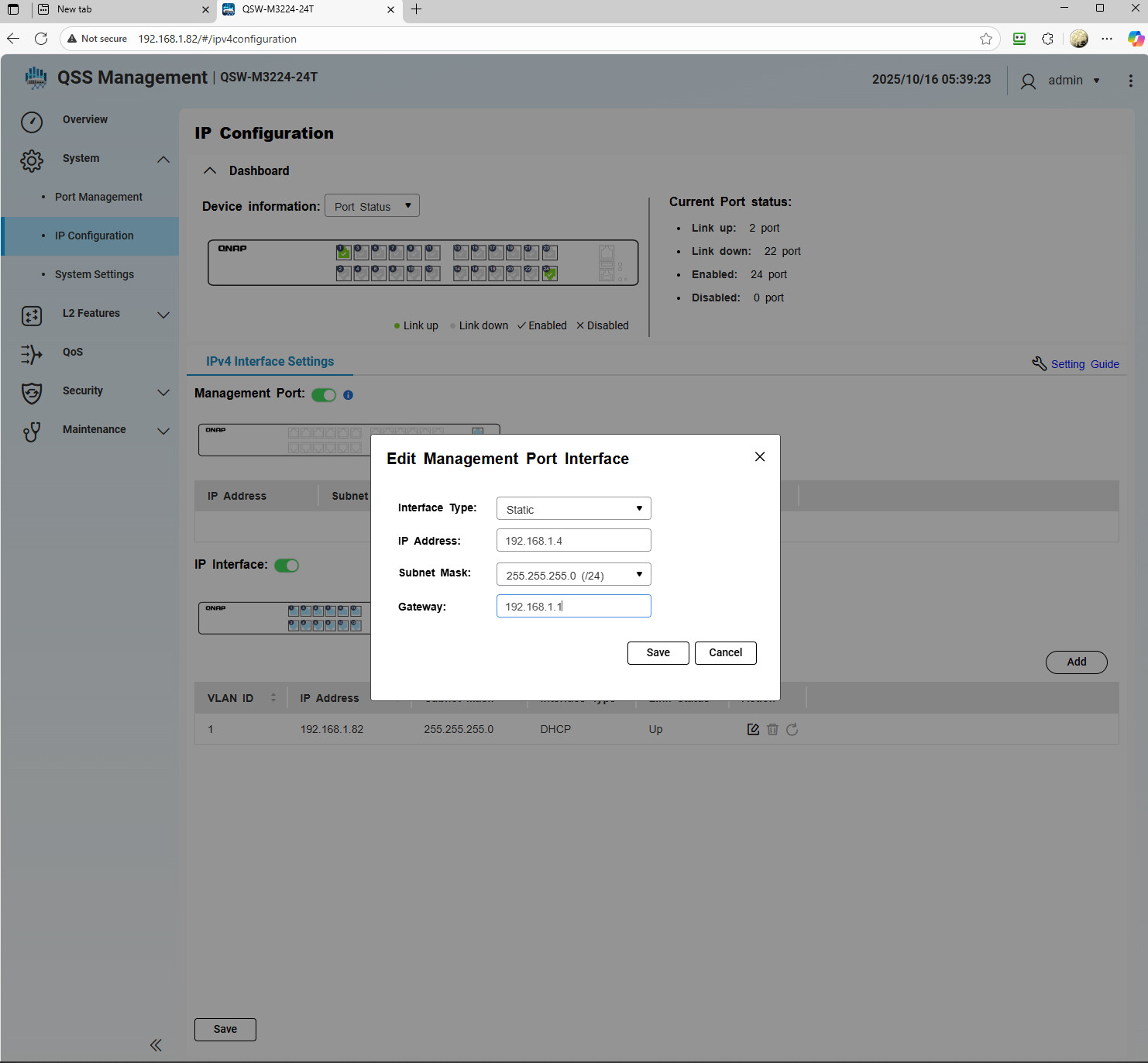
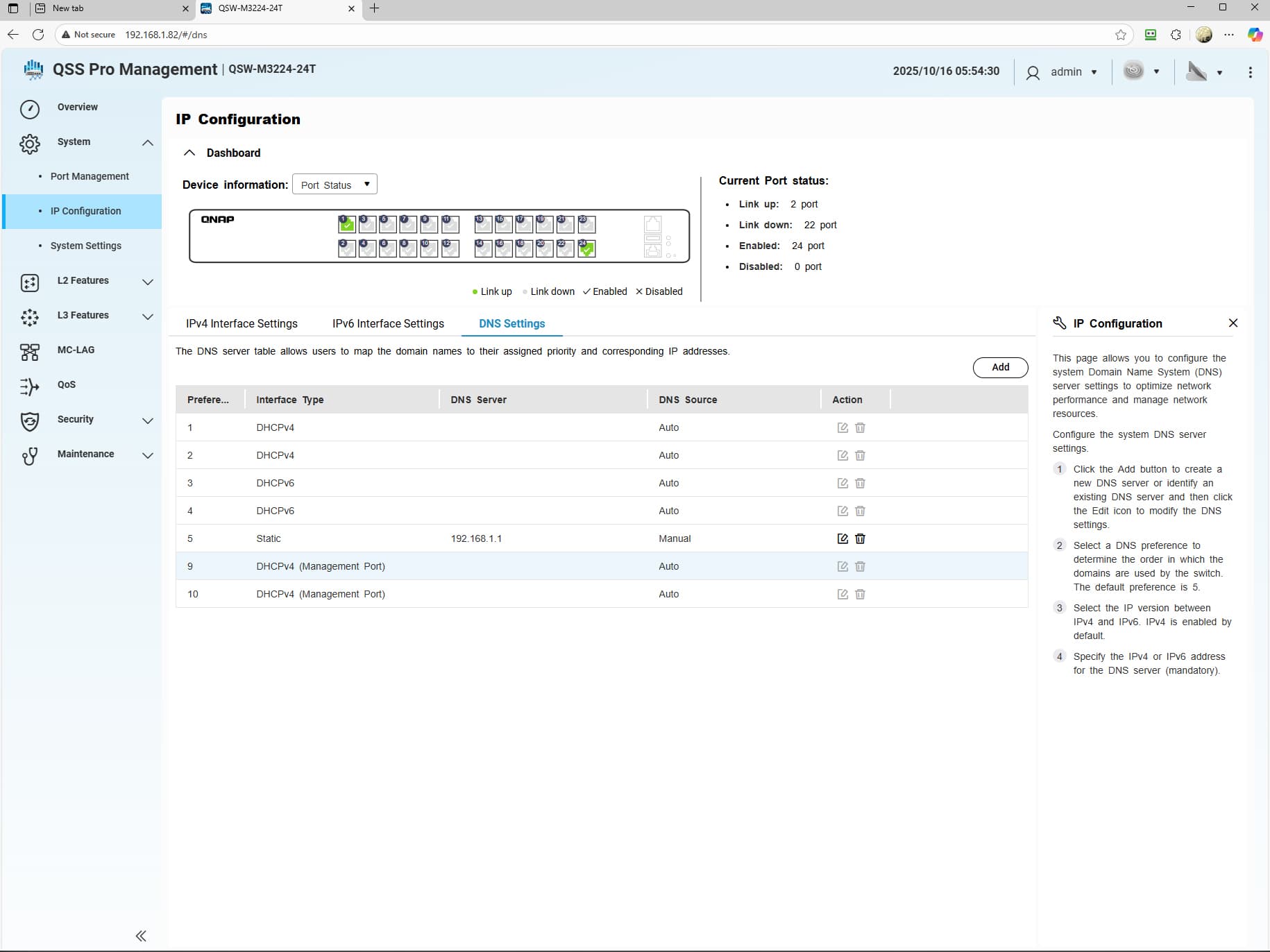
On this QSW-M3224T-24T switch, I took three screenshots. One of them shows the IP information for the switch as managed by DHCP. The next one shows the DNS settings for the IP as managed by DHCP. Note that Preference 1, DHCPv4 shows the correct DNS server 192.168.1.1 and it set to Auto. The third picture show an attempt that I aborted, because the wife is working from home, and I can and have set a static IP that works except for the DNS information never making it to the switch. DNS information for a STATIC IP are all set to “Auto” but there in no information in the DNS Server information indicating that the DNS information was not passed to the switch.
So I am not completely sure (well, not sure at all) about QNAP Switch set up, but first of all, what is the first column in the second picture? It looks like its Prefere…" All of those items are set to use DHCP. Let’s start there. What is that showing. I’m thinking it’s the DNS server table based on the comment above. Interface Type is set to DHCP on all of those. So we need to change that. You need to change the interface type. Where is the setup for “Prefere…”???
@Weedy, I can edit the management ports one of which I did and, yes, on the management port you can set the DNS server’s address.
@NA9D, Jon, the Preferences and associated numbers can’t seem to be modified. What can be done is to Add “Preferences” 5, 6, 7 & 8. per the pic attached. After re-setting the IP to static, all the “Preferences” still remain set to “Auto” however I did add “Pref” #5 which is STATIC, 192.168.1.1, and is MANUAL which can be edited.
Still no luck in getting the switch to get to the internet with a STATIC IP. Yesterday, I submitted a trouble ticket and have as yet heard nothing back from QNAP. I’ll revert it back to DHCP and wait…
Hi Steve, none of the 6 originally populated entries in the DNS table can be modified as they are greyed out.
I did add a STATIC IPv4 DNS, Preference position 5, and was allowed to do so and to designate the DNS server but the switch is still not getting to the internet with a STATIC IP.
Going back into the link that Steve provided, it looks like the ability to assign a DNS server, etc., went away with QSS Pro v3.x. I may see if I can get the switch to fall back to an earlier version of firmware if that is possible.
Curses! QNAP doesn’t have and QSS Pro V3.x firmware available! Nor does QNAP allow downgrades that could potentially restore normal operations after the latest firmware drop had bugs in it.
I guess I am relegated to being forced into having to use DHCP at this point.
Question: Because I was able to properly configure the management port, is it possible to connect a management port directly into a data port and access the static IP that way?
There’s more than one way to skin a cat! Connecting the Management port with the STATIC IP to one of the data ports now allows me to log into the switch at the IP address I choose, and the internet connectivity through the DHCP IP allows for firmware update checks and time setting over the internet.
I am not sure this is what QNAP envisioned when they removed the ability to set the DNS server on a STATIC IP address, but it is what it is. I suppose I could just disable the DHCP IPv4 connection and see it things work as expected.
I’ll update you with my findings and thanks to those who have contributed!
“Final” update. Setting the MANAGEMENT port to STATIC, connecting it to one of the data ports and finally disabling the DHCP assigned IPv4 address seems to do what I had wanted the switch to do. I suppose I could connect the MANAGEMENT port to one of the unused ports on the router at some point in the future if I needed the additional port for data.
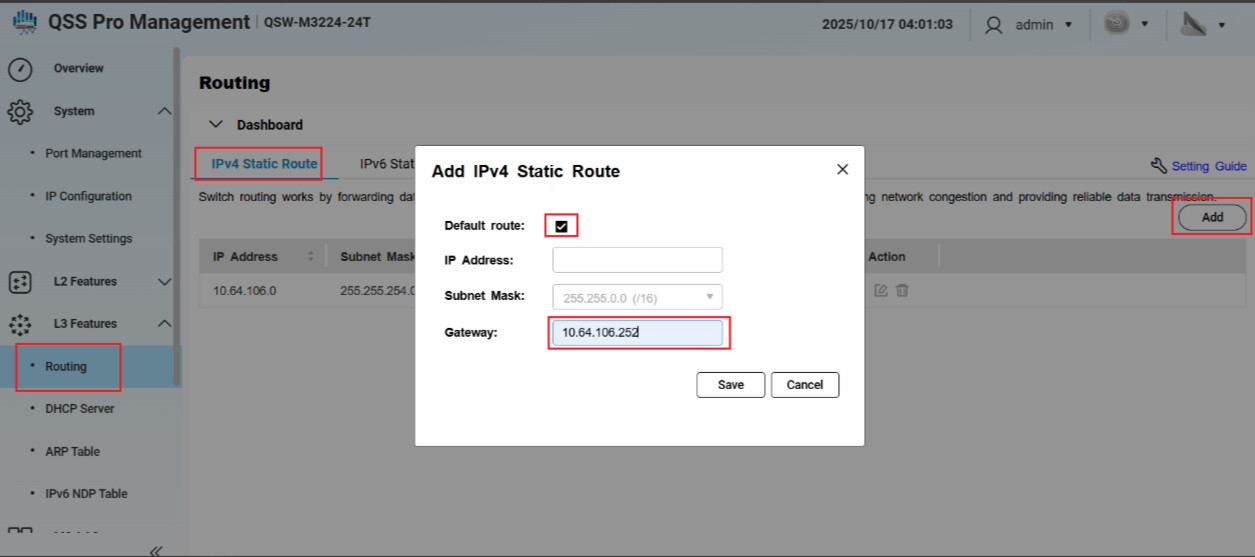
If the environment uses in-band & static IP to reach the internet, please manually add a default gateway from L3 Features → Routing → IPv4 Static Route → Add Default route and Gateway
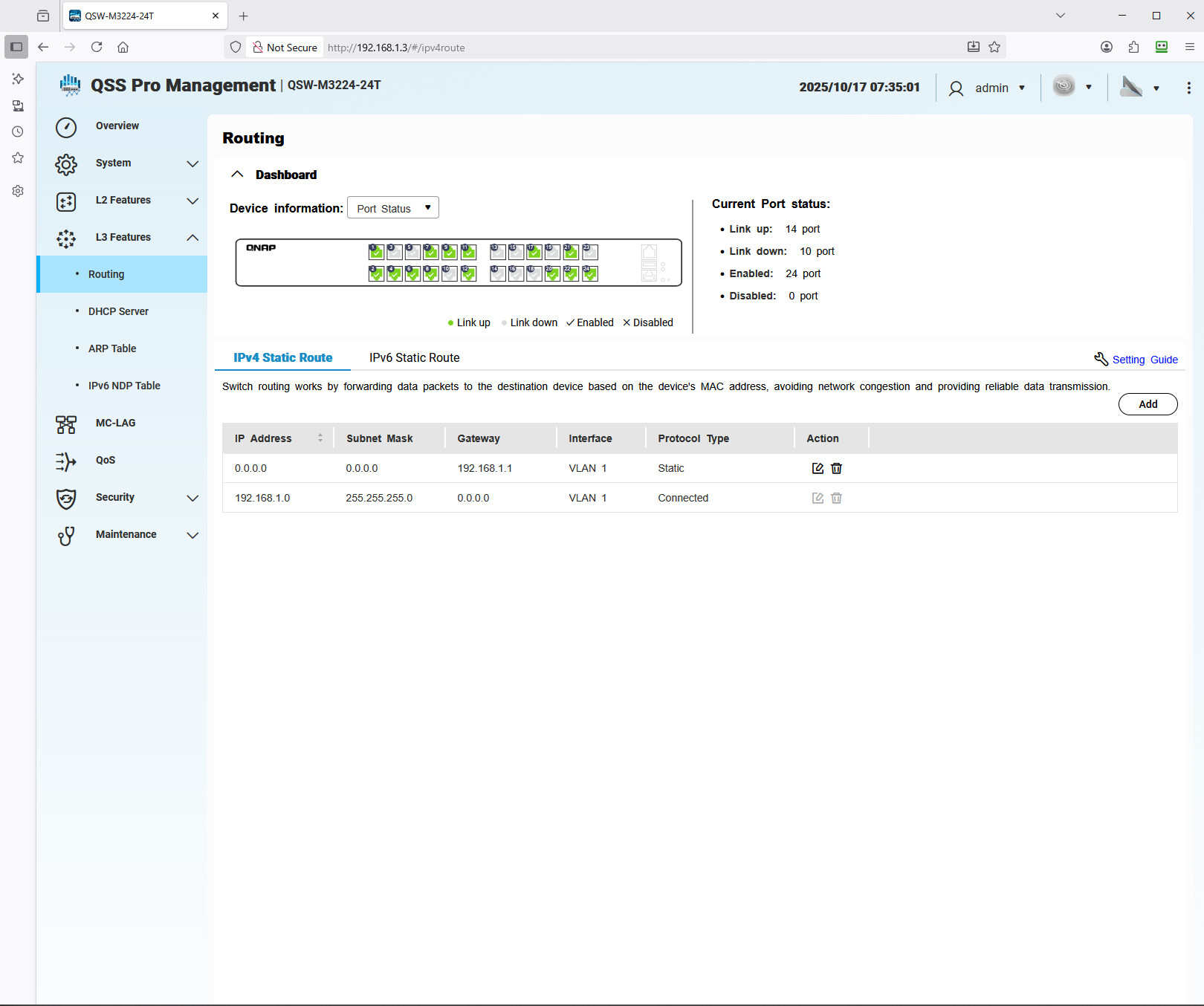
Steve, thanks so much! Worked like a champ! I’ll have to read up on in-band and out-of-band stuff. I have attached a screen shot of what I set up. Let me know if that seems correct to you: