We are pleased to announce that Qsync 6.0 Beta is now available for trial!
Not just for file synchronization, this latest version also brings the feature to back up PC files to NAS, providing an easy and powerful way to protect your data.
 New Features in Qsync 6.0 Beta:
• Scheduled backup to NAS to prevent data loss
• Flexible backup frequency: real-time, scheduled, or manual
• Automatic file versioning: Save up to 64 file versions and restore whenever you need
 Use Case Examples:
• For businesses: Employees can routinely back up their PC files to the company NAS to prevent data loss or accidental deletion.
• For home users: Protect photos, videos, important documents, and precious memories by backing up to NAS—safer than storing in just one place.
Step 1: Visit the Qsync website and click the "Try Qsync 6.0 Beta" button

Step 2: Click "Download Beta"
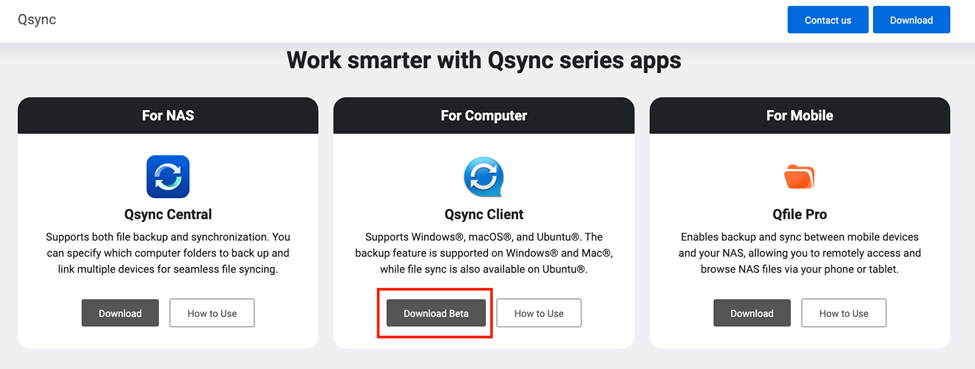
Step 3: Click "Download Qsync Client 6.0 Beta"
 Note: Currently, Qsync Client 6.0 Beta only supports Windows operating systems. Support for macOS will be available soon.
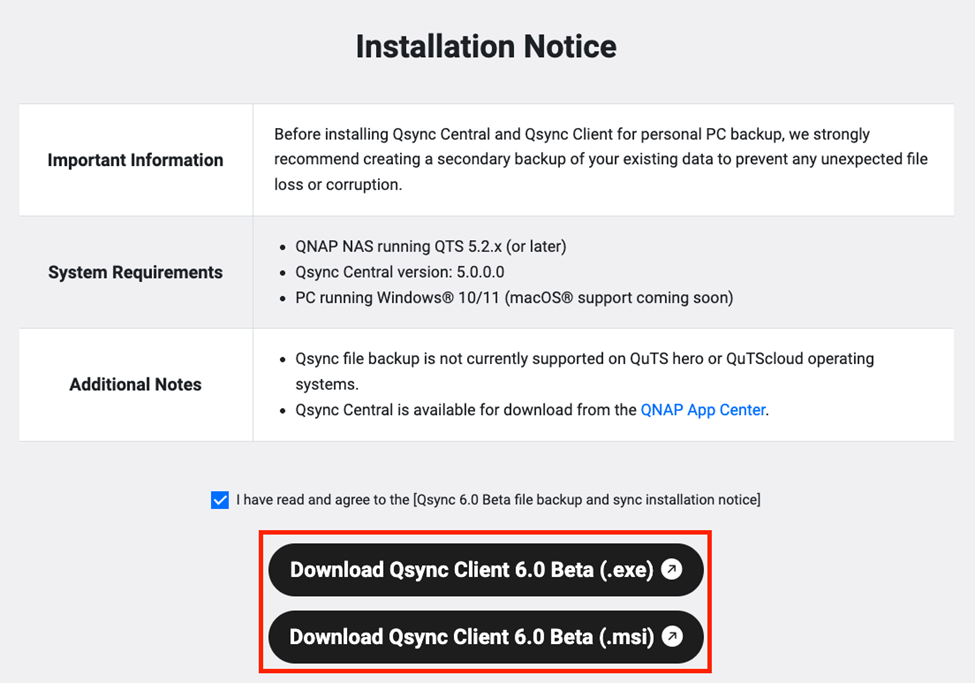
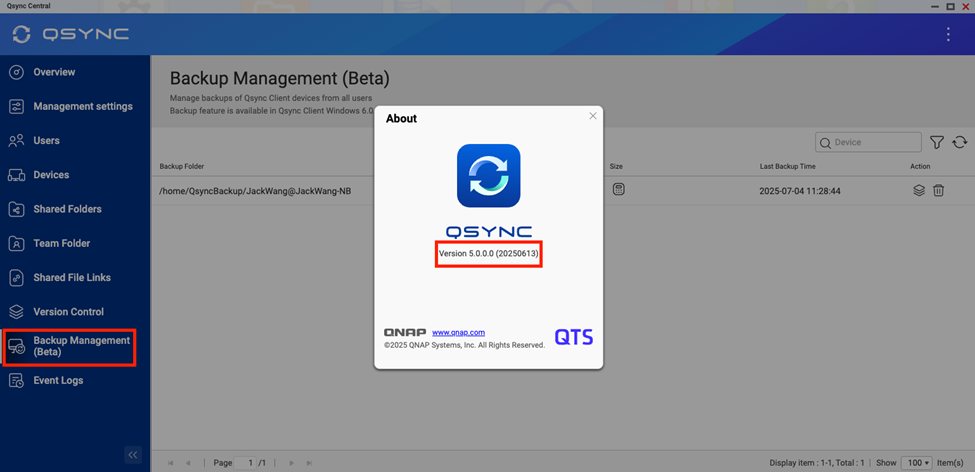
Step 4: Update Qsync Central on your NAS:
To use Qsync 6.0 Beta, make sure you:
- Update Qsync Central on your NAS to version 5.0.0.0
o Currently only available for the QTS platform
o Support for QuTS hero and QuTScloud will follow - Update your NAS firmware to QTS version 5.2.1 or newer
Try Qsync 6.0 Beta now and experience the ease of backing up files from your PC to NAS!
Protect your important data with a simple and reliable backup solution from QNAP.
 Visit the Qsync website for more information and download: Qsync