Qsync for Mac 6.0 Beta — now open for community testing

Qsync for Mac 6.0 Beta — Open for Community Trial

Qsync for Mac 6.0 Beta is now available for community testing. This is a major update—introducing a backup feature, a redesigned task interface, and an upgrade to Universal Binary, allowing Apple Silicon users to run the app natively without needing Rosetta 2.
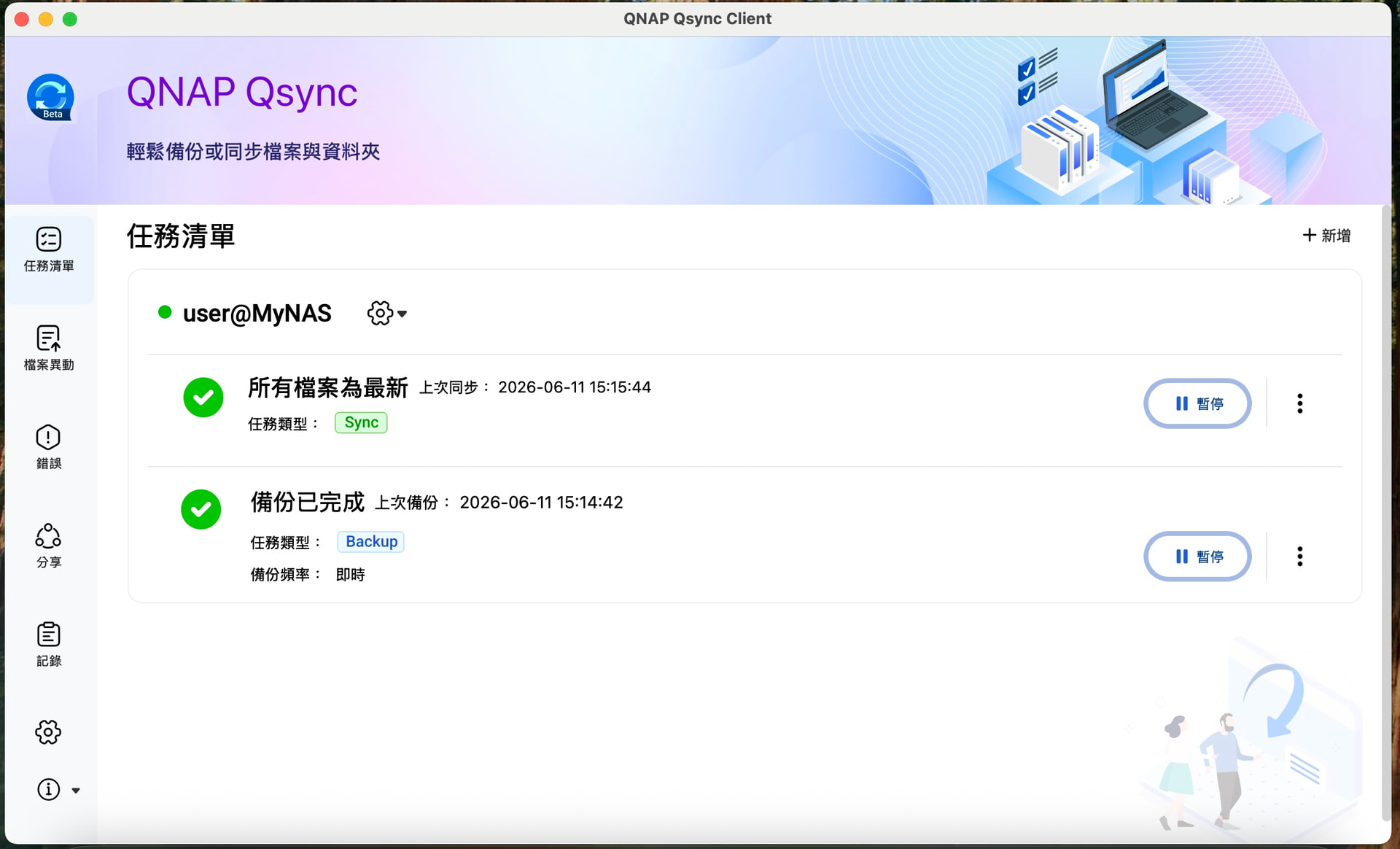

Beta Version Features

  • Backup and Restore: You can now directly back up files from your Mac to your NAS, and restore them to your computer when needed. Backup tasks are managed separately from existing sync tasks, so they won’t interfere with each other.
  • All-New Task Management Interface: A new task list page lets you manage all sync and backup tasks in a single view. Each task is labeled by type (Sync / Backup), and the current status is clearly displayed.
  • Native Apple Silicon Support: This version is a Universal Binary, running natively on both Apple Silicon (ARM) and Intel processors—no need to install Rosetta 2.
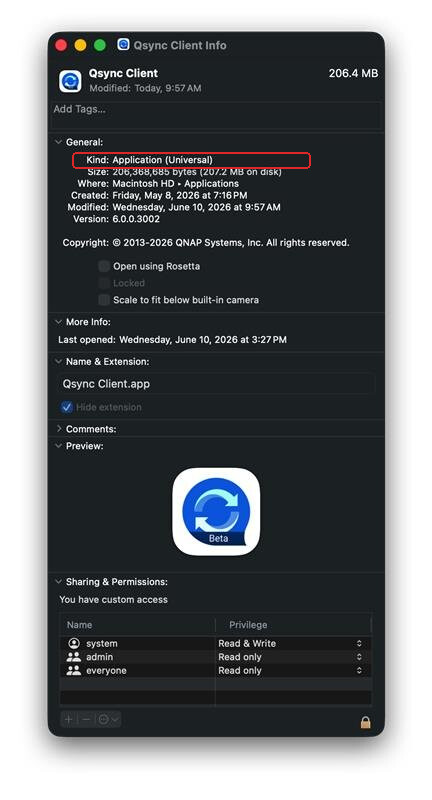

System Requirements

  • Client: macOS 12 or later
  • NAS System: QTS / QuTS hero / QuTScloud 5.2.x or later
  • Qsync Central: 5.0.0.0 or later (please download the update from App Center)

Important Information Before Testing

Please back up your existing data before installation. If you are currently using Qsync Central and Qsync Client for computer backups, be sure to save a separate copy of your backup data before upgrading. As this is a Beta version, unexpected behavior may occur—make sure your data is protected.


Download

Qsync Client 6.0 Beta (.dmg) Download Link

If you have any feedback after trying the beta, or encounter any unexpected issues, feel free to reply directly to this post and let us know.

2 Likes

I’ve already upgraded from the old version. The first time you open it, it will freeze and you have to force quit; after reopening, it will then apply the login info from the old version.
M5’s MBA with macOS 26 and M4 Mac mini with macOS 27 have the same issue.
Also, after opening Qsync, it stays on the DOCK for a long time. On desktop this is fine, but on the MBA it takes up space.

Qsync Client 6.0.0.3002 (macOS): Finder Sync extension stalls every Open/Save dialog by ~5.5 seconds

Environment: Qsync Client for macOS 6.0.0.3002, macOS 26.6.2 (build 25G83), Apple Silicon (Mac17,9).

Symptom
Since upgrading to 6.0, every Open/Save file dialog, Quick Look thumbnail, and Finder-launched app shows a spinning beach ball for about 5.5 seconds. Launch paths that hit it several times in sequence (e.g. opening a PDF from Finder into Acrobat) stack up to ~30 seconds. Affected hosts today included Microsoft Word, Firefox’s upload dialog, Ableton Live, Adobe Acrobat, the Quick Look thumbnail agent and CoreServicesUIAgent.

Cause (from the unified log)
Every host that shows a file dialog spawns its own copy of the Qsync Finder Sync extension and asks it for its watched folders (directoryURLs). The Qsync extension never answers, and the host blocks until macOS gives up after ~5.5 s:

[com.apple.Finder:FileProvider] FinderSync gave up waiting directoryURLs from: com.qnap.qsync.findersync

This fired 10 times in under an hour from different hosts. At the same moments the Qsync extension logs bursts of hundreds of:

FinderSync (CoreFoundation) *** CFMessagePort: dropping corrupt reply Mach message (0b000100)

so the extension-to-app message channel appears to be returning malformed replies, and the extension’s directoryURLs reply is never delivered.

Side effect
Orphaned extension processes accumulate, one per host that has ever shown a dialog (six copies of Qsync Client.app/Contents/PlugIns/FinderSync.appex/Contents/MacOS/FinderSync were running at once), and are never cleaned up.

Workaround
Disabling the Finder Sync extension removes the delay completely. Syncing is unaffected; only Finder badges and the right-click menu are lost.

pluginkit -e ignore -i com.qnap.qsync.findersync
pkill -f “FinderSync.appex/Contents/MacOS/FinderSync”

Re-enable with: pluginkit -e use -i com.qnap.qsync.findersync

To reproduce
Run this in Terminal, then open any file dialog:

log stream --predicate ‘eventMessage CONTAINS “gave up waiting”’

The “gave up waiting directoryURLs from: com.qnap.qsync.findersync” line appears ~5.5 s after the dialog is requested, at the moment it finally opens.