Hi guys, I’m using Qsync to sync folders on my Windows 11 computer with my ST-233 NAS (Firmware 5.2.7.3297).
It worked fine for some time but now Qsync doesn’t sync anymore because it can’t log in on the NAS. Error message: “Your login credentials are incorrect or your account is no longer valid”. So I try to login again by “edit connection”.
The application then finds my NAS but shows a new error message: “The NAS has been selected”. That doesn’t sound like a error message though, but it is. I can’t proceed or change my username (which is correct!) or enter a password because it repeatedly says “NAS has been selected”. Clicking on “Next >” shows a little “checking…” animation and then the same error message.
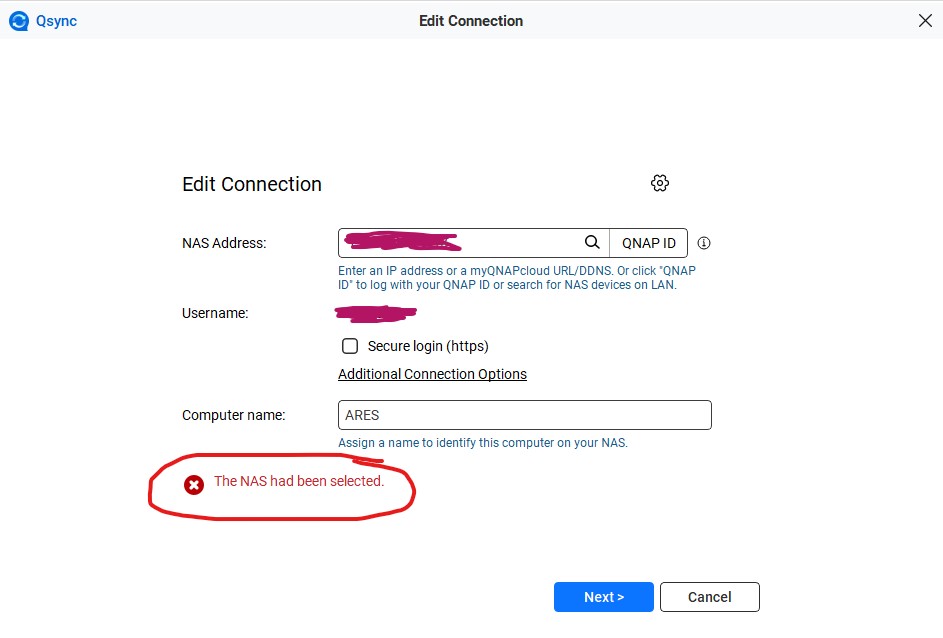
The thing is: I have full access to my NAS, see all preferences via web browser and smartphone synch via “Qfile Pro” also works. It’s just Qsync which stopped working out of the blue.
This guy seems to have had the same problem, unfortunately there is no solution: https://www.facebook.com/groups/707084150185454/posts/1684674262426433/
Does anyone has an idea?