I have a QNAP NAS running for more than a year with no problems. I have multiple Linux PC’s (Ubuntu/Mint) and servers and one Windows machine. Up until now I have used the SMB protocol and unison to synchronize public and home directories.
This works fine but I cannot have an automated ‘change watch’ process because unison is not available on the NAS and the SMB protocol does not support Linux file attributes.
The description of Qsync looked better so I installed it on my test PC and the Windows PC and Qsync Central on the NAS. Syncing seemed to work fine and automatically.
I installed Qsync on my main PC and now have serious problems, both related to handling links in my home directory:
I had a directory with a bookmark (which is implemented as a soft link on Linux) pointing to a sub-directory. The files in the directory are synced ciontinually. I think that Qsync syncs the directory then the bookmark which it then decides that downloads are needed which causes updates and then more downloads in a loop. Eventually Qsync gives up and exits.
The PC has multiple disks. There are links for my home directory to the disks. Qsync deleted the contents of one of my disks. I do not know why but having seen this I stopped using Qsync and restored the data from offline backups.
Questions I hop someone can help me with:
Are these bugs or ‘features of the Qsync’ software?
Can you stop Qsync following links? I could not find an option for this. I do not follow links with Unison and select which directories I want to sync.
Has anyone had better experiences with the other synchronization software available on the QNAP?
I use Qsync on my Macs and have not had any of the issues you talk about. In fact, I stopped actively using my Macs iCloud Drive because I had sync/deletion issues with it.
But let’s look at a few things.
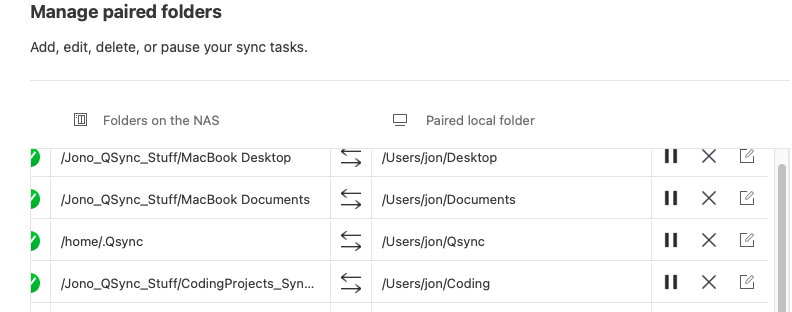
1.) Qsync works by creating “paired” folders. You set up what folder on your computer you want to sync with what folder on your NAS.
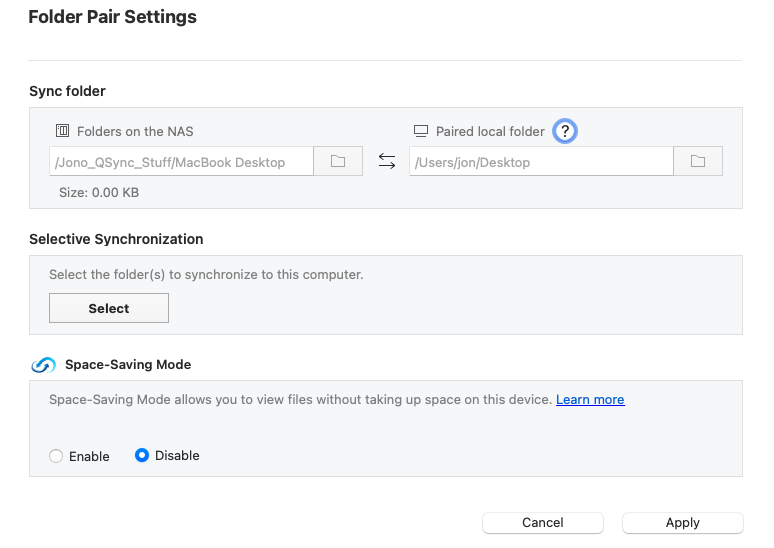
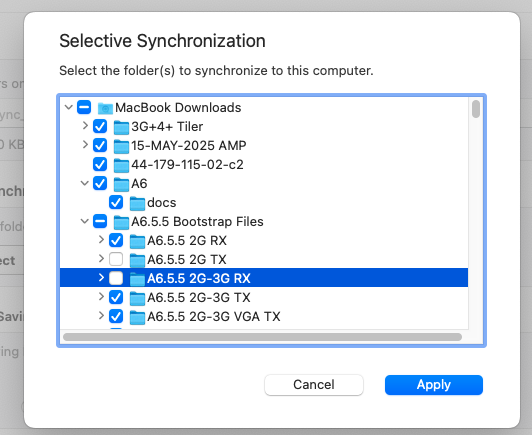
In the Folder Pair settings you can set up selective synchronization only sync those items you want. I don’t know bout all your symbolic links, but you should choose not to sync those.
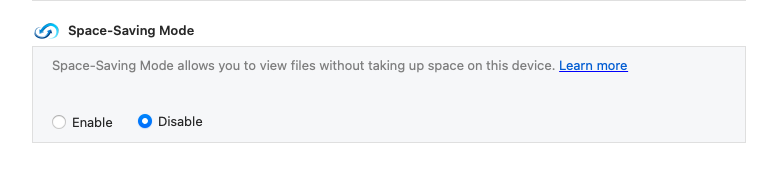
3.) If you want to keep files on your local machine, make sure you disable space saving mode. Otherwise, what it will do is copy all your files down to the NAS and then it will delete them from your PC. You will then have what is basically a “link” on your PC to access the file and when you want to access it, it will pull it from the NAS. This is similar to what services like OneDrive offer. You can set this on a per folder pair basis on each machine. For my laptop, I don’t use space saving mode as I want access to all my files if I am not connected online. But on my Mac Mini which always sits on my LAN and doesn’t move, I have space saving turned on.
Thanks for the quick answer.
I can probably share separate folders, as in your example, instead of sharing my whole home directory. I should be able to avoid links this way. I’ll try it and see if I can remain discipline and not create folders that are not in a shared space.
Space saving is disabled, I also need to work offline sometimes and sync when I am connected to the LAN.