Hello
I’m new using Qsync. I want to sync the subfolders in a user home folder using qsync client for windows.
The qsync service is running in the nas. Qsync client for windows is installed. Going through the prompts, the connection to the nas is successful using the user id and password. It prompt to select the local and nas folders. The nas folder initially is /home/.Qsync

My expectation is to be able to pair other subfolders under /home, for example /home/documents - /home/music - /home/pictures etc. (the full path is /homes/user/documents etc.) but this is not possible. The subfolders cannot be selected to create a sync pair. It only shows the /qsync folder and other folders enabled in qsync central.
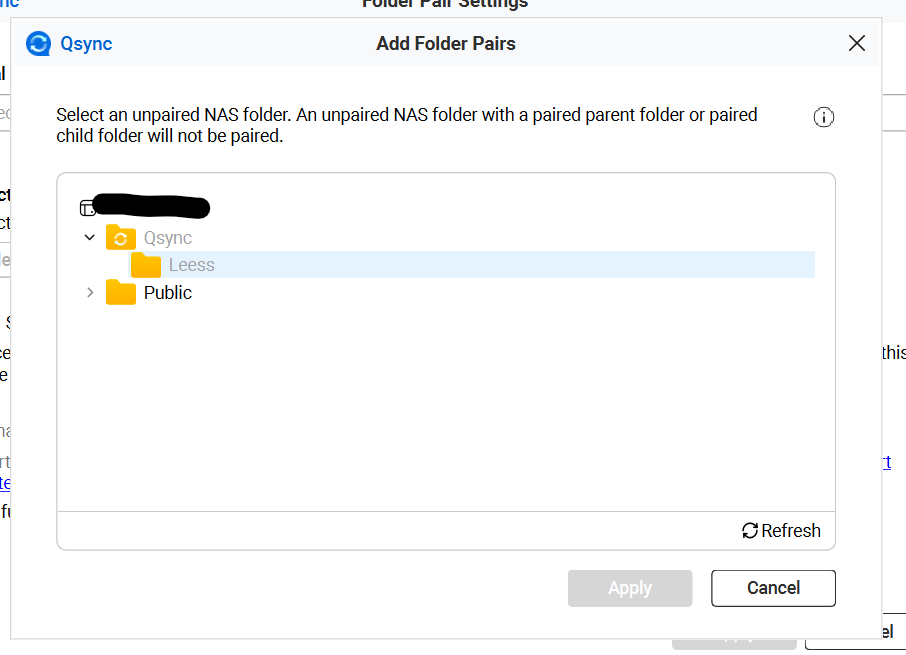
So far I’ve tried: reboot the nas, confirm the home-folder feature is enabled, confirm RW privileges for the user in his own home folder (/homes/user) and subfolders.
Other folders can be paired successfully (for example a folder called /Public).
New folders can be created under /Qsync correctly.
In qsync central the /homes folder cannot be either activated nor deactivated. I asume it is activated by default.
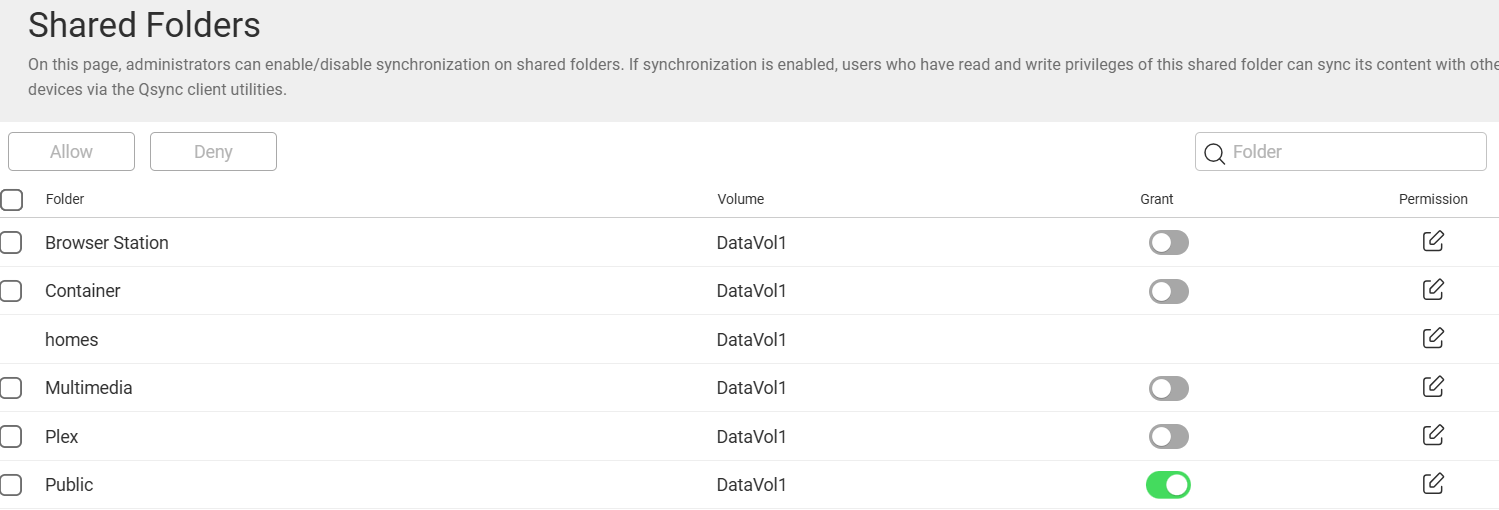
Does anyone have some experience with this?