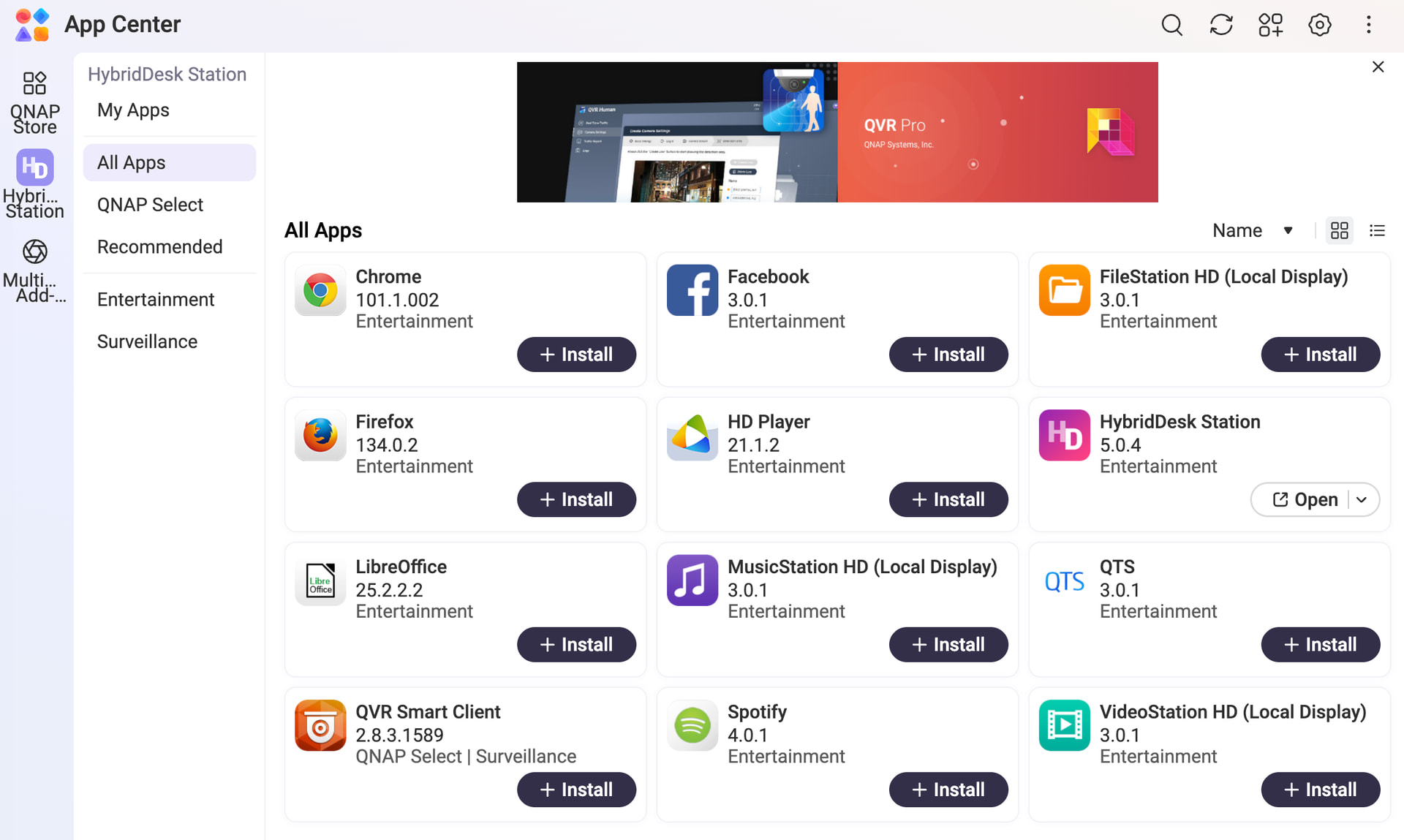
Having recently upgraded my QTS h5.3.4 to h6.0.0.3500 Build 20260520, HybridDesk Station no longer shows any applications including Virtualisation Station VM’s
I’ve rebooted after installation and reboot again once upgraded to v5.0.3 of HybridDesk Station, also tried removing and reinstalling HybridDesk Station with no apps appearing on my TVS-h1688x any ideas?
Is Hybrid Desk Station even supported in Hero 6. Hero 6 is really focused on Enterprise. Hybrid Desk Station is basically an obsolete very long in the tooth piece of software. I’ve tried using it multiple times and found the experience to be somewhat frustrating. I feel like I was going back in time trying to use those apps.
My recommendation would be to not use on or rely on Hybrid Desk Station. Is there a reason you need to use it?
We use it to run various Virtual Machines from a large TV, and HybridDesk Station worked perfectly fine on h5.3.4.3500 but is working in h6.0.0.3500, just not displaying any shortcuts to apps or vm’s making it useless.
On another point I’ve noticed, since having to rebooted the NAS to fix it with 128Gb of RAM installed with the primary drives being NVME’s the boot time on h5.3.4.3500 was round 6 minutes, this has now increased on h6.0.0.3500 to around 18 minutes.
But as they always say with QTS never run it on a production system until the new release has a few point releases or has been out for a couple of years.
We sincerely apologize for the inconvenience. After internal verification, we confirmed that h5.0 and h6.0 use different versions of HD Station. When performing the update, the software should have displayed sufficient prompts to inform users of this change, and we are sorry that this was not the case. We will work to improve this in the future.
Based on our testing, uninstalling HD Station and reinstalling the new version should resolve the issue. If you have tried this and the problem persists, please open a support ticket so our Support Team can assist you further. Thanks!
@Harvey the HD Station team says HD Station 4 and HD Station 5 use completely different root file systems that to ensure compatibility during the OS upgrade, the system automatically removes the old HD Station environment and all of its installed apps.
Could you help to check the installation status of the HD Station applications in your App Center?
Yes, I’ve tried all of the options, checked the status, removed HD Station 5.0.3 and reinstalled all of the apps, also upgraded to the newly released HD Station 5.0.4 including once that did work either removed it all again and reinstalled HD Station and the app, but they still don’t appear also because I’m using Virtualization Station with published VM’s to HD Station tried removing and adding it back again but with no luck. I’ve switched on the remote access in HD Station, which does work but again no applications or VM’s are available.
@Harvey sorry that we can not reproduce this, could you help to open a support ticket and let our support team to arrange a remote connection to let our development team can check what happened on your NAS directly?