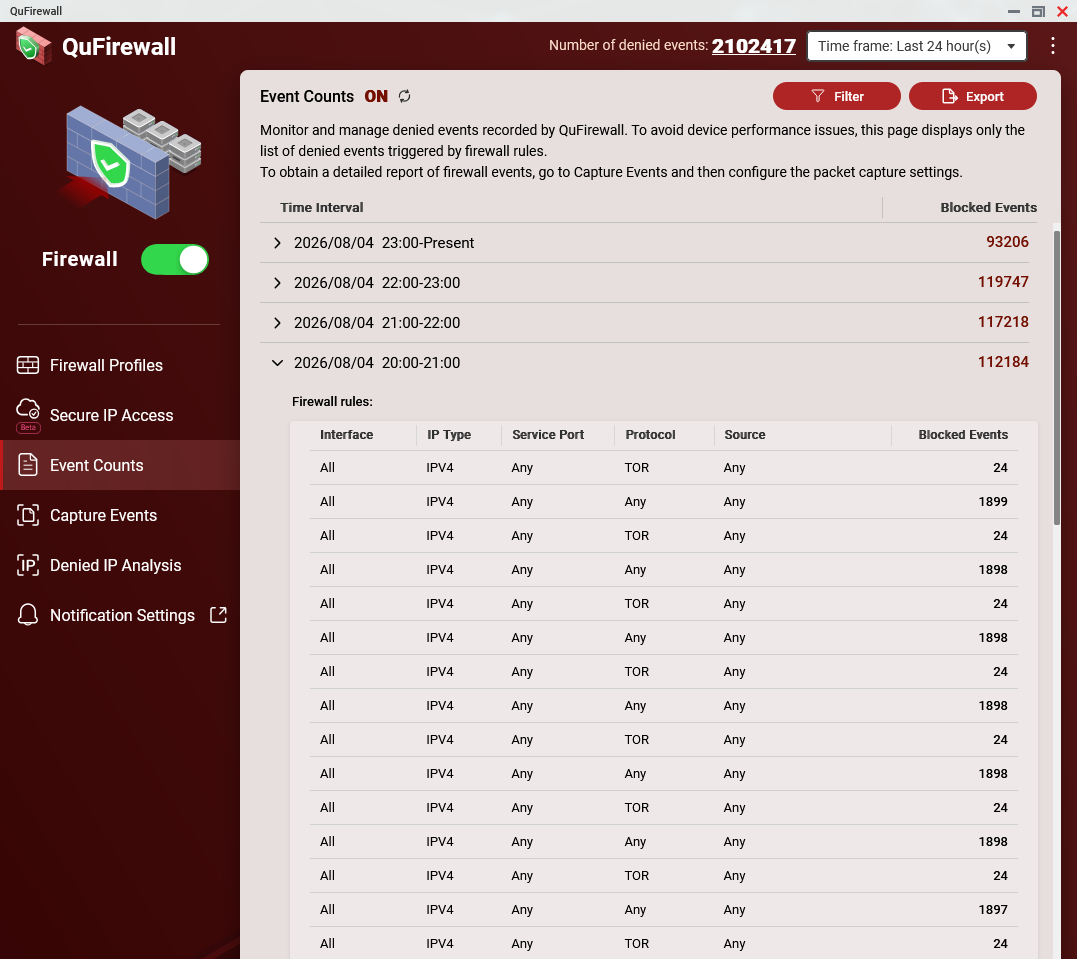
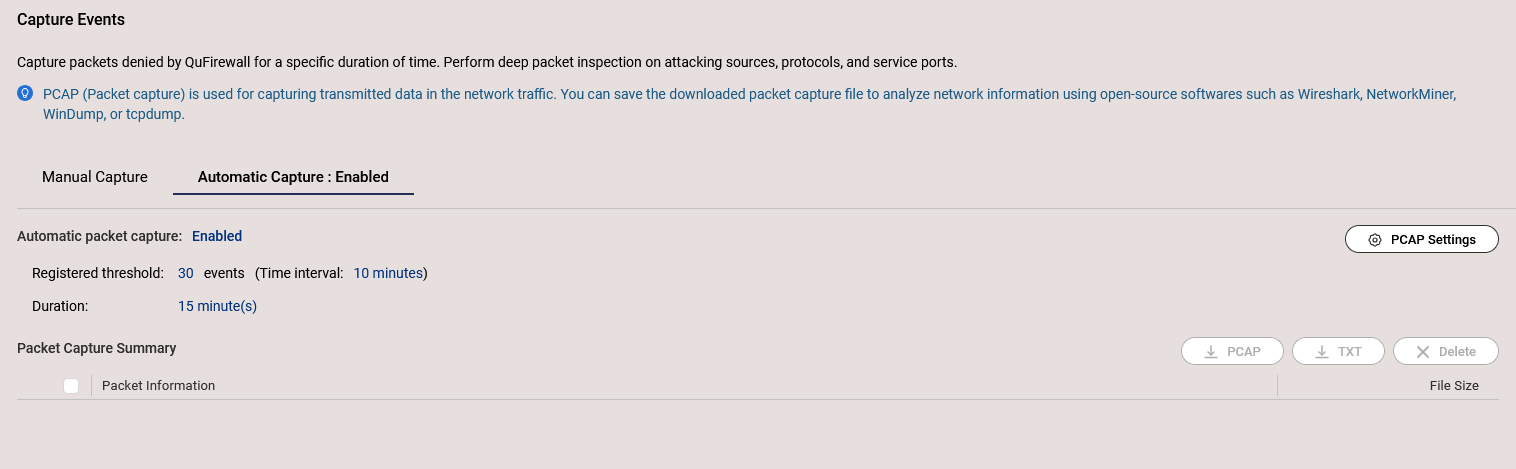
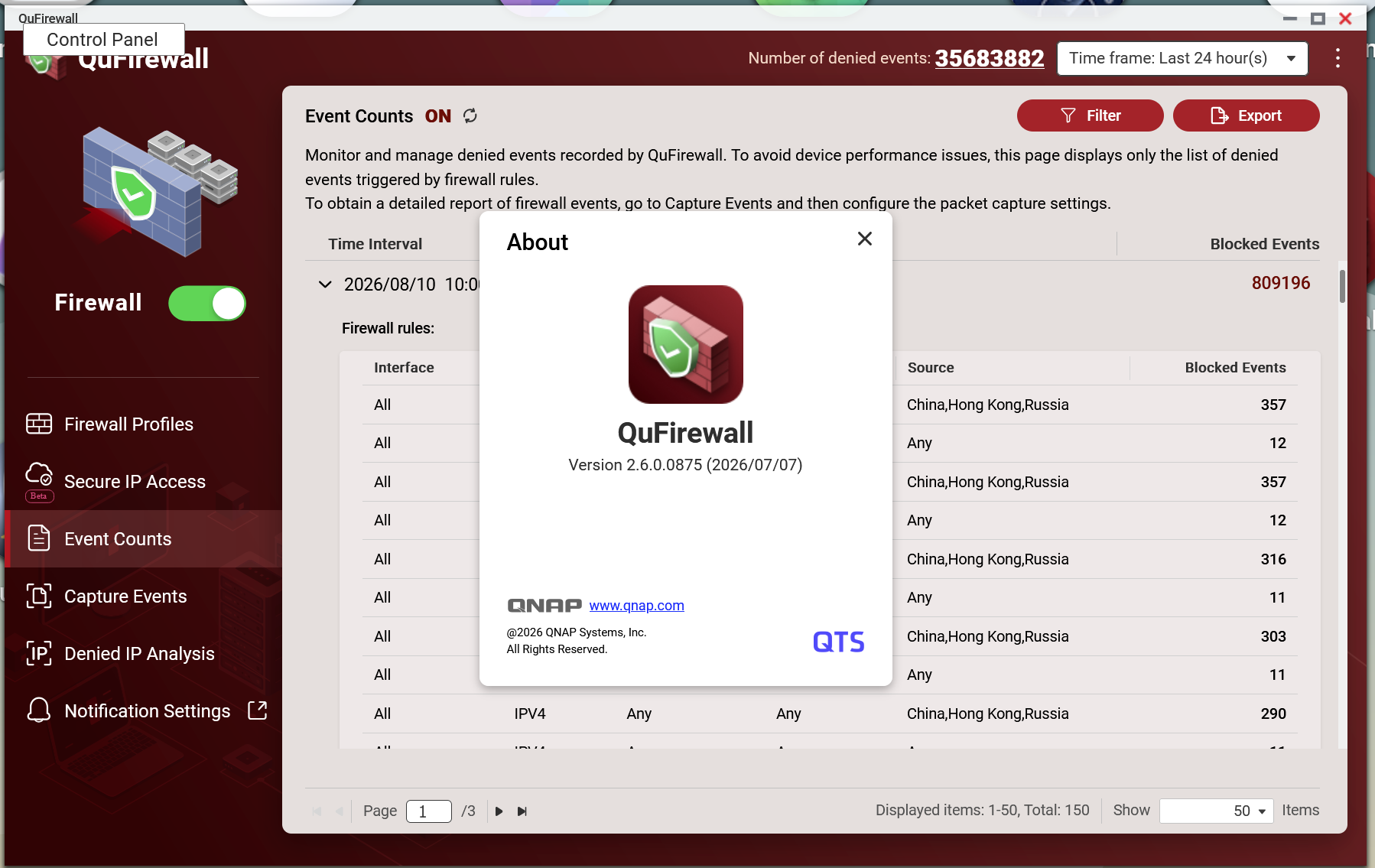
As you can see, event count is rediculously high since then; it accumulates count, and thinks every event is unique. For example, if QuFirewall registered 1 event in the past, that event will be counted indefinitely for every minute.
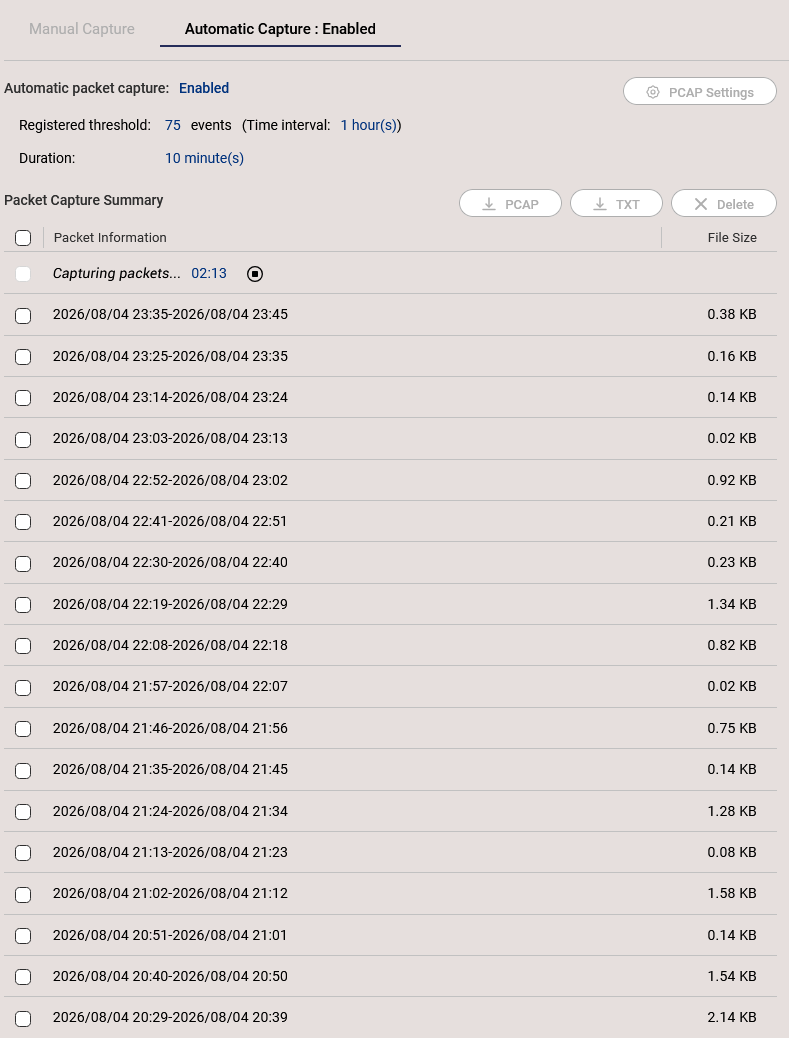
I can confirm this is purely counter bug, since Denied IP Analysis shows nearly 0 packets for several minutes, and my IPS(CrowdSec) does not show any anomalies. At first it did not triggered automatic event capture, but now it does; I have small but continueous, non-stop event captures like below.
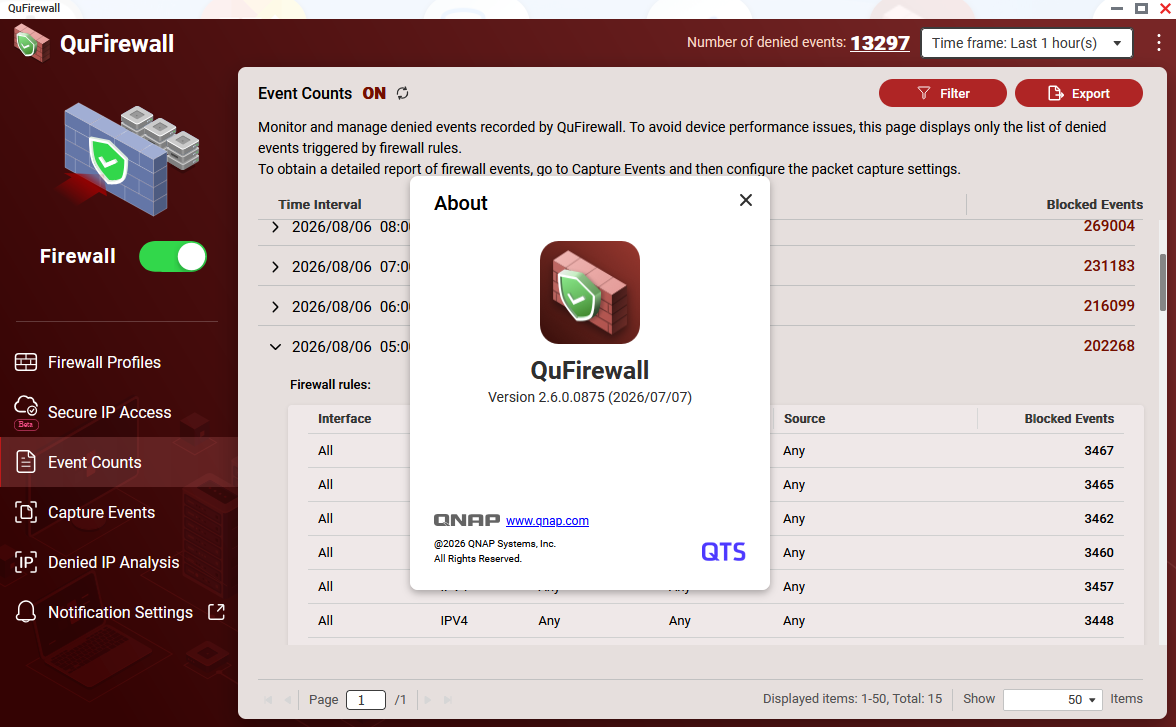
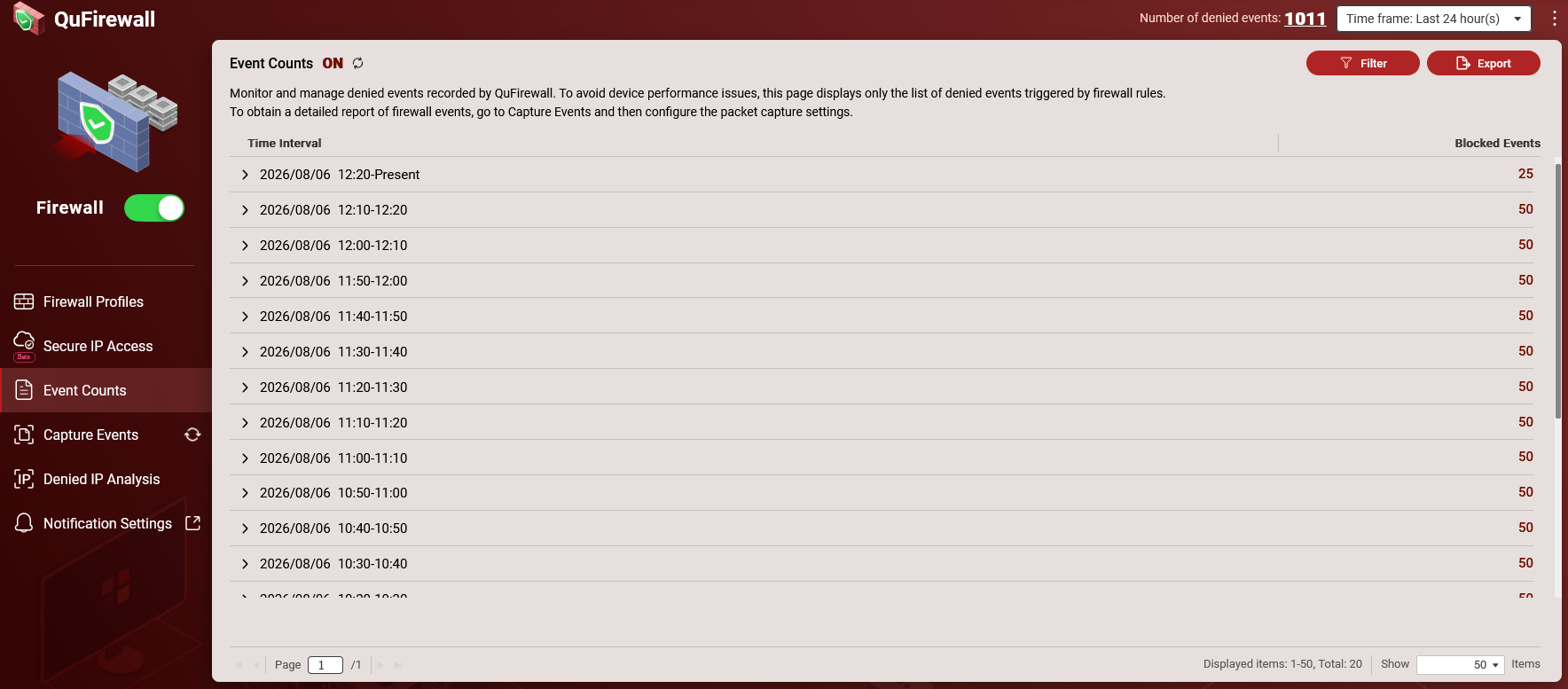
I’m experiencing the same thing. Since the latest update of QuFirewall (Version 2.6.0.0875 (2026/07/07)) I’m getting a lot of of denied events being registered. However, QuFirewall is not capturing the events (PCAP). Automatic Capture is enabled and the threshold I’ve set is 30 events in 10 minutes and even when there are 50 events nothing is being captured (see screenshots.)
I’m experiencing this on both of my NAS devices.
In the meantime, I’ve removed QuFirewall after exporting my filters and reinstalled and the Automatic Capture still doesn’t work. Additionally, Manual Capture and the Denied IP Analysis returns no registered events. Is it possible that you guys forgot to include the PCAP functionality with the latest release?
If you saw nothing in Denied IP Address or manual capture, that means no denied event was occured at that time for real, so automatic capture will not be triggered. Only your event count is broken.
(In my case, this bug is somehow triggering automatic capture non-stop, even if count is below threshold. I guess it’s another bug.)
good thing I am not the only one here with the same issue.
Before 2.6.0 I had about 30k to 60k of blocked or logged blocked events per 24 hours, now I have 35 million!
As XTCPlus indicated above, version 2.5.0 is available agian in the App Center.
According to QNAP Support:
Latest update from [the] Dev Team:
Root cause:
This is a known regression in QuFirewall 2.6.0.x — a denied-event counter / interval-rollover issue:
* The denied-event aggregation window becomes frozen on a single stale interval and never rolls forward, so the same events are re-counted repeatedly (roughly once per minute). This inflates the “denied events” number shown in the overview.
* Those inflated counts are phantom — not backed by real captured packets. Denied IP Analysis correctly shows ~0 real packets, so Automatic Capture, Manual Capture, and Denied IP Analysis appear “empty.”
In other words, PCAP capture is not actually missing or malfunctioning — the underlying event-counting/logging pipeline in 2.6.0.0875 is defective, which both fabricates the high denied-event numbers and leaves captures/analysis empty. Because the events are phantom, there is no actual unlogged malicious traffic, so this is not a real security exposure.
You may check in QuFirewall > Denied IP Analysis, if there are IPs denied, or in QuLog Center > Event Log if there are failed connection attempts from unauthorized IPs/client devices.
Regarding the fix version, I am waiting for our Dev Team for feedback if any ETA release.
You need to stop exposing your NAS to LAN asap, never ever ever expose any part of your NAS to WAN!! (and ftp is pretty much the worst protocol to do so with)