Hello QNAP users,
QuMagie Android is about to release a new version (v2.4.0), so let’s take a look at what new features are coming!
In addition to adding fun new features this time, we’ve also made adjustments to how photos and videos are displayed! We’ve added layout options, so you can find “Display” in the “More” button at the top right corner of the screen and freely switch to your preferred browsing mode, including:
    Photo Page: Overview of all photo pages, offering year/month/day/title modes, paired with small/medium/large/extra-large thumbnails to view photos

    Other Pages: For example, folder, album, and video pages, now include List mode and large thumbnail mode

    Tip: Just between us, you can also use two-finger gestures to zoom in/out for quick switching!
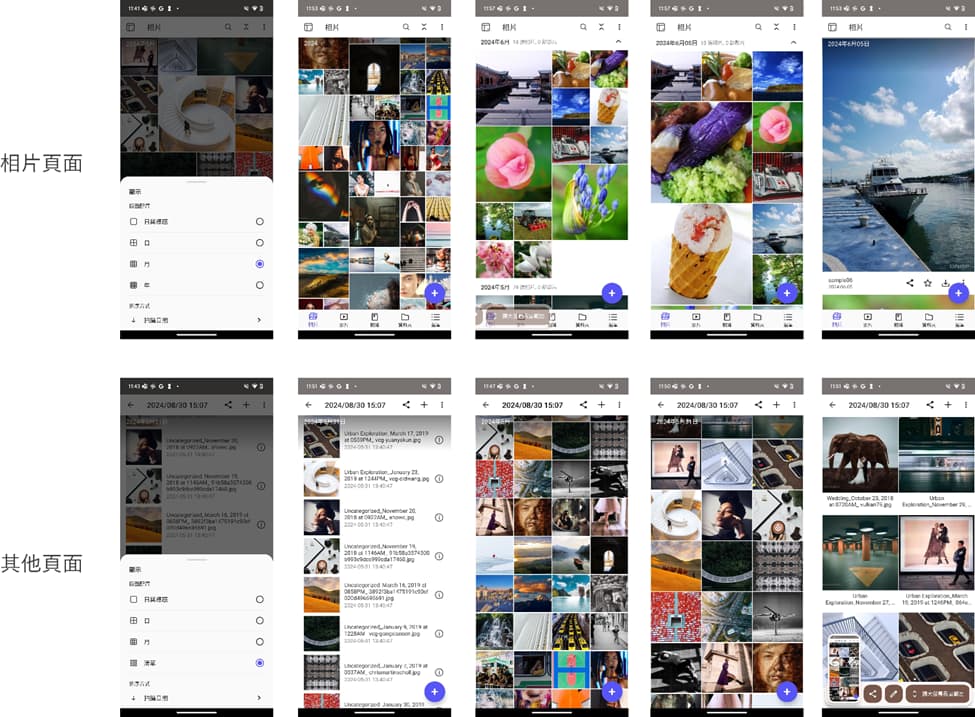
Additionally, you can now adjust the sorting method. We’ve added many sorting options, including shooting date, modification date, title, size, etc. Just a reminder, due to design reasons, the photo page can only be sorted by shooting date, but other sorting methods can be found on other pages!
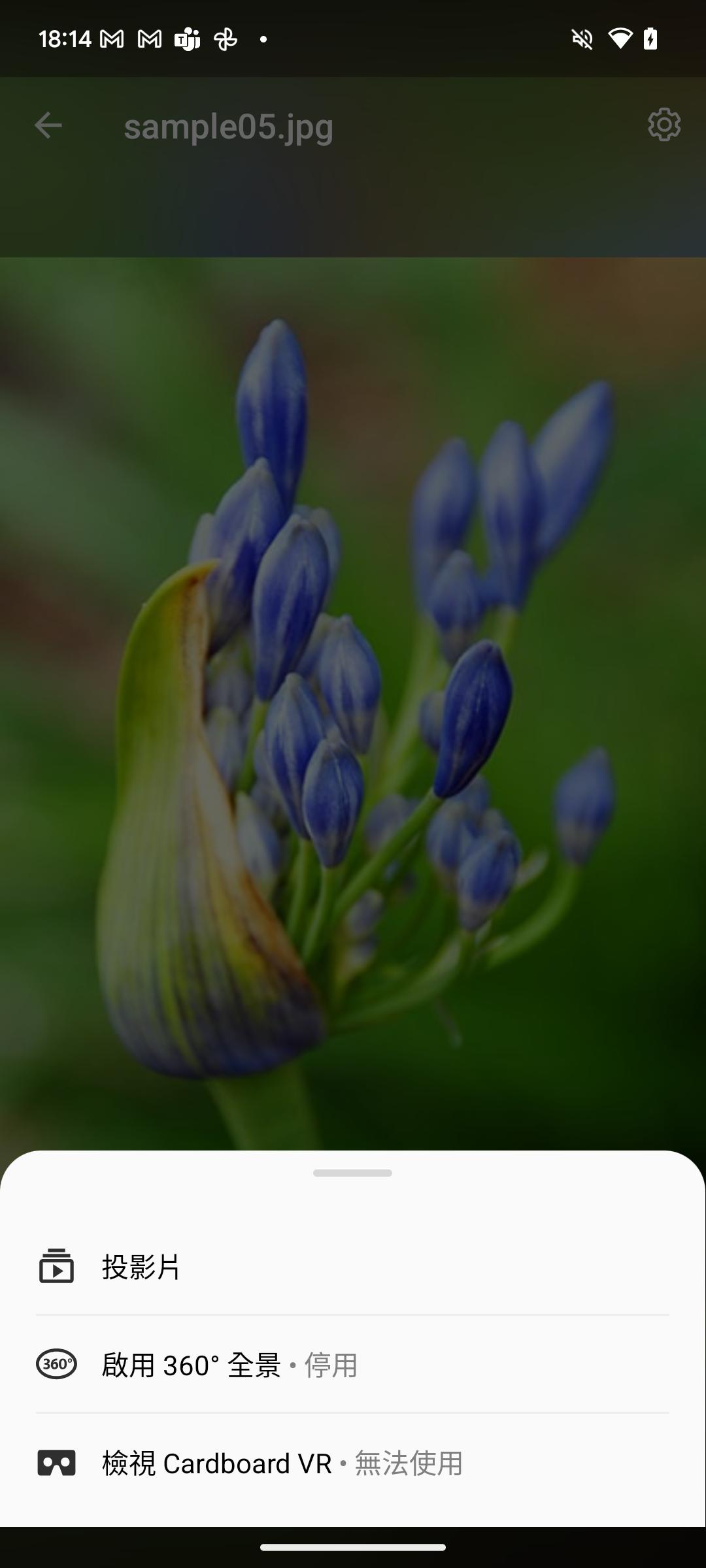
Slideshow Playback
Users can now enable the slideshow playback feature from the top right > More >, or directly in playback mode by selecting Settings > Slideshow; you can also further set playback speed and enable random playback mode in the slideshow playback settings to rotate through your wonderful memories stored on NAS.
Custom Album Cover
Users can now select their favorite photo from the album and set it as the album cover.
New Video Playback Settings
Now in Settings > Playback Settings, new options for “Player Background” and “Video Playback Quality” have been added.
If you don’t want to choose the player every time before playback, you can go to Settings > Playback Settings > select the default playback quality.
If you want to change the background style (blurred/pure black) while browsing photos, or if you don’t want to select playback quality every time before playing a video, you can make good use of these new features.
Other Minor Changes
In the backup feature, when choosing not to use the original file name for uploading, the shooting date will be used as the file name for uploading.
Smart Albums can now use folder paths as album criteria.
QuMagie still has more features in the works, so stay tuned~