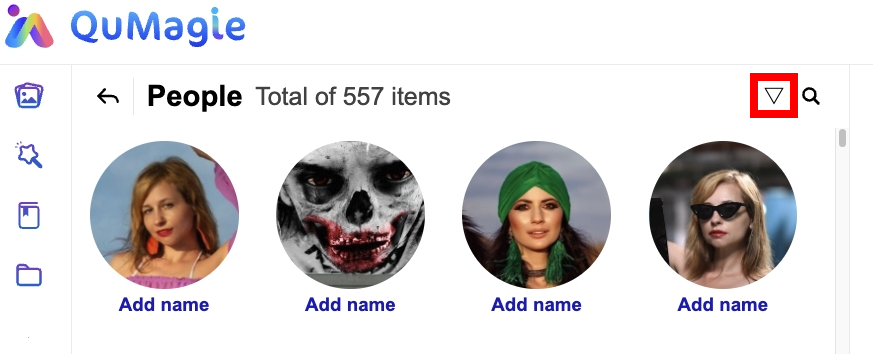
With 20+ years of family photos, on the People page right now I have 4295 items from which 311 have names. With so many items the scrollbar is almost useless.
It would be useful to separate somehow the “known” and “unknown” people. I could imagine a tabbed display or collapsible blocks as a quick solution.
Since I have a lot of false positives and false negatives in the future would be nice to have some filters to oversee/manage changes.
I would like to mention that I am trying to keep things organized, when I see the review similar people notification I use it, remove / correct false positives, merge people when they are not recognized as same and not even proposed as a similar, but right now the number of people is simply too high.
It’s true that a 20 year gap can make it difficult for AI to recognize two photos as the same person.
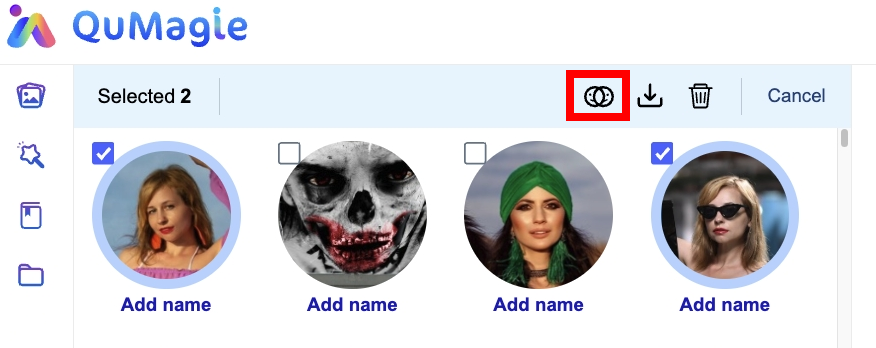
Currently, QuMagie offers a manual merge feature that allows user to combine multiple person groups. Once you select a person, you’ll see a Merge button appear in the top right corner. Clicking it lets the AI treat all selected groups as the same individual.
Alternatively, are you asking of adding a filter option to the People page? For example, the ability to view all people, only known, or only unknown individuals?
The AI does a decent job, I don’t want to complain about that. It struggles a bit witch children, but with adults it manages well even the 10-20 year gaps.
Yes, I know about the merging and use it when needed.
Yes, that’s it, the filter you mention would do it. I was talking about something like that.
Hi,
Thank you for your valuable suggestion!
Our team is currently evaluating this feature and will support it as soon as possible. Please stay tuned for future updates from us, and we’ll keep improving your QuMagie experience!
I agree the AI is doing a good job and I’m quite happy with it, thank you!
But there is something AI cannot fix yet: I have many pictures I take on vacation and sometimes in crowded places. There I’ll have many faces I don’t want to keep so I go one by one and delete the “Who am I?” boxes or I select all the pictures in a folder and delete the unknown persons. What would make for a great feature here would be to have a button to remove all the unknown faces from a picture or selected folder (under Properties→People).
Another good improvement would be for the deletion of individual faces of a given folder. Currently I do so by selecting all the photos and then the “Properties” function. On the pop-up there is a “People” tab where you see all the faces on the selected files. The issue there is that the “x” button you have to press to select each face to be removed is way too small, what requires a very precise (and therefore slow) process of selecting faces. A bigger “x” or being able to just click the face itself for selecting would be a huge time saver!!