I am experiencing an issue where QuMagie (and the file viewer) displays the system-generated thumbnail files as standalone images in my library. Instead of hiding the internal thumbnails, the system indexes and shows them alongside the original photos.
Environment:
NAS Model: QNAP TS-464
Firmware Version: QTS 5.2.8.3359
QuMagie Version: 2.8.1
Multimedia Console Version: 2.9.0
Source Device: iPhone 17 Pro (HEIC/JPG uploads)
The Issue: When browsing my photos, I see multiple “versions” of the same image. Upon checking the file information of these duplicates, they are not actual duplicates but are the internal thumbnail cache files located in the hidden @__thumb directory.
Examples of the file paths I am seeing:
Original File:Multimedia/iphone-photo/.../2026-01-30 21.52.27.jpg (Full resolution)
I have already tried Re-indexing the affected folder via the Multimedia Console, but the issue persists.
The system seems to be scanning the @__thumb folder, which I believe should be automatically excluded or hidden from the UI.
Has anyone faced a similar issue where the @__thumb directory becomes visible in QuMagie? Is there a way to force the Multimedia Console to ignore these system patterns?
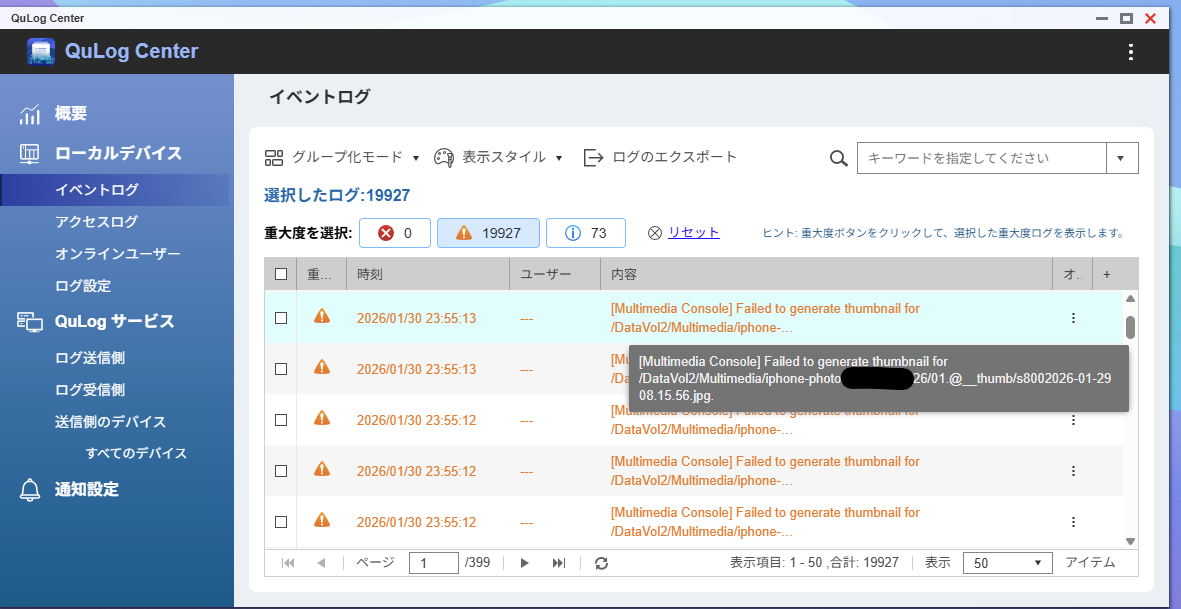
Update: Evidence of the Loop I found critical error logs in QuLog Center. It seems the system is trying to generate thumbnails FOR the thumbnail files themselves, causing an infinite error loop.
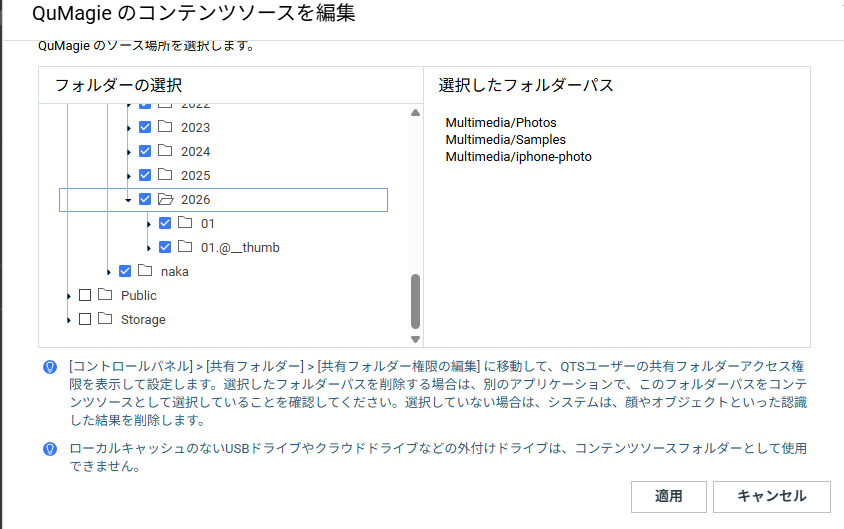
To answer your question: I simply selected the top-level parent directory (e.g., Multimedia/iphone-photo) as the Content Source in Multimedia Console. I did not intentionally include the thumbnail folders.
However, checking the “Edit Content Source” settings again (as seen in the attached screenshots), I noticed that the system-generated @__thumb directories are visible in the folder tree and were automatically checked when I selected the parent folder.
Since these are internal folders created by the system itself, I assumed Multimedia Console would automatically exclude them from indexing. Is it expected behavior that users must manually find and uncheck these system folders to prevent loops?
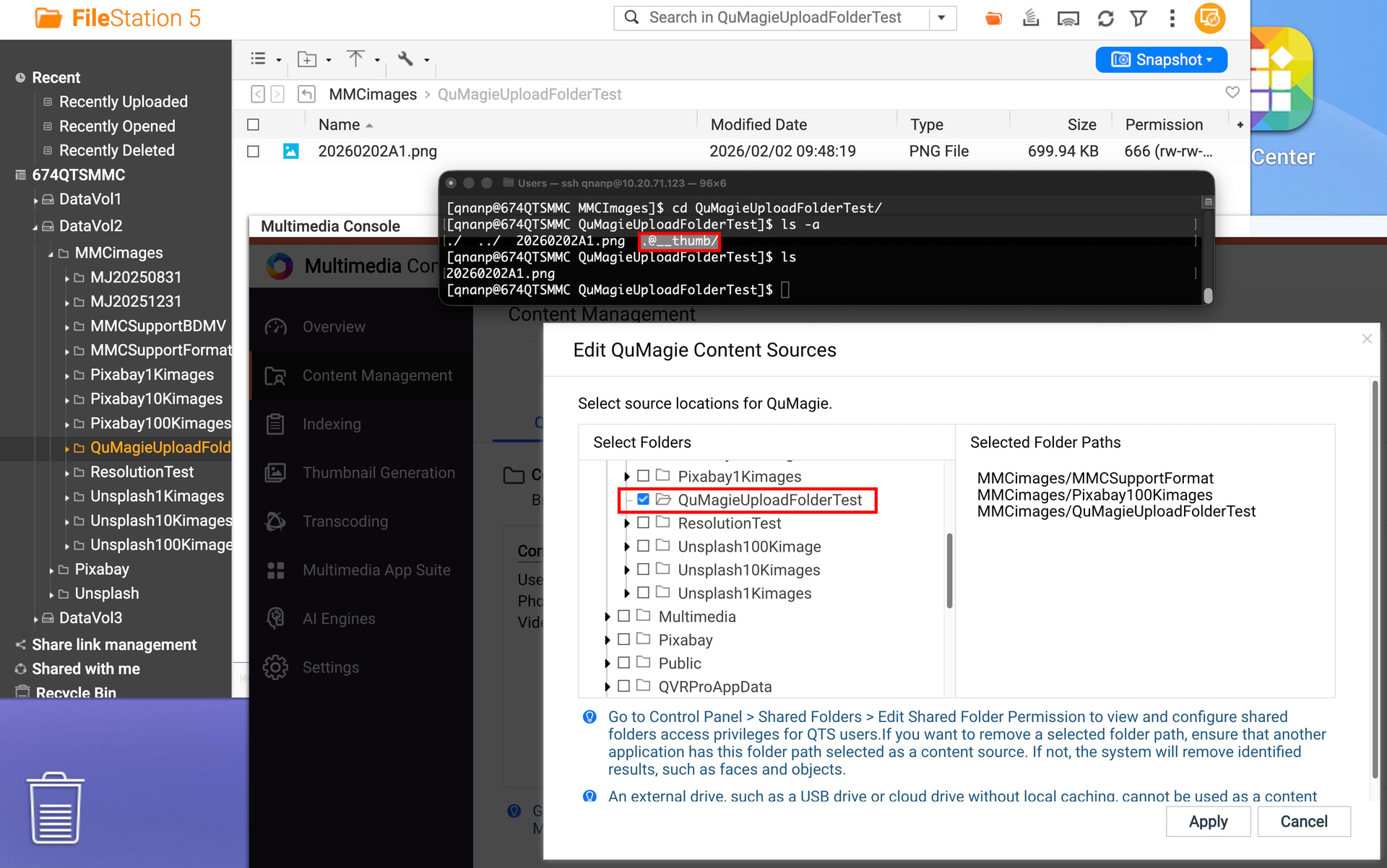
Hi @haru_c55 the standard folder is simply @__thumbnail, not 01.@__thumbnail in your screenshot. It is a system-hidden file that won’t show up in File Station (need to use ls -a in the terminal to see it).
I am not sure what caused the creation of the 01.@__thumbnail folder. But if the images inside your 01 folder are displaying normally in QuMagie, you should can delete the 01.@__thumbnail folder without affecting your data.
Since the images in the 01 folder were accessible and displaying normally, I followed your advice and deleted the 01.@__thumbnail folder. This successfully fixed the view in QuMagie, and the ghost files are gone.
I’m still not sure how that specific folder was generated, but I’m glad it’s sorted out now.