Anyway, QuMagie displays are slow—how is everyone dealing with this?
Also, sometimes the imported images are duplicated two or three times, and in the worst cases, there are four copies of the same image, which wastes unnecessary storage space.
On top of that, the help section never leads me to the information I actually want. Most of the tutorials are in languages other than Japanese, so honestly, I’m just disappointed with QNAP.
QuMagie is slow to display—how is everyone dealing with this?
I mainly access QuMagie at home using Wi-Fi on the same network as my NAS. This way, the connection speed is faster.
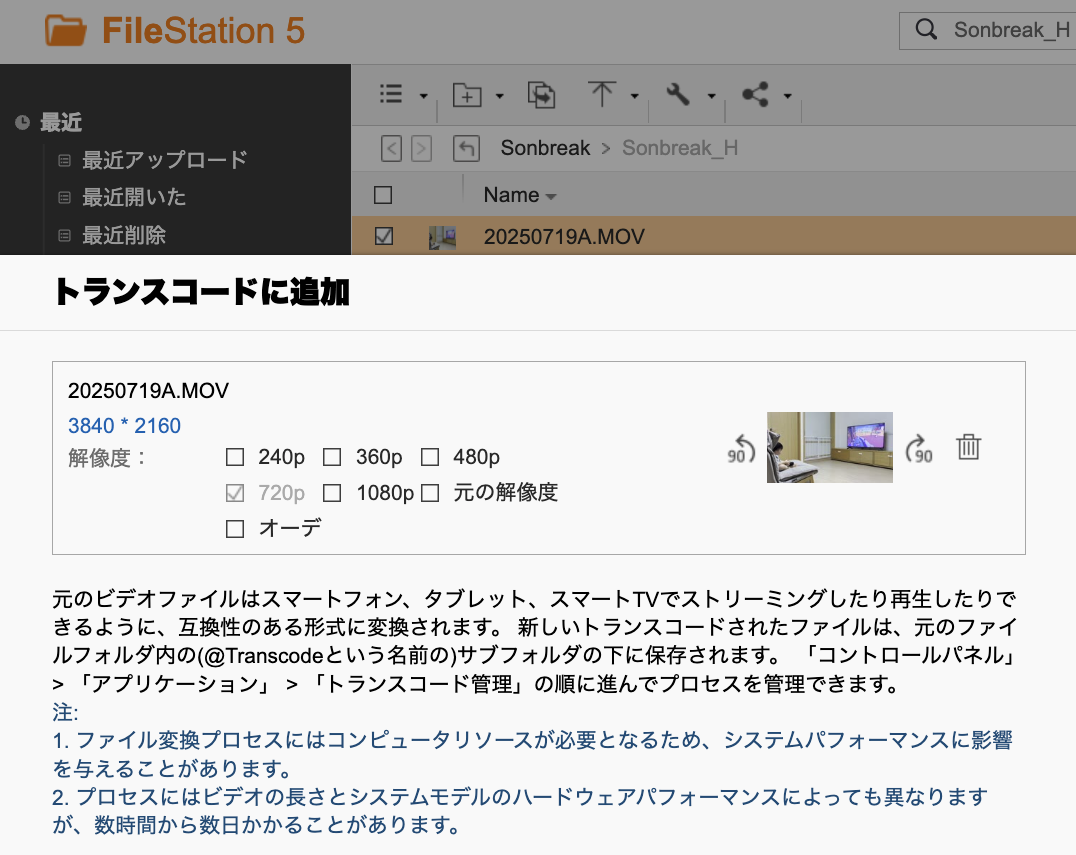
For videos, I convert them to 720p in advance using File Station, which helps reduce bandwidth during viewing and makes the connection smoother.
Most tutorials are in languages other than Japanese
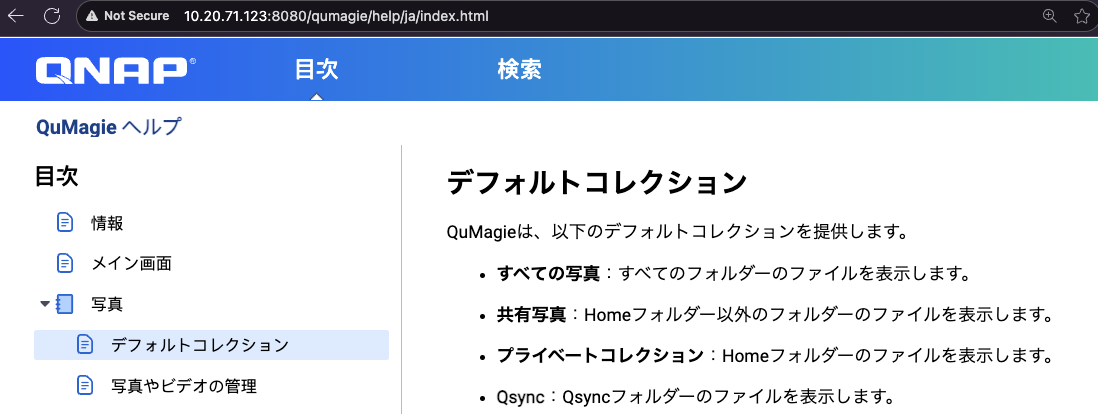
I haven’t actually used them myself, but it seems that there is a Japanese version available on the QuMagie help page. On which screen did you see that display?
When images are loaded, sometimes they are duplicated two or three times, and in the worst cases, four times, which unnecessarily consumes storage
Regarding the issue of images consuming extra storage, I haven’t experienced this in my environment.
If possible, could you share a screenshot to help confirm the situation? It would make it easier for the QuMagie team to identify the cause.
Thank you very much. As for things like speed, I haven’t tried things like “for videos, convert them to 720p in advance with File Station,” so I think I’ll give it a try.
It seems that QuMagie performs “on-the-fly transcoding” when playing unconverted videos, so you may need to wait a few seconds before playback starts. In my experience, if you transcode to 720p in advance, playback will be smoother when you view the video later.
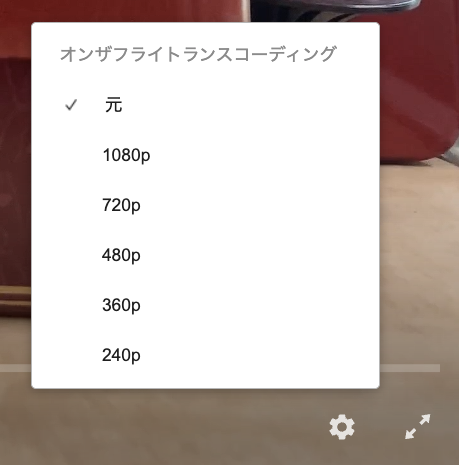
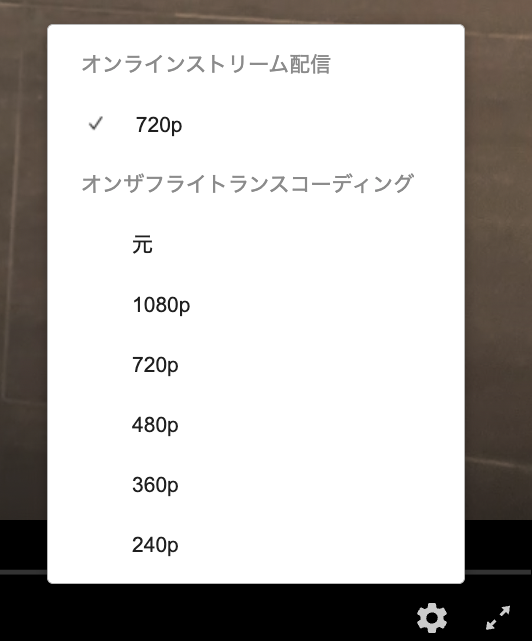
If you like, you can prepare two video files—one pre-converted and one unconverted—and compare their playback speeds. This should make the difference easy to understand.
1 Like