you are not going to believe this.
I have done a few systems with h5.3.1, including my own already. Some things have changed, but no big deal.
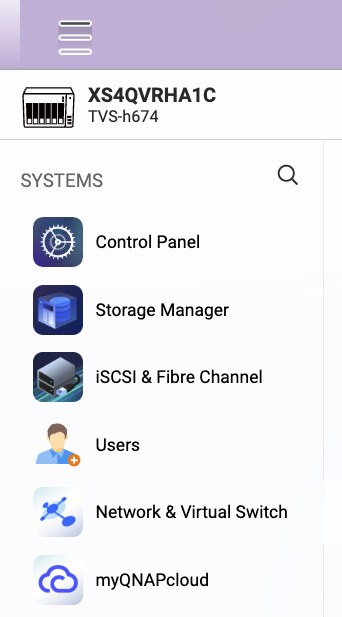
SO - I just built a new TVS-h874, that came with QuTS 5.1.7, build storage pool 1 with the 2 M.2 drives, and when that was done I updated the OS to QuTS h5.3.1.3250. Now that I had the new firmware on the system, I wanted to build Storage Pool 2 with the 8 Sata Drives. 5.3.1 renamed Storage & Snapshots to Storage Manager. But where is it ? I searched everywhere for Storage Manager, or Storage and Snapshots - and nothing !
So I google search it, and ChatGPT it - specifically referencing QuTS h5.3.1.3250, and both gave me the wrong info. So I said to myself “this is crazy, I have done this thousands of times - there is no way that they made Storage Manager an App !!!” And sure enough - Storage Manager is now an App that you have to download from the App Center, so you can create the RAID groups.
No idea, I mean the storage manager should just sit on top of the GUI to interact with the guts of the storage system, unless that package includes storage subsystem drivers for ZFS. Is openZFS always bound to a kernel version or is there updates released within Kernel releases?
you cannot imagine my surprise. In QuTS 5.3.1, on the first new system I did, I could not find Snapshot Manager in the usual place, but then I discovered that it was now an App (just like SMB is an app, and File Station is an App) - but these get installed automatically, so no big deal.
so on the system I did today (TVS-h874) - after updating the firmware, I could not believe that I could not find Storage Manager (which used to be called Storage and Snapshots). I was literally about to call QNAP support to ask them this embarrassing question, and out of desperation, I said “there is no way they made this an app” - and then I went to the App Center - and there is was. This will now be fun if you have to build a system with no internet access, and do a manual firmware installation. If you forget to bring “Storage Manager” downloaded on your laptop or flash drive - you aint building any storage pools !!!
But, I suspect this issue will only apply to a minority of deployments. Most NAS will have Internet access. Those that don’t should be able to install an app offline from a local storage source - if QuTS facilitates this.
Bob - I discovered this a few weeks ago when I first updated to h5.3.1 - remember when I was complaining and you were drinking?
I found the Storage Manager app then. It should have been installed with the firmware - surprised it was not. It was installed when I updated. Maybe because you went from QuTS to Hero? But is it that different as an app? Before it was called “Storage and Snapshots” - it had both. Now you have Storage Manager and Snapshot Manager. So two apps. Not that I like the look and feel of these either but all the functionality is there…
So they can update these services without needing a new firmware release.
I have checked with the Storage team that the main reason for splitting Storage & Snapshot into two separate apps and listing them in the App Center is to make updates more flexible that can be released independently from the firmware, allowing quicker improvements and fixes.
it should have been installed with the firmware - surprised it was not.
Both 2 apps should still be built-in to the system by default, a basic version should already be available even without installing them from the App Center.
As NA9D (Jon) just stated above, it is not. I covered my experience in the original post, but I will repeat it. When I did my first QuTS h5.3.1 install, it was done on my personal TS-h886 that was running QuTS h5.2.7, and Storage and Snapshots simply became Storage Manager (that is when I discovered that Snapshot Manager was now a separate app). So in the updates I did for clients, I did not see this issue.
Then 2 days ago I built a new TVS-h874 (new, out of the box) - I typically build the QNAP with whatever firmware QNAP provides, and then I do the firmware update. In this example, I install 2 M.2 NVMe drives in the h874 as Storage Pool 1, and installed a single 20 TB SATA drive. It came with QuTS h5.1.7. I built storage pool 1, saw all 3 drives, and did the firmware update to QuTS h5.3.1. Upon reboot, I installed the additional 7 SATA drives, and went to build Storage Pool 2 with the 8 SATA drives. But there was NO Storage Manager - and there was no longer Storage & Snapshots. What you are showing us in your image above - WAS NOT THERE. I was about to call QNAP support, but out of desperation (and embarrassment) I searched in the QNAP App Center - and there it was - Storage Manager. So I downloaded it, and it worked properly.
In my opinion, this is a MISTAKE. Storage Manager should be a default install. I now question - when you build a new QNAP QuTS system, it asks “do you want to update to the latest firmware”. I always say NO. What if I said YES. So now the system boots up with QuTS 5.3.1 and the drives are not formatted. If you go to the app center to get Storage Manager, and no drives are set up - exactly where is it going to download anything?
Personally I update the firmware before any setup occurs. After updated I install just the NVMe drives and and after that and another reboot setup all the HDDs.
Also the app was installed on both my 5.3 updates from 5.2.x without the additional download. Sounds like Bob has experienced a one off error.
Hi @Bob , about the Storage Manager doesn’t appear after upgrading or performing a clean installation of QuTS h5.3.1, our verification team will try to reproduce it and the QTS team will evaluate how to prevent this from happening in future releases. We are sorry for the confusion this has caused.
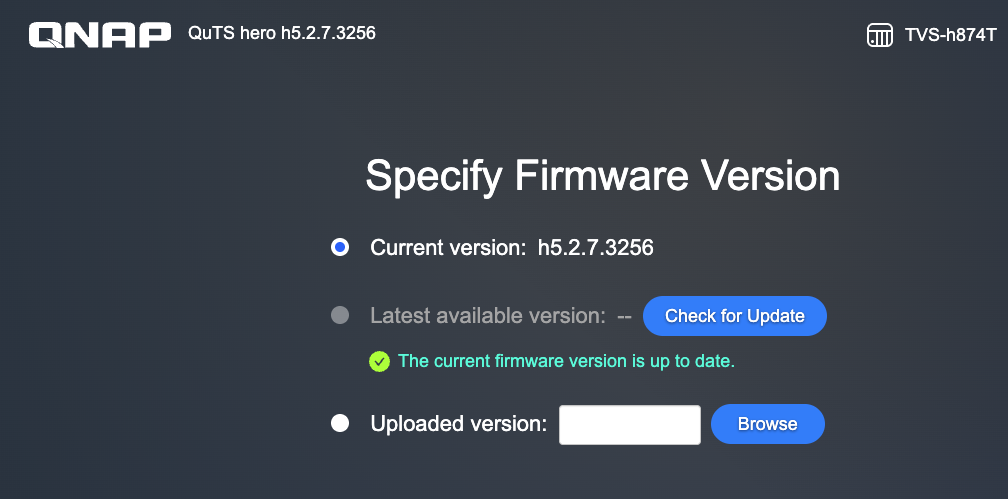
I try a new clean installation on TVS-h874 which originally ran h5.2.6. Interestingly, it identified h5.2.7 as the latest version instead of h5.3.1.
If you go to the app center to get Storage Manager, and no drives are set up - exactly where is it going to download anything ?
As I know if Storage Manager should be installable even before creating any storage pools since is a built-in default app, attempting to install other apps directly results in the following error:
[App Center] Failed to install QVR. There is not enough space on the default volume to install this application.
I think you have to manually update to 5.3.x on some systems as the 5.2.7 is the official path for now with 5.3.x going down the HA path. I know I did on one of my systems
I think storage management is now in an app, I have heard reports that you need to install it (vs it being part of the preinstall, but it could differ depending if it was an upgrade or new install)
all my recent updates have been with QuTS h5.2.8 - and this “Storage Manager” App has not been an issue. It’s only with h5.3.1 - and I too have not done any QuTS 6.0 testing yet.