Testing Period: December 20, 2025 - January 21, 2026

SUMMARY
QuTS hero 6.0 Public Beta is a significant update that introduces a range of new features and improvements. Testing was conducted on two different QNAP NAS devices in a real working environment over a two-month period, evaluating both new features and compatibility with existing workflows, as well as performance and stability. Test results included hardware operations with disks, software operations, virtualization, as well as NAS network connections using QNAP network devices, mobile applications on Android and iOS, as well as MAC computers, Microsoft Windows, and Linux systems.
Key Findings:
-
Qtier implementation in QuTS hero environment is a significant step forward with excellent functionality
-
User management has been substantially simplified and improved
-
Media streaming works flawlessly across all platforms
-
File Station 6 has gained a modern and attractive design
-
2-Factor Authentication works perfectly and is quite simple to configure
Problems encountered during device testing:
-
ACL 2.0 is the MAIN problem - causes system instability with no rollback option, breaks entire existing configuration and cannot be restored
-
HBS3 synchronization performance decreased in PUT and GET sync operations
-
After upgrade, Container Station cannot start correctly - there’s an error loading the GUI, but it works in the background at the same time
-
CPU load reaches 100% during data indexing, which affects other NAS functions, possibly related to my specific NAS device
-
Enterprise monitoring capabilities are insufficient for corporate environments, cannot be deployed in businesses with multiple QNAP NAS devices
Devices involved in testing: QNAP TVS-h474 and QNAP TVS-h674T. Both devices had NVMe disks installed for Qtier.
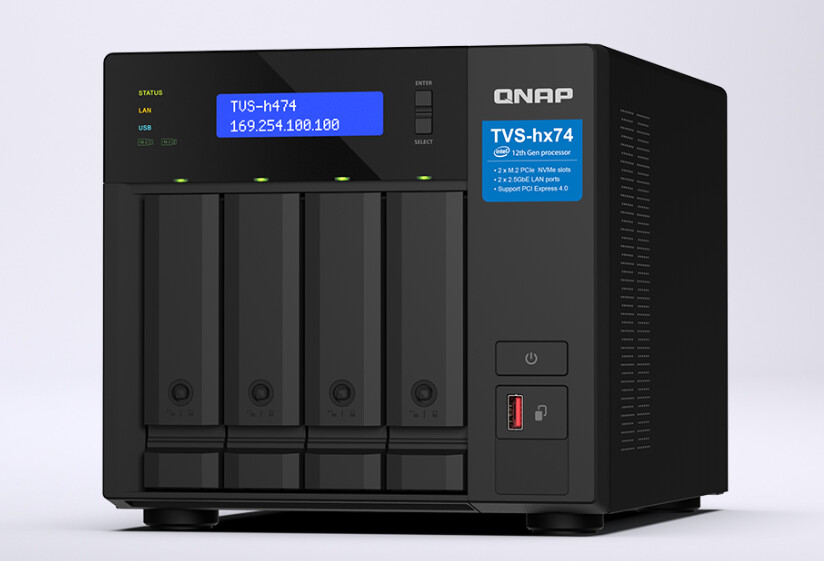
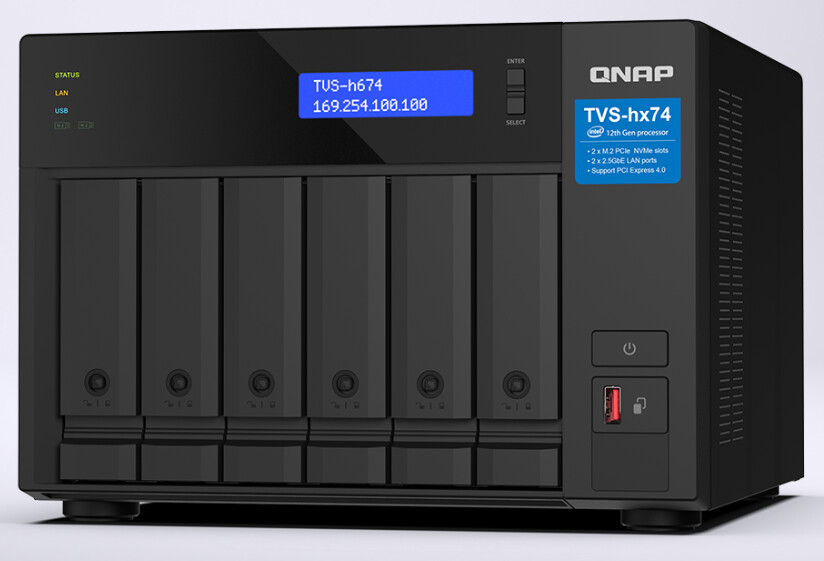
1. Qtier Functionality
This is perfect and exactly what was missing to improve QNAP QuTS hero functionality. Qtier implementation in the QuTS hero environment is one of the most significant and most anticipated features in this version. Full Qtier support in QuTS hero environment, manual control over cache placement for specific shared folders, flexible configuration according to workload, optimized data placement between SSD and HDD tiers, with the ability to define data that needs to be prioritized for performance.
The ability to choose which folders to assign cache allows precise optimization of performance for critical workflows. This is especially important in environments where different applications have different performance requirements.
Recommendation: Highly recommended feature for production environments after the stable version release. Would like to see data migration in Qtier implemented as well, based on specific customer requirements such as frequency and importance.
2. HDD Hot-Swap Functionality
Works flawlessly. HDD removal was smooth and fast, HDD insertion back into the server occurred without problems, and data synchronization was quite fast and efficient without data copying. All LED lights lit up correctly, fast disk recognition in the system, no warnings or errors observed. When the device is powered off, the eth diode on the back of the NAS doesn’t blink, but this is probably more related to the device itself.
3. User Account Management
User account creation and management has been significantly improved and has become much simpler and more intuitive. Simplified and intuitive user creation process - during customer selection, several parameters are offered that previously had to be configured separately. Clear and understandable interface structure, accounts created without errors. 2-Factor Authentication (2FA) works correctly; the only unclear thing is why the customer needs to log in again for this functionality to work.
Recommendation or improvement that would be valuable in my opinion: Add a menu/checkbox in the user creation form:
-
Create Samba/FTP/SFTP account
-
Create NFS account access
-
Enable or disable RADIUS authorization
One user creation process would automatically configure both Samba and NFS access, rather than having to perform separate actions for each protocol. This would reduce administration actions in multi-user environments. Improved user management significantly eases administrator work, especially in environments with large numbers of users, and administration has become faster.
4. Media Streaming Performance
Media streaming functionality tested on devices: Android devices, iOS devices, Linux systems, Microsoft Windows devices. Correct video/audio playback on all platforms, optimal playback speed without buffering, stable streaming quality tested over WiFi and Ethernet, as well as through VPN WireGuard/OpenVPN. No interruptions or latency problems observed; the only issue is that when encoding files, disk space is significantly used. Live Encoding in this case would be desirable to work better. Media streaming was simultaneously tested up to 100MB/s - QuTS hero 6.xxx handled it. On all tested platforms, streaming works correctly with good speeds and without technical interference, which is important for users who use NAS as a media server.
5. File Station 6 Interface
File Station 6 has received a significant visual update with a modern design, starting to resemble MAC standards. Refreshed visual identity that allows quick transition from one MAC device to QNAP. Improved user experience appearance, has become more colorful, but a couple of functions have been removed and moved elsewhere. It’s difficult to judge speed improvements unequivocally - I haven’t noticed it becoming faster or starting to lag, possibly because the device has i5 and 32GB resources. The new user interface is visually more modern and aesthetic compared to previous versions. However, finding parameters for shared folders is more complicated; it’s possible to get used to it over time, but the first impression creates a bit of chaos because it’s not possible to find encrypted/decrypted folder sections - you have to go inside each Shared Folder. iOS application problem with Ethernet port recognition - in one case on the iOS device, the device is shown with number 3 and in another case with eth5. I can’t understand why QNAP hasn’t uniformly assigned device interface numbers.
6. HBS3 Synchronization Performance Differences
-
Synchronizing the same data from QTS v5.x to QuTS hero v6.0: 10 minutes
-
Synchronizing the same data from QuTS hero v6.0 to QuTS hero v6.0: 39 minutes
7. Snapshot Management Complexity
The snapshot management interface has become less intuitive compared to previous versions - to open and view data, you have to go deeper into the structure and look more carefully at what you want to restore. It’s possible that you can get used to the new approach over time, but initially it creates additional time consumption in snapshot management. The Immutable Snapshots feature is very useful from a security aspect, but it could be supplemented with better visualization. Improve snapshot comparison and restoration operations.
8. Container Station Startup Problem After Upgrade
After QuTS upgrade from v5.xxx to v6.xxx, Container Station cannot start correctly. Container Station starts with the error “Cannot log in to Container Station GUI.” The problem appears immediately after upgrade from v5.xxx to v6.xxx, but at the same time all containers work in the background.
9. ACL 2.0 Instability and Problems
More time needs to be invested here to transition to ACL 2.0! ACL 2.0 migration caused significant stability problems and system operation disruptions. It is NOT POSSIBLE TO RETURN to ACL 1.0 after migration, which is a major drawback. It’s also not possible to perform ACL 1.xx data and parameter backup before migration to ACL 2.0. Reading the forum shows that many customers have encountered this. It’s necessary to review ACL 2.0 implementation and fix its functionality, provide a rollback mechanism to ACL 1.0 and rollback functionality.
10. Insufficient Enterprise Monitoring
During testing, it was found that the QuTS hero system provides basic monitoring data through SNMP, QCenter, and Zabbix, but the detailed metric data necessary for enterprise-level administration is either incomplete or completely unavailable. Considering that QuTS hero is positioned as an enterprise-class NAS solution with 24/7 operation mode, current monitoring capabilities do not meet modern IT infrastructure management standards.
Current monitoring availability: CPU and RAM usage (basic level), Volume capacity, Network interface statistics, Disk temperature, RAID status, Cooler status
Desirable features: IOPS (Input/Output Operations Per Second) per individual disk, IOPS per RAID array, Per-disk latency metrics,Per-disk throughput (MB/s read/write)
Without these, it’s impossible to identify specific disk or array performance bottlenecks, cannot perform proactive performance troubleshooting, and capacity planning is difficult.
Service Level Monitoring: Surveillance Station status (up/down), Container Station service availability, Virtualization Station status, QuTS hero application health status
Share/Volume Level Monitoring: Individual shared folder availability, Per-share I/O statistics (IOPS, throughput), User session count per share, Per-share network bandwidth usage, Active connections per share,Share encryption status (encrypted/decrypted)
Container Station: Per-container status (running/stopped/failed), Per-container CPU usage, Per-container RAM usage, Per-container network statistics, Container restart counters
Virtualization Station: VM level monitoring through SNMP, VM resource allocation vs actual usage, VM network performance data, VM disk I/O statistics
NVMe Specific: NVMe specific IOPS (critical for cache/Qtier), NVMe latency metrics (μs level), Per-NVMe device performance, NVMe specific performance counters
QuTS hero 6.0 monitoring capabilities are sufficient for home/small office use, but DO NOT MEET enterprise-class 24/7 infrastructure management standards. This is a significant shortcoming considering the product’s positioning as an enterprise solution.
11. AI Integration
Currently, many NAS vendors such as Pure Storage are implementing AI to view statistics, system errors, log files, and configuration. QuTS hero would also be desirable to enable such functionality in its Enterprise devices. After I will configure OpenAI with QuTS hero “RAG search“ i see apply button doesn’t working. It’s look in QuTS hero created AI who is 3th party of software. I think there will be interesting if there will be Integrated Internal AI, who allow client to do standard requests as show network interface, disk size and other hardware or software inside NAS. I not understood This AI is about content on the NAS or this is AI same as ChatGPT in the Web!
12. AMIZ Cloud
amizcloud.qnap.com after login wrong data with many holes, why?
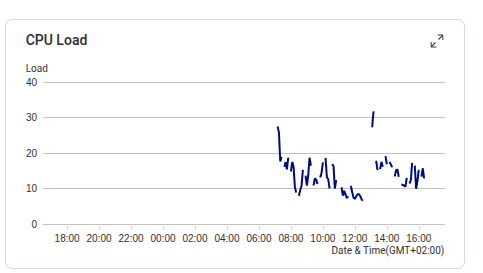
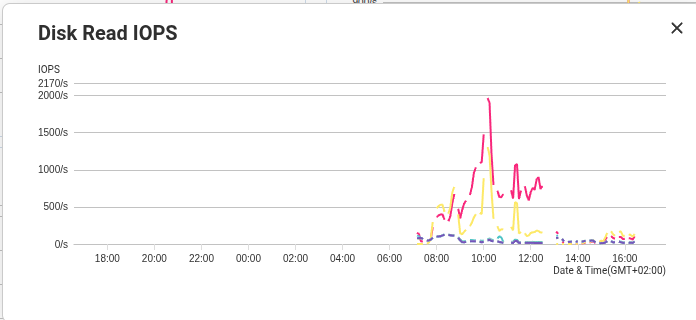
If I look other NAS, who are used QTS v5.xx or QuTS hero v5, than data is correct, normal line without holes. I think there is NAS performance issue and they can’t collect correct data.
All other provided data in AmizCloud more of less fine, I can see errors, disk, Raids status
Best Regards and Good Luck
