Important Notes
The following expansion card models have reached the end of product support, starting from QuTS hero h6.0.0: Mustang-200-C-8G-R10, Mustang-200-i5-1T-32G-R10, Mustang-200-i7-1T-32G-R10, Mustang-F100, Mustang-V100, QM2-2P10G1T, QM2-2S10G1T.
Starting from QuTS hero h6.0.0, the following applications will no longer be supported: CAYIN CMS-WS Lite and CAYIN MediaSign Player (replaced by CAYIN Media Viewer), IDrive, JRE, Mustang Card Manager, Mustang Card User Driver, Python, Python3, QButton, Qmiix Agent, QVR Elite (replaced by QVR Surveillance), Skype.
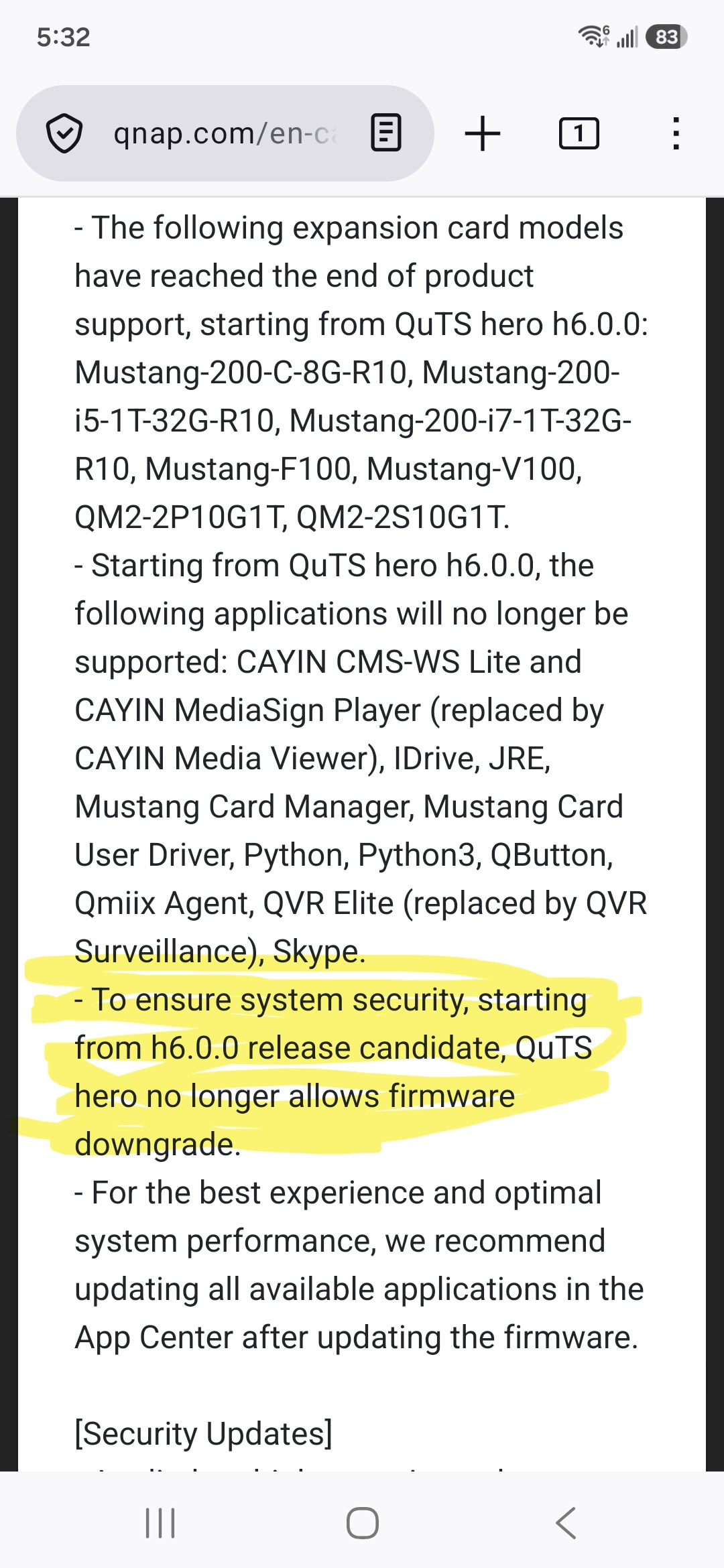
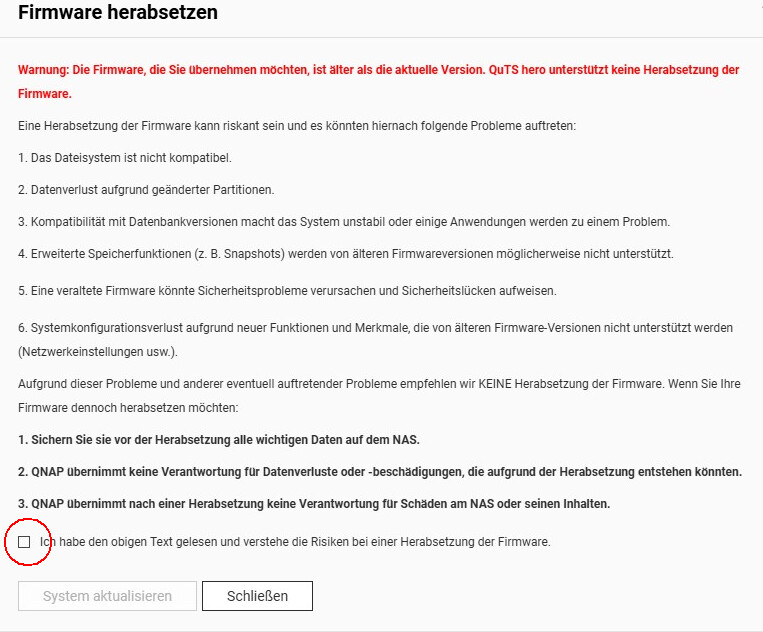
To ensure system security, starting from h6.0.0 release candidate, QuTS hero no longer allows firmware downgrade.
For the best experience and optimal system performance, we recommend updating all available applications in the App Center after updating the firmware.
Security Updates
Applied multiple security updates to further enhance system security.
Fixed Issues
Fixed an issue where a console message incorrectly hinted the default admin password during setup when users connected the NAS via HDMI. (The default password should be the Cloud Key instead of the MAC address.)
Fixed an issue where Storage & Snapshots incorrectly displayed the firmware version of the TL-R6020Sep-RP SAS JBOD expansion enclosure as 0.0.0.
Fixed an issue where Storage & Snapshots incorrectly displayed the error status icon for TL-R6020Sep-RP SAS JBOD expansion enclosure even though the device was functioning normally.
Fixed an issue where large-capacity storage pools would go offline after users updated QuTS hero version from h5.1.14 to h6.0.0.3500.
Fixed an issue where the “Resize Shared Folder” button would become grayed-out and unclickable after users expanded a shared folder capacity to 5 PB (upper limit).
Fixed an issue where the progress of applying individual ACL permission changes would be occasionally stuck at 0% if the folder structure was deep and complex.
Fixed an issue where Storage Manager would display RAID 60 as RAID 6 when adding a new RAID group.
Fixed an issue where the “Expand Pool” wizard could allow users to exceed the upper limit of 16 disks when creating a RAID 60 group.
Fixed an issue where the snapshots taken on the temporary takeover node would not appear in the SMB Previous Versions after an automatic failback to the original active node.
Fixed an issue where wired 802.1X authentication would fail after a firmware update from QuTS hero h5.x.x to h6.0.0.
Fixed an issue where encrypted shared folders still allowed unsupported characters in passwords, which would lead to unlock failures after firmware update to QuTS hero h6.0.0.
Fixed an issue where DNS resolution would fail if the DNS server IP address was not in the list of allowed connections defined by users.
Fixed an issue where improper API handling would cause abnormal log writing and lead to ramdisk errors.
I’m running into this too. I tried uninstalling the driver as well as the kernel, but it won’t let me remove the kernel. After removing the driver, I restarted, installed the driver again, restarted again, and still no dice.
I’ve submitted a help desk ticket.
AND WHAT IN THE EVER LOVING HELL??? YOU CAN’T DOWNGRADE EVER AFTER UPGRADING TO 6?!! QNAP - HOW IN THE HELL ARE USERS SUPPOSED TO GET THEIR SYSTEM WORKING IF YOU GUYS HAVE ISSUES WITH A FIRMWARE RELEASE, LIKE NOW?! Whose brilliant idea was that?! Why can’t we downgrade from 6.0.1.3500 to 6.0.0.3500?
Wish I knew why mine seemed to work. I had to do the same thing after one of the last updates. Survived reboots even. But yes, I think every QuTS hero update has had some issue with Nvidia drivers not loading and needing some manual intervention. Strange.
I uninstalled the NVIDIA GPU Driver app, but couldn’t install the Kernel. So I SSHd in, removed the Kernel entries in the qpkg.conf file, then removed the directory for the Kernel package in the .qpkg folder, restarted, manually downloaded and installed the Kernel after the restart, and at least the GPU passthrough is working for Container Station now. The driver still won’t load in QuTS Hero though, but its not giving an error at startup like it was.
We were unable to reproduce this issue on our end. If any users are experiencing a similar problem, feel free to open a support ticket and our Support Team will be happy to help resolve it. Thanks!
Thank you for your comment, it helped me, I had opened a ticket with support, but I followed your advice: install the new “nvkerneldriver”. Before that, I had uninstalled the NVidia drivers (with a reboot), which I reinstalled with the “nvkerneldriver”.
Is this for real? We can’t even downgrade within QuTS 6.x? I’ve been eyeing a move from QTS to QuTS on my TVS-872XT soon to take advantage of ZFS but I’m waiting/watching for v6 to stable up so I can start there instead of v5, but this has me a bit worried if true. Over the years I’ve had to downgrade QTS to a previous version a few times because a driver broke, or sendmail was broken.
I tried downgrading from 6.0.1.3500 to 6.0.0.3500, and it wouldn’t let me.
Here’s the text in the release notes from 6.0.1.3500. Which is not a major release, which usually prevents downgrades to the previous firmware.
In my opinion this is a poor decision given the number of users who experience a problem after a firmware upgrade. The only support option is their help desk app, and emails back and forth. Many of these users are small businesses using QNAP for video editing or storage, and an issue can keep them down for days now, because they can’t revert the firmware.
I get this is for security reasons but they really need to have upped their quality control and testing for this not to cause dissatisfaction. Plus their own track record on security is not the greatest.
I see… I expected that meant major versions v6 back to v5.x. which is a terrible idea anyway. But not within v6 minor revisions.
This seems wildly overboard to not allow going back to minor version released just a few days earlier. QNAP is famous for having to go back to a previous version when their firmware doesn’t work or is unstable… :o
this is an excellent comment. QNAP knows very well - as does every manufacturer - that they often make mistakes with firmware releases - I don’t care if it’s Apple, or Adobe, or Ubiquiti, or QNAP. So it is VERY important to be able to “back rev” the firmware to a previous version.
For those of you on QuTS 5.x, I assume you were able to revert minor revisions? So this is something new in QuTS 6.x?
It would be nice to get some official QNAP comment on why they think this is even remotely a good idea. I can create a ticket for it, but I want to make sure we know the facts, or if someone has already seen some comment from them I don’t want to duplicate.
And with that said, there has to be a way to revert on their support side for critical issues. So maybe we just haven’t seen how yet. Hoping there is a file_flag somewhere that when flipped, would let it revert.
Same on TS-h1277AFX - my RTX-5060 Ti no longer works !
My dockers return : Error response from daemon: error gathering device information while adding custom device “/dev/nvidia0”: no such file or directory
Everything was correctly working with the previous QuTS hero h6.0.1
How to downgrade to the previous QuTS hero h6.0.1 ?
==> Software releases may have potentially issues that should be able to be quickly fixed using a downgrade !
Downgrading is not an option, that’s a security feature.
Thanks for the honest feedback here — losing a straightforward rollback is a fair thing to be annoyed about, especially when an update causes a real regression like the RTX / Nvidia driver problem some of you ran into. Let me clear up what actually changed, and more importantly what your options are.
First, the practical part, because there’s a misconception worth correcting: a downgrade on h6 is not impossible. What changed is that it’s no longer a self-service action in the GUI. If a build causes a problem for you, our support team can still roll your system back to a previous h6 build — it’s handled through Support rather than a button in the interface. So “downgrading is not an option” isn’t quite right: it’s not a one-click thing anymore, but it is a supported path. If you’re stuck after an update, open a ticket and ask specifically for a downgrade.
On the why, since it’s a real change from 5.x: on 5.x and earlier the GUI warned you and then let you downgrade anyway. Starting with QTS 6.0 and QuTS hero h6.0, downgrade — including between minor builds — is no longer exposed in the GUI, and that’s deliberate. Reverting a device to older firmware also returns it to a state with security fixes stripped back out, and preventing that (anti-rollback) is now part of the security requirements we have to meet under the EU’s new cybersecurity regulation — the Cyber Resilience Act — that is now being phased in. Handling downgrades through an assisted support process, rather than a one-click GUI action, is how we meet that requirement while still being able to get you back on your feet when a build genuinely misbehaves.
None of that makes the inconvenience less real. The point several of you made — that production environments need a dependable way back — is legitimate, and we’re taking it back as product feedback. We’re sorry you’ve run into trouble on 6.x — please reach out to our support team, and we’ll do our very best to help you.