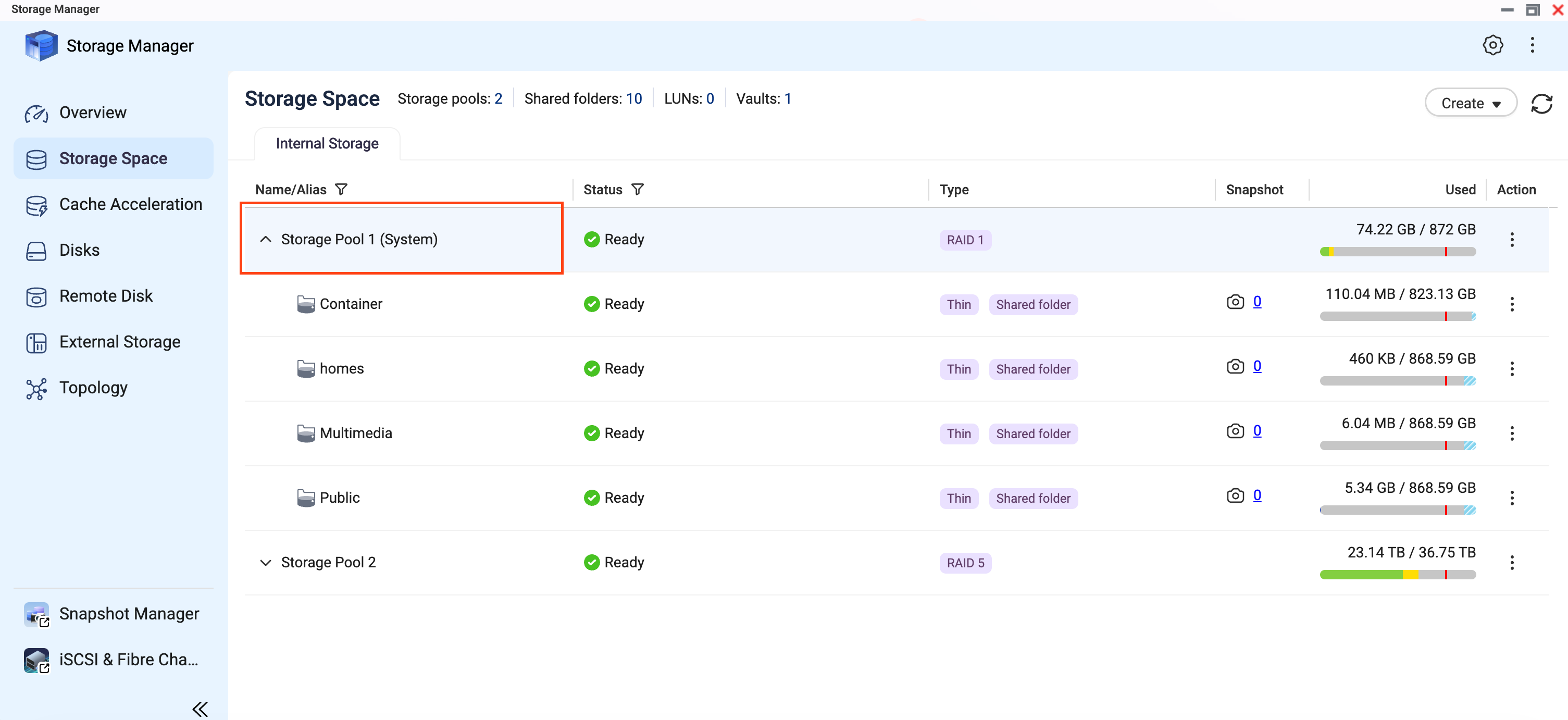
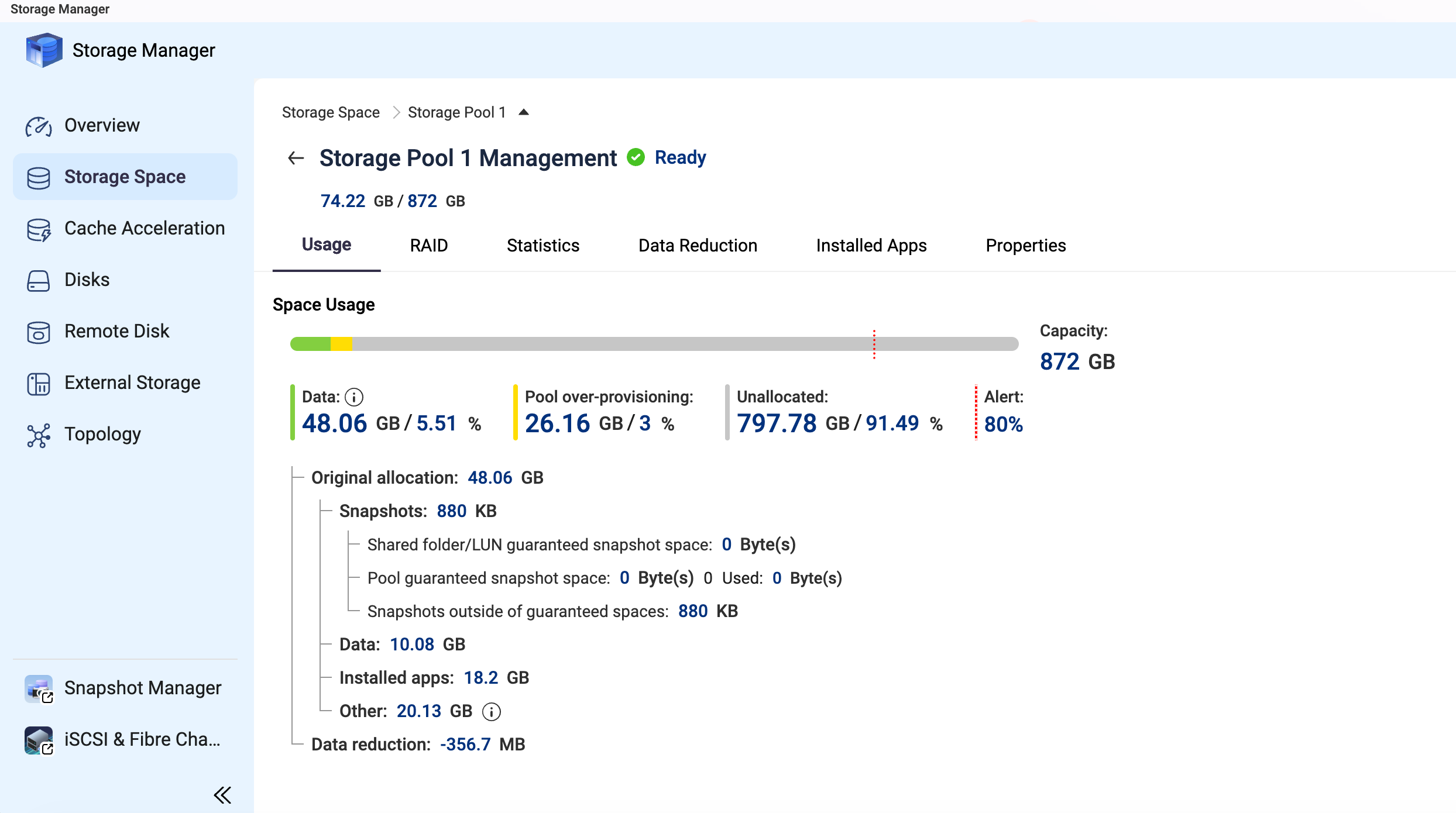
I have questions on how does QuTS hero calculate total and free space so if anyone can help me to understand it i’d appreciate.
My setup has 9 x 18TB drives (RAID 6 , ZFS, so 2 drives for parity 7 for actual space)
That drive when formatted should be 16.4TB actually (16.39 but let’s round it).
16.4*7 = 114.8 TB is what i was expecting to see in storage manager as FREE space (my OS/apps are on NVMe drives so that’s another Storage Pool not affecting this)
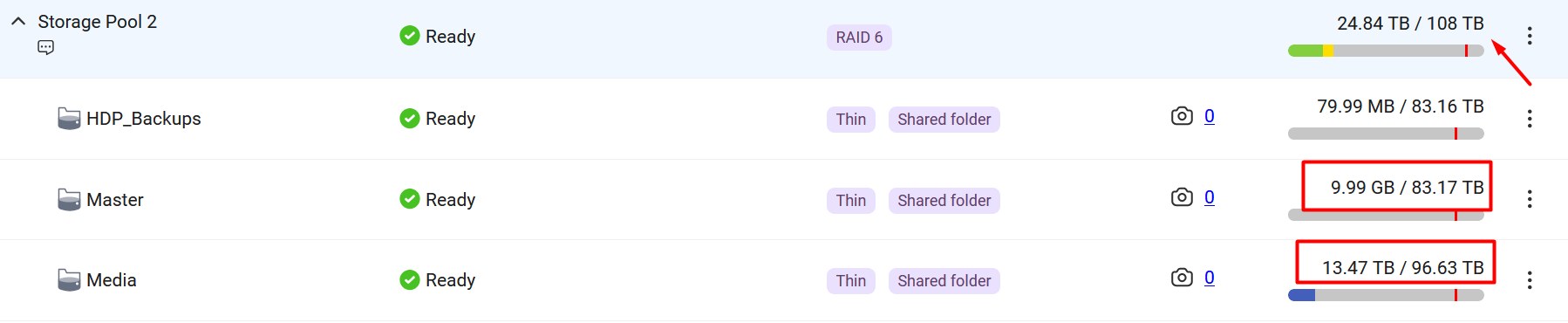
QuTS reports 108 TB so i wonder where did I instantly loose 6.8TB? (114.8-108) ?
Then i made 3 shared folders on that Storage Pool 2
1.HDP_Backups
2.Master
3.Media
Each of those 3 folders are “thin provisioning” so as i understand hwo that works it’s dynamic in space calculation in case i expand volume (add more disks) it should have more space - right?
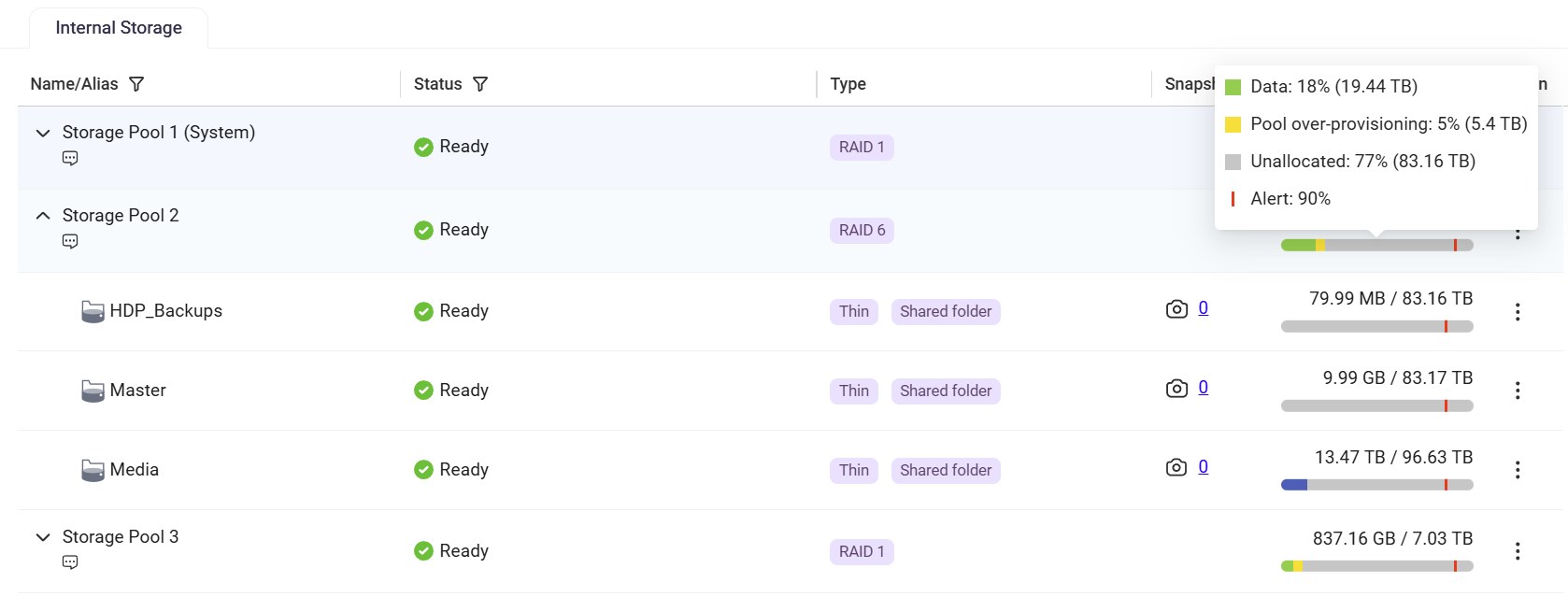
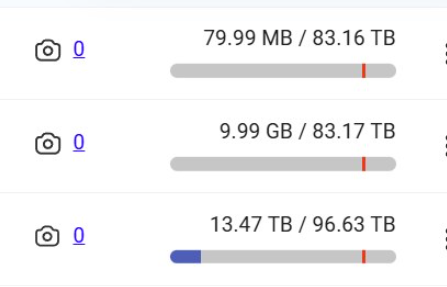
Folders 1 and 2 report total free space left (i copied some media files to folder) is 83.16/83.17 TB but Media folder reports 96.63 TB ?
What’s the “trick here” (or is it a BUG?) that one folder reports 13TB more space than others if on SAME pool ?
Actually that one (media) seems to be only getting it close to correct since 93.6+13.47 (is 107TB) more close to 108TB of total space than other two reports like 96TB total space (83+13.4)?
And i think you have your 3 thin folder over-allocation.
pool = 108 TB
3 thin folder = 83 TB + 83 TB + 96 TB = 262 TB
You can only use the 108 TB from the pool !!!
Hi @Becker2020 , thanks for participating.
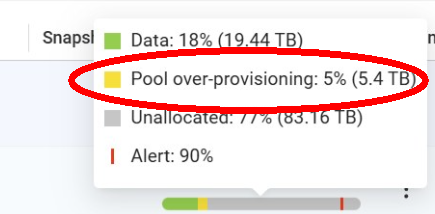
I’ve read few articles/RTFMs and looked multiple vidoes about Thin vs Thick and it seems that thin is better for my use case where i plan to expand volume later, hopefully when HDDs gets cheaper one day at year 2035 ;), and even if i add that 5.4TB some numbers still don’t add up :).
I understand that ZFS on QuTS hero treats folders more like volumes (comparign to QTS/ext4 volumes or Synology BRTFS or windows NTFS) but i still expected that all folders should match that 108TB criteria when they all are on same Pool. Sure “over-provisioning” will be there all the time depending how much i fill out each folder but that’s normal in “thin” mode.
If it was Thick then i’d need to split 108TB among all folders (to ZF Slike volumes) i make on NAS but that would be too complicated to caclulate for my taste/plan of usage since I don’t know exactly how much will wich folder use eventually or how much will HDP use when i start backuing up my Wokrstaions/PCs so i need it “flexible” i.e.l Thin mode suggested as better option.
So even wehn I add up that 5.4TB over-provisioning main “problem” is why folders show different value.
Same when i got o windows it shows me also different sizes/free space on each folder which shouldn’t happen on “Thin” mode and feels soo weird whe i go from folder to folder to see different number of “free space” when i know they all are on same storage pool.
I guess I’ll need to re-wire my brain with ZFS quirks/features :D.
Oh and also.
Techically i could turn off pool over-provisioning on my Pool2 which is only HDDs ? Since i use Pool 1 with NVMes (RAID 1) for OS/apps - right ?
AFAIK That is “just” for Alert threshold level and i do have that turned on (for each folder) no problem there.
Other thing is “over-provisioning” according to what i’ve read online is mostly beneficial and usable for SSD drives (although newer NVMEs should have that internaly in hardware also) but not needed for HDDs.
Well i still need to understand it how it works so i can start enjoy using it .
As for your comment that OS spreads across every drive I’m not sure that’s true with ZFS QuTS Hero 'coz i have separate pool (2*2TB NVMe drives as suggested by QNAP team) just for System/OS and apps (as suggested by QNAP UK tutorial videos).
So even if i pull out all my HDDs my NAS still works/boots 'coz System OS and all Apps are on separate Pool 1.
This space “issue” is happening on my Pool 2 which is only HDDs for storing Data.
I hope I’ll enjoy it when i set it up all, So far I’m still copying files form Synology and finding out all the Quirks and Bugs of the system, hence me asking a lot of questions to check is it just me not understanding something or more bugs in QuTS hero :).
For instance i still have problems to setup QVR surveillance and CAYIN player shows no thumbnails, etc… But i’m still trying to sort those on myself before asking here :).
I’m also diligently reporting to the official tickets system as i confirm here that it’s not just me doing something wrong (why i need your help :)) and they (QNAP Devs) already replied to few of them and managed to get fixes for some in next QuTS hero 6.1 release).
@Lewis - “system” does not equal “OS” in QNAP world. System drive is where all of the default storage, some QNAP applications and default shares (like public, etc) are located. It is somewhat confusing but the OS is indeed spread across all drives. You don’t get faster “OS” operation from using the NVME drives. You do get some faster launches of some applications and some QNAP databases those applications use.
Could you share screenshots like the example below, so we can take a closer look? Also, could you let us know where the 93.6 TB figure you mentioned comes from? Thanks!

 .
.