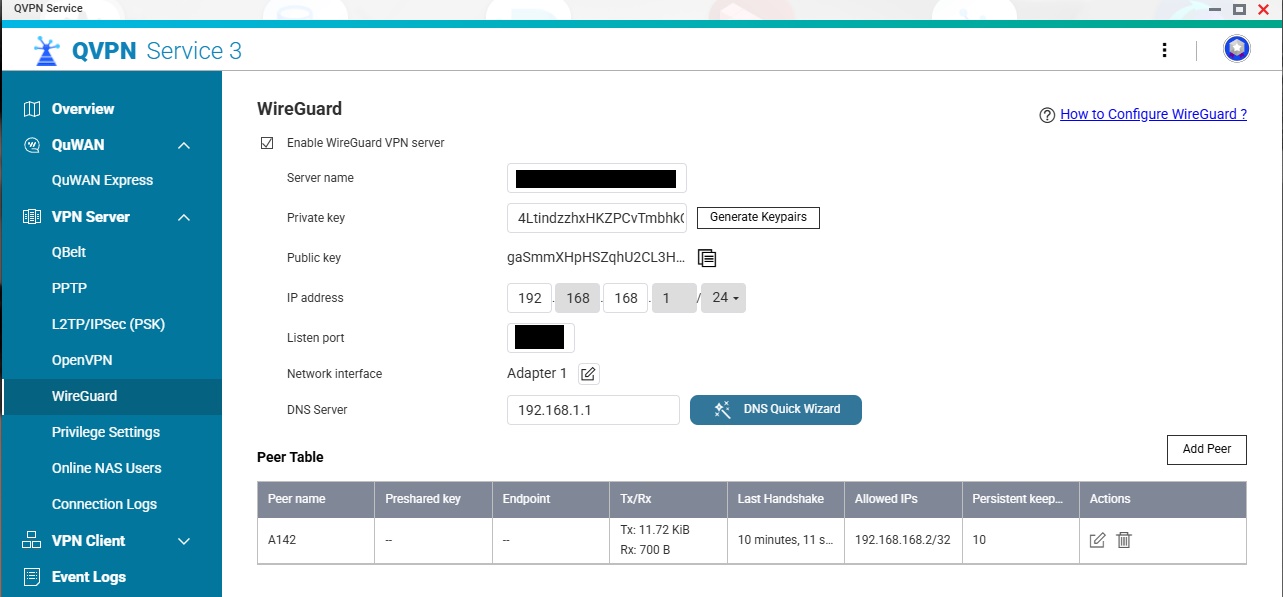
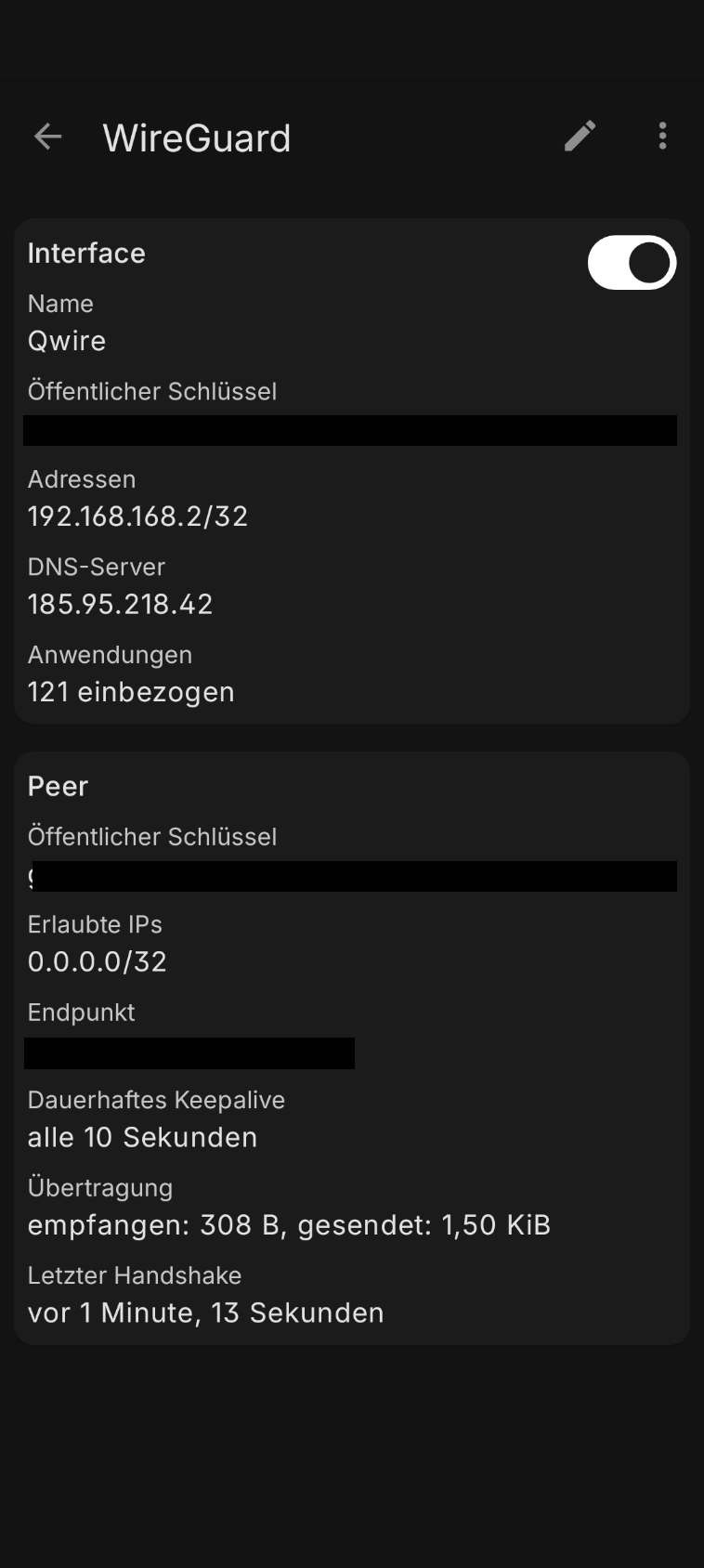
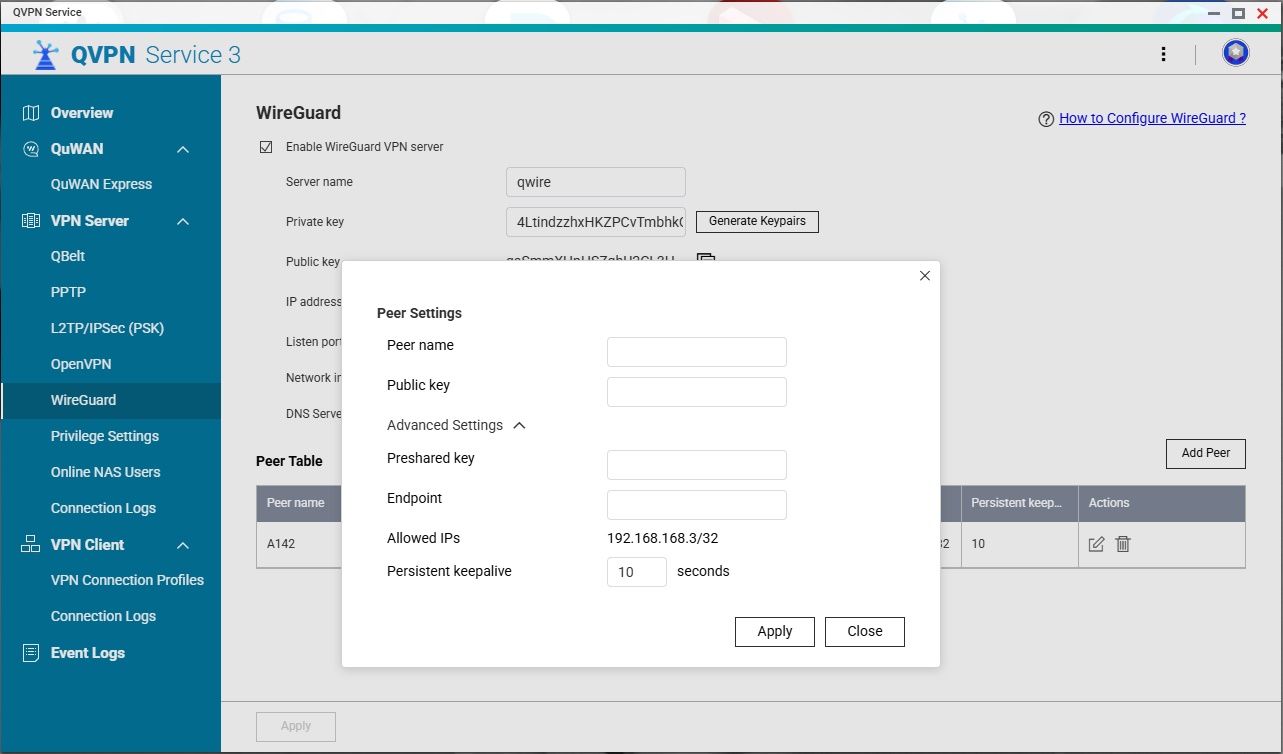
My Issue: wireguard tunnel from mobile client to wireguard server on qnap established - but seems to bypass 100%
Done so far:
Wireguard server set up on qnap nas
wireguard client config set up on mobile device
connection is being establish - seeing client on server at peer windows (rx/tx works)
Next step: take any website showing “my ip address”
Summary:
When using QNAP wireguard connection → website shows my mobile device public ip → 100% bypass
When using FritzBox wireguard connection → website shows my home router public ip
When using FritzBox IPSec connection → website shows my home router public ip
When using QNAP openvpn connection → website show my home router public ip
(Hint: ALL connections above were done with same mobile device!)
Steps I’ve done so far to solve this issue:
Comparing wireguard client config files from FritzBox and QNAP → no mismatch in structure found
QNAP FW no issues
App settings on wireguard app same for all at default setting
In your Wireguard setup on the server, what is the allowed address range? Do you have things set up so all traffic goes through the VPN or only LAN traffic?
Thanks for the detailed report! To help us look into this, could you send us your mobile client’s WireGuard configuration file via private message?
Before sharing, please make sure to redact any sensitive fields first — for example, the PrivateKey, PresharedKey, and the public IP in the Endpoint field, among others.
Are the allowed IP’s on the client (mobile device) the same for QNAP and the FritzBox?
Because this is typical what the Allowed IP’s setting does on the client: tell it which addresses to send through the tunnel, either your LAN subnet if you only need VPN to access your LAN, or 0.0.0.0/0 if everything needs to go through the LAN
Do you have 0.0.0.0/0 set up for the mobile connection so that all traffic flows through the VPN. If you have just your LAN IP space in there, you can access your LAN but all other traffic will flow through your normal (non-vpn) connection.
The allowed IPs setting is only allowing LAN traffic to go through the VPN. If you want everything to go through the VPN, that setting needs to be changed to 0.0.0.0/0.
Concerning the keys in my screens - doesnt matter. It will be changed after I got a solution here and of course the server will be shutdown.
Solution is found:
In the client configuration I have to config for the peer from client view
xxx.xxx.xxx.0/24, 0.0.0.0/0
then the whole thing works as intended.
Conclusion:
Wonky issue with options of doing errors
How to has errors in at last minimum misleading actions
Issue for me closed. Will now erase the server and cut off the forwarding in my router. Maybe this thread gives QNAP enough stuff how to improve this feature for future. Atm it is from my point of view hard to use. A modern NAS with many premade software must give the option to use all provided stuff on a easy base for the customer. If it is mandatory to have high or master level of it knowledge than the product targets not the right group of customers.
Thanks a lot for all to figure out and get it to work. Have a nice sunday.
Right - the mobile peer needs to have allowed addresses of 0.0.0.0/0 as well. I think it’s almost always that on the “remote” side as you never know what IP address you may have.
If there’s no way to change the “allowed addresses” on the NAS side then that’s a failure on QNAP. I have multiple IP subnets on my LAN and with it the way I understand it from you, I couldn’t access some of those other subnets.
Anyhow, my recommendation is to use your router as your VPN peer and not your QNAP.