I just purchased a TVS-h874X-i9-64G-US and it is running Quts Hero h5.3.1.3292 build 20251024.
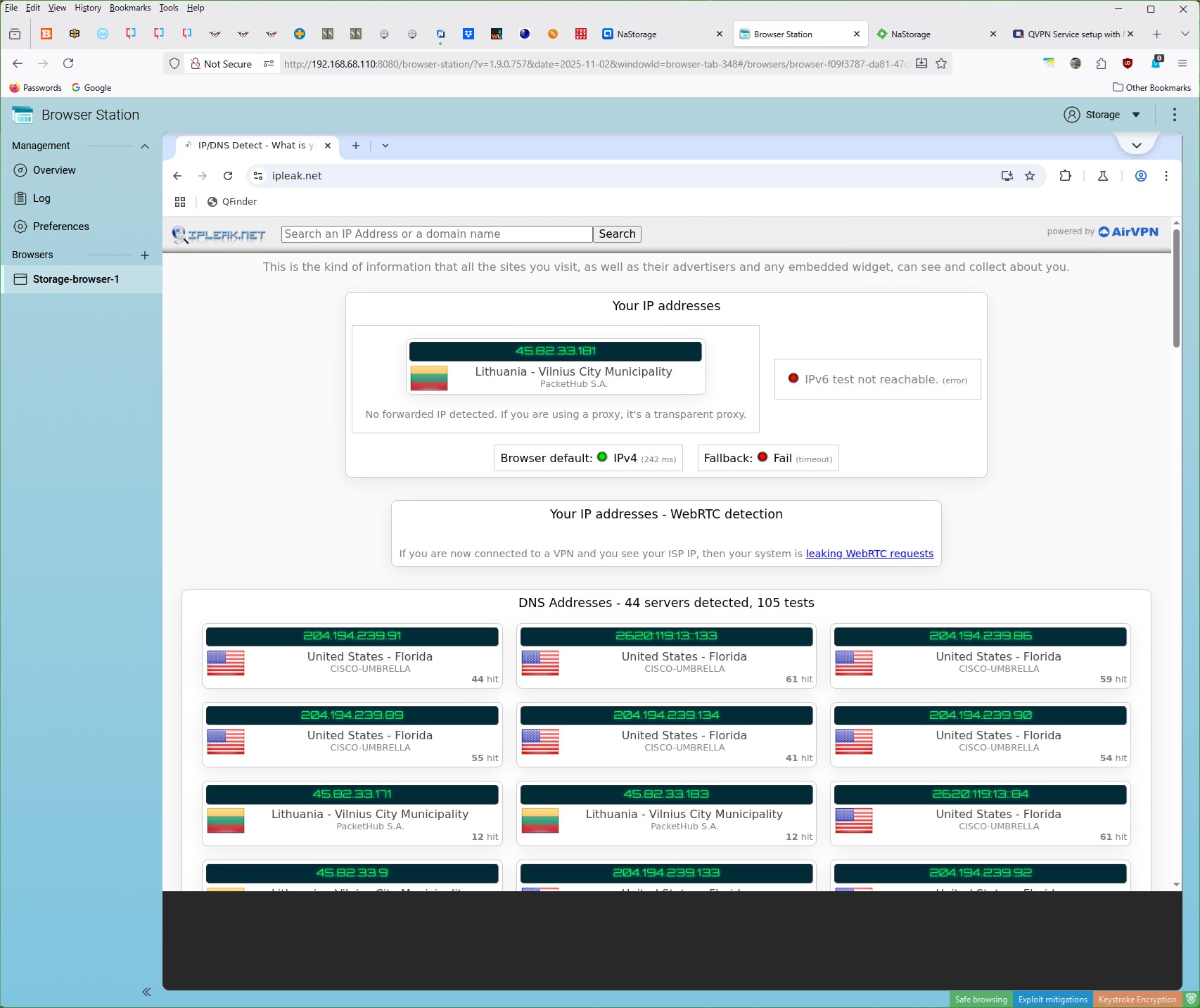
I am still setting it up and I am having a security issues with the NordVPN setup through the QVPN app. I have it configured with the VPN set at the default gateway. I test it using Browsing Station using ipleak.net..
IPLEAK.net reports MANY of my ISP’s DNS servers leaking. I tried reconfiguring the VPN several times using different locations but it always leaks DNS.
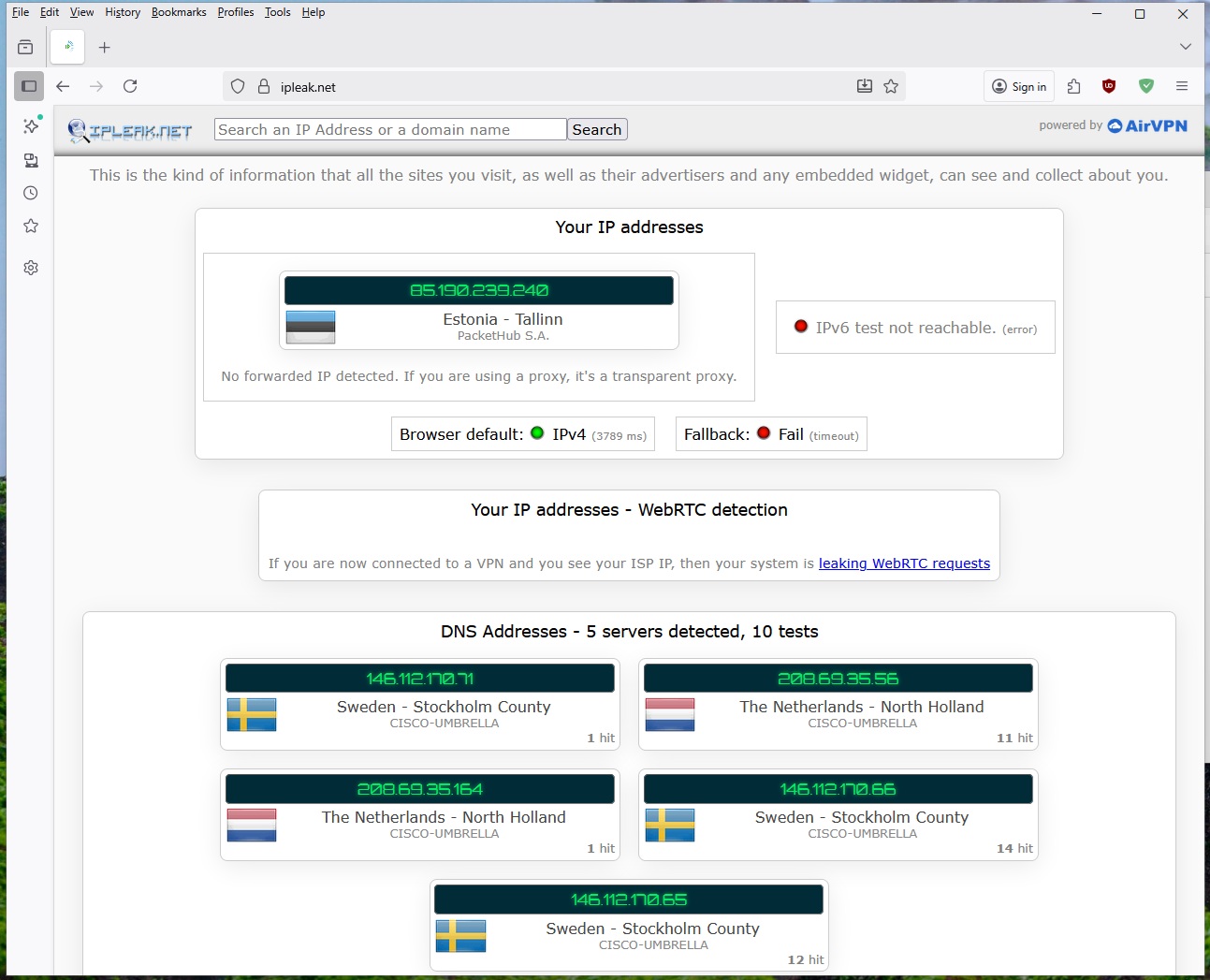
My prior NAS uses NordVPN and it does not suffer from any DNS leads using the same VPNs.
I googled this problem and it seems that years ago this was a common problem with QVPN.
I was hoping there was a work around for this DNS Leak problem without having to use a external router configured with the VPN, or some kind of an external device to run the VPN. I cannot use these methods for other reasons.
So I am assuming I am doing something incorrectly. Any advice?
Can you please provide us with the setup of your network adapters. From looking at the picture, I don’t know what is “VPN” DNS servers and what are the leakers….I’m assuming all the 45.82.33.x servers are your VPN DNS servers but don’t know for sure.
I hope this brief description is helpful. I plugged one of the QNAP Ethernet ports into my ISP’s supplied fiber modem that connects the QNAP to the internet, along with the rest of my devices are plugged into other ports on that modem.
As you can see on that picture below, it connected to Vinius, Lituania (Your IP address) as that is the VPN server I selected. So all good there.
If you look below DNS Addresses, you see US based DNS servers listed, which belong to my ISP. This is the “leak”. Those should not show up at all. On my old NAS, an ASUSTOR, no US DNS show up.
Below is what the old NAS shows - no DNS Leaks (no US based ISP DNS show).
OK. Thanks. I use Proton VPN but set the VPN through my router. And since the VPN is slower than my internet connection, I only use it for certain things. I have my NAS routed through the VPN. So I am not using QVPN. And until today, I was using the DNS servers I had enabled in my Pi-Hole configuration.
I am instead now using the IP addresses provided by ProtonVPN for my DNS servers. I have just the ProtonVPN DNS IPs in my Pi-Hole settings. I was getting correct DNS everywhere except the NAS. Then I realized that in Network and Virtual switch, I had not configured DNS settings. Once I set those correctly, I am not leaking DNS any longer.
So check your DNS settings on your NIC for the NAS. Can you set the DNS always to the DNS servers for your VPN?
Thank you very, very much for going through all the troubles to verify you can obtain no DNS leaks! You are so kind!
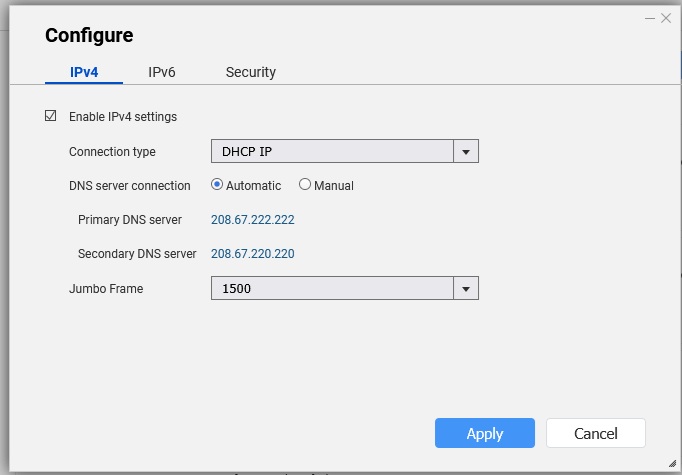
I did have the DNS set on the physical NIC port for two OpenDNS servers that I have used for years and on my old NAS: 208.67.222.222 & 208.67.220.220 as shown here:
Those OpenDNS servers are supposed to be very good, but I did a search and this these DNS servers are recommended for specifically for NordVPN:
NordVPN’s Public DNS:
IP Addresses:
(103.86.96.103) and (103.86.99.103) (secondary)
Best for: A built-in option. You can use these free public DNS addresses, which also protect against DNS-related threats.
I reconfigured the physical NIC to use 103.86.99.103 & 10.86.96.103 and retested using ipleak.net through BroswerStation but my ISP DNS still shows but none of the other from Europe that were previously there from the OpenDNS servers from before.
I looked around and I am not seeing other places to configure DNS addresses. The QNAP software is quite complex, with virtualization, docker and all that other goodness so it is likely there are other places for DNS servers to be set. Any of them could be pushing the DNS stuff out I’ll continue looking for other places to set DNS.
After some more tinkering, I found a work around for this issue. Turns out I was able to configure NordVPN on a TP-Link DECO router that I had laying on the shelf. I plugged that DECO router between the QNAP and the Fiber modem and the Deco has the ability to limit the VPN to specific devices.
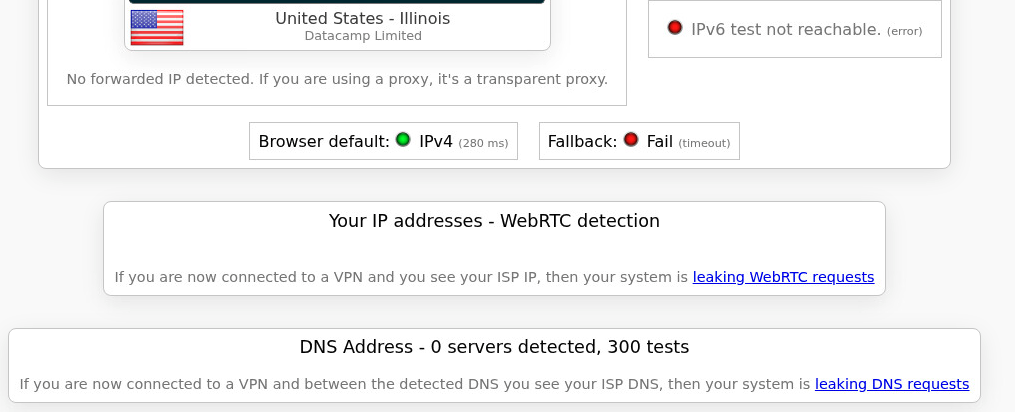
After putting the DECO in the middle, the DNS leaks disappeared! Problem solved!
I setup the Deco as a VPN client. It has NordVPN builtin. Has been working excellently over the last month. I have not seen it drop once. It is actually a BE63 I had laying around.
Make sure all the other network interfaces on the Qnap are not configued

 I’ll continue looking for other places to set DNS.